تعارف
This manual provides detailed instructions for the setup, operation, maintenance, and troubleshooting of your Soleus Ultra Sole Digital Watch, model SR010-052. Please read this manual thoroughly to ensure proper use and to maximize the lifespan of your watch.
پيداوار ختمview
The Soleus Ultra Sole Digital Watch is designed for active individuals, featuring a robust digital display and a durable polyurethane strap. It includes advanced functions such as a chronograph, lap memory, interval timers, and hydration alarms, making it an ideal companion for training and daily activities.
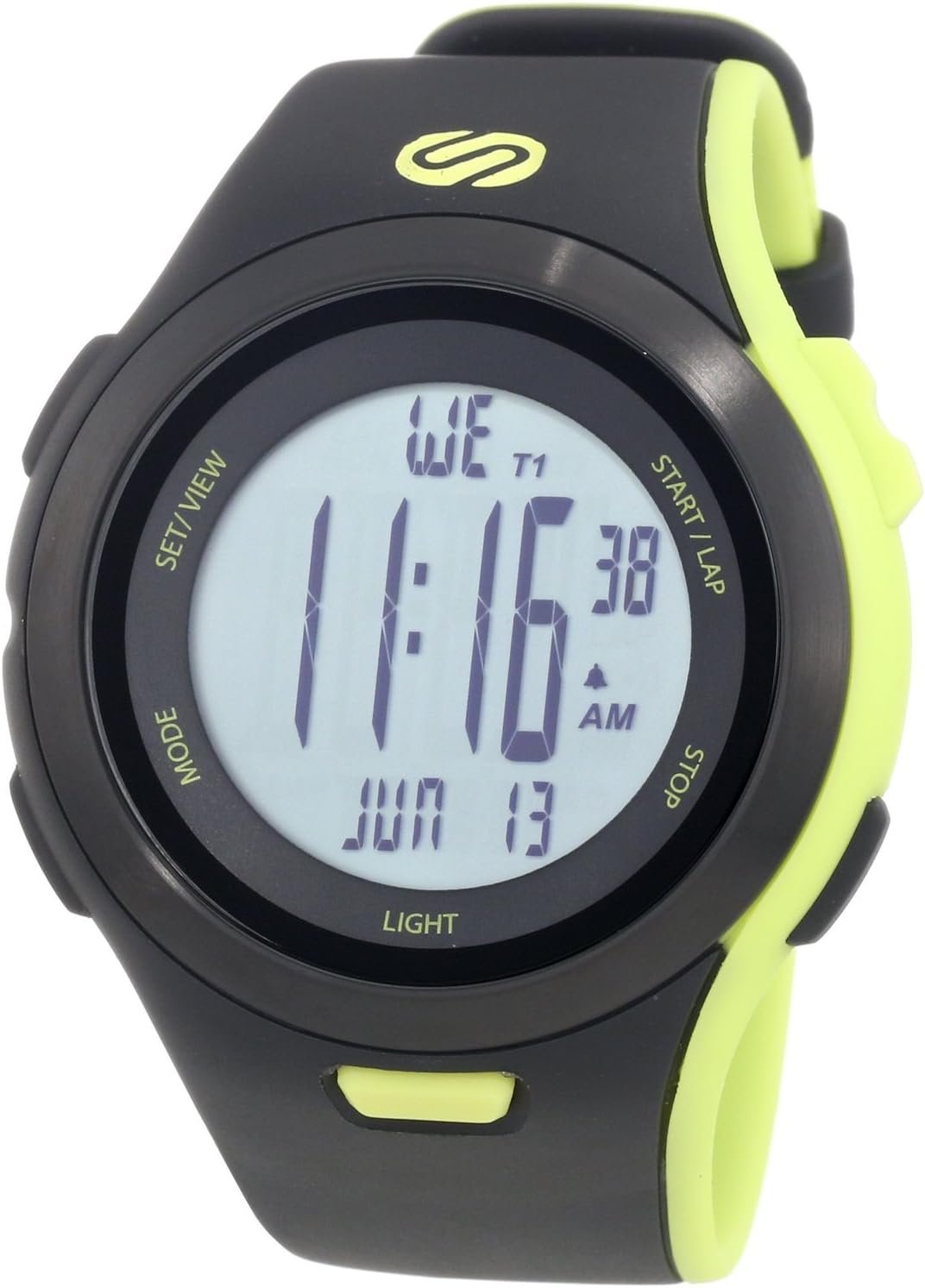
شڪل 1: سامهون view of the Soleus Ultra Sole Digital Watch.

شڪل 2: پوئتي view and dimensions of the Soleus Ultra Sole Digital Watch.

Figure 3: Soleus Ultra Sole Digital Watch as worn on a wrist.
سيٽ اپ ڪريو
شروعاتي پاور آن
Your Soleus Ultra Sole Digital Watch comes with a product-specific battery included and pre-installed. The watch should power on automatically. If the display is blank, ensure the battery is properly seated (though typically not user-serviceable for initial setup).
مقرر وقت ۽ تاريخ
وقت ۽ تاريخ مقرر ڪرڻ لاءِ.
- کي دٻايو موڊ button repeatedly until you reach the Time Setting mode. The digits for hours or minutes will typically flash.
- استعمال ڪريو سيٽ/VIEW or START/LAP buttons to adjust the flashing value (e.g., hours, minutes, year, month, day).
- دٻايو موڊ again to move to the next setting field.
- هڪ دفعو سڀئي سيٽنگون صحيح ٿي وڃن، دٻايو سيٽ/VIEW or موڊ (depending on the specific model's button logic) to exit the setting mode and save changes.
پٽي جي ترتيب
The polyurethane strap is designed for comfort and durability. Adjust the buckle clasp to ensure a snug, yet comfortable fit on your wrist. The strap accommodates wrist sizes from approximately 150mm to 195mm.
آپريٽنگ هدايتون
Your Soleus Ultra Sole Digital Watch features several modes and functions accessible via its buttons:
- موڊ بٽڻ: Cycles through different operational modes (e.g., Time, Chronograph, Timer, Alarm, Dual Time, Run Data).
- سيٽ/VIEW بٽڻ: Used for setting values in setting modes or viewing data in data modes.
- START/LAP Button: Initiates or pauses functions (e.g., chronograph start), or records laps.
- اسٽاپ بٽڻ: Stops functions (e.g., chronograph stop) or resets values.
- روشني وارو بٽڻ: Activates the EL backlight for 15 seconds.
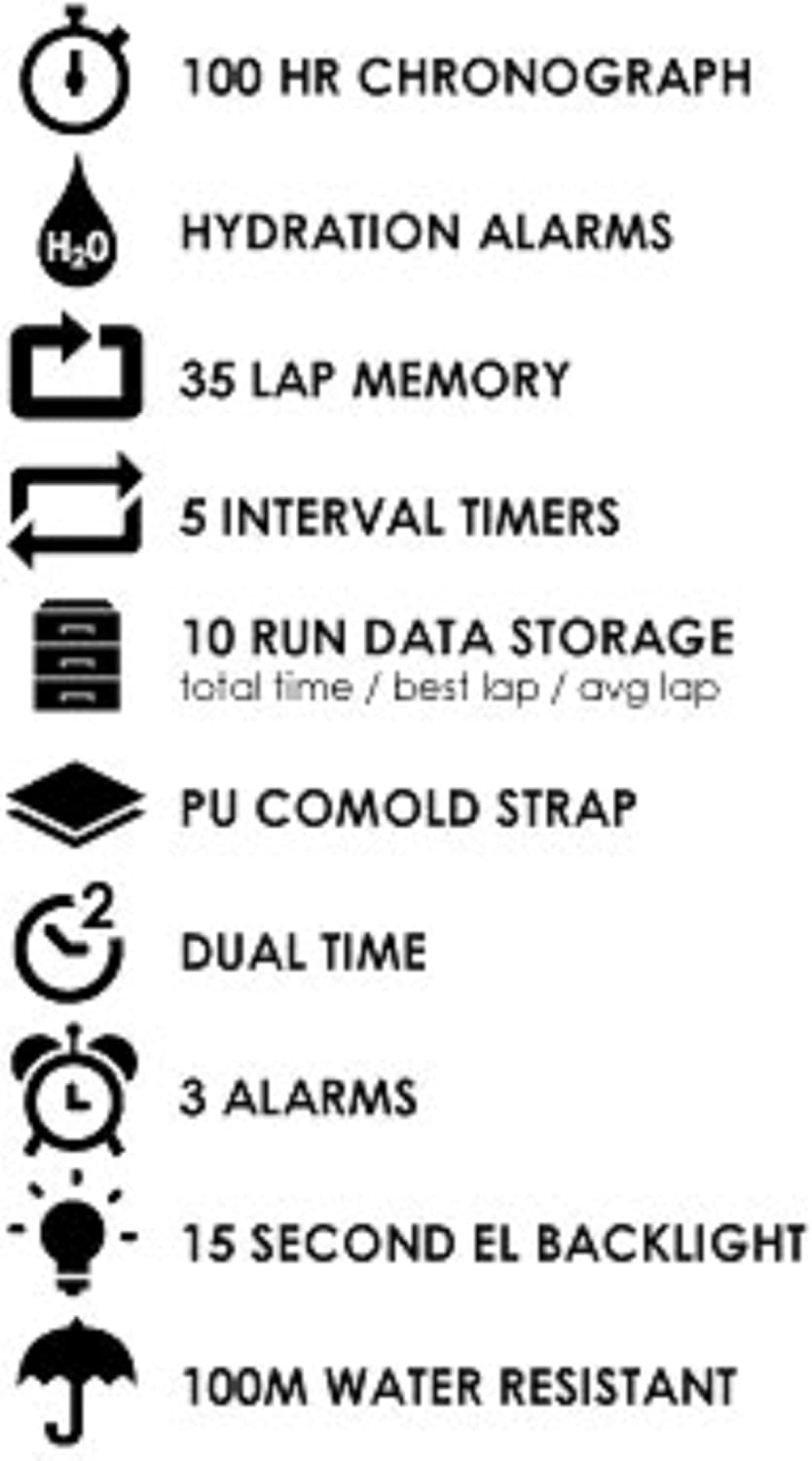
Figure 4: Key features of the Soleus Ultra Sole Digital Watch.
ڪرنوگراف (اسٽاپ واچ)
The watch features a 100-hour chronograph:
- دٻايو موڊ to enter Chronograph mode.
- دٻايو START/LAP وقت شروع ڪرڻ لاء.
- دٻايو START/LAP again to record a lap time (up to 35 laps). The main timer continues running.
- دٻايو اسٽاپ chronograph کي روڪڻ.
- دٻايو اسٽاپ ڪرونوگراف کي صفر تي ري سيٽ ڪرڻ لاءِ ٻيهر.
وقتي وقفو
The watch includes 5 interval timers for structured workouts:
- دٻايو موڊ to navigate to the Interval Timer mode.
- استعمال ڪريو سيٽ/VIEW to select and set the duration for each of the 5 timers.
- دٻايو START/LAP to begin the interval sequence. The watch will alert you at the end of each interval.
الارم
Set up to 3 independent alarms:
- دٻايو موڊ الارم موڊ ۾ داخل ٿيڻ لاءِ.
- استعمال ڪريو سيٽ/VIEW الارم 1، 2، يا 3 چونڊڻ لاءِ.
- استعمال ڪريو START/LAP ۽ اسٽاپ گهربل الارم وقت مقرر ڪرڻ لاء.
- Activate or deactivate the alarm using the appropriate button (refer to on-screen indicators).
Hydration Alarm
The hydration alarm reminds you to drink fluids:
- دٻايو موڊ to navigate to the Hydration Alarm setting.
- Set the desired interval for the hydration reminder.
- Activate the alarm. The watch will provide an audible alert at the set intervals.
Run Data Storage
The watch stores data for up to 10 runs, including total time, best lap, and average lap:
- After completing a run using the chronograph, the data is automatically saved.
- دٻايو موڊ to enter Run Data mode.
- استعمال ڪريو سيٽ/VIEW to scroll through the stored run data.
سار سنڀال
پنھنجي گھڙي صاف ڪرڻ
پنهنجي واچ جي ظاهر ۽ ڪارڪردگي کي برقرار رکڻ لاءِ:
- گھڙي جي ڪيس ۽ پٽي کي باقاعدي طور تي نرم، ڊي سان صاف ڪريوamp ڪپڙو.
- ضدي مٽيءَ لاءِ، نرم صابڻ جو محلول استعمال ڪريو ۽ صاف پاڻي سان چڱيءَ طرح ڌوئو.
- Avoid using harsh chemicals, solvents, or abrasive cleaners, as these can damage the watch's finish and materials.
- Ensure the watch is completely dry before storing or wearing.
پاڻي جي مزاحمت
The Soleus Ultra Sole Digital Watch is water-resistant to 100 meters (330 feet). This means it is suitable for showering, swimming, and snorkeling. However, it is important to note:
- Do not press any buttons while the watch is submerged in water. Pressing buttons underwater can compromise the water seal and lead to water ingress.
- Avoid exposing the watch to hot water or steam (e.g., hot showers, saunas, hot tubs), as extreme temperature changes can affect the seals.
- لوڻ واري پاڻي جي سامهون اچڻ کان پوءِ، واچ کي تازي پاڻيءَ سان چڱيءَ طرح ڌوئو ۽ ان کي نرم ڪپڙي سان سڪيو.
بيٽري مٽائڻ
The watch uses a product-specific battery. When the display becomes dim or functions become erratic, it may be time for a battery replacement. It is recommended to have the battery replaced by a qualified watch technician to ensure the water resistance is maintained.
مشڪلاتون
If you encounter issues with your Soleus Ultra Sole Digital Watch, refer to the following common problems and solutions:
| مسئلو | ممڪن سبب | حل |
|---|---|---|
| ڊسپلي خالي يا مدھم آهي. | گھٽ بيٽري. | بيٽري کي تبديل ڪريو. |
| بٽڻ غير جوابي آهن. | واچ بند ٿيل موڊ ۾ آهي يا اندروني غلطي آهي. | Try pressing all buttons simultaneously for a few seconds to attempt a soft reset. If unresponsive, battery replacement may be needed. |
| وقت غلط آهي. | Time not set correctly or battery low. | Re-set the time and date as per the 'Setting Time and Date' section. If issue persists, replace battery. |
| ڊسپلي اندر پاڻي. | پاڻي جي مزاحمت خراب ٿي وئي. | Stop using the watch immediately. Seek professional repair to prevent further damage. Do not attempt to dry it yourself. |
جيڪڏهن انهن حلن جي ڪوشش ڪرڻ کان پوءِ به مسئلو برقرار رهي ٿو، ته مهرباني ڪري وڌيڪ مدد لاءِ ڪسٽمر سپورٽ سان رابطو ڪريو.
وضاحتون
| خاصيت | تفصيل |
|---|---|
| ماڊل نمبر | SR010-052 |
| برانڊ | سولوس |
| ڪيس جو مواد | رال |
| پٽي جو مواد | Polyurethane |
| ڪيس جي ويڪر | 48mm |
| پٽو چوٿون | 22mm |
| Wrist Size Range | Approx. 150mm - 195mm |
| پاڻي جي مزاحمت | 100 ميٽر (330 فوٽ) |
| ڪرنوگراف | 100-ڪلاڪ |
| Lap Memory | 35 ليپس |
| وقتي وقفو | 5 |
| الارم | 3 |
| Run Data Storage | 10 runs (total time, best lap, avg lap) |
| پٺاڻ | 15-second EL Backlight |
| بيٽري | 1 پراڊڪٽ مخصوص (شامل) |
| تاريخ پهرين دستياب | 7 آگسٽ 2012 |
وارنٽي ۽ سپورٽ
وارنٽي ڄاڻ
Soleus products are manufactured to high-quality standards. For specific warranty terms and conditions, please refer to the warranty card included with your purchase or visit the official Soleus website. Typically, watches come with a limited warranty covering manufacturing defects.
ڪسٽمر سپورٽ
For technical assistance, troubleshooting not covered in this manual, or warranty claims, please contact Soleus customer support. Contact information can usually be found on the product packaging, the official Soleus webسائيٽ، يا توهان جي پرچون ڪندڙ ذريعي.
Please have your model number (SR010-052) and purchase date ready when contacting support.


