1. تعارف
This manual provides comprehensive instructions for the setup, operation, and maintenance of your InFocus IN124 DLP Projector. Please read this manual thoroughly before using the projector to ensure proper functionality and to maximize its lifespan.
The InFocus IN124 is designed to deliver clear and bright projections, suitable for various environments including home cinema and business presentations. Its compact design and robust features make it a versatile display solution.
2. پيداوار جا حصا
Upon unboxing your InFocus IN124 DLP Projector, please verify that all the following components are included:
- InFocus IN124 DLP Projector Unit
- ريموٽ ڪنٽرول
- پاور ڪيبل
- VGA Cable (may vary by region/package)
- User Manual (this document, typically on CD or downloadable)
If any items are missing or damaged, please contact InFocus customer support immediately.
3. سيٽ اپ
3.1 جسماني جڳهه
Position the projector on a stable, flat surface or mount it securely to a ceiling. Ensure adequate ventilation around the unit to prevent overheating. Maintain a clear path between the projector lens and the projection surface (screen or wall).
3.2 ڳنڍڻ وارا آلات
The InFocus IN124 supports various input sources. Connect your source device (e.g., laptop, DVD player, gaming console) to the projector using the appropriate cable.
- HDMI: For high-definition digital video and audio. Connect an HDMI cable from your source device to the HDMI port on the projector.
- VGA: For analog video input, commonly used with computers. Connect a VGA cable from your computer's VGA output to the VGA input on the projector.
- جامع وڊيو: For standard definition video. Connect a composite video cable (yellow RCA) to the corresponding port.
- آڊيو اندر/آئوٽ: جيڪڏهن ضرورت هجي ته ٻاهرين آڊيو ڊوائيسز کي ڳنڍيو.
3.3 پاور آن
سڀني ضروري ڪيبلن کي ڳنڍڻ کان پوءِ:
- پاور ڪيبل کي پروجيڪٽر سان ڳنڍيو ۽ پوءِ پاور آئوٽليٽ سان.
- Press the power button on the projector's control panel or the remote control. The power indicator light will change, and the projector lamp روشن ڪندو.
- Allow a few moments for the projector to warm up and display the image.
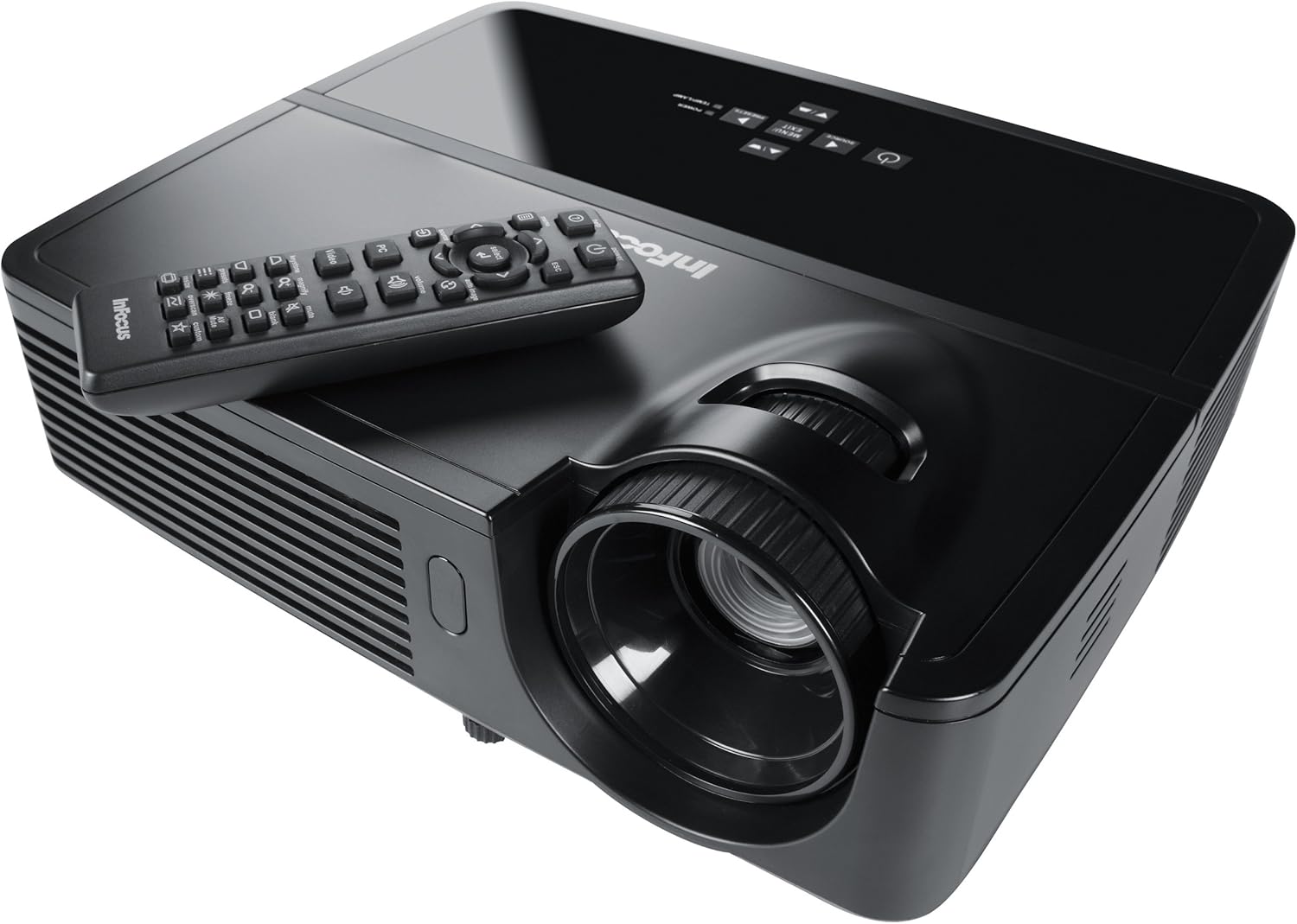
Figure 1: InFocus IN124 DLP Projector with its remote control. The image shows the top-down view of the black projector unit, highlighting the lens, ventilation grilles, and the control panel. The remote control is placed on top of the projector.
4. پروجيڪٽر هلائڻ
4.1 بنيادي ڪنٽرول
The projector can be operated using the control panel on the unit or the included remote control.
- پاور بٽڻ: پروجيڪٽر کي آن يا آف ڪري ٿو.
- ذريعو بٽن: Cycles through available input sources (HDMI, VGA, Video).
- مينيو بٽڻ: سيٽنگون ترتيب ڏيڻ لاءِ آن-اسڪرين ڊسپلي (OSD) مينيو تائين رسائي حاصل ڪري ٿو.
- تير بٽڻ: مينيو آپشنز ذريعي وڃو ۽ قدرن کي ترتيب ڏيو.
- داخل ڪريو/چونڊو بٽڻ: مينيو ۾ چونڊن جي تصديق ڪري ٿو.
- حجم بٽڻ: آڊيو آئوٽ جي سطح کي ترتيب ڏئي ٿو.
- ڪيسٽون جي اصلاح: ٽريپيزائيڊل مسخ کي درست ڪرڻ لاءِ تصوير جي شڪل کي ترتيب ڏئي ٿو.
- فوڪس رنگ: Manually adjust the lens to sharpen the image.
4.2 مينيو نيويگيشن ۽ سيٽنگون
Press the "Menu" button to open the On-Screen Display (OSD). Use the arrow keys to navigate through categories such as "Picture," "Display," "Setup," and "Advanced." Press "Enter" to select a category or option. Adjust settings like brightness, contrast, color temperature, aspect ratio, and resolution to optimize your viewتجربو.
4.3 3D ڪارڪردگي
The InFocus IN124 is 3D-ready. To experience 3D content, you will need compatible 3D source material, a 3D-capable player, and active DLP Link 3D glasses (sold separately). Refer to your 3D source device's manual for specific setup instructions.
5. سار سنڀال
باقاعده سار سنڀال بهترين ڪارڪردگي کي يقيني بڻائي ٿي ۽ توهان جي پروجيڪٽر جي زندگي وڌائي ٿي.
5.1 لينس صاف ڪرڻ
Use a soft, lint-free cloth specifically designed for optical lenses. Gently wipe the lens surface to remove dust or smudges. Avoid using abrasive cleaners or excessive force, which can scratch the lens.
5.2 صفائي ايئر فلٽر
The projector has air filters to prevent dust from entering the internal components. Locate the filter cover (refer to the diagram in the full manual if available) and remove it. Clean the filter using a small brush or a vacuum cleaner with a brush attachment. Replace the filter securely.
5.3 ايلamp بدلائڻ
پروجيڪٽر ايلamp هڪ محدود عمر آهي. جڏهن lamp indicator light illuminates or the image becomes dim, it's time to replace the lamp. Always allow the projector to cool down completely before attempting lamp replacement. Consult the full service manual or a qualified technician for detailed lamp replacement procedures specific to the IN124 model.
6. مسئلا حل ڪرڻ
هي سيڪشن عام مسئلن کي حل ڪري ٿو جيڪي توهان کي پنهنجي پروجيڪٽر سان منهن ڏيڻا پوندا.
| مسئلو | ممڪن سبب | حل |
|---|---|---|
| ڪابه تصوير ڏيکاريل ناهي | Incorrect input source selected; Loose cable connection; Projector not powered on. | Press the "Source" button to cycle inputs; Check all cable connections; Ensure projector is powered on and lamp روشن آهي. |
| تصوير urري آهي | Out of focus; Incorrect resolution setting. | Adjust the focus ring on the lens; Adjust the resolution setting in the OSD menu or on your source device. |
| تصوير ٽراپيزائيڊل آهي. | پروجيڪٽر اسڪرين تي عمودي نه آهي. | Use the keystone correction feature (digital or manual) to square the image. Reposition the projector if possible. |
| نه آڊيو | Volume too low; Incorrect audio input selected; Muted. | Increase volume; Check audio cable connections; Ensure projector or source device is not muted. |
| پروجيڪٽر گرم ٿي ويندو آهي ۽ بند ٿي ويندو آهي | بند ٿيل وينٽيليشن؛ گندو ايئر فلٽر. | Ensure clear space around vents; Clean air filter as per maintenance section. |
For issues not listed here, please refer to the comprehensive online support resources or contact InFocus customer service.
7. وضاحتون
Below are the key technical specifications for the InFocus IN124 DLP Projector:
| خاصيت | تفصيل |
|---|---|
| ماڊل نمبر | IN124 |
| ڊسپلي ٽيڪنالاجي | ڊي ايل پي |
| اصلي قرارداد | 1280x720 (ايڇ ڊي) |
| روشني | 3200 Lumens تائين |
| مقابلي جي نسبت | 3000:1 |
| رابطي | HDMI, VGA, Composite Video |
| خاص خاصيتون | 3D تيار |
| پيداوار جي ماپ (L x W x H) | 12.99 x 12.99 x 5.9 انچ |
| شيءِ جو وزن | 4.78 پائونڊ (2.17 ڪلوگرام) |
| بجلي جي فراهمي | 100-240 Volts at 50-60 Hz |
| سفارش ٿيل استعمال | گھر جي سئنيما |
8. وارنٽي ۽ سپورٽ
InFocus provides a limited warranty for the IN124 DLP Projector. For detailed warranty terms and conditions, please refer to the warranty card included with your product or visit the official InFocus webسائيٽ. وارنٽي دعوائن لاءِ خريداري جي ثبوت طور پنهنجي خريداري جي رسيد رکو.
For technical support, troubleshooting assistance beyond this manual, or service requests, please contact InFocus customer support through their official website or the contact information provided in your product documentation. Online resources, including FAQs and driver downloads, may also be available.


