1. تعارف
This manual provides instructions for the setup, operation, and maintenance of your Genie GM3T-BX 3-Button Remote. This remote is designed for use with Genie Intellicode garage door openers and systems operating on dual frequencies of 315 MHz and 390 MHz, as well as older Genie systems utilizing 9 or 12 DIP switches.
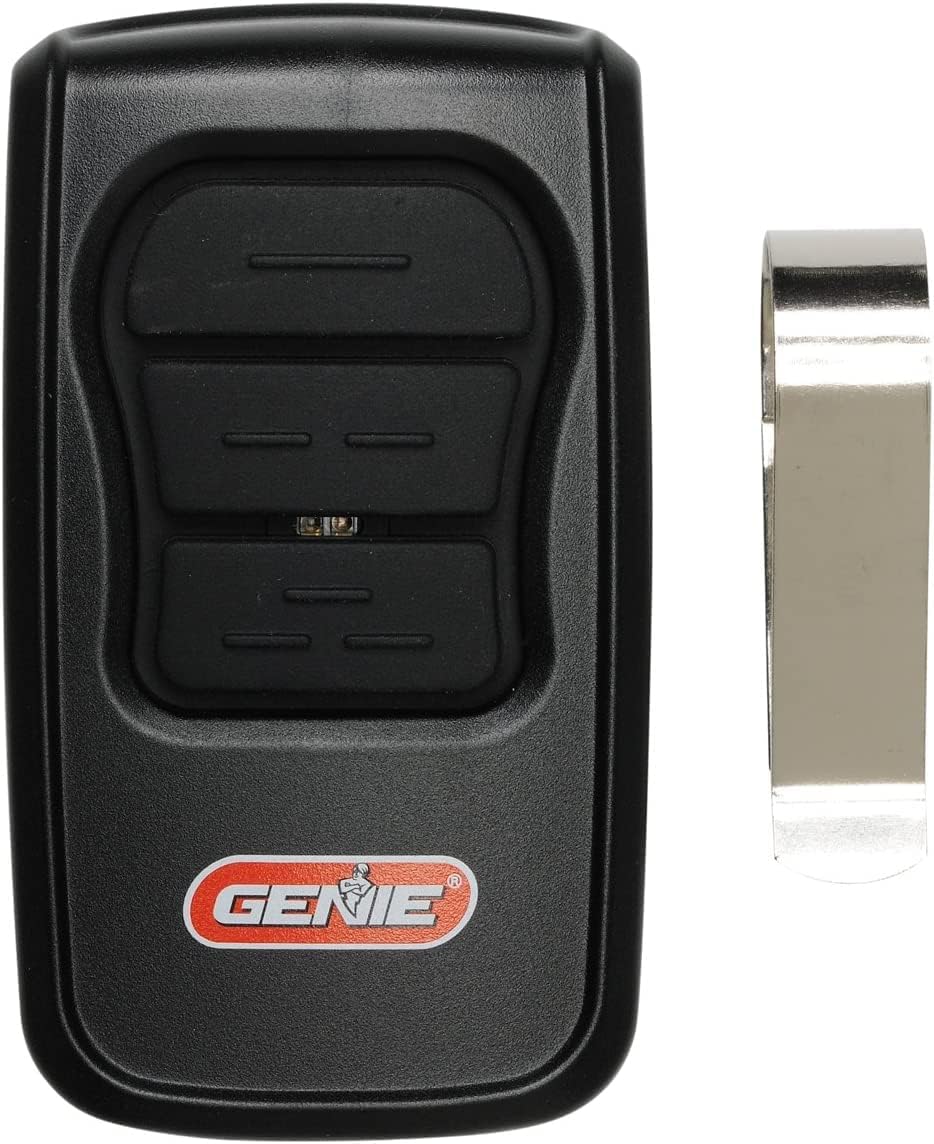
تصوير 1.1: The Genie GM3T-BX 3-Button Remote, shown with its accompanying visor clip. This remote features three distinct buttons for controlling multiple garage door openers or functions.
2. اهم خاصيتون
- يونيورسل مطابقت: Works with all Genie Intellicode garage door openers (Genie Intellicode 1 and Intellicode 2) and older Genie systems using 9 or 12 DIP switches.
- Dual Frequency Operation: Supports both 315 MHz and 390 MHz frequencies for broad compatibility.
- Three Programmable Buttons: Allows control of up to three different garage door openers or functions.
- LED اشارو: Provides visual feedback during programming and operation.
- ڪمپيڪٽ ڊيزائن: Ergonomic and portable, includes a visor clip for convenient storage in a vehicle.

تصوير 2.1: The remote control, emphasizing its compatibility with both Intellicode and 9/12 DIP switch technologies, indicating its versatility across various Genie garage door opener models.
3. پيڪيج مواد
پڪ ڪريو ته سڀئي شيون توهان جي پيڪيج ۾ موجود آهن:
- 1 x Genie GM3T-BX 3-Button Remote
- 1 x Visor Clip
- 1 x CR2032 بيٽري (اڳ ۾ نصب ٿيل يا الڳ)
- 1 x Set of Programming Instructions (detailed guide)

تصوير 3.1: A visual representation of the items included in the product package: the remote control, a metal visor clip, a CR2032 coin cell battery, and a printed instruction manual.
4. سيٽ اپ ۽ پروگرامنگ
The GM3T-BX remote can be programmed to operate with various Genie garage door openers. Refer to the detailed programming instructions included in your package for specific steps tailored to your opener model (Intellicode 1, Intellicode 2, or DIP switch systems).
4.1. General Programming Steps (Intellicode Systems)
- Locate the "Learn Code" button on your garage door opener motor head. The location may vary by model.
- Press and release the "Learn Code" button. An LED indicator on the opener will typically illuminate.
- Within 30 seconds, press and release the desired button on your GM3T-BX remote. The opener's LED will flash or turn off, indicating successful programming.
- پروگرام ٿيل بٽڻ کي دٻائي ريموٽ کي جانچيو. گيراج جو دروازو چالو ٿيڻ گهرجي.
4.2. Programming Steps (DIP Switch Systems)
For older Genie openers utilizing 9 or 12 DIP switches, you will need to match the switch settings on your GM3T-BX remote to those on your existing remote or garage door opener motor head.
- Open the battery compartment of your GM3T-BX remote to access the DIP switches.
- Carefully observe the ON/OFF/MIDDLE positions of the DIP switches on your existing remote or opener.
- Adjust the DIP switches on the GM3T-BX remote to match these settings. If your opener uses 9 switches, leave the remaining 3 switches on the GM3T-BX in the neutral (middle) position.
- Close the battery compartment and test the remote.

تصوير 4.1: The Genie GM3T-BX remote control with its LED indicator illuminated, displaying red and yellow lights. This visual cue is important during the programming process and for confirming button presses.
5. آپريٽنگ هدايتون
Once programmed, operating the Genie GM3T-BX remote is straightforward:
- To Open/Close the Garage Door: Press the programmed button corresponding to your garage door opener. The door will begin to move.
- To Stop the Garage Door: Press the same programmed button again while the door is in motion.
- ڪيترائي دروازا: If you have programmed multiple buttons for different garage doors, press the respective button for the door you wish to operate.

تصوير 5.1: A user's hand pressing one of the buttons on the Genie GM3T-BX remote, which is conveniently clipped to a car's sun visor for easy access while driving.
6. مطابقت
The Genie GM3T-BX remote is designed for broad compatibility with Genie garage door opener systems. It supports:
- Genie Intellicode 1 & 2: All Intellicode series garage door openers.
- Genie 912 Units: Older Genie systems that use 9-position DIP switches.
- Genie 12-Position DIP Switch Systems: Compatible with systems using 12-position DIP switches.
- ٻٽي تعدد: Operates on both 315 MHz and 390 MHz frequencies.
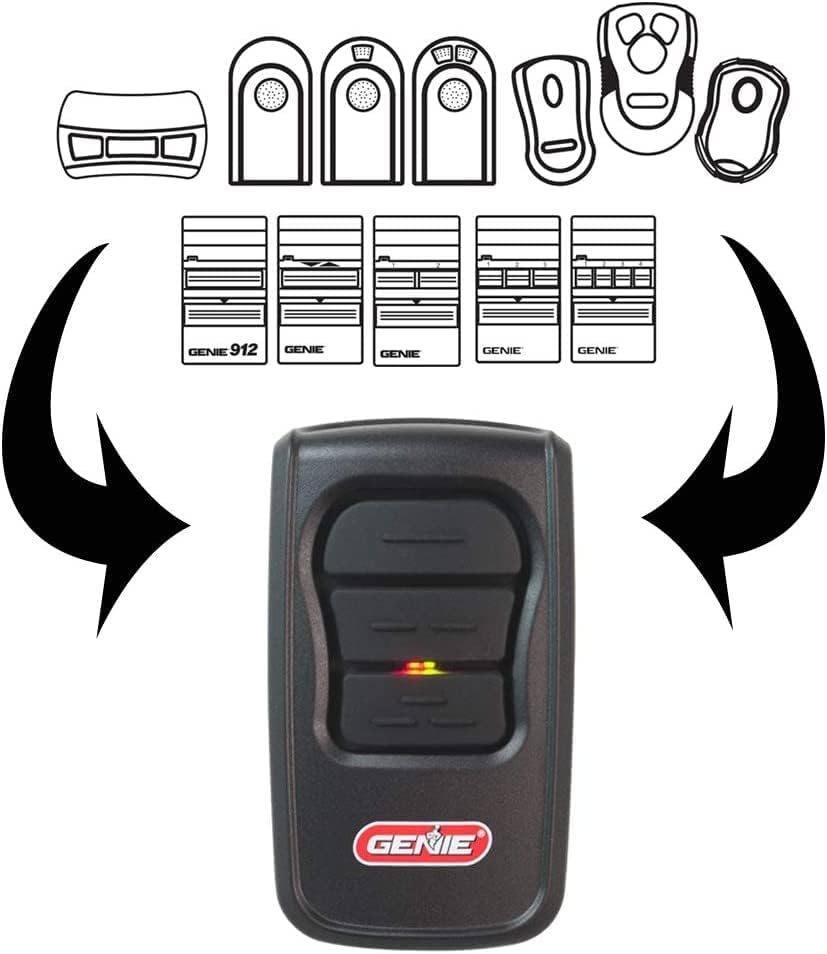
تصوير 6.1: A diagram visually explaining the compatibility of the GM3T-BX remote with different Genie remote models and DIP switch configurations, including 9-switch and 12-switch systems, highlighting its versatile design.
7. بيٽري جي ڄاڻ
7.1. بيٽري جو قسم
The Genie GM3T-BX remote uses one CR2032 coin cell battery.
7.2. بيٽري مٽائڻ
- ريموٽ جي پوئين پاسي بيٽري جي ڪمپارٽمينٽ ڪَوَر کي ڳوليو.
- Using a small screwdriver or coin, gently pry open the cover.
- پراڻي CR2032 بيٽري کي هٽايو.
- هڪ نئين CR2032 بيٽري داخل ڪريو جنهن جو مثبت (+) پاسو مٿي هجي.
- بيٽري جي ڪمري واري ڍڪ کي واپس جاء تي ڇڪيو.
- Test the remote to ensure proper function.
Warning: Dispose of used batteries properly. Keep batteries out of reach of children.
8. مسئلا حل ڪرڻ
| مسئلو | ممڪن سبب | حل |
|---|---|---|
| Remote does not activate opener. |
|
|
| گھٽ ٿيل آپريٽنگ رينج. |
|
|
| ريموٽ تي LED روشن نه ٿي. |
|
|
9. وضاحتون
| ٺاهيندڙ | جني |
| ماڊل نمبر | GM3T-BX |
| تعدد | 315 MHz، 390 MHz |
| بٽڻ جو تعداد | 3 |
| مطابقت | Genie Intellicode (1 & 2), 9-position DIP switch, 12-position DIP switch |
| بيٽري جو قسم | CR2032 ڪوئلي سيل |
| رنگ | ڪارو |
| پيڪيج جي ماپ | 15 x 7.3 x 3.7 سينٽي |
| شيءِ جو وزن | 0.1 پائونڊ (تقريبن 45 گرام) |
10. حفاظت جي ڄاڻ
- Do not allow children to operate the remote control or play with the garage door opener.
- ريموٽ ڪنٽرول کي ٻارن جي پهچ کان پري رکو.
- Only operate the garage door when it is in full view ۽ رڪاوٽن کان پاڪ.
- Never walk or run under a moving garage door.
- If the remote is lost or stolen, clear the opener's memory and reprogram all remaining remotes for security.
11. وارنٽي ۽ سپورٽ
For warranty information or technical support, please refer to the documentation provided with your original Genie garage door opener or visit the official Genie webسائيٽ. ڪسٽمر سروس لاءِ رابطي جي معلومات عام طور تي ٺاهيندڙ جي ويب سائيٽ تي موجود هوندي آهي webسائيٽ.
وڌيڪ مدد لاءِ، توهان پڻ حوالو ڏئي سگهو ٿا Genie Support Page.


