1. اھم حفاظتي ھدايتون
Please read these safety instructions carefully before operating your monitor. Keep this manual for future reference.
- مانيٽر کي غير مستحڪم ڪارٽ، اسٽينڊ، يا ٽيبل تي نه رکو.
- وينٽيليشن جي افتتاح کي نه روڪيو.
- پاڻي جي ويجهو استعمال نه ڪريو.
- صرف سڪل ڪپڙي سان صاف ڪريو.
- بجلي جي طوفان دوران يا ڊگهي عرصي تائين استعمال نه ٿيڻ تي مانيٽر کي ان پلگ ڪريو.
- سڀني خدمتن جو حوالو ڏيو قابل خدمت اهلڪارن ڏانهن.
2. پيڪيج مواد
پڪ ڪريو ته سڀئي شيون توهان جي پيڪيج ۾ موجود آهن:
- AOC E2060 Monitor
- پاور ڪيبل
- ويگا ڪيبل
- استعمال ڪندڙ جو دستياب (ھي دستاويز)
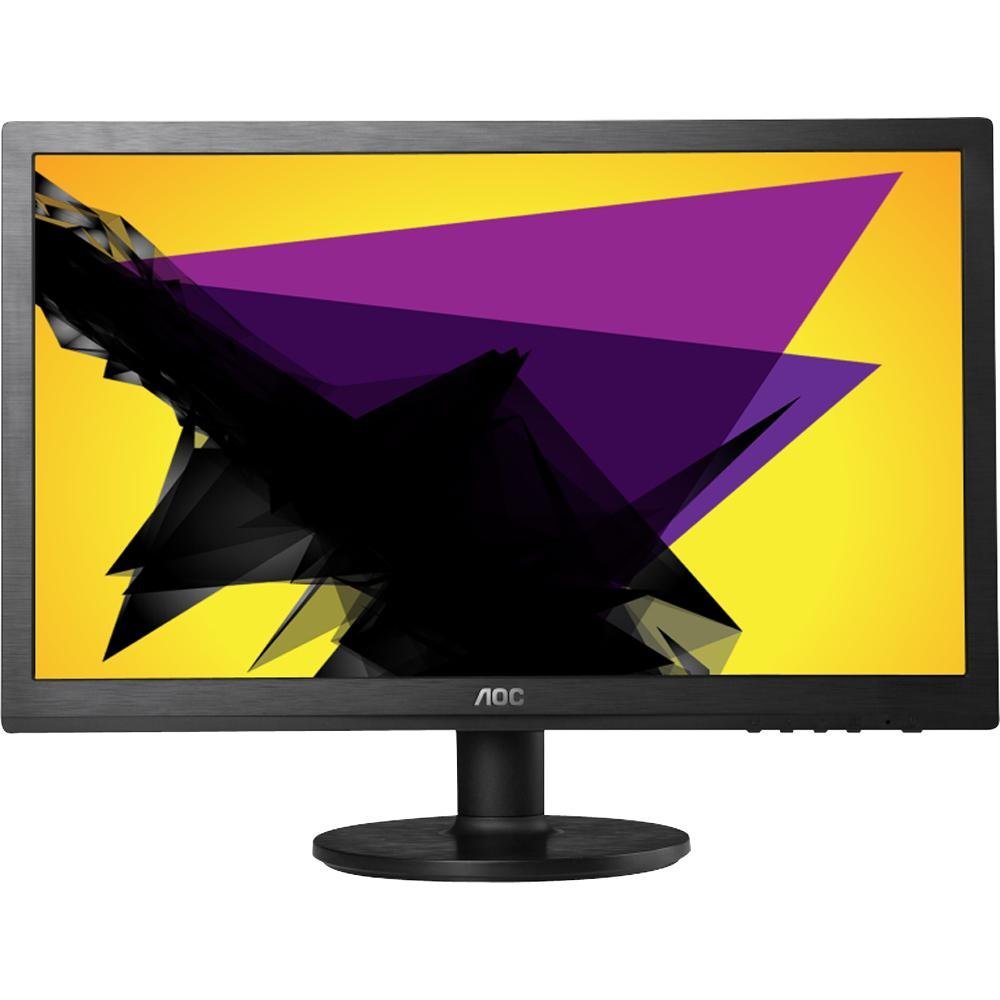
Image: The AOC E2060 20-inch LED Backlit Computer Monitor, showcasing ان جو پتلو بيزل ۽ اسٽينڊ.
3. سيٽ اپ
3.1 اسٽينڊ کي گڏ ڪرڻ
- مانيٽر کي احتياط سان ان جي پيڪنگنگ مان هٽايو، ان کي منهن هيٺ نرم، صاف مٿاڇري تي رکو ته جيئن ڇڪڻ کان بچي سگهجي.
- Attach the stand base to the stand neck, ensuring it clicks securely into place or is fastened with the provided screw.
- Connect the assembled stand to the back of the monitor until it locks securely.
3.2 ڳنڍيندڙ ڪيبل
پڪ ڪريو ته ڪو به ڪنيڪشن ٺاهڻ کان اڳ توهان جو ڪمپيوٽر ۽ مانيٽر بند آهن.
- پاور ڪنيڪشن: پاور ڪيبل جي هڪ ڇيڙي کي مانيٽر جي پاور ان پٽ سان ۽ ٻئي ڇيڙي کي گرائونڊ ٿيل اليڪٽريڪل آئوٽليٽ سان ڳنڍيو.
- وڊيو ڪنيڪشن (VGA): Connect the VGA cable from your computer's VGA output port to the VGA input port on the monitor. Tighten the screws on the VGA connector to secure the connection.
4. مانيٽر کي هلائڻ
4.1 پاور آن/آف
Press the power button located on the front or bottom bezel of the monitor to turn it on or off. The power indicator light will illuminate when the monitor is on.
4.2 آن اسڪرين ڊسپلي (OSD) مينيو
او ايس ڊي مينيو توهان کي مختلف مانيٽر سيٽنگون ترتيب ڏيڻ جي اجازت ڏئي ٿو. نيويگيٽ ڪرڻ ۽ اختيارن کي چونڊڻ لاءِ مانيٽر جي بيزل تي بٽڻ استعمال ڪريو.
- مينيو بٽڻ: او ايس ڊي مينيو کولڻ لاءِ دٻايو.
- Up/Down or Left/Right Buttons: Use to navigate through menu options.
- چونڊيو/داخل ڪريو بٽڻ: چونڊ جي تصديق ڪرڻ لاءِ دٻايو يا ذيلي مينيو داخل ڪريو.
- نڪرڻ جو بٽڻ: Press to exit the current menu or the OSD entirely.
4.3 Adjusting Picture Settings
OSD مينيو اندر، توهان سيٽنگون ترتيب ڏئي سگهو ٿا جهڙوڪ:
- روشني: اسڪرين جي مجموعي روشني کي ترتيب ڏئي ٿو.
- تضاد: روشني ۽ اونداهي علائقن جي وچ ۾ فرق کي ترتيب ڏئي ٿو.
- رنگ جي درجه حرارت: Changes the color balance (e.g., Warm, Cool, sRGB).
- خودڪار ترتيب: Optimizes the image automatically for analog (VGA) input.
5. سار سنڀال
5.1 مانيٽر جي صفائي
To ensure a long lifespan and optimal performance, clean your monitor regularly.
- صفائي ڪرڻ کان اڳ هميشه مانيٽر کي پاور آئوٽليٽ مان ڪڍي ڇڏيو.
- استعمال ڪريو نرم، lint-آزاد ڪپڙو روشنيءَ سان ڊيampپاڻي يا نرم، غير رگڙيندڙ اسڪرين ڪلينر سان صاف ڪيو وڃي.
- صاف ڪندڙ کي سڌو سنئون اسڪرين تي نه اسپري ڪريو.
- بينزين، ٿلهو، امونيا تي ٻڌل صاف ڪندڙ، يا رگڙيندڙ مواد استعمال ڪرڻ کان پاسو ڪريو.
5.2 اسٽوريج
If storing the monitor for an extended period, ensure it is powered off, unplugged, and stored in a cool, dry place away from direct sunlight and extreme temperatures. Use original packaging if available.
6. مسئلا حل ڪرڻ
جيڪڏهن توهان کي پنهنجي مانيٽر سان مسئلا درپيش اچن ٿا، ته هيٺ ڏنل عام مسئلن ۽ حلن جو حوالو ڏيو:
- طاقت ناهي: Ensure the power cable is securely connected to both the monitor and the electrical outlet. Check if the power outlet is functional.
- ڪوبه سگنل/خالي اسڪرين ناهي: Verify that the video cable (VGA) is correctly connected to both the monitor and the computer. Ensure the computer is powered on and not in sleep mode. Try restarting the computer.
- Image is Fuzzy/Distorted: For VGA connections, use the 'Auto Adjust' function in the OSD menu. Ensure the display resolution on your computer is set to the monitor's native resolution (1600x900).
- Colors are Incorrect: Adjust color settings in the OSD menu, or reset to factory defaults. Check your computer's display settings.
- جواب نه ڏيڻ وارا بٽڻ: Unplug the monitor's power cable, wait 30 seconds, then plug it back in and try again.
جيڪڏهن انهن قدمن کي آزمائڻ کان پوءِ به مسئلو برقرار رهي ٿو، ته مهرباني ڪري AOC ڪسٽمر سپورٽ سان رابطو ڪريو.
7. وضاحتون
| خاصيت | تفصيل |
|---|---|
| برانڊ | AOC |
| ماڊل نالو | E2060 |
| اسڪرين جي ماپ | 20 انچ |
| اسڪرين جي قرارداد | 1600 x 900 پکسلز |
| ڊسپلي ٽيڪنالاجي | LED Backlit |
| رابطي ٽيڪنالاجي | VGA |
| رنگ | ڪارو |
| شيءِ جو وزن | 0.28 g (approx. 0.01 Ounces) |
| شيون ماڊل نمبر | e2060Sn |
| يو پي سي | 685417047789 |
8. وارنٽي ۽ سپورٽ
For warranty information and technical support, please refer to the warranty card included with your product or visit the official AOC website. You can typically find support resources, FAQs, and contact information for your region there.
Please have your monitor's model number (E2060) and serial number ready when contacting support.


