تعارف
The Logitech M310 Wireless Mouse is designed for comfortable and reliable everyday use. Featuring a contoured design and advanced wireless connectivity, it offers smooth and responsive cursor control. This manual will guide you through the setup, operation, and maintenance of your new mouse.
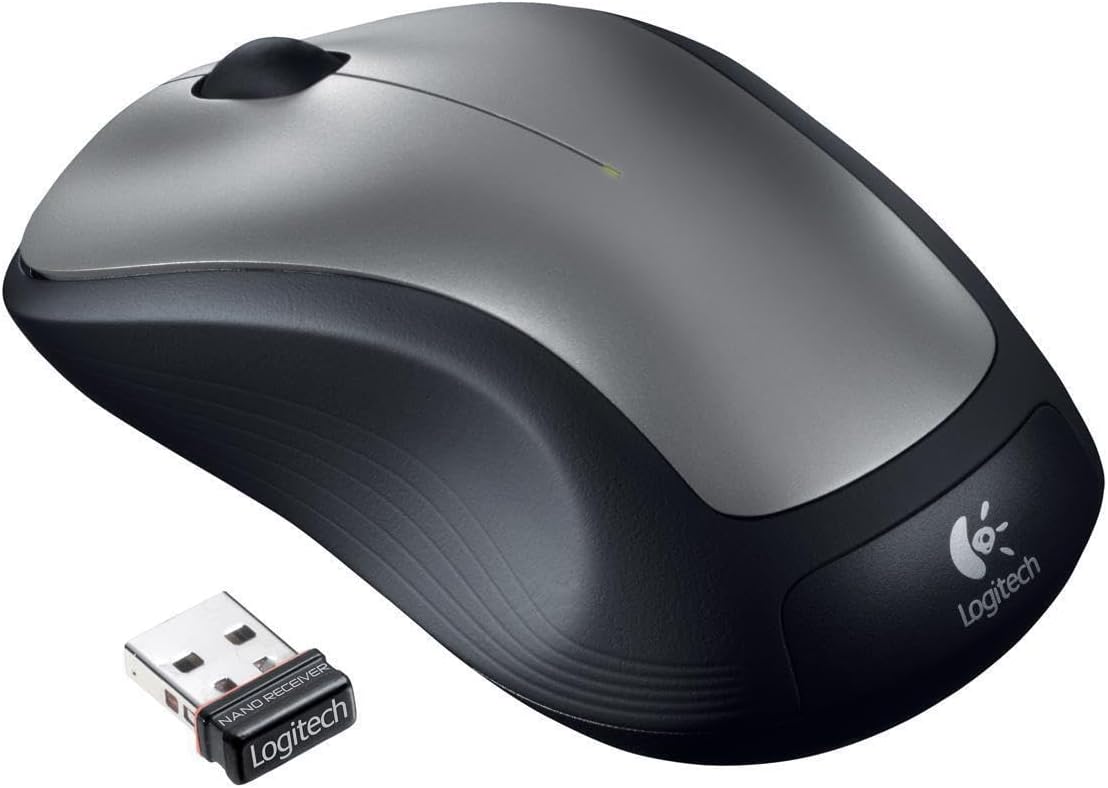
Figure 1: Logitech M310 Wireless Mouse and Nano Receiver
سيٽ اپ ڪريو
Setting up your Logitech M310 Wireless Mouse is quick and easy. Follow these steps to get started:
- بيٽري داخل ڪريو: Open the battery compartment on the underside of the mouse. Insert one AA battery, ensuring correct polarity. Close the compartment securely.
- Plug in the Nano Receiver: Locate an available USB port on your computer. Insert the Logitech nano receiver into the USB port. The mouse is designed with a "plug-and-forget" receiver, meaning it's small enough to leave in your laptop's USB port without obstruction.
- پاور آن: Flip the On/Off switch on the underside of the mouse to the "On" position. Your computer should automatically detect the mouse and install the necessary drivers.

Figure 2: Mouse underside with battery compartment
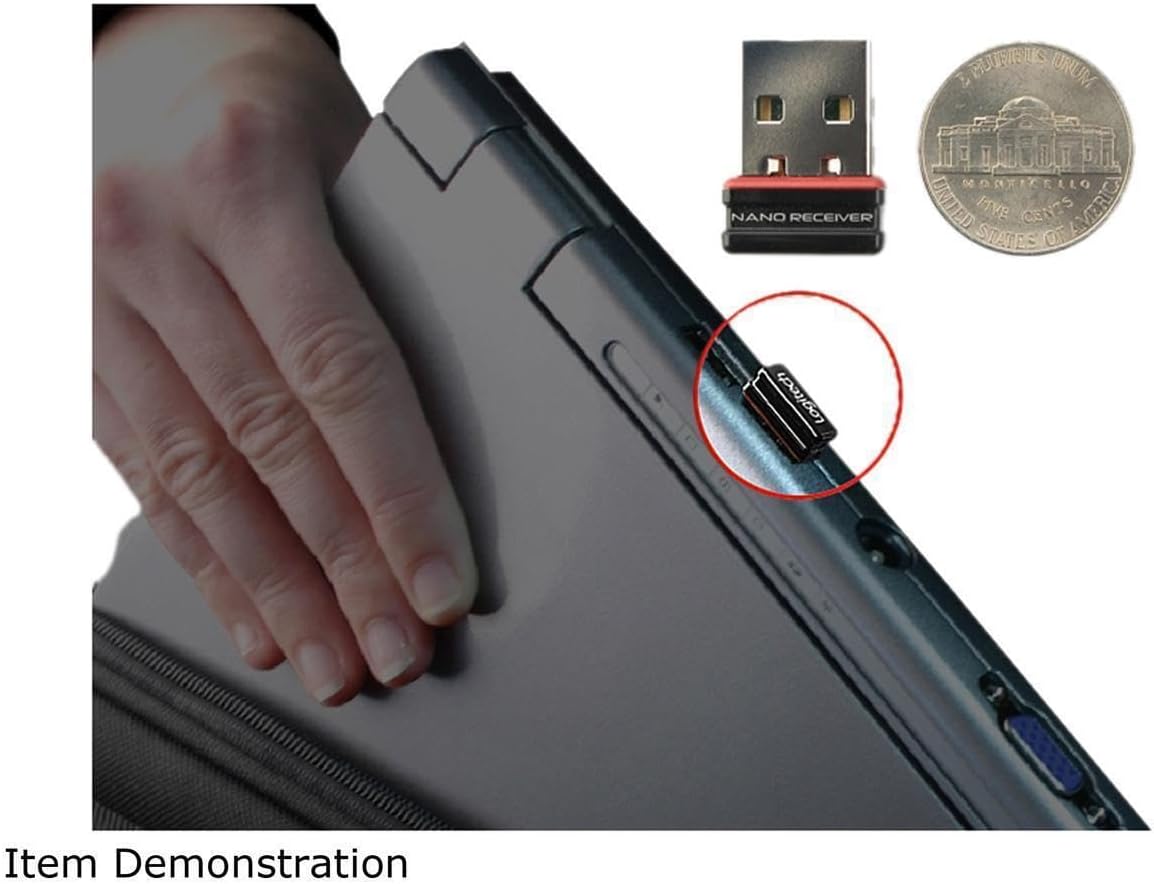
Figure 3: Nano Receiver plugged into a laptop
آپريشن
The Logitech M310 Wireless Mouse provides intuitive control for your computer. It features a standard left-click button, right-click button, and a scroll wheel that also functions as a middle-click button.
- کاٻو ڪلڪ ڪريو: Use the left button for selecting items, opening files, and interacting with on-screen elements.
- ساڄي ڪلڪ ڪريو: Use the right button to access context menus and additional options.
- اسڪرول ويل: دستاويزن ذريعي نيويگيٽ ڪرڻ لاءِ اسڪرول ويل کي مٿي يا هيٺ ڪريو ۽ web pages. Press the scroll wheel down for middle-click functionality, which can vary depending on the application (e.g., opening links in new tabs).
- تحريڪ: The mouse uses optical tracking for smooth and responsive cursor control on various surfaces.
سار سنڀال
To ensure the longevity and optimal performance of your Logitech M310 Wireless Mouse, consider the following maintenance tips:
- بيٽري مٽائڻ: The mouse is designed for long battery life, up to 18 months. When the mouse performance degrades or the indicator light (if present) signals low battery, replace the AA battery. To replace, open the battery compartment on the underside of the mouse, remove the old battery, insert a new AA battery, and close the compartment.
- صفائي: Use a soft, lint-free cloth to gently wipe the surface of the mouse. For stubborn dirt, slightly dampڪپڙو پاڻي سان ڍڪيو. سخت ڪيميڪل يا رگڙيندڙ مواد استعمال ڪرڻ کان پاسو ڪريو.
- وصول ڪندڙ اسٽوريج: The nano receiver can be stored inside the mouse's battery compartment when not in use, preventing loss during transport.
مشڪلاتون
If you encounter issues with your Logitech M310 Wireless Mouse, try the following common troubleshooting steps:
- ڪرسر جي حرڪت ناهي: Ensure the mouse is powered on and the nano receiver is securely plugged into a working USB port. Check the battery and replace it if necessary.
- وقتي ڪنيڪشن: Move the mouse closer to the receiver. Ensure there are no large metal objects or other wireless devices interfering with the 2.4 GHz signal.
- Unresponsive Buttons/Scroll Wheel: Try cleaning around the buttons and scroll wheel to remove any debris. If the issue persists, try re-pairing the mouse with the receiver (refer to Logitech's official support for specific re-pairing instructions if needed).
وضاحتون
| خاصيت | تفصيل |
|---|---|
| برانڊ | Logitech |
| ماڊل نمبر | 910001675 - EA (M310) |
| رابطي ٽيڪنالاجي | وائرليس (2.4 GHz) |
| تحريڪ جي سڃاڻپ ٽيڪنالاجي | بصري |
| رنگ | ڳاڙهو ڳاڙهو |
| طاقت جو ذريعو | بيٽري سان هلندڙ (1 AA بيٽري گهربل) |
| سراسري بيٽري جي زندگي | 18 مهينن تائين |
| شيءِ جو وزن | 0.01 اونس |
| پيداوار جي ماپ (LxWxH) | 2.4 x 2 x 0.1 انچ |
| آپريٽنگ سسٽم مطابقت | ونڊوز 10 (۽ ٻيو مطابقت رکندڙ او ايس) |
| تاريخ پهرين دستياب | مارچ 15، 2012 |
وارنٽي ۽ سپورٽ
For warranty information, technical support, or to download the latest software and drivers, please visit the official Logitech support webسائيٽ تي وڃو يا پنهنجي پراڊڪٽ سان شامل وارنٽي ڪارڊ جو حوالو ڏيو. وارنٽي دعوائن لاءِ خريداري جو ثبوت رکو.


