1. پراڊڪٽ ختمview
The Cable Matters 10Gbps Snagless Cat 6 Ethernet Cable is designed for high-performance network connectivity. This cable supports data transfer speeds of up to 10 Gigabits per second and a bandwidth of 550 MHz, making it suitable for demanding applications such as server connections, cloud computing, video surveillance, and high-definition video streaming. It is also compatible with Power over Ethernet (PoE, PoE+, PoE++) for powering devices like IP cameras, VoIP phones, and wireless access points.

Image 1.1: The Cat 6 Ethernet cable provides versatile connectivity for a range of devices, including computers, gaming consoles, and smart televisions.
2. سيٽ اپ ۽ تنصيب
This Cat 6 Ethernet cable provides universal connectivity for various LAN network components. To set up your cable:
- بندرگاهن جي سڃاڻپ ڪريو: Locate the RJ45 Ethernet ports on your devices (e.g., PC, server, printer, router, modem, Ethernet switch, gaming console, smart TV, laptop, TV box, NAS).
- ڪيبل ڳنڍيو: Insert one end of the Cat 6 Ethernet cable into the RJ45 port of your first device. Ensure the connector clicks securely into place.
- Connect Second Device: Insert the other end of the Cat 6 Ethernet cable into the RJ45 port of your second device.
- ڪنيڪشن جي تصديق ڪريو: Most devices will indicate a successful connection with an LED light on the Ethernet port.

Image 2.1: The RJ45 connector ensures universal compatibility with a wide range of network devices.
3. آپريٽنگ هدايتون
Once connected, the Cat 6 Ethernet cable provides a stable and high-speed wired network connection. It is designed to deliver 10-Gigabit speeds with 550 MHz bandwidth, offering a more secure and reliable connection compared to wireless networks.
- تيز رفتار ڊيٽا جي منتقلي: Enjoy fast and consistent data transfer rates for all your network activities.
- PoE سپورٽ: For devices that support Power over Ethernet, this cable can transmit both data and power, simplifying installation.
- پسمانده مطابقت: The cable is backward compatible with existing Cat 5 and Cat 5e networks.

Image 3.1: The Cat 6 cable supports 10-Gigabit data transfer speeds and a 550 MHz bandwidth for high-performance networking.
Video 3.1: An official video from Cable Matters demonstrating the 10Gbps Cat6 Ethernet Cable's versatile connectivity and performance in various environments, including data centers and home offices.
4. سار سنڀال
The Cable Matters Cat 6 Ethernet cable is designed for durability and long-term performance. Follow these guidelines for maintenance:
- سنڀال سان سنڀال: Avoid excessive bending or kinking of the cable, which can damage the internal conductors.
- محفوظ ڪنيڪشن: Ensure connectors are fully inserted and secured to prevent accidental disconnections. The snagless design helps protect the RJ45 clip during installation and removal.
- صاف ڪنيڪٽر: If necessary, gently clean the gold-plated contacts of the RJ45 connectors with a dry, lint-free cloth to maintain optimal signal integrity.
- اسٽوريج: When not in use, coil the cable loosely to prevent kinks and store it in a dry, cool place.
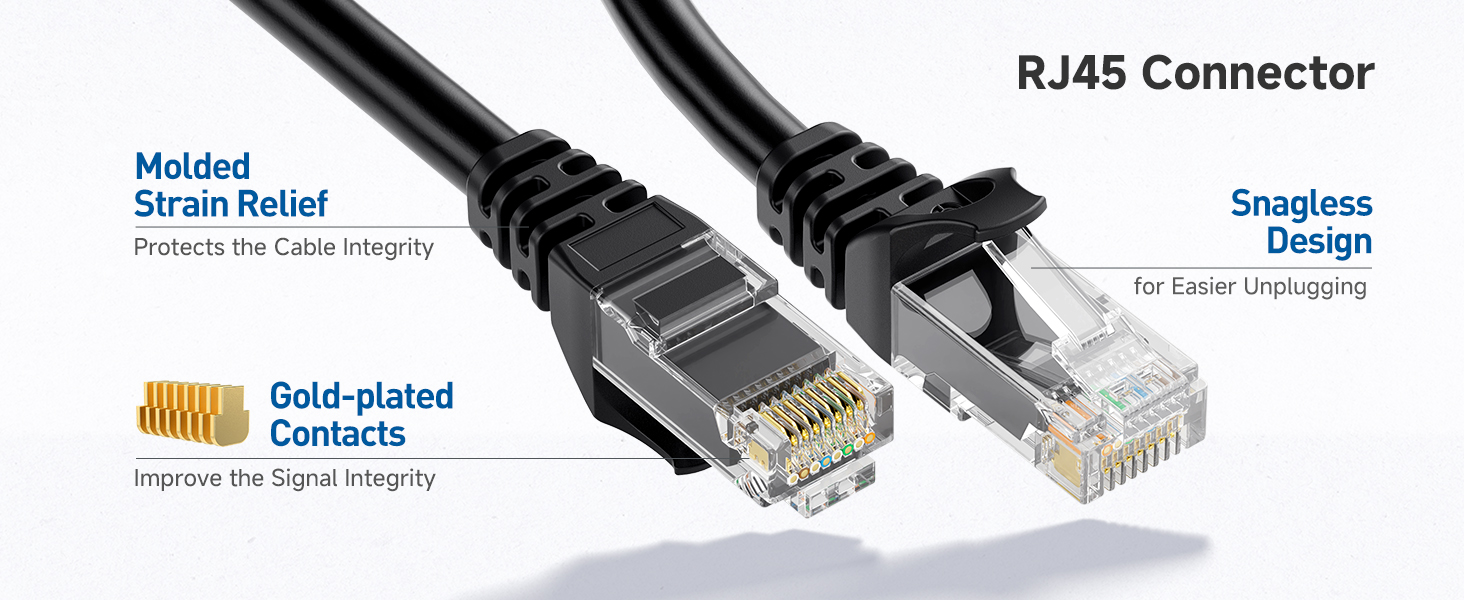
Image 4.1: The RJ45 connectors feature molded strain relief, gold-plated contacts, and a snagless design for enhanced durability and easier handling.
5. مسئلا حل ڪرڻ
جيڪڏهن توهان کي پنهنجي نيٽ ورڪ ڪنيڪشن ۾ مسئلا درپيش اچن ٿا، ته هيٺ ڏنل مسئلا حل ڪرڻ جي قدمن تي غور ڪريو:
- ڪنيڪشن چيڪ ڪريو: Ensure both ends of the Ethernet cable are securely plugged into their respective ports.
- Verify Device Status: Confirm that all connected devices (router, modem, computer) are powered on and functioning correctly.
- ٻي ڪيبل سان ٽيسٽ: If possible, test your connection with a different, known-working Ethernet cable to rule out the cable as the source of the problem.
- Restart Network Equipment: Power cycle your router and modem by unplugging them for 30 seconds and then plugging them back in.
- ڊوائيس سيٽنگون چيڪ ڪريو: Ensure your device's network settings are configured for a wired connection.
Video 5.1: An official video from Cable Matters providing an overview of their network cables, which can be helpful for understanding general connectivity and troubleshooting.
6. وضاحتون
| برانڊ | ڪيبل جا معاملا |
| ماڊل نمبر | 160001 |
| ڪيبل جو قسم | ٻلي 6 |
| ڪنيڪٽر جو قسم | آر جي 45 |
| ڊيٽا جي منتقلي جي شرح | 10 گيگا بائيٽ في سيڪنڊ |
| تعدد | 550 MHz |
| ڪنڊڪٽر مواد | 24 AWG بيئر ڪاپر |
| خاص خصوصيت | 10Gbps, Snagless Design |
| مطابقت رکندڙ ڊوائيسز | Personal Computer, Printer, Router, Server, VoIP phones |
| اندروني / ٻاهران استعمال | اندريون، ٻاهريون |
| وضاحت ميٽر | EIA, RoHS, TIA, UL |
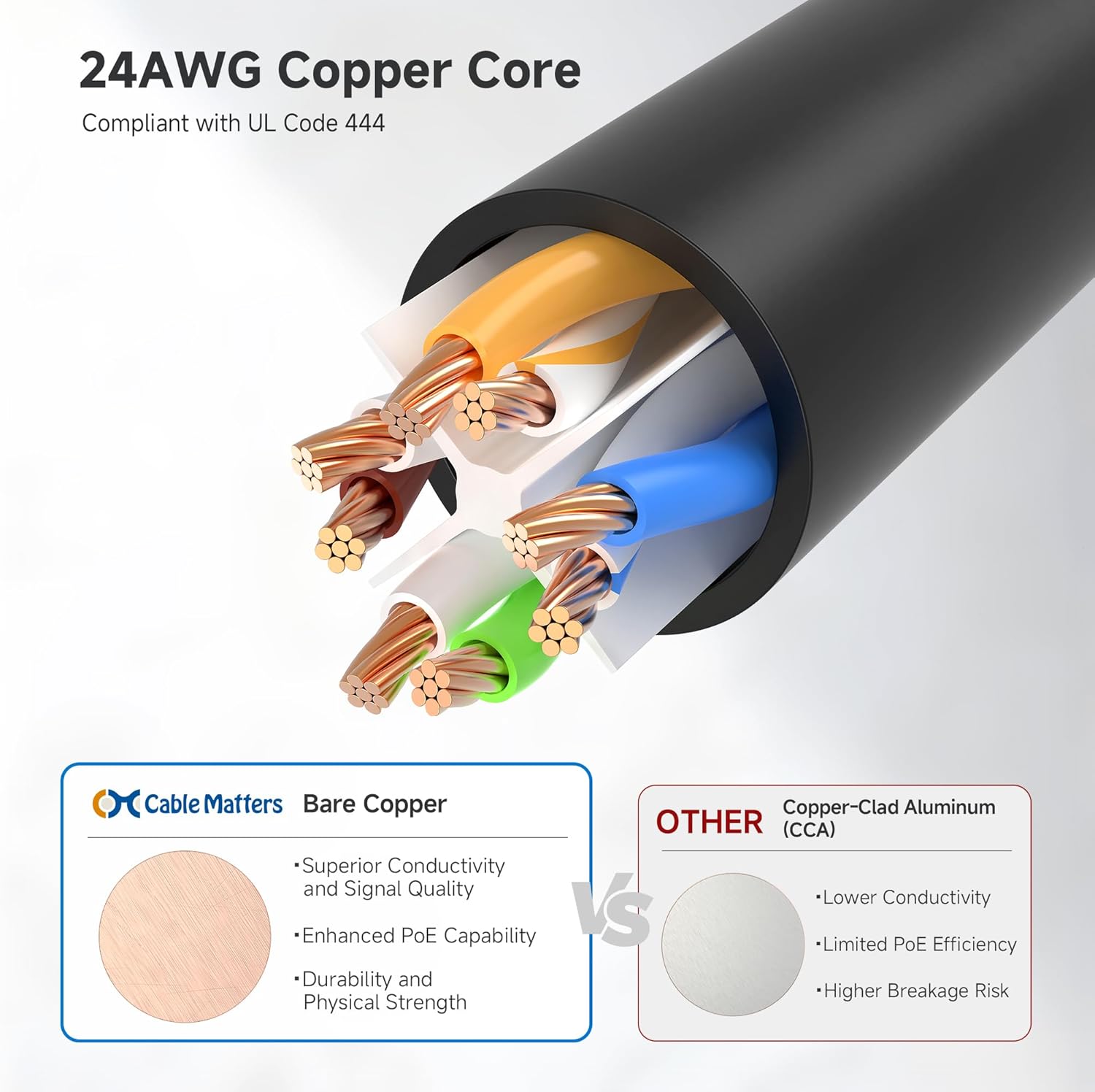
Image 6.1: The cable features a 24 AWG bare copper core, compliant with UL Code 444, ensuring superior conductivity and signal quality.
7. وارنٽي ۽ سپورٽ
For warranty information and customer support, please refer to the official Cable Matters webسائيٽ تي وڃو يا سڌو سنئون انهن جي ڪسٽمر سروس سان رابطو ڪريو. ڪنهن به وارنٽي دعوائن لاءِ پنهنجي خريداري جي رسيد رکو.


