1. تعارف
This manual provides detailed instructions for the safe and efficient operation of your Pyle PPHP1237UB 12-Inch 900-Watt Powered PA Speaker System. Please read this manual thoroughly before use and retain it for future reference. This speaker system is designed for versatile audio applications, offering robust sound reproduction and multiple connectivity options.
2. حفاظتي هدايتون
To reduce the risk of electric shock, do not open the unit. Refer all servicing to qualified personnel. Do not expose this unit to rain or moisture. Avoid placing the unit near heat sources or in direct sunlight. Ensure proper ventilation. Always use the provided power cable and connect to a grounded outlet. Disconnect the power cable during lightning storms or when unused for long periods.
3. پيڪيج مواد
پڪ ڪريو ته سڀئي شيون دٻي ۾ موجود آهن:
- Pyle PPHP1237UB 12-Inch Powered PA Speaker System
- ريموٽ ڪنٽرول
- پاور ڪيبل
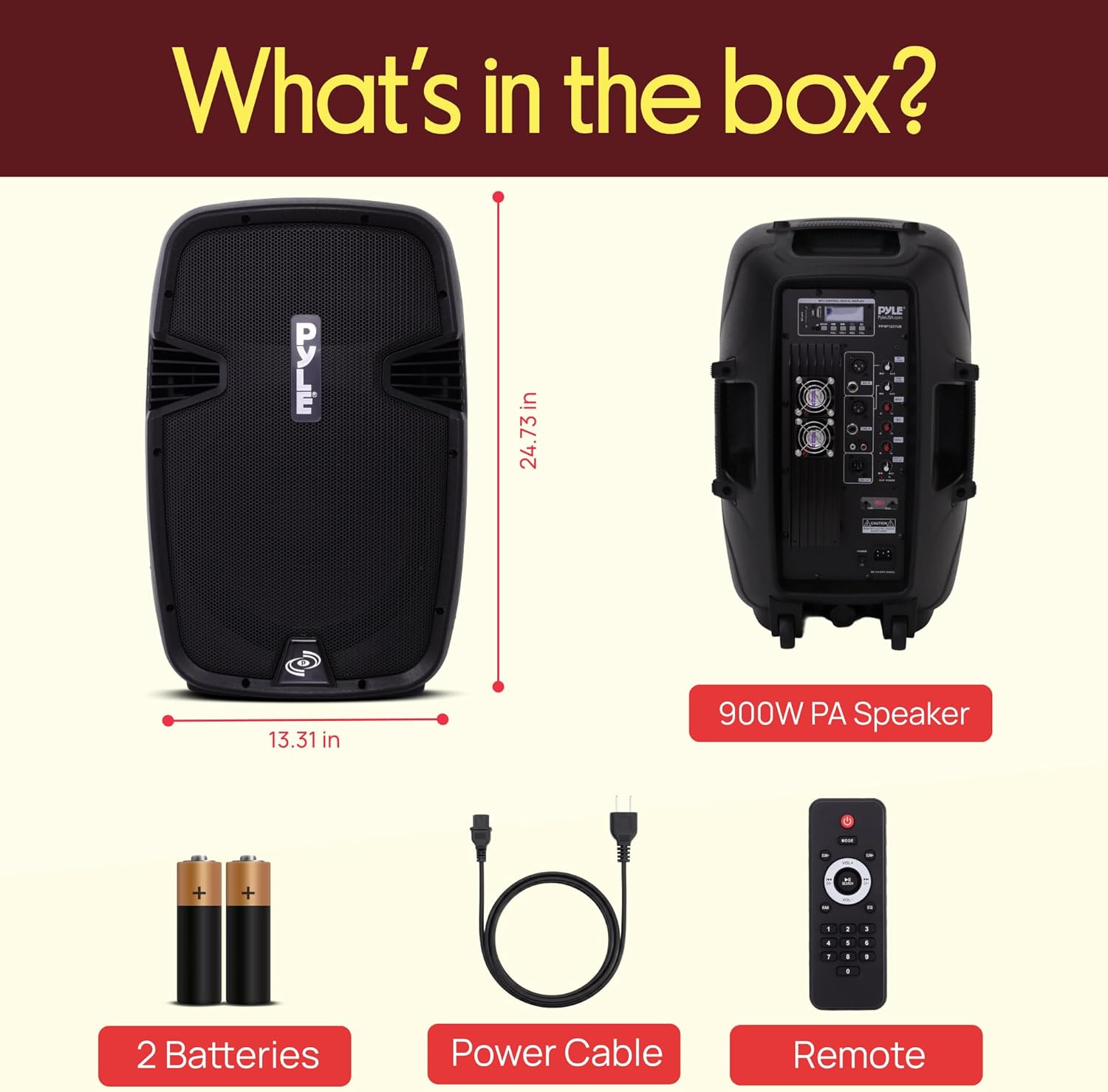
Image: The Pyle PPHP1237UB speaker system, remote control, and power cable are shown as included items.
4. پراڊڪٽ ختمview
4.1 فرنٽ پينل
The front panel features a durable metal grill protecting the 12-inch woofer and 1.34-inch titanium diaphragm tweeter. The Pyle logo is prominently displayed.

تصوير: سامهون view of the Pyle PPHP1237UB powered PA speaker, showcasing the protective metal grill and Pyle branding.
4.2 Rear Control Panel
The rear panel houses all input/output connections and control knobs for audio adjustments and media playback.

تصوير: تفصيلي view of the Pyle PPHP1237UB rear control panel, highlighting the MP3 control display, Bluetooth/USB/SD panel, dual cooling fans, XLR and 1/4" microphone jacks, Bass/Mid/Treble EQ, Line-Out input, and Master Volume Control.
5. سيٽ اپ
- پاور ڪنيڪشن: Connect the provided power cable to the AC IN port on the rear panel and then to a standard wall outlet.
- پاور آن / آف: Use the POWER switch on the rear panel to turn the unit ON or OFF.
- لڳائڻ: The speaker can be placed upright on a flat surface, tilted back for use as a stage monitor, or mounted on a standard 35mm speaker stand using the pole mount socket at the bottom.
6. آپريٽنگ هدايتون
6.1 بلوٽوٿ اسٽريمنگ
- پڪ ڪريو ته اسپيڪر پاور آهي.
- Press the MODE button on the MP3 Control Digital Display until "BLUETOOTH" is selected.
- On your Bluetooth-enabled device (smartphone, tablet, PC), search for available devices and select "Pyle Speaker".
- Once paired, you can stream audio wirelessly to the speaker. Adjust volume from your device and the speaker's Master Volume control.
6.2 USB/SD ڪارڊ پلے بیک
- Insert a USB flash drive or SD memory card containing MP3 or WMA audio files into the respective slot on the MP3 Control Digital Display.
- The speaker will automatically detect the media and begin playback. Use the control buttons (Play/Pause, Next/Previous, Repeat) to manage your music.
- Adjust volume using the dedicated VOL+ / VOL- buttons on the display and the Master Volume control.
6.3 مائڪروفون ۽ گٽار ان پٽ
- Connect microphones or a guitar to the XLR or 1/4'' input jacks on the rear panel.
- Adjust the individual MIC LEVEL knob for each input to achieve the desired volume.
- Use the ECHO and REVERB controls to add effects to the microphone audio.
6.4 Line Input/Output
- لائن ان پٽ: Connect external audio devices (MP3 players, laptops, etc.) using the 3.5mm Aux-In jack or the RCA (L/R) Stereo Line Input connectors. Adjust the INPUT LEVEL knob.
- لائين آئوٽ: Use the 1/4'' Line Output or XLR Output Connector Jack to connect the speaker to another powered speaker or a larger sound system for expanded audio coverage.
6.5 آڊيو ڪنٽرول
- ماسٽر حجم: اسپيڪر جي مجموعي آئوٽ پُٽ حجم کي ڪنٽرول ڪري ٿو.
- ٽربل: Adjusts the high-frequency response of the audio.
- باس: Adjusts the low-frequency response of the audio.
- گونج: Controls the intensity of the echo effect for microphones.
- ورجاءُ: Controls the duration of the reverb effect for microphones.
7. سار سنڀال
پنهنجي اسپيڪر سسٽم جي ڊگهي عمر ۽ بهترين ڪارڪردگي کي يقيني بڻائڻ لاءِ، انهن سار سنڀال جي هدايتن تي عمل ڪريو:
- صفائي: اسپيڪر جي ٻاهرين حصي کي صاف ڪرڻ لاءِ نرم، سڪل ڪپڙو استعمال ڪريو. رگڙيندڙ صاف ڪندڙ يا محلول استعمال نه ڪريو.
- اسٽوريج: اسپيڪر کي سڌي سج جي روشني ۽ انتهائي گرمي پد کان پري ٿڌي، سڪل جاءِ تي رکو.
- وينٽيليشن: Ensure the cooling vents on the rear panel are clear of obstructions to prevent overheating.
8. مسئلا حل ڪرڻ
| مسئلو | ممڪن سبب | حل |
|---|---|---|
| طاقت نه آهي | Power cable not connected; POWER switch off | Ensure power cable is securely connected and POWER switch is ON. |
| ڪوبه آواز ٻاھر نه | Master Volume too low; incorrect input selected; device not playing audio | Increase Master Volume; check MODE selection; ensure connected device is playing audio. |
| بلوٽوٿ ڳنڍي نه ٿو | Speaker not in Bluetooth mode; device too far; already connected to another device | Select Bluetooth mode; ensure device is within range; disconnect from other devices. |
| خراب ٿيل آڊيو | Volume too high (speaker or source); faulty cable | Reduce volume levels; try a different audio cable. |
9. وضاحتون
| خاصيت | تفصيل |
|---|---|
| ماڊل | پي پي ايڇ پي 1237ب |
| وڌ ۾ وڌ پاور آئوٽ | 900 واٽ |
| RMS پاور آئوٽ | 450 واٽ |
| Ampوierيڪ ڪلاس | AB |
| ووفر جي ماپ | 12'' -inch |
| ٽوئيٽر سائز | 1.34'' -inch Titanium Diaphragm |
| رڪاوٽ | 8 اوم |
| تعدد جواب | 30 هز - 22 ڪلو هرٽز |
| بلوٽوت ورزن | 2.1+EDR |
| Bluetooth وائرليس رينج | 100'+ Feet |
| ڊجيٽل آڊيو File مطابقت | MP3، WMA |
| Maximum SD/USB Flash Memory Support | 32 جي بي |
| طول و عرض (L x W x H) | 16.5'' x 13.7'' x 25.1'' -انچ |
| شيءِ جو وزن | 29.9 پائونڊ (13.57 ڪلوگرام) |
10. سرڪاري پراڊڪٽ وڊيوز
مٿانview of the Pyle PPHP1237ub, Features & Benefits
وڊيو: تفصيلي جائزوview of the Pyle PPHP1237UB speaker, explaining its various features and benefits, including connectivity options and sound capabilities.
Pyle Loud Speaker With Bluetooth
Video: A demonstration of the Pyle PPHP1237UB loudspeaker, focusing on its Bluetooth connectivity and ease of use for various audio applications.
11. وارنٽي ۽ سپورٽ
This Pyle PPHP1237UB speaker system comes with a limited 1-Year manufacturer's warranty. For warranty claims or technical support, please contact Pyle customer service. Refer to the official Pyle webتازه ترين رابطي جي معلومات ۽ وارنٽي تفصيلن لاءِ سائيٽ.


