اهم حفاظتي ڄاڻ
Please read and understand all instructions before using the laminator. Keep this manual for future reference.
- Do not operate the laminator if the power cord or plug is damaged.
- Keep the laminator away from water or other liquids.
- Do not insert metal objects into the laminator.
- آپريشن دوران مشين جي چوڌاري مناسب وينٽيليشن کي يقيني بڻايو وڃي.
- جڏهن استعمال ۾ نه هجي يا صاف ڪرڻ کان اڳ ليمينيٽر کي ان پلگ ڪريو.
- هي اوزار استعمال ڪرڻ جو ارادو نه ڪيو ويو آهي ماڻهن (بشمول ٻارن سميت) گھٽ جسماني، حسي يا ذهني صلاحيتن سان، يا تجربو ۽ ڄاڻ جي کوٽ، جيستائين انهن جي حفاظت لاء ذميوار شخص طرفان اوزار جي استعمال بابت نگراني يا هدايت نه ڏني وئي آهي.
پيداوار ختمview
The Amazon Basics 9-Inch Thermal Laminator is designed for home, office, or classroom use, providing high-quality lamination for various document sizes.
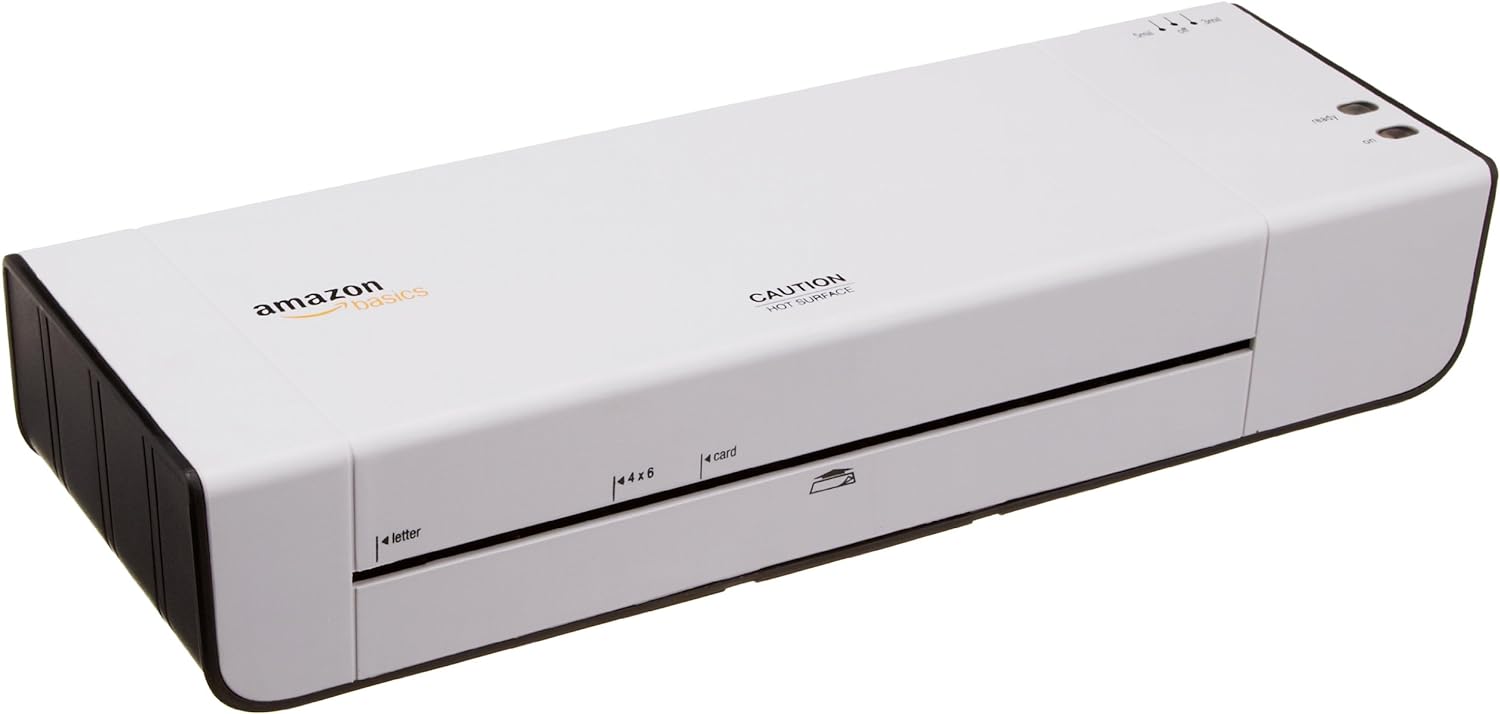
شڪل 1: سامهون view of the Amazon Basics 9-Inch Thermal Laminator Machine, showing the feed slot and branding.
اهم خاصيتون:
- Laminates documents up to 9 inches wide.
- Two heat settings: 3 mil and 5 mil.
- Quick 4-minute warm-up time.
- Jam release lever for easy clearing.
- ڪمپيڪٽ ڊيزائن.
سيٽ اپ ڪريو
پيڪنگ کولڻ:
Carefully remove the laminator from its packaging. Retain the packaging for future storage or transport.
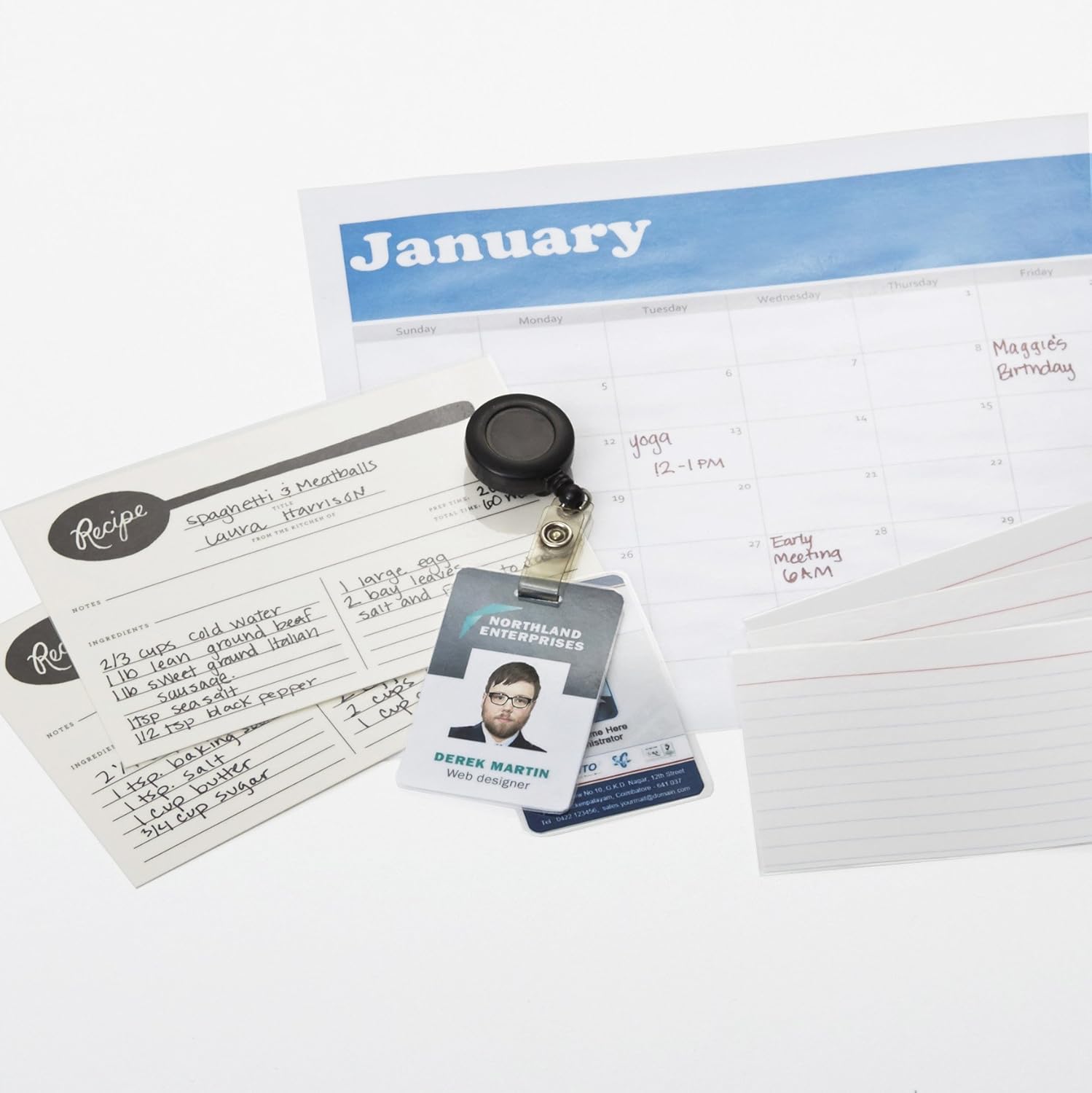
Figure 2: The laminator machine as it appears inside its frustration-free packaging.
لڳائڻ:
Place the laminator on a flat, stable, and heat-resistant surface. Ensure there is adequate space around the machine for proper ventilation and for documents to exit the rear.
پاور ڪنيڪشن:
Plug the power cord into a standard electrical outlet. The power switch is located on the side of the unit.

شڪل 3: بند اپ view of the power switch, 3mil/5mil heat settings, and release lever on the side of the laminator.
آپريٽنگ هدايتون
Laminating a Document:
Power On and Warm-up:
Turn the power switch to the "On" position. The "Ready" indicator light will illuminate once the machine has warmed up (approximately 4 minutes).
گرمي سيٽنگ چونڊيو:
Choose the appropriate heat setting based on the laminating pouch thickness:
- 3 mil: For normal documents, photos, and card stock.
- 5 mil: For thinner papers.
دستاويز تيار ڪريو:
Place the document inside a laminating pouch, ensuring it is centered and there is an even border around the edges. Use the included 3 mil thick, 8.9 by 11.4 inch laminating pouches or any compatible 3 mil or 5 mil pouch.

شڪل 4: مثالample of laminating recipe cards, showing the document being fed into the laminator.
پائوچ داخل ڪريو:
Carefully insert the sealed edge of the laminating pouch into the laminator's feed slot. The machine will automatically pull the pouch through.

Figure 5: A calendar page being laminated, demonstrating the machine's ability to handle various document types.
Retrieve Laminated Document:
Once the pouch exits the rear of the machine, allow it to cool on a flat surface before handling to ensure proper sealing.

Figure 6: A collection of laminated items, including recipe cards, ID badges, and a calendar, showcasing the versatility of the laminator.
سار سنڀال
صفائي:
Ensure the laminator is unplugged and completely cool before cleaning. Wipe the exterior with a soft, damp ڪپڙو. استعمال نه ڪريو abrasive cleaners يا solvents.
Roller Cleaning (Optional):
Periodically, you may run a cleaning sheet (available separately) through the laminator to remove any adhesive residue from the rollers.
اسٽوريج:
Store the laminator in a cool, dry place when not in use. Ensure the power cord is neatly wrapped and not kinked.
مشڪلاتون
| مسئلو | ممڪن سبب | حل |
|---|---|---|
| Laminator does not turn on. | پلگ ان ٿيل ناهي؛ پاور سوئچ بند آهي؛ آئوٽليٽ تي بجلي ناهي. | Check power cord connection; ensure power switch is "On"; test outlet with another device. |
| Pouch jams in the machine. | Pouch inserted incorrectly; pouch too thick; foreign object. | کي دٻايو ليور ڇڏڻ to clear the jam. Ensure pouch is inserted sealed edge first and is within specified thickness (3 or 5 mil). |
| Lamination is cloudy or bubbly. | Incorrect heat setting; machine not fully warmed up; low-quality pouch. | Ensure correct heat setting (3 mil for normal, 5 mil for thinner); wait for "Ready" light; use high-quality laminating pouches. |
| Lamination is not sealed properly. | Incorrect heat setting; machine not fully warmed up; document too thick for pouch. | Verify heat setting; wait for "Ready" light; ensure document fits pouch with adequate border. |
وضاحتون
| خاصيت | تفصيل |
|---|---|
| ماڊل نمبر | PL9-US |
| لامحدود ويڪر | 9 انچ تائين |
| گرمي سيٽنگون | 3 mil, 5 mil |
| گرم ڪرڻ جو وقت | لڳ ڀڳ 4 منٽ |
| رولرز جو تعداد | 2 |
| وزن | 1.2 ڪلو |
| بجلي جي فراهمي | معياري اي سي |
وارنٽي ۽ سپورٽ
For warranty information and customer support, please visit the official Amazon Basics webسائيٽ يا سڌو سنئون Amazon ڪسٽمر سروس سان رابطو ڪريو.
آن لائن سپورٽ: ايميزون بيسڪس اسٽور
Note: Reading the full user manual is recommended prior to the first use of this product.


