1. پراڊڪٽ ختمview
The Dell Ultrasharp 1909Wf is a 19-inch widescreen LCD monitor designed for various computing needs. It features a highly adjustable stand, offering swivel, tilt, and height adjustments, including the ability to rotate to a vertical orientation. The monitor also provides multiple connectivity options and integrated USB ports and an SD card reader for enhanced convenience.

شڪل 1: سامهون view of the Dell Ultrasharp 1909Wf monitor, showcasing its widescreen display and Dell branding.
2. سيٽ اپ جون هدايتون
2.1 پيڪنگ ۽ اسيمبلي
- Carefully remove the monitor and its components from the packaging.
- Place the monitor base on a stable surface.
- Attach the monitor panel to the stand, ensuring it is securely fastened.
2.2 مانيٽر کي ڳنڍڻ
The Dell 1909Wf monitor offers various ports for connecting to your computer and other devices.
- پاور ڪنيڪشن: Connect the standard power cable to the monitor's power input and then to a power outlet.
- ويڊيو جو انٽرويو Use either a VGA or DVI-D cable to connect the monitor to your computer's video output port.
- USB بندرگاهن: The monitor includes USB ports for connecting peripherals.
- SD ڪارڊ ريڊر: An integrated SD card reader is available for convenient data transfer.
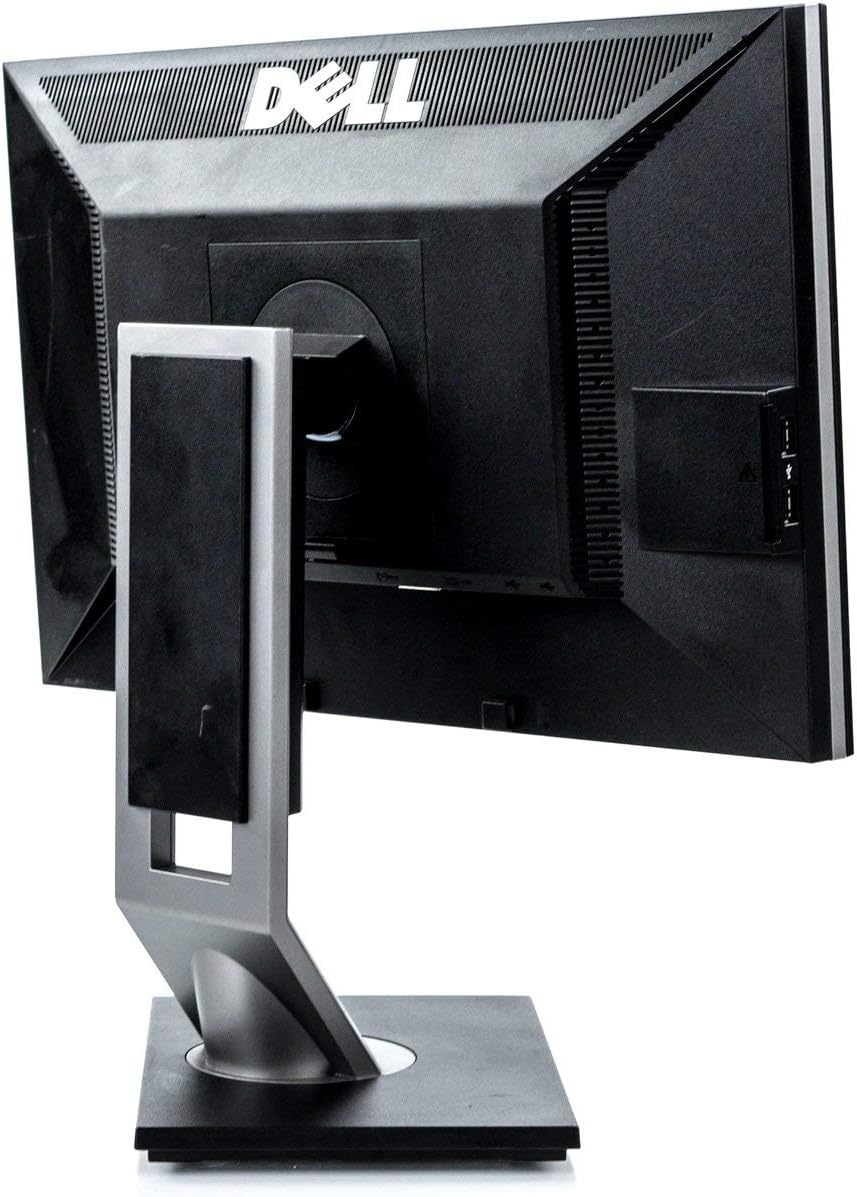
شڪل 2: پوئتي view of the monitor, highlighting the various input and output ports for connectivity.

شڪل 3: پاسي view of the monitor, showing the conveniently located USB ports and SD card reader.
3. مانيٽر کي هلائڻ
3.1 پاور آن/آف
مانيٽر جي اڳيان بيزل تي موجود پاور بٽڻ کي دٻايو ته جيئن ان کي آن يا آف ڪري سگهجي. جڏهن مانيٽر فعال هوندو ته پاور انڊيڪيٽر لائيٽ روشن ٿيندي.
3.2 ڊسپلي کي ترتيب ڏيڻ
The Dell 1909Wf monitor features a versatile stand for optimal viewآرام ڪرڻ:
- اونچائي جي ترتيب: مانيٽر پينل جي اوچائي کي ترتيب ڏيڻ لاءِ ان کي نرميءَ سان مٿي يا هيٺ دٻايو يا ڇڪيو.
- جھلڻ جي ترتيب: Tilt the monitor screen forwards or backwards to find your preferred viewزاويه.
- گھمڻ واري ترتيب: مانيٽر کي ان جي بنياد تي کاٻي يا ساڄي طرف گھمايو.
- Pivot (Vertical Orientation): The monitor can be rotated 90 degrees to a vertical (portrait) orientation. This is useful for viewing long documents or web صفحا.

شڪل 4: سامهون view of the monitor with the screen off, showing the Dell logo and control buttons.
3.3 آن اسڪرين ڊسپلي (OSD) مينيو
Use the buttons on the front bezel to navigate the On-Screen Display (OSD) menu. This menu allows you to adjust various display settings such as brightness, contrast, color temperature, and input source selection.
4. سار سنڀال
4.1 مانيٽر جي صفائي
- صاف ڪرڻ کان اڳ هميشه پاور بند ڪريو ۽ مانيٽر کي ان پلگ ڪريو.
- استعمال ڪريو نرم، lint-آزاد ڪپڙو روشنيءَ سان ڊيampened with water or a non-abrasive screen cleaner to wipe the screen and exterior surfaces.
- Avoid using harsh chemicals, solvents, or abrasive materials, as these can damage the monitor's finish.
4.2 عام سنڀال
- مانيٽر کي سڌي سج جي روشني، گرمي جي ذريعن، ۽ گهڻي نمي کان پري رکو.
- وڌيڪ گرم ٿيڻ کان بچڻ لاءِ مانيٽر جي چوڌاري مناسب وائيٽليشن کي يقيني بڻايو وڃي.
- مانيٽر يا ان جي ڪيبل تي ڳري شيون رکڻ کان پاسو ڪريو.
5. مسئلا حل ڪرڻ
This section addresses common issues you might encounter with your Dell Ultrasharp 1909Wf monitor.
5.1 اسڪرين تي ڪا به تصوير ناهي
- Check if the monitor is powered on and the power indicator light is active.
- Verify that the video cable (VGA or DVI-D) is securely connected to both the monitor and the computer.
- پڪ ڪريو ته صحيح ان پٽ سورس OSD مينيو ذريعي چونڊيو ويو آهي.
- Test the monitor with another computer or a different video cable if possible.
5.2 تصوير جي معيار جا مسئلا
- Adjust brightness and contrast settings through the OSD menu.
- Ensure the display resolution on your computer is set to the monitor's native resolution (e.g., 2048 x 1536 or FHD 1080p, depending on specific configuration).
- Check for any physical damage to the screen or video cable.
5.3 Stand Adjustment Issues
- Ensure no cables are obstructing the movement of the stand.
- Apply gentle, even pressure when adjusting height, tilt, or swivel.
6. وضاحتون
| خاصيت | تفصيل |
|---|---|
| برانڊ | ڊيل |
| ماڊل نمبر | 1909Wf |
| اسڪرين جي ماپ | 19 انچ |
| اسپيڪٽ ريشو | 16:9 |
| قرارداد | 2048 x 1536, FHD 1080p |
| تصوير جي روشني | 300 cd/m² |
| مقابلي جي نسبت | 1000:1 |
| جوابي وقت | 5ms |
| رنگ گامٽ | 83% |
| اسڪرين جي مٿاڇري جي وضاحت | چمڪندڙ |
| رابطي | VGA, DVI-D, USB Ports, SD Card Reader |
| بجلي جو استعمال | Average 25 watts (2 Cold Cathode Fluorescent Lamps) |
| شيءِ جو وزن | 12.25 پائونڊ |
| پيڪيج جي ماپ | 18.23 x 18.07 x 7.01 انچ |
| ٺاهيندڙ | ڊيل ڪمپيوٽرز |
7. وارنٽي ۽ سپورٽ
For warranty information and technical support, please refer to the documentation provided with your purchase or visit the official Dell support website. You can also find additional resources and contact information on the Dell Store on Amazon.


