تعارف
The Beats Studio 2.0 Wired Over-Ear Headphones have been engineered for an immersive audio experience. This manual provides essential information for setting up, operating, maintaining, and troubleshooting your headphones, ensuring optimal performance and longevity.

تصوير: سامهون واري پاسي view of the Beats Studio 2.0 Wired Over-Ear Headphones in white, showcasing the sleek design and earcups.
سيٽ اپ ڪريو
انباڪسنگ ۽ مواد
پيڪنگ مان سڀني حصن کي احتياط سان هٽايو. پڪ ڪريو ته سڀئي شيون موجود آهن:
- Beats Studio over-ear headphones
- 3.5mm audio cable with RemoteTalk
- Standard 3.5 mm audio cable
- USB 2.0 charging cable (USB-A to USB Micro-B)
- USB پاور اڊاپٽر
- Hard-shell carrying case with carabiner clip
- Beats cleaning cloth
- جلدي شروع ڪرڻ جي ھدايت
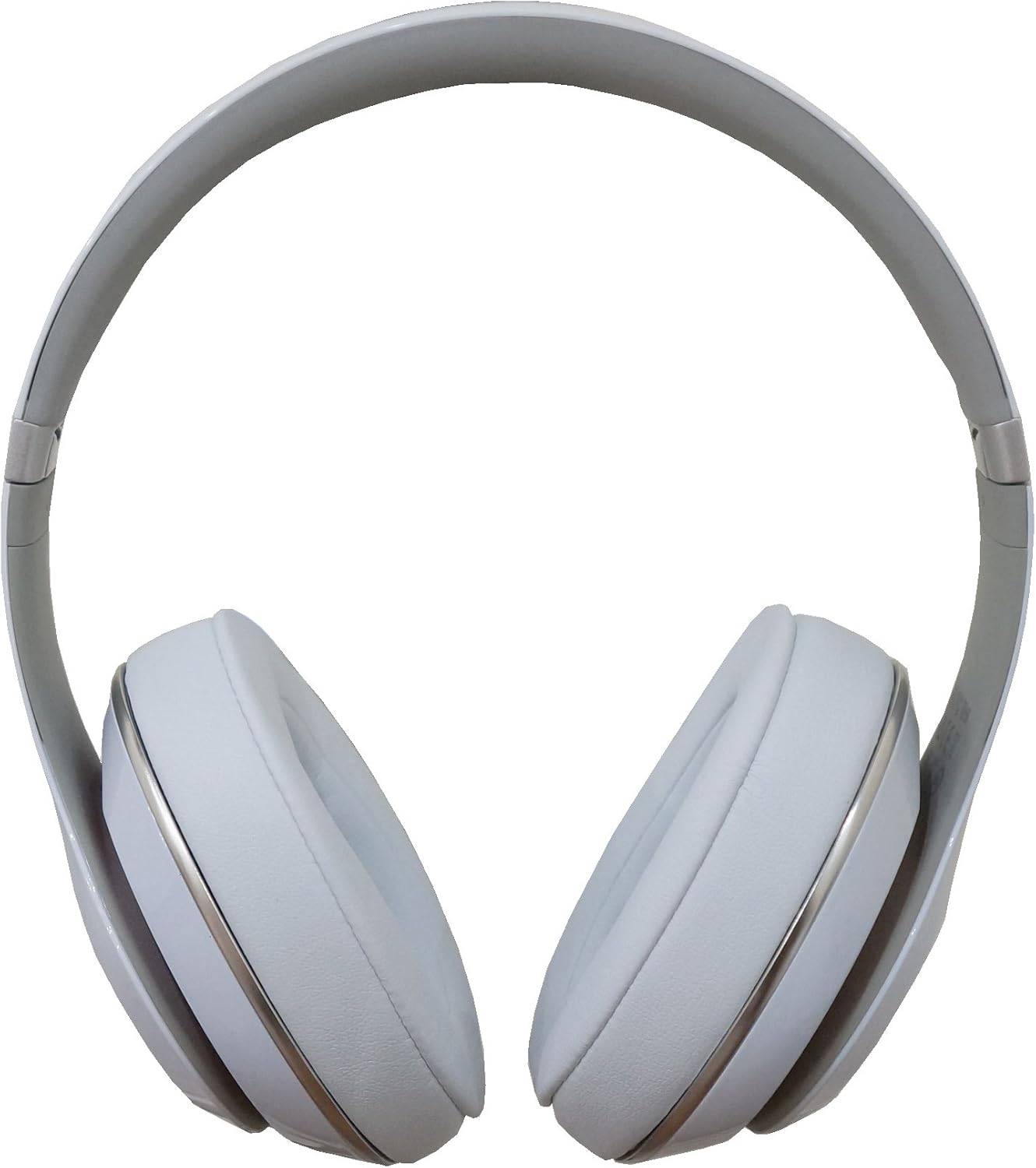
Image: Direct front view of the Beats Studio 2.0 headphones, showing both earcups and the headband.
هيڊفون چارج ڪرڻ
The Beats Studio 2.0 headphones feature a 20-hour rechargeable battery. To charge:
- Connect the micro USB end of the USB 2.0 charging cable to the charging port on the headphone.
- Connect the USB-A end of the cable to the USB power adapter.
- USB پاور اڊاپٽر کي وال آئوٽليٽ ۾ لڳايو.
The visible Battery Fuel Gauge will indicate the charging status. To conserve battery life, the Auto On/Off feature automatically turns off the headphones when unplugged from an audio source.
آڊيو ماخذ سان ڳنڍڻ
The headphones connect via a 3.5mm audio jack:
- Insert one end of the 3.5mm audio cable (either standard or RemoteTalk) into the audio input jack on the headphone.
- Insert the other end of the cable into the 3.5mm audio output jack of your device (e.g., smartphone, tablet, computer).
آپريٽنگ
آڊيو پلے بیک
The Beats Acoustic Engine and signature DSP software are designed to deliver a rich and emotional listening experience. Once connected, audio from your source device will play through the headphones.
Adaptive Noise Canceling (ANC)
The headphones feature dual-mode Adaptive Noise Canceling to reduce ambient noise:
- ٻڌڻ جو طريقو When music is playing, ANC automatically balances the noise cancellation level with your audio, providing an optimal listening environment.
- ANC Only Mode: If you wish to only cancel external noise without playing music, the headphones can be used in ANC only mode. This mode automatically increases the level of noise cancellation for a quieter environment.
Using the RemoteTalk Cable
The included RemoteTalk cable allows for convenient control of your audio and calls:
- ڪال ڪنٽرول: Answer or end calls directly from the cable's inline microphone and remote.
- حجم ڪنٽرول: آڊيو جي مقدار کي ترتيب ڏيو.
- ٽريڪ ڪنٽرول: هلايو، روڪيو، ٽريڪ ڇڏي ڏيو.

تصوير: سائڊ پروfile of the Beats Studio 2.0 headphones, highlighting the earcup design and the 'studio' branding on the headband.
سار سنڀال
صفائي
پنهنجي هيڊفونز جي ظاهر ۽ صفائي کي برقرار رکڻ لاءِ:
- Use the provided Beats cleaning cloth to gently wipe the surfaces of the headphones.
- سخت ڪيميڪلز، رگڙيندڙ صاف ڪندڙ، يا گهڻي نمي استعمال ڪرڻ کان پاسو ڪريو.
ذخيرو
When not in use, store your headphones in the hard-shell carrying case to protect them from dust, scratches, and impacts. The foldable design allows for compact storage.

Image: The Beats Studio 2.0 headphones shown in their folded, compact state, ready for storage in the carrying case.
حفاظت جي ڄاڻ
To ensure safe operation and prevent damage:
- Keep the headphones away from liquids.
- Do not charge the headphones during a power outagاي يا برقي طوفان.
مشڪلاتون
عام مسئلا ۽ حل
| مسئلو | ممڪن سبب | حل |
|---|---|---|
| Headphones not turning on or holding charge. | Low or depleted battery; defective battery. | Ensure the headphones are fully charged using the provided USB cable and adapter. Check the Battery Fuel Gauge. If issues persist, contact support. |
| ڪابه آڊيو يا وقفي وقفي سان آڊيو ناهي. | Loose cable connection; incorrect cable; audio source issue. | Ensure both ends of the 3.5mm audio cable are securely plugged into the headphones and the audio source. Try a different audio cable or audio source to isolate the problem. |
| Noise Canceling (ANC) not effective or producing static. | ANC limitations; environmental factors. | ANC is most effective against low-frequency, constant noises. High-frequency or sudden noises may not be fully canceled. A faint static sound can be normal with active noise cancellation. Ensure headphones are properly seated on your ears. |
| RemoteTalk cable controls not working. | Incompatibility with device; cable damage. | Ensure your device supports the RemoteTalk cable's functions. Try the standard audio cable to confirm basic audio functionality. Inspect the RemoteTalk cable for any visible damage. |
وضاحتون
| خاصيت | تفصيل |
|---|---|
| ماڊل نالو | 900-00063-01 |
| شيون ماڊل نمبر | BT OV STU WHT |
| رابطي ٽيڪنالاجي | وائرڊ |
| هيڊ فون جيڪ | 3.5 مليڪ جيڪ |
| ڪن جي جڳهه | ڪن مٿان |
| شور ڪنٽرول | فعال شور منسوخي |
| بيٽري جي زندگي | 20 ڪلاڪن تائين (ريچارج ٿيندڙ) |
| شيءِ جو وزن | 2.07 پائونڊ (0.94 ڪلوگرام) |
| پيداوار جي ماپ | 9.57 x 4.52 x 7.28 انچ |
| مواد | پلاسٽڪ |
| خاص خاصيتون | Foldable, Lightweight, Volume Control |
| ٺاهيندڙ | بيٽ اليڪٽرانڪس ، ايل ايل |
وارنٽي ۽ سپورٽ
ٺاهيندڙ جي وارنٽي
This product includes a manufacturer's warranty. Please refer to the warranty documentation provided with your purchase for specific terms and conditions. The product has been cleaned, inspected, and meets manufacturer specifications.
اضافي حمايت
For further assistance or detailed information, you may refer to the official User Manual PDF available online:
يوزر مينوئل (PDF) ڊائون لوڊ ڪريو
For direct support, please contact Beats Electronics, LLC customer service.