1. تعارف
The Donner Yellow Fall is a compact analog delay guitar effect pedal designed to deliver warm, natural vintage delay sounds. Its mini size makes it pedalboard-friendly, while its durable aluminum-alloy casing ensures reliability. This manual provides essential information for setting up, operating, and maintaining your pedal.
2. پراڊڪٽ ختمview
The Yellow Fall pedal features a straightforward design with three control knobs and a footswitch. Its true bypass circuitry ensures your guitar's tone remains unaffected when the pedal is disengaged. The bright yellow finish and compact form factor make it a distinctive addition to any setup.

شڪل 1: مٿي کان هيٺ view of the Donner Yellow Fall Delay Pedal, highlighting its compact design and control layout.
3. خاصيتون
- اينالاگ دير: Reproduces the warm and natural classic vintage analog delay sound.
- Flexible Delay Time: Offers a delay time range from 20ms to 620ms.
- Adjustable ڪنٽرول: Features adjustable delay level (Echo) and feedback (F.Back).
- پائيدار تعمير: Housed in a robust aluminum-alloy casing for stability and strength.
- ڪمپيڪٽ سائيز: Mini design is ideal for pedalboards with limited space.
- سچو پاسو: Provides transparent tone when the effect is disengaged.
- LED اشارو: واضح طور تي پيڊل جي ڪم ڪندڙ حالت ڏيکاري ٿو.
- بجلي جي گهرج: Operates on 9V DC power (power supply not included).
4. سيٽ اپ
- پاور ڪنيڪشن: Connect a standard 9V DC power adapter (center negative, not included) to the DC 9V input jack on the top of the pedal.
- ان پٽ ڪنيڪشن: پنھنجي گٽار يا اڳئين اثر پيڊل جي آئوٽ پُٽ کي پيڊل جي ساڄي پاسي INPUT جيڪ سان ڳنڍيو.
- آئوٽ پٽ ڪنيڪشن: پيڊل جي کاٻي پاسي OUTPUT جيڪ کي ڳنڍيو توھان جي amplifier or the input of a subsequent effect pedal.
- پاور آن: پڪ ڪريو ته سڀئي ڪنيڪشن محفوظ آهن توهان جي پاور آن ڪرڻ کان اڳ amplifier and pedal.
5. آپريٽنگ هدايتون
The Donner Yellow Fall pedal features intuitive controls for shaping your delay sound. Experiment with each knob to find your desired effect.

شڪل 2: تفصيلي view of the control knobs on the Donner Yellow Fall Delay Pedal.
ڪنٽرول:
- TIME Knob: Adjusts the delay time, ranging from 20ms (fully counter-clockwise) to 620ms (fully clockwise). This controls the interval between the original signal and its repeats.
- ايڪو نوب: Adjusts the delay level or mix. This controls the volume of the delayed signal relative to your dry signal.
- F.BACK Knob: Adjusts the amount of feedback. This controls how many times the delayed signal repeats. Higher settings result in more repeats.
- فوٽ سوئچ: Engages or disengages the effect. The LED indicator illuminates when the effect is active.
- سچو پاسو: When the effect is disengaged, the signal passes directly through the pedal without any electronic processing, preserving your original tone.
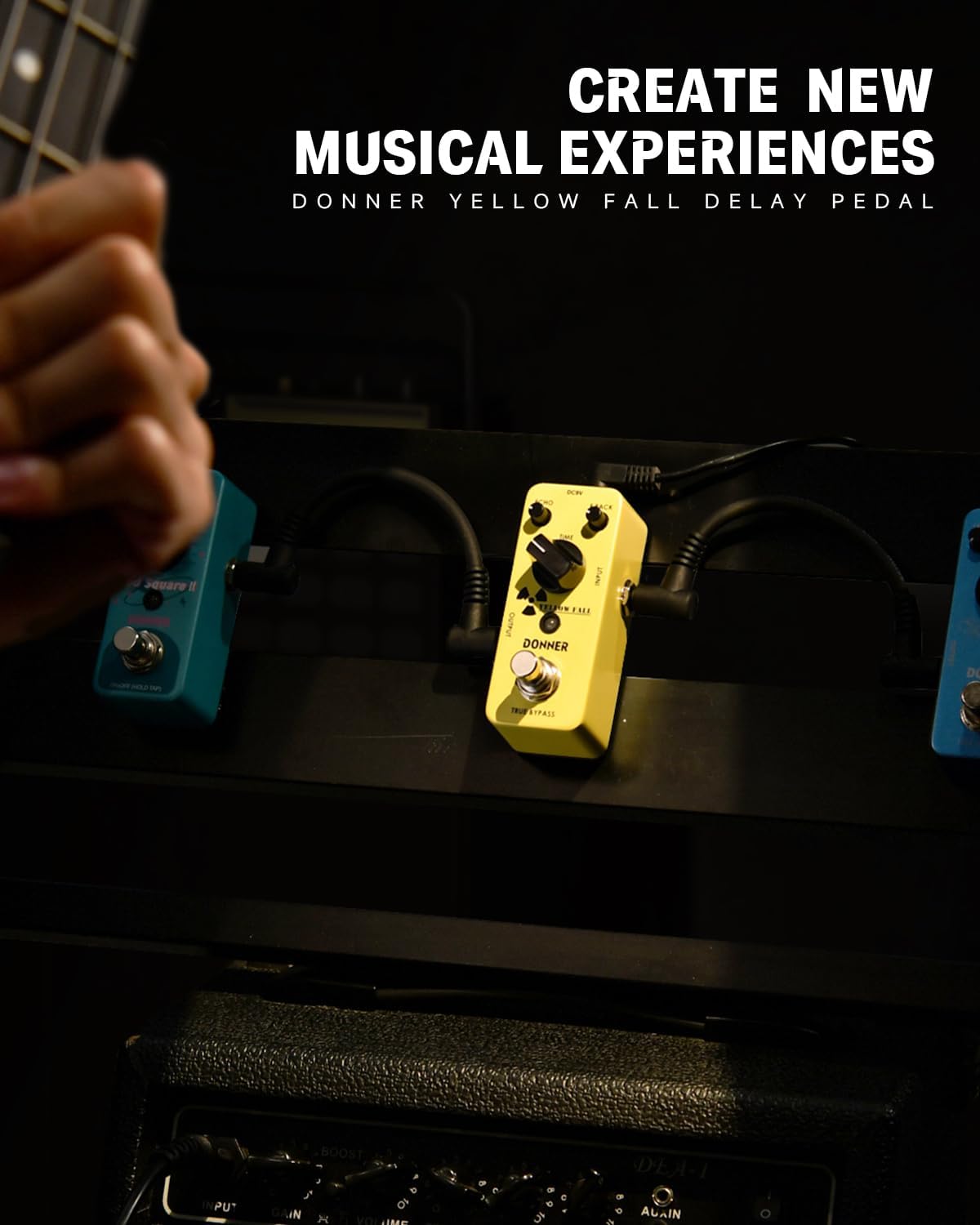
Figure 3: The Donner Yellow Fall Delay Pedal integrated into a guitar setup.
6. سار سنڀال
- پيڊل کي نرم، سڪل ڪپڙي سان صاف ڪري صاف رکو.
- پيڊل کي انتهائي گرمي پد، نمي، يا سڌي سج جي روشني ۾ بي نقاب ڪرڻ کان پاسو ڪريو.
- Do not attempt to disassemble or modify the pedal, as this may void the warranty and cause damage.
- جڏهن پيڊل ڊگهي عرصي تائين استعمال ۾ نه هجي ته بجلي جي فراهمي بند ڪريو.
7. مسئلا حل ڪرڻ
- آواز ناهي: Check all cable connections (input, output, power). Ensure the power supply is correctly connected and functioning. Verify that your guitar and ampلفافي صحيح ڪم ڪري رهيا آهن.
- Weak or Distorted Signal: Check cable integrity. Ensure the ECHO knob is not set too low. Test with a different power supply if possible.
- ناپسنديده شور: Ensure you are using a regulated 9V DC power supply. Unplug other pedals to isolate the source of noise. Check for faulty cables.
8. وضاحتون
| تفصيل | قدر |
|---|---|
| شيءِ جو وزن | 8.8 اونس (0.25 ڪلوگرام) |
| پيداوار جي ماپ | 3.7"L x 1.7"W x 2"H (3.7 x 1.7 x 2 انچ) |
| شيون ماڊل نمبر | پيلو خزانو |
| جسماني مواد | المونيم مصر |
| رنگ جو نالو | Yellow Delay |
| ڪنيڪٽر جو قسم | 2.1mm DC power jack |
| ھارڊويئر انٽرفيس | 1/4 انچ آڊيو |
| سگنل فارميٽ | اينالاگ |
| طاقت جو ذريعو | تار ٿيل برقي |
| جلدtage | 9 وولٽ |
9. دٻي ۾ ڇا آهي
- 1 x Donner Yellow Fall Delay Guitar Effect Pedal
- 1 x استعمال ڪندڙ جو دستياب
10. وارنٽي ۽ سپورٽ
For warranty information or technical support, please refer to the official Donner webسائيٽ تي وڃو يا پنهنجي پرچون ڪندڙ سان رابطو ڪريو. خريداري جي ثبوت طور پنهنجي خريداري جي رسيد رکو.


