Pyle PMX840BT 8-Channel 800W Bluetooth Stage Powered Mixer
ھدايت وارو دستور
1. تعارف
The Pyle PMX840BT is an 8-channel, 800-watt Bluetooth stage powered mixer designed for professional audio applications. This versatile system offers multi-source audio control, built-in Bluetooth for wireless streaming, and various input/output options for comprehensive sound management.
اهم خاصيتون:
8-Channel Audio Mixer System: Provides extensive control over multiple audio sources.
بلوٽوٿ وائرليس ميوزڪ اسٽريمنگ: Simple and hassle-free pairing with modern devices.
ڊجيٽل LCD ڊسپلي: For clear visual feedback and control.
MP3/USB/SD Readers: Supports digital audio file playback from various media.
گھڻا داخلائون: Includes 3-Pin Low Impedance Balanced Microphone Inputs, 1/4'' Line/High Impedance Balanced Inputs, Aux (3.5mm) Input Jack, and RCA inputs.
Master 5-Band Graphic Equalizer: For precise sound tuning.
Independent Channel Controls: Volume, EQ, and Effects adjustment for each channel.
بلٽ ان کولنگ فين: Ensures stable operation during extended use.
آسان کڻندڙ هينڊل: آسان portability لاء.
2. حفاظتي هدايتون
Please read and understand all safety instructions before operating this device. Keep this manual for future reference.
طاقت جو ذريعو: يونٽ کي صرف مخصوص پاور سپلائي وول سان ڳنڍيوtage.
وينٽيليشن: Ensure proper ventilation. Do not block ventilation openings. The built-in cooling fan requires clear airflow.
نمي: يونٽ کي مينهن يا نمي جي سامهون نه رکو. يونٽ تي مائع سان ڀريل شيون نه رکو.
گرمي: يونٽ کي گرمي جي ذريعن جهڙوڪ ريڊيئيٽر، گرمي رجسٽر، اسٽو، يا ٻين سامان کان پري رکو جيڪي گرمي پيدا ڪن ٿا.
خدمت ڪرڻ: هن يونٽ جي پاڻ خدمت ڪرڻ جي ڪوشش نه ڪريو. سڀني خدمتن کي قابل خدمت اهلڪارن جي حوالي ڪريو.
صفائي: صرف سڪل ڪپڙي سان صاف ڪريو.
لڳائڻ: يونٽ کي هڪ مستحڪم، سطحي سطح تي رکو.
3. پيڪيج مواد
پڪ ڪريو ته سڀئي شيون توهان جي پيڪيج ۾ شامل آهن:
Pyle PMX840BT 8-Channel 800-Watt Bluetooth Stage Powered Mixer
پاور ڪيبل
Figure 3.1: Pyle PMX840BT mixer and included power cable.
This image displays the Pyle PMX840BT 8-Channel Bluetooth Stage Powered Mixer alongside its power cable, illustrating the complete package contents.
4. پراڊڪٽ ختمview
The Pyle PMX840BT features a robust design with clearly labeled controls and connectivity options for intuitive operation.
شڪل 4.1: مٿي-اڳيون view of the Pyle PMX840BT 8-Channel Powered Mixer.
هي تصوير هڪ جامع مهيا ڪري ٿي view of the mixer's top and front panels, showcasing all input channels, controls, and the integrated USB/SD player section.
4.1 فرنٽ پينل ڪنٽرول
The front panel houses all primary controls and input jacks for each of the 8 channels, along with the master section and media player controls.
شڪل 4.2: تفصيلي view of the Pyle PMX840BT front panel.
This image highlights the front panel of the mixer, detailing the individual channel controls for gain, EQ (bass, mid, treble), effects send, and volume, as well as the master section and media player interface.
4.2 ريئر پينل ڪنيڪشن
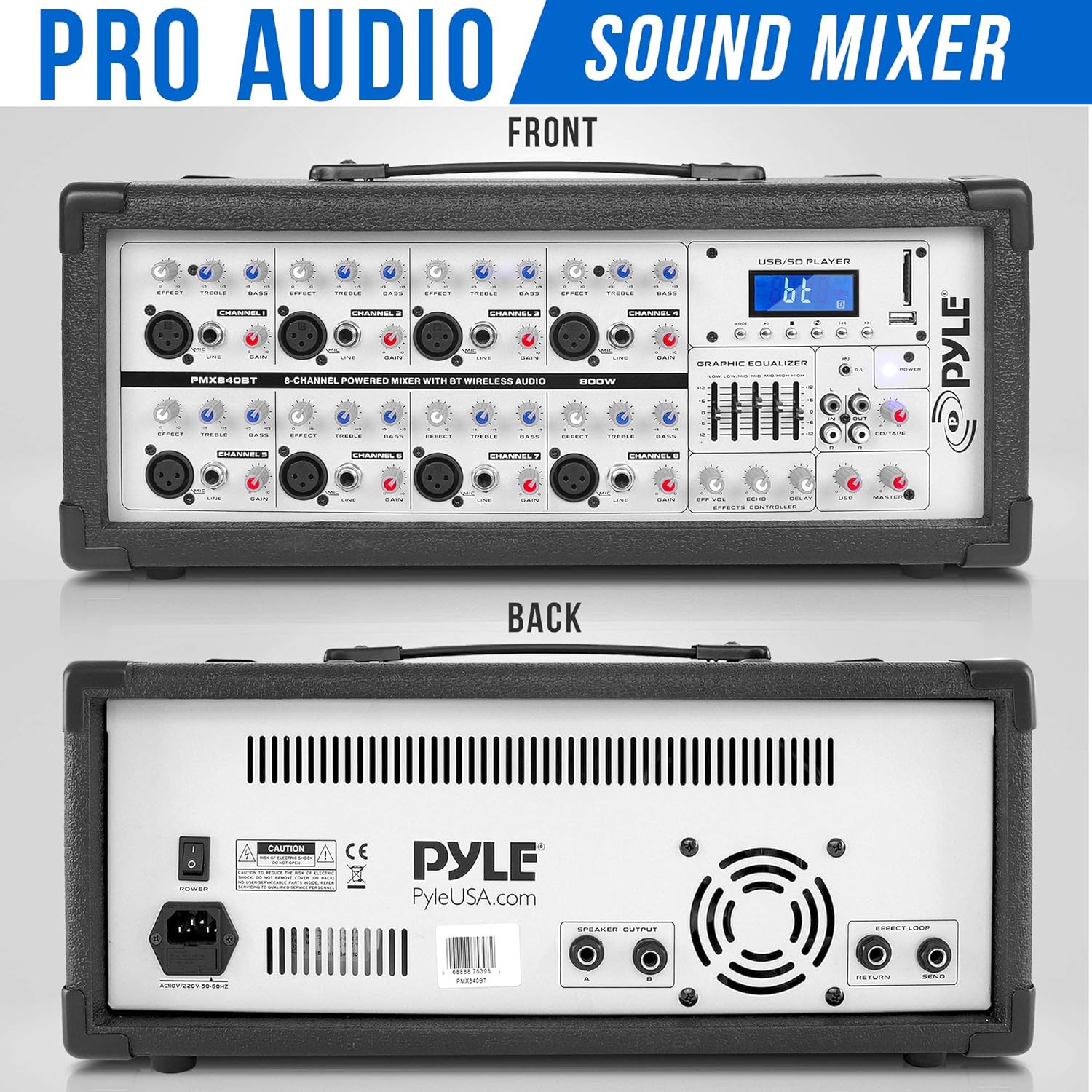
The rear panel provides essential connections for power, speaker outputs, and effects loop.
شڪل 4.3: اڳيان ۽ پوئين views of the Pyle PMX840BT mixer.
This image shows both the front and rear panels of the mixer, providing a complete view of all controls and connection points, including the power input, speaker outputs, and effects loop connectors on the rear.
5. سيٽ اپ
Follow these steps to set up your Pyle PMX840BT mixer:
لڳائڻ: Position the mixer on a stable, flat surface, ensuring adequate ventilation around the unit.
پاور ڪنيڪشن: Connect the supplied power cable to the mixer's power input on the rear panel, then plug the other end into a suitable AC power outlet.
اسپيڪر ڪنيڪشن: Connect your passive speakers to the 1/4'' speaker outputs on the rear panel. Ensure the impedance of your speakers matches the mixer's output impedance (8 Ohm).
شروعاتي پاور آن: Before turning on the mixer, ensure all channel volume knobs and the master volume fader are set to their minimum positions to prevent sudden loud noises.
6. آپريٽنگ هدايتون
6.1 پاور آن/آف
To power on, flip the POWER switch on the rear panel to the 'ON' position. The digital LCD display will illuminate.
To power off, ensure all audio levels are at minimum, then flip the POWER switch to the 'OFF' position.
6.2 ڳنڍڻ مائڪروفون
The mixer features 3-Pin Low Impedance Balanced Microphone Inputs (XLR) for professional microphones.
Connect your microphone to an available XLR input on the front panel.
Slowly increase the corresponding channel's volume knob.
Adjust the Master Volume fader to the desired overall output level.
6.3 ڳنڍڻ واري لائين ان پٽ
Use the 1/4'' Line/High Impedance Balanced Inputs for instruments or other line-level devices, and the Aux (3.5mm) Input for smartphones or MP3 players.
Connect your line-level device to the appropriate 1/4'' or 3.5mm input.
Slowly increase the corresponding channel's volume knob.
Adjust the Master Volume fader to the desired overall output level.
6.4 بلوٽوٿ ڪنيڪشن
پنهنجي بلوٽوٿ-فعال ڊوائيسز تان وائرليس طور تي آڊيو اسٽريم ڪريو.
Figure 6.1: Illustration of Bluetooth connectivity with the Pyle PMX840BT.
This image demonstrates the mixer's Bluetooth connectivity feature, showing a smartphone wirelessly paired with the unit for music streaming. The mixer's digital display indicates Bluetooth mode.
Activate Bluetooth on your external device (smartphone, tablet, etc.).
On the mixer's digital LCD display, select the Bluetooth input mode. The display will show 'AC46XX' as the network name.
ڳولھيو 'AC46XX' on your device and pair.
Once paired, you can stream audio wirelessly. Adjust the MP3/USB/SD volume control and the Master Volume fader for desired output.
6.5 USB/SD پلے بیک
MP3 ڊجيٽل آڊيو هلايو fileسڌو سنئون USB فليش ڊرائيو يا SD ميموري ڪارڊ مان.
Insert a USB flash drive or SD card containing MP3 files لاڳاپيل سلاٽ ۾.
The digital LCD display will show playback information. Use the control buttons (play/pause, skip, mode) to navigate your music.
Adjust the MP3/USB/SD volume control and the Master Volume fader for desired output.
6.6 Adjusting Equalization (EQ)
The mixer features independent channel EQ and a Master 5-Band Graphic Equalizer for precise sound shaping.
Figure 6.2: Close-up of the Pyle PMX840BT Master 5-Band Graphic Equalizer.
هي تصوير هڪ تفصيلي وضاحت فراهم ڪري ٿي view of the mixer's Master 5-Band Graphic Equalizer, showing the individual faders for adjusting different frequency ranges to fine-tune the overall sound output.
چينل EQ: Use the HIGH, MID, and LOW knobs on each channel to adjust the treble, midrange, and bass frequencies of that specific input.
Master Graphic EQ: Use the faders on the Master 5-Band Graphic Equalizer to boost or cut specific frequency ranges (60Hz, 250Hz, 1KHz, 4KHz, 12KHz) for the overall mix.
6.7 Using Effects (EFFX)
The mixer includes built-in Echo and Reverb effects.
Use the EFFX knob on each channel to send a portion of that channel's signal to the effects processor.
Adjust the Master EFFX Control knobs (Level, Echo, Reverb) to control the overall intensity and characteristics of the effects.
7. وضاحتون
خاصيت
تفصيل
پاور آئوٽ
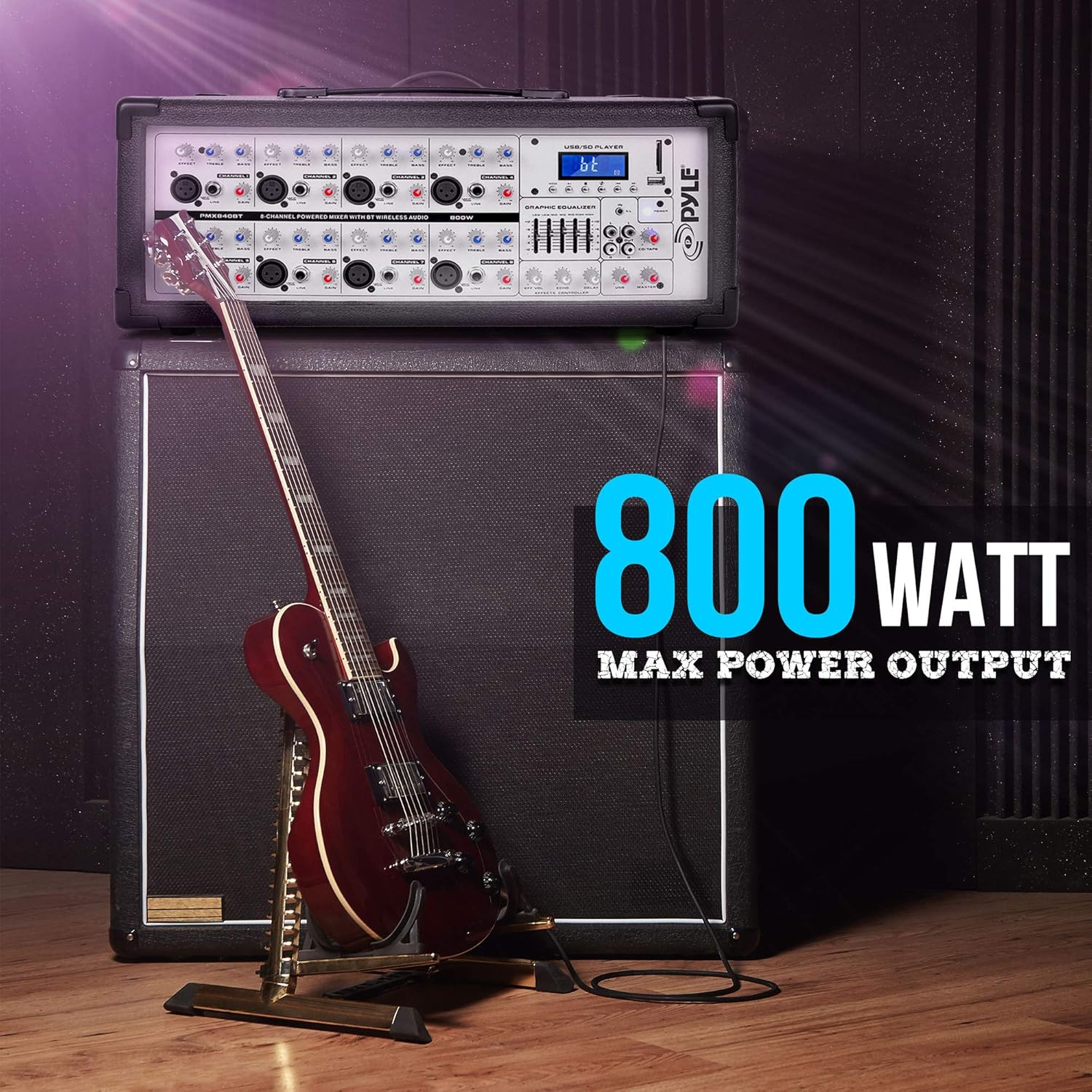
800 واٽ MAX
Impedance (Each Channel)
8 اوم
Line Level Impedance
10K Ohms @ -10dBv
Mono Microphone Inputs
XLR: اليڪٽرانڪ طور تي متوازن ڊسڪريٽ ان پٽ سرڪٽ
Gain Range (Mic)
+10 - +60dB
Max. Input Level (Mic)
+12dBu @ +10dB Gain
رڪاوٽ (مائڪ)
Approx. 2.6k Ω Balanced
سگنل کان شور جي نسبت
110dB / 112dB, A–Weighted
تحريف (THD+N)
0.005٪ / 0.004٪، اي-وزن ٿيل
Channel Equalization Control Range (High)
@ 10K +/-15dB
Channel Equalization Control Range (Low)
@ 60K +/-15dB
Master EQ Frequency Hz
60، 250، 1 هزار، 4 هزار، 12 هزار
Master EQ Boost/Cut Control
+/-12 ڊي بي
Effects Loop & Send Connectors
1/4'' TS Unbalanced
Effects Loop Impedance
Approx 1k Ohm -10dBv
بلوٽوت ورزن
2.1+EDR
Bluetooth وائرليس رينج
30'+ فوٽ
شيءِ جو وزن
21.8 پائونڊ
پيداوار جي ماپ
13 x 20.75 x 9.75 انچ
8. مسئلا حل ڪرڻ
If you encounter issues with your PMX840BT, refer to the following common problems and solutions:
طاقت ناهي: Ensure the power cable is securely connected to both the mixer and a working power outlet. Check the power switch position.
ڪوبه آواز آئوٽ: Verify that the Master Volume fader is raised and individual channel volumes are not at minimum. Check speaker connections and ensure speakers are powered (if active) or correctly connected (if passive).
No Sound from a Specific Channel: Check the input cable connection for that channel. Ensure the channel's volume knob is raised and its EQ/EFFX settings are not muting the sound.
بلوٽوٿ جوڙڻ جا مسئلا: Ensure the mixer is in Bluetooth mode and your device's Bluetooth is enabled and searching. Confirm you are selecting the correct device name ('AC46XX'). Try restarting both the mixer and your Bluetooth device.
مسخ ٿيل آواز: Reduce the input gain for the affected channel or the Master Volume. Check for loose cable connections. Ensure speaker impedance matches the mixer.
USB/SD Playback Failure: Ensure the USB drive or SD card contains compatible MP3 files. Try reformatting the storage device or using a different one.
9. سار سنڀال
مناسب سار سنڀال توهان جي مکسر جي ڊگهي عمر ۽ بهترين ڪارڪردگي کي يقيني بڻائي ٿي:
صفائي: Regularly wipe the unit with a soft, dry cloth. Avoid using abrasive cleaners, waxes, or solvents.
وينٽيليشن: Keep the ventilation grilles clear of dust and debris. Use a soft brush or vacuum cleaner to remove any build-up.
اسٽوريج: جڏهن گهڻي عرصي تائين استعمال ۾ نه هجي، ته مکسر کي ٿڌي، سڪل جاءِ تي، سڌي سج جي روشني ۽ انتهائي گرمي پد کان پري رکو.
ڪيبل جي سنڀال: Inspect all cables regularly for signs of wear or damage. Replace faulty cables immediately to prevent performance issues or safety hazards.
10. وارنٽي ۽ سپورٽ
For warranty information or technical support, please refer to the documentation provided with your purchase or contact Pyle customer service. Keep your proof of purchase for any warranty claims.