1. تعارف
This manual provides instructions for the proper setup, operation, and maintenance of your Amazon Basics Large Portable Bluetooth Speaker (Model BTV3_2). Please read this manual thoroughly before using the product to ensure optimal performance and safety.
2. حفاظت جي ڄاڻ
- اسپيڪر کي پاڻي يا گهڻي نمي جي سامهون نه آڻيو.
- اسپيڪر کي گرمي جي ذريعن جي ويجهو يا سڌي سج جي روشني ۾ رکڻ کان پاسو ڪريو.
- اسپيڪر کي ڌار ڪرڻ يا تبديل ڪرڻ جي ڪوشش نه ڪريو. اهو وارنٽي کي رد ڪري ڇڏيندو.
- Use only the provided AC power adapter for charging.
- اسپيڪر کي ٻارن کان پري رکو.
3. پيڪيج مواد
پڪ ڪريو ته سڀئي شيون پيڪيج ۾ موجود آهن:
- Amazon Basics Large Portable Bluetooth Speaker
- اي سي پاور ايڊاپٽر

وضاحت: This image shows the Amazon Basics Large Portable Bluetooth Speaker securely placed within its brown cardboard packaging, indicating how the product is received.
4. پراڊڪٽ ختمview
4.1. سامهون View

وضاحت: This image displays the front of the Amazon Basics Large Portable Bluetooth Speaker, featuring a black mesh grille that covers the speaker drivers.
4.2. مٿيون پينل ڪنٽرول

وضاحت: This image shows the top panel of the speaker with four circular buttons and a small LED indicator. From left to right, the buttons are: Volume Down (-), Play/Pause, Volume Up (+), and Bluetooth Pairing/Call Answer. Below the buttons, a small Bluetooth logo and an LED indicator are visible.
- - (Volume Down): آڊيو حجم گھٽائي ٿو.
- راند/روڪ: آڊيو پلے بیک کي هلائي ٿو يا روڪي ٿو.
- + (Volume Up): آڊيو حجم وڌائي ٿو.
- Bluetooth/Call: Initiates Bluetooth pairing mode or answers/ends phone calls.
- LED اشارو: Displays power and Bluetooth status.
4.3. Side Panel Ports

وضاحت: This image shows the right side panel of the speaker, featuring a power switch, a DC input port for charging, and an AUX input port for wired audio connections.
- آن/آف سوئچ: اسپيڪر کي آن يا آف ڪري ٿو.
- ڊي سي پورٽ ۾: Connects to the AC power adapter for charging.
- ويڪس پورٽ: Connects to audio devices using a 3.5mm stereo cable (not included).
5. سيٽ اپ
5.1. اسپيڪر کي چارج ڏيڻ
- Connect the provided AC power adapter to the DC IN port on the side of the speaker.
- AC پاور اڊاپٽر کي وال آئوٽليٽ ۾ لڳايو.
- The LED indicator will illuminate to show charging status. A full charge provides up to 8 hours of playback.
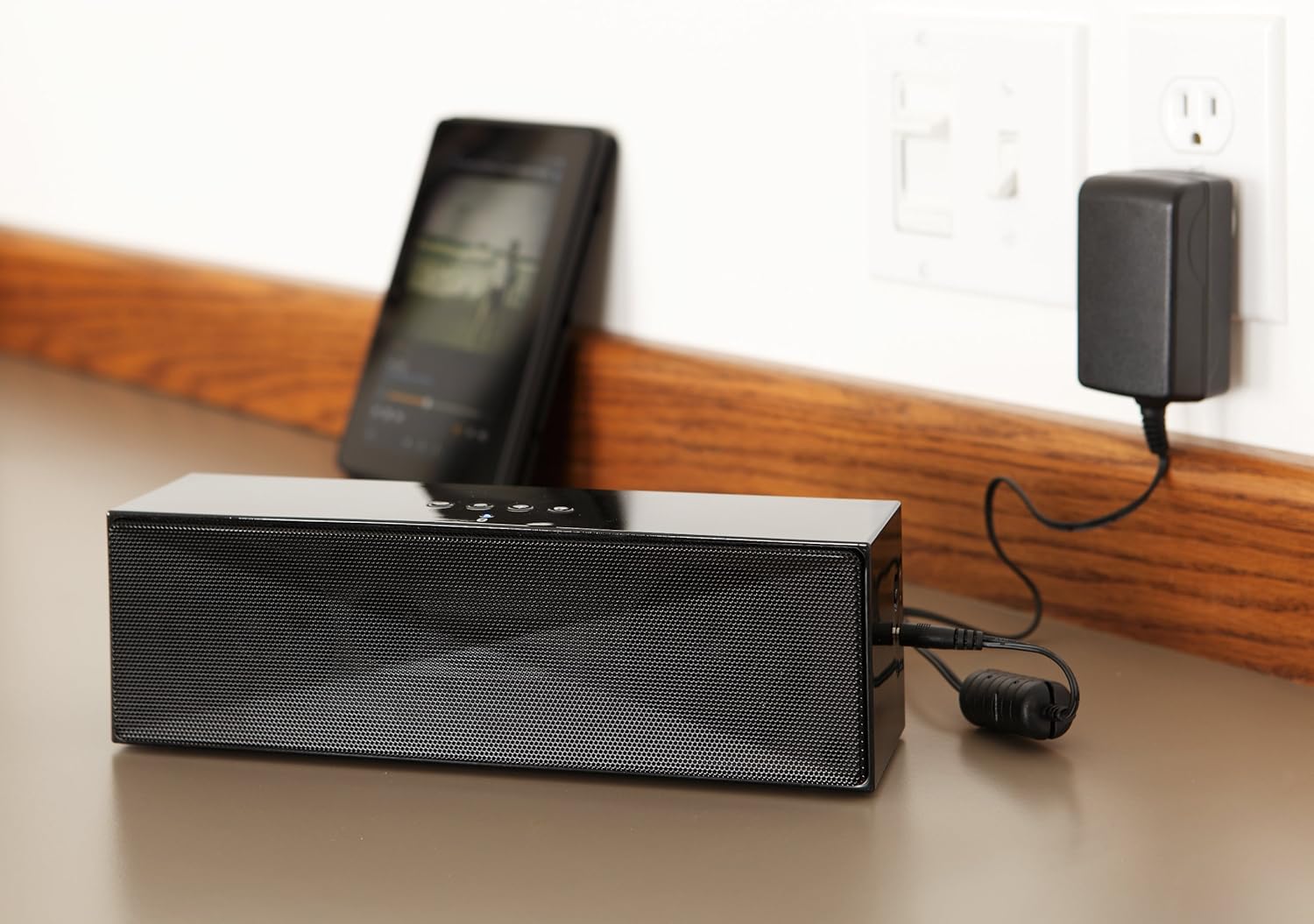
وضاحت: This image shows the speaker placed on a surface, with its AC power adapter plugged into a wall outlet, illustrating the charging process.
5.2. پاور آن/آف
Slide the ON/OFF switch located on the side panel to the "ON" position to power on the speaker. Slide it to the "OFF" position to power off.
6. آپريٽنگ هدايتون
6.1. بلوٽوٽ جوئر
- Ensure the speaker is powered on. The LED indicator will flash, indicating it is in pairing mode.
- پنهنجي بلوٽوٿ-فعال ڊوائيس (اسمارٽ فون، ٽيبليٽ، ليپ ٽاپ) تي، بلوٽوٿ کي فعال ڪريو ۽ موجود ڊوائيسز جي ڳولا ڪريو.
- Select "Amazon Basics BTV3_2" from the list of devices.
- Once paired, the LED indicator on the speaker will glow solid blue.
- The speaker can connect to devices up to 30 feet (10 meters) away.

وضاحت: This image shows the speaker positioned next to a tablet displaying a music playback interface, demonstrating a typical Bluetooth connection scenario.
6.2. Connecting via AUX Cable
- Connect one end of a 3.5mm stereo audio cable (not included) to the AUX port on the speaker.
- ڪيبل جي ٻئي ڇيڙي کي پنهنجي ڊوائيس جي آڊيو آئوٽ پُٽ جيڪ سان ڳنڍيو.
- The speaker will automatically switch to AUX input mode.
6.3. هينڊ فري ڪالنگ
The speaker features a built-in microphone for hands-free calls when connected via Bluetooth.
- ڪال جو جواب ڏيڻ Press the Bluetooth/Call button once.
- ڪال ختم ڪرڻ: Press the Bluetooth/Call button once during a call.
- ڪال رد ڪرڻ: Press and hold the Bluetooth/Call button.
7. سار سنڀال
- Clean the speaker with a soft, dry cloth. Do not use liquid cleaners or aerosols.
- اسپيڪر کي ٿڌي، سڪل جاءِ تي رکو جڏهن گهڻي عرصي تائين استعمال ۾ نه هجي.
- اسپيڪر کي ڇڏڻ يا ان کي مضبوط اثرن جي تابع ڪرڻ کان پاسو ڪريو.
8. مسئلا حل ڪرڻ
| مسئلو | ممڪن سبب | حل |
|---|---|---|
| اسپيڪر پاور آن نٿو ٿئي. | بيٽري ختم ٿي وئي آهي. | Connect the speaker to the AC power adapter and charge it. |
| بلوٽوٿ ذريعي جوڙي نه ٿو سگهجي. | Speaker is not in pairing mode; device Bluetooth is off; device is out of range. | Ensure speaker LED is flashing; enable Bluetooth on your device; move device closer to the speaker (within 30 feet/10 meters). |
| ڪابه آواز يا گهٽ آواز ناهي. | Volume on speaker or connected device is too low; incorrect input source. | Increase volume on both the speaker and your connected device. Ensure correct connection (Bluetooth or AUX). |
| Speaker turns off automatically when using AUX. | Automatic power-off feature activated due to prolonged silence. | This model may have an automatic power-off feature after a period of inactivity or silence, even when connected via AUX. To resume playback, power the speaker off and then on again using the side switch. |
| آواز ۾ تحريف. | Volume too high; weak battery; interference. | Reduce volume; charge the speaker; move away from other electronic devices. |
9. وضاحتون
| خاصيت | تفصيل |
|---|---|
| ماڊل نمبر | BTV3_2 |
| طول و عرض (L x W x H) | 10.2 x 2.9 x 3.1 انچ (25.9 x 7.4 x 7.9 سينٽي) |
| وزن | 1.61 پائونڊ (0.73 ڪلوگرام) |
| اسپيڪر آئوٽ | 2 x 5W (ڪل 10W) |
| رابطي | بلوٽوت، 3.5mm AUX |
| بلوٽوٿ رينج | 30 فوٽ (10 ميٽر) تائين |
| بيٽري جي زندگي | 8 ڪلاڪ تائين |
| بيٽري جي گنجائش | 8000 mAh |
| بلٽ ان مائڪروفون | ها |
| طاقت جو ذريعو | Battery Powered, AC Adapter |
| مواد | پلاسٽڪ |

وضاحت: This image provides a visual representation of the speaker's dimensions, showing its length (10.2"), width (2.9"), and height (3.1").
10. وارنٽي ۽ سپورٽ
وارنٽي جي معلومات ۽ ڪسٽمر سپورٽ لاءِ، مھرباني ڪري پنھنجي خريداري سان شامل دستاويزن جو حوالو ڏيو يا سرڪاري Amazon Basics جو دورو ڪريو. webسائيٽ. وارنٽي دعوائن لاءِ خريداري جو ثبوت رکو.
آن لائن سپورٽ: ايميزون بيسڪس اسٽور


