تعارف
The Somfy Telis 16 RTS remote is designed to control up to 16 individual or grouped motorized products, such as blinds and shades. Its on-screen display and intuitive controls enhance convenience in managing multiple window treatments.

سامهون view of the Somfy Telis 16 RTS Silver Remote, showing the display and control buttons.
پيداوار جون خاصيتون
- Remote control for up to 16 RTS motorized devices or groups
- On-screen icons identify different channels
- "My" function remembers a favorite motor setting
- Silver finish blends subtly into any decor
سيٽ اپ ۽ تنصيب
بيٽري لڳائڻ
The Somfy Telis 16 RTS remote requires batteries for operation.
- ريموٽ جي پٺي تي بيٽري جي خاني کي ڳولھيو.
- ڪمري جو ڍڪ کوليو.
- Insert the specified batteries, ensuring correct polarity.
- بيٽري جي ڪمري واري ڍڪ کي محفوظ طور تي بند ڪريو.

پاسي view of the Somfy Telis 16 RTS remote, illustrating its ergonomic design and potential battery compartment location.
Pairing with Motorized Devices
To control your motorized blinds or shades, the remote must be paired with each device or group. Refer to the specific instructions for your Somfy motorized product for detailed pairing procedures. Generally, this involves a short press on the programming button of the motor, followed by a press on the remote's programming button.
آپريٽنگ هدايتون
چينل جي چونڊ
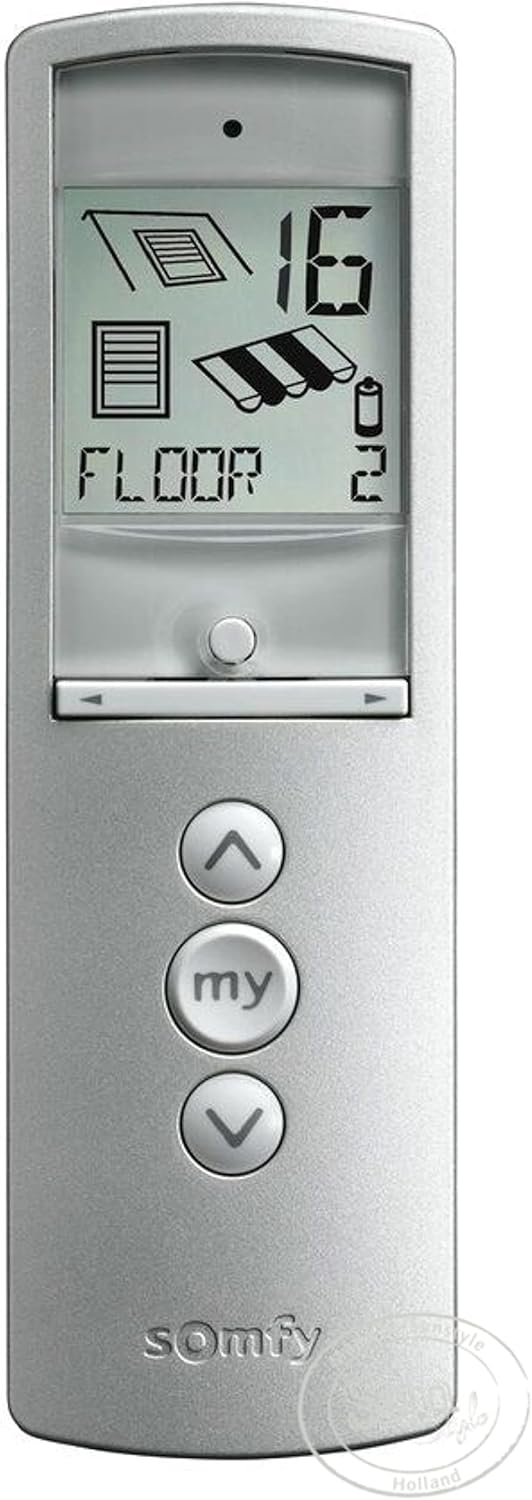
The Telis 16 RTS remote allows control of up to 16 channels. Use the channel selection buttons (usually located below the display) to cycle through the available channels. The selected channel number will be shown on the display.

Close-up of the Somfy Telis 16 RTS remote display, showing a channel number and product icon.
بنيادي ڪنٽرول افعال
Once a channel is selected, use the following buttons for operation:
- مٿي تير (▲): Moves the motorized product up (e.g., opens blinds).
- هيٺيون تير (▼): Moves the motorized product down (e.g., closes blinds).
- "My" Button: Stops the movement or recalls a pre-programmed favorite position.
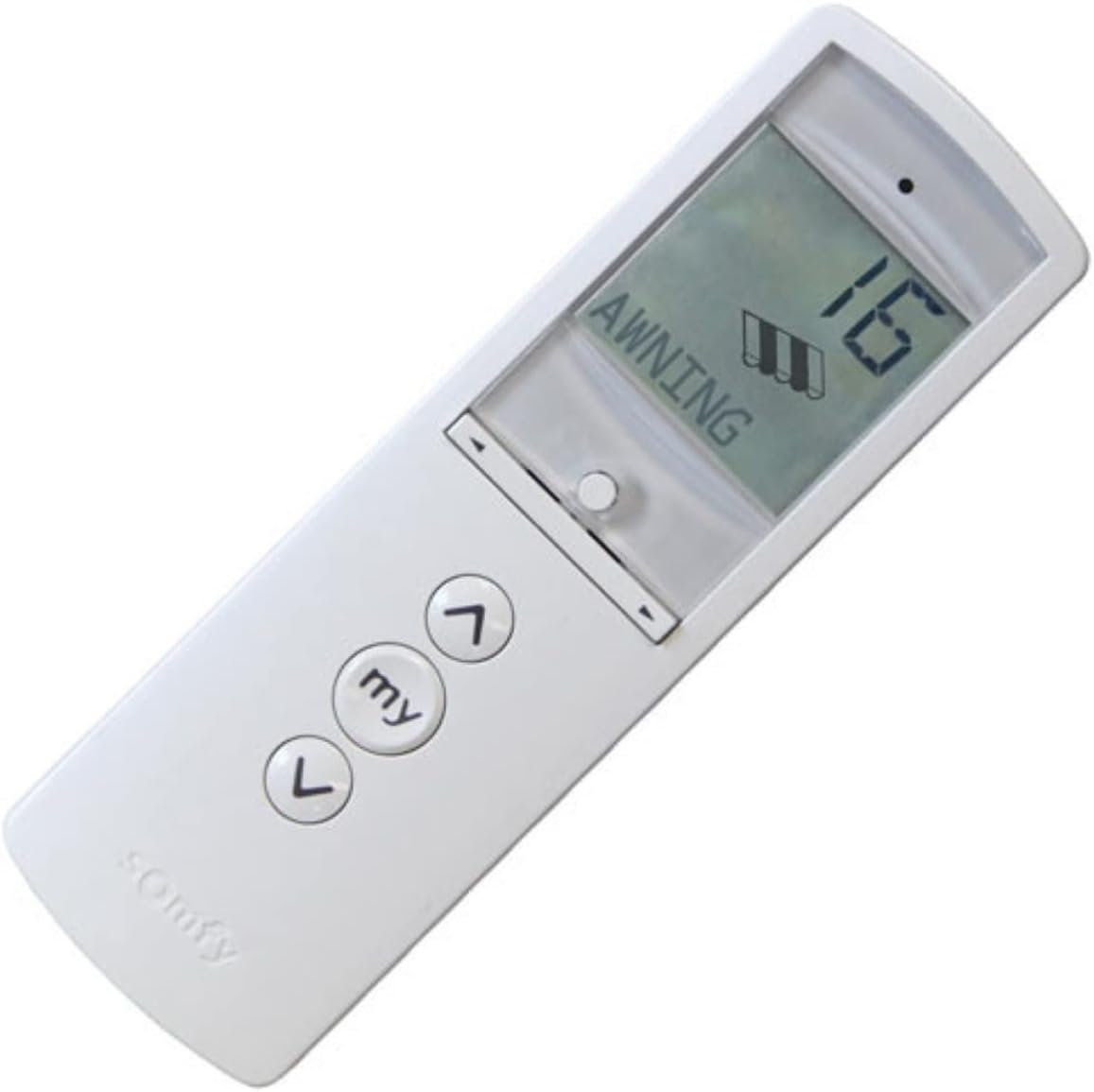
زاويه view of the Somfy Telis 16 RTS remote, highlighting the up, down, and 'my' control buttons.
Setting a "My" Favorite Position
The "My" function allows you to save a preferred intermediate position for your motorized product.
- Move the motorized product to your desired intermediate position using the Up or Down arrows.
- Press the "My" button to stop the movement.
- Press and hold the "My" button until the motorized product jogs slightly. This indicates the position has been saved.
- To recall this position, simply press the "My" button when the product is fully open or closed.
سار سنڀال
صفائي
ريموٽ ڪنٽرول کي نرم، سڪل ڪپڙي سان صاف ڪريو. گھڙڻ وارا صاف ڪندڙ يا محلول استعمال نه ڪريو.
بيٽري مٽائڻ
When the battery indicator appears on the display or the remote's range decreases, replace the batteries. Refer to the "Battery Installation" section for instructions.
مشڪلاتون
ريموٽ جواب نه ڏيڻ
- بيٽري جي سطح چيڪ ڪريو ۽ تبديل ڪريو جيڪڏھن ضروري ھجي.
- Ensure the remote is within range of the motorized product.
- Verify the correct channel is selected on the remote.
- Re-pair the remote with the motorized product if connection issues persist.
Motorized Product Not Moving to "My" Position
- Ensure a "My" position has been correctly programmed. Repeat the "Setting a 'My' Favorite Position" steps if unsure.
وضاحتون
ٽيڪنيڪل وضاحتون
| خاصيت | تفصيل |
|---|---|
| ٺاهيندڙ | سومفي |
| حصو نمبر | 1811082 |
| شيءِ جو وزن | 0.01 اونس |
| پيداوار جي ماپ | 5 x 2 x 8 انچ |
| شيون ماڊل نمبر | Telis Silver, 16 Channel |
| ختم ڪر | چاندي |
| شيون پيڪيج مقدار | 1 |
| خاص خاصيتون | ايرگونومي |
| بيٽريون شامل آهن؟ | ها |
| بيٽرين جي ضرورت آهي؟ | ها |
| وضاحت پائل | وري چارج ٿيندڙ ليتيم- آئون |
| برانڊ | سومفي |
| سپورٽ ٿيل ڊوائيسز جو وڌ ۾ وڌ تعداد | 16 (channels) |
| مطابقت رکندڙ ڊوائيسز | Motorized Devices, Somfy Automation System |
| رابطي ٽيڪنالاجي | Infrared (RTS) |
وارنٽي ڄاڻ
The Somfy Telis 16 RTS remote control comes with a 5-year warranty. For detailed terms and conditions, please refer to the official Somfy warranty documentation or contact Somfy customer support.
Somfy 5-year warranty logo.
مدد ۽ رابطو
For further assistance, technical support, or to inquire about additional Somfy products, please visit the official Somfy webسائيٽ يا انهن جي ڪسٽمر سروس کاتي سان رابطو ڪريو.
توهان وڌيڪ معلومات ۽ پراڊڪٽس تي ڳولي سگهو ٿا ايميزون تي سومفي اسٽور.


