ڊي-لنڪ DWA-185 AC1300 MU-MIMO ڊول بينڊ USB 3.0 وائي فائي اڊاپٽر يوزر مينوئل
ماڊل: DWA-185
1. تعارف
The D-Link DWA-185 AC1300 MU-MIMO Dual-Band USB 3.0 Wi-Fi Adapter provides high-speed wireless connectivity for your desktop or laptop computer. This adapter supports the 802.11ac Wave 2 standard, offering speeds up to 867 Mbps on the 5 GHz band and 400 Mbps on the 2.4 GHz band. Featuring MU-MIMO technology and a detachable high-gain antenna, it ensures an extended range and a more reliable connection. This manual will guide you through the installation, configuration, and troubleshooting of your DWA-185 adapter.
2. پيڪيج مواد
مھرباني ڪري تصديق ڪريو ته توھان جي پيڪيج ۾ ھيٺيون شيون شامل آھن:
- D-Link DWA-185 AC1300 MU-MIMO Dual-Band USB 3.0 Wi-Fi Adapter
- Detachable High-Gain Antenna
- تڪڙي انسٽاليشن گائيڊ (هي دستاويز)
- ڊرائيور سي ڊي (يا آن لائن ڊرائيورن جو لنڪ)
If any items are missing or damaged, please contact your retailer for assistance.
3. سسٽم گهرجون
Before installing the DWA-185 adapter, ensure your computer meets the following minimum requirements:
- Available USB 3.0 port (compatible with USB 2.0, but performance may be reduced)
- Operating System: Windows 7/8/10, Mac OS, or Linux
- CD-ROM drive (for driver installation, if not downloading online)
- An existing 802.11ac, 802.11n, 802.11g, or 802.11b wireless network
4. پراڊڪٽ ختمview
The DWA-185 adapter is designed for enhanced wireless performance and flexibility. It features a compact USB form factor with a powerful external antenna.
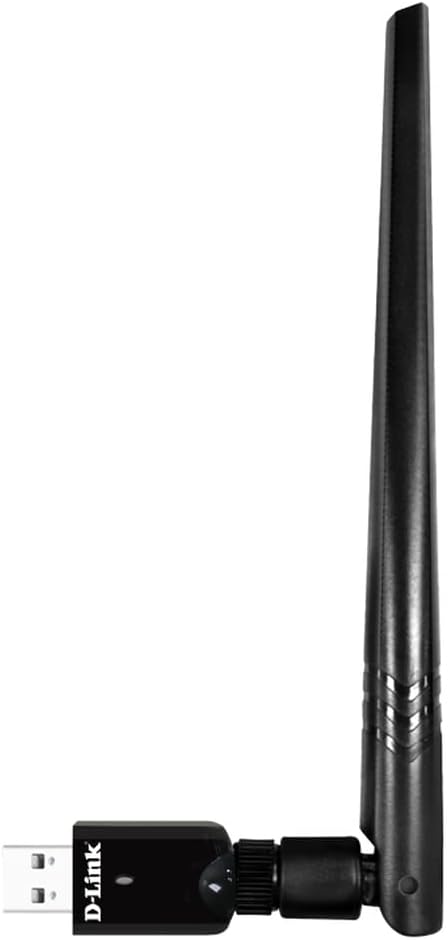
Figure 1: D-Link DWA-185 AC1300 MU-MIMO Dual-Band USB 3.0 Wi-Fi Adapter with antenna attached, side view.

Figure 2: D-Link DWA-185 AC1300 MU-MIMO Dual-Band USB 3.0 Wi-Fi Adapter with antenna attached, angled view showing USB connector.
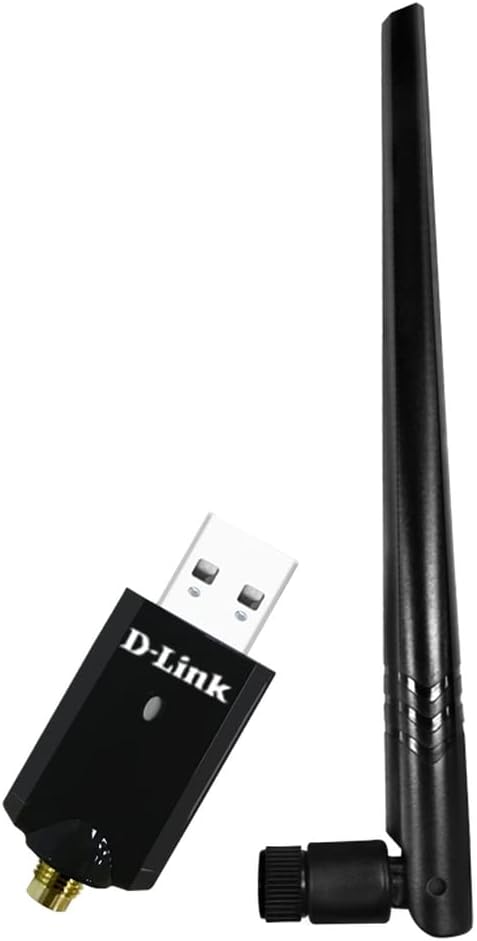
Figure 3: D-Link DWA-185 AC1300 MU-MIMO Dual-Band USB 3.0 Wi-Fi Adapter with antenna detached, showing the antenna connector.
اهم خاصيتون:
- ڊبل بينڊ ڪنيڪشن: Operates on both 2.4 GHz (up to 400 Mbps) and 5 GHz (up to 867 Mbps) frequencies for versatile and high-speed connections.
- MU-MIMO ٽيڪنالاجي: Enhances efficiency and performance when used with a Wireless AC Wave 2 router by allowing simultaneous data streams to multiple devices.
- USB 3.0 انٽرفيس: Provides maximum throughput to your computer, ensuring fast data transfer rates.
- Detachable High-Gain Antenna: Improves wireless signal reception and extends coverage range.
- WPA3 سيڪيورٽي: Supports the latest Wi-Fi security protocol for enhanced authentication and encryption.
5. سيٽ اپ ۽ تنصيب
Follow these steps to install your D-Link DWA-185 Wi-Fi Adapter:
- انسٽال ڪريو ڊرائيور:
- Insert the provided driver CD into your computer's CD-ROM drive. If you do not have a CD-ROM drive, download the latest drivers from the official D-Link support webسائيٽ.
- Follow the on-screen instructions to complete the driver installation. Restart your computer if prompted.
- Antenna ڳنڍيو:
- Carefully screw the detachable high-gain antenna onto the adapter's connector. Ensure it is securely fastened but do not overtighten.
- اڊاپٽر ۾ پلگ ان ڪريو:
- Insert the DWA-185 adapter into an available USB 3.0 port on your computer. The adapter is also compatible with USB 2.0 ports, but for optimal performance, a USB 3.0 port is recommended.
- انسٽاليشن جي تصديق ڪريو:
- After plugging in the adapter, your operating system should detect the new hardware. A small LED indicator on the adapter may light up or blink, indicating activity.
- Check your computer's Device Manager (Windows) or System Information (Mac/Linux) to confirm that the DWA-185 adapter is recognized and drivers are installed correctly.
6. آپريٽنگ هدايتون
هڪ دفعو اڊاپٽر انسٽال ٿي ويندو، توهان وائرليس نيٽ ورڪ سان ڳنڍجي سگهو ٿا.
- Connect to a Wireless Network:
- ونڊوز: Click the Wi-Fi icon in the system tray. Select your desired wireless network (SSID) from the list and click 'Connect'. Enter the network security key (password) if prompted.
- ميڪ او ايس: Click the Wi-Fi icon in the menu bar. Select your desired wireless network (SSID) and enter the password.
- لينڪس: Use your distribution's network manager to scan for and connect to wireless networks.
- Selecting a Frequency Band (2.4 GHz or 5 GHz):
- If your router broadcasts separate SSIDs for 2.4 GHz and 5 GHz bands (e.g., 'MyNetwork_2.4GHz' and 'MyNetwork_5GHz'), you can choose which band to connect to.
- The 5 GHz band offers higher speeds and less interference but has a shorter range. The 2.4 GHz band offers better range but lower speeds and more interference. Choose the band that best suits your needs.
- سيڪيورٽي:
- The DWA-185 supports WPA3, WPA2, and WPA encryption protocols. Always connect to networks using the strongest available security (WPA3 or WPA2) to protect your data.
7. سار سنڀال
To ensure optimal performance and longevity of your DWA-185 adapter:
- ڊرائيورن کي اپڊيٽ رکو: وقتي طور تي ڊي-لنڪ سپورٽ چيڪ ڪريو website for the latest driver updates. Updated drivers can improve performance, add features, and fix bugs.
- جسماني سنڀال: اڊاپٽر کي صاف ۽ مٽيءَ کان پاڪ رکو. ان کي انتهائي گرمي پد يا نمي جي سامهون رکڻ کان پاسو ڪريو.
- Antenna پوزيشن: Adjust the antenna position for the best signal reception. Experiment with different angles to find the optimal orientation.
8. مسئلا حل ڪرڻ
If you encounter issues with your DWA-185 adapter, refer to the following troubleshooting tips:
- ڪوبه وائرليس ڪنيڪشن ناهي:
- پڪ ڪريو ته اڊاپٽر محفوظ طور تي USB پورٽ ۾ لڳل آهي.
- پڪ ڪريو ته ڊرائيور صحيح طرح سان انسٽال ٿيل آهن. جيڪڏهن ضروري هجي ته انهن کي ٻيهر انسٽال ڪريو.
- Check if your wireless network (SSID) is visible in the list of available networks.
- Confirm that your router is powered on and broadcasting a Wi-Fi signal.
- ڪوشش ڪريو مختلف USB پورٽ سان ڳنڍڻ.
- سست ڪنيڪشن جي رفتار:
- Ensure you are connected to the 5 GHz band if your router supports it, as it generally offers higher speeds.
- Check for interference from other devices (e.g., microwaves, cordless phones).
- Move closer to your wireless router or adjust the antenna position for better signal strength.
- پڪ ڪريو ته توهان جي روٽر جو فرم ويئر اپ ٽو ڊيٽ آهي.
- اڊاپٽر جي سڃاڻپ نه ٿي:
- توھان جي ڪمپيوٽر کي ٻيهر شروع ڪرڻ جي ڪوشش ڪريو.
- Uninstall and reinstall the drivers.
- Ensure your USB port is functioning correctly by testing it with another device.
- macOS مطابقت نوٽ:
- Please be aware that this adapter may not function correctly with macOS 11 (Big Sur) and later versions. Apple has discontinued support for many third-party USB Wi-Fi dongles beyond macOS Catalina. Check D-Link's support website for specific driver availability and compatibility for newer macOS versions.
9. وضاحتون
| خاصيت | وصف |
|---|---|
| برانڊ | ڊي لنڪ |
| ماڊل نمبر | DWA-185 |
| انٽرفيس هارڊويئر | USB 3.0, 802.11 ac/b/g/n |
| ڊيٽا جي منتقلي جي شرح | 867 Mbps (5 GHz) تائين، 400 Mbps (2.4 GHz) تائين |
| ڊيٽا لنڪ پروٽوڪول | USB |
| آپريٽنگ سسٽم مطابقت | Windows 7/8/10, Mac OS, Linux |
| طول و عرض (L x W x H) | 12 x 2.5 x 19.5 cm (approximate, with antenna) |
| وزن | 50 گرام |
| خاص خاصيتون | MU-MIMO, Dual-Band, Detachable High-Gain Antenna, WPA3 Security |
10. وارنٽي ڄاڻ
The D-Link DWA-185 Wi-Fi Adapter comes with a three-year warranty against manufacturing defects. Please retain your proof of purchase for warranty claims. For detailed warranty terms and conditions, refer to the D-Link official website or contact D-Link support.
11. سپورٽ
For further assistance, technical support, or to download the latest drivers and firmware, please visit the official D-Link support webسائيٽ:
You may also find helpful FAQs and community forums on the support portal.


