1. تعارف
The KitSound Cayman 2.1 Wireless Bluetooth Speaker System combines powerful audio performance with a modern design, offering versatile connectivity options for an enhanced listening experience. This manual provides detailed instructions for setting up, operating, and maintaining your speaker system.
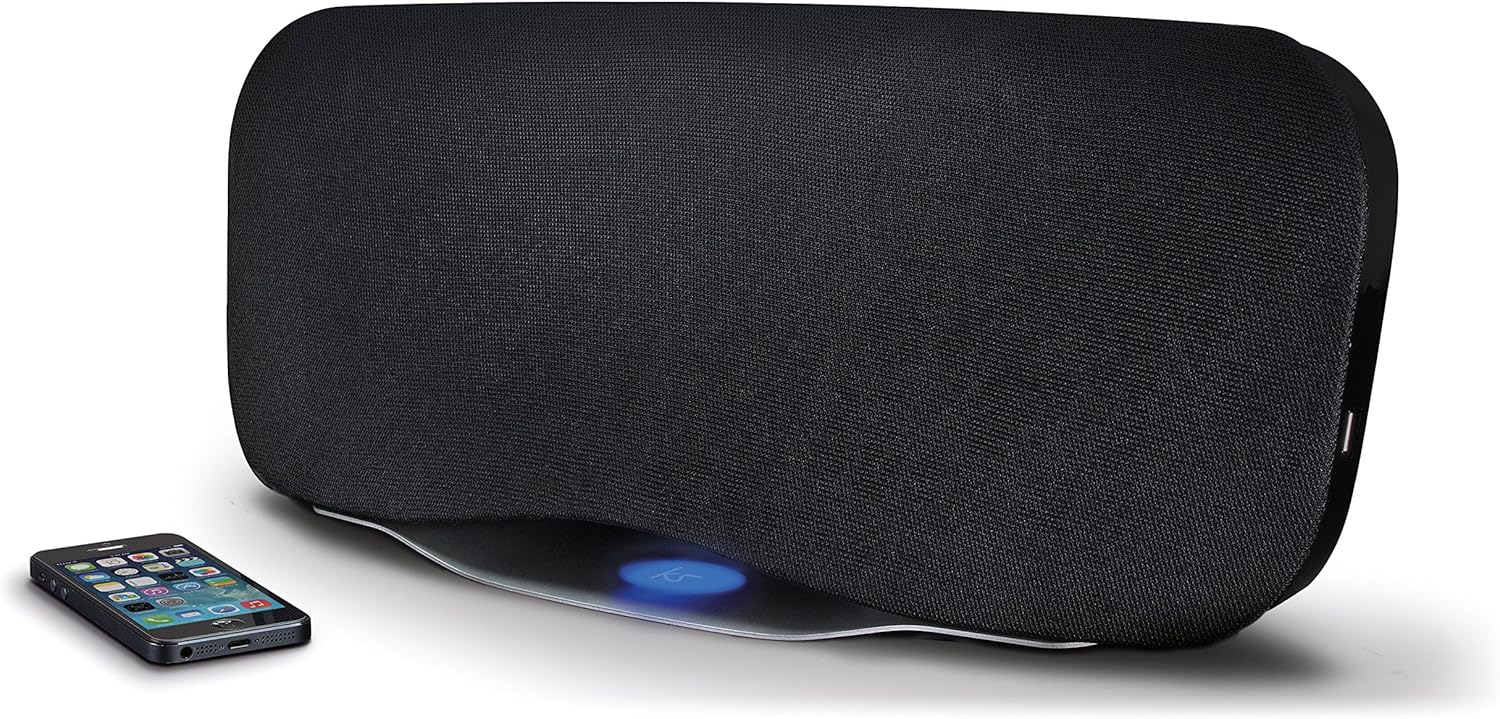
Image 1.1: The KitSound Cayman 2.1 speaker system shown with a smartphone, highlighting its sleek design and wireless connectivity.
2. پيڪيج مواد
مھرباني ڪري ھيٺ ڏنل شين لاءِ دٻي کي چيڪ ڪريو:
- KS Cayman 2.1 Wireless Bluetooth Speaker with EU Plug
- ريموٽ ڪنٽرول
- 3.5mm آڊيو ڪيبل
- ھدايت وارو دستور (ھي دستاويز)

Image 2.1: The retail packaging for the KitSound Cayman 2.1 Wireless Bluetooth Speaker System, indicating the included components.
3. پراڊڪٽ ختمview
3.1 اڳيان ۽ مٿي View

تصوير 3.1: سامهون view of the KitSound Cayman 2.1 speaker, showing the speaker grille and the included remote control.
3.2 ريئر پينل ۽ ڪنيڪشن

تصوير 3.2: ريئر view of the speaker system, illustrating the various input ports and power connection.
The rear panel typically includes:
- پاور ان پٽ
- 3.5mm Audio Input (AUX)
- USB چارجنگ پورٽ
3.3 ريموٽ ڪنٽرول

تصوير 3.3: تفصيلي view of the remote control, showing buttons for power, pairing, mode selection, volume, track control, and sound modes (Balanced/Boost).
The remote control allows you to manage power, volume, playback, and sound modes from a distance. Key buttons include:
- پاور بٽڻ: اسپيڪر کي آن/آف ڪري ٿو.
- جوڙو بٽڻ: بلوٽوٿ پيئرنگ موڊ شروع ڪري ٿو.
- موڊ بٽڻ: Switches between input sources (Bluetooth, AUX).
- حجم مٿي / ھيٺ: اسپيڪر جي مقدار کي ترتيب ڏئي ٿو.
- ٽريڪ ڪنٽرول: Skips tracks forward/backward (Bluetooth mode).
- راند/روڪ/ڪال: Controls playback and manages calls (Bluetooth mode).
- Balanced/Boost: Selects between different sound profiles.
4. سيٽ اپ
4.1 پاور ڪنيڪشن
- Place the KitSound Cayman speaker on a stable, flat surface.
- پاور ڪيبل کي اسپيڪر جي پوئين پاسي پاور ان پٽ پورٽ سان ڳنڍيو.
- Plug the other end of the power cable into a suitable EU power outlet.
- Press the power button on the speaker or remote control to turn it on.
4.2 شروعاتي جڳهه
For optimal sound performance, position the speaker in a central location within the room. When used as a soundbar, place it directly below your television.
5. آپريٽنگ هدايتون
5.1 بلوٽوٽ جوڙي
- پڪ ڪريو ته اسپيڪر پاور آهي.
- کي دٻايو موڊ button on the remote control or speaker until the Bluetooth indicator light flashes, indicating pairing mode.
- On your smartphone, tablet, or MP3 device, enable Bluetooth and search for available devices.
- چونڊيو "KS Cayman" ڊوائيسز جي فهرست مان.
- هڪ ڀيرو جوڙيو ويندو، بلوٽوٿ اشاري جي روشني مضبوط ٿي ويندي، ۽ توهان کي تصديق جو آواز ٻڌڻ ۾ ايندو.
- هاڻي توهان پنهنجي ڊوائيس کان اسپيڪر تائين وائرليس طور تي آڊيو اسٽريم ڪري سگهو ٿا.
5.2 NFC (Near Field Communication) Pairing
اين ايف سي جي صلاحيت وارن ڊوائيسز لاءِ:
- Ensure NFC is enabled on your device and the speaker is powered on.
- Gently tap your NFC-enabled device against the NFC logo on the top of the KitSound Cayman speaker.
- Your device will automatically connect to the speaker via Bluetooth.
- A confirmation tone will sound upon successful connection.
5.3 Wired Connection (AUX)
To connect devices without Bluetooth or NFC:
- Connect one end of the supplied 3.5mm audio cable to the AUX اندر port on the rear of the speaker.
- Connect the other end of the 3.5mm audio cable to the headphone jack or audio output of your device (e.g., TV, MP3 player).
- کي دٻايو موڊ button on the remote control or speaker to select the AUX input.
- آڊيو هاڻي توهان جي ڳنڍيل ڊوائيس مان اسپيڪر ذريعي هلندو.
5.4 Using as a Soundbar
The KitSound Cayman can function as a soundbar for your television:
- Place the speaker (540mm wide) directly under your TV.
- Connect your TV's audio output to the speaker's AUX اندر port using the 3.5mm audio cable.
- Select the AUX input mode on the speaker.
- Adjust the volume using the remote control or the TV's volume controls.
5.5 USB چارجنگ پورٽ
The integrated USB port on the rear of the speaker can be used to charge compatible devices (e.g., smartphones, tablets) while the speaker is powered on.
5.6 آواز جا طريقا
The remote control features buttons to switch between different sound profiles:
- متوازن: Provides a neutral and well-rounded audio experience.
- واڌارو: Enhances bass and treble for a more dynamic sound.
6. سار سنڀال
- صفائي: اسپيڪر جي ٻاهرين حصي کي صاف ڪرڻ لاءِ نرم، سڪل ڪپڙو استعمال ڪريو. مائع صاف ڪندڙ يا رگڙيندڙ مواد استعمال نه ڪريو.
- اسٽوريج: جڏهن گهڻي عرصي تائين استعمال ۾ نه هجي، ته اسپيڪر کي سڌي سج جي روشني ۽ انتهائي گرمي پد کان پري ٿڌي، سڪل جاءِ تي رکو.
- نمي کان بچڻ: Do not expose the speaker to water or excessive humidity, as it is not waterproof.
- وينٽيليشن: پڪ ڪريو ته اسپيڪر جي وينٽيليشن اوپننگز بند نه آهن ته جيئن وڌيڪ گرم ٿيڻ کان بچي سگهجي.
7. مسئلا حل ڪرڻ
| مسئلو | ممڪن سبب | حل |
|---|---|---|
| طاقت نه آهي | Power cable not connected or power outlet not active. | Ensure the power cable is securely connected to both the speaker and a working power outlet. Check the power switch. |
| No sound (Bluetooth) | Speaker not paired, volume too low, or incorrect input mode. | Re-pair the Bluetooth device. Increase speaker and device volume. Ensure the speaker is in Bluetooth mode. |
| No sound (AUX) | Cable not connected properly, incorrect input mode, or device volume too low. | Check 3.5mm audio cable connections. Ensure the speaker is in AUX mode. Increase volume on both speaker and connected device. |
| ريموٽ ڪنٽرول ڪم نه ڪري رهيو آهي | Batteries depleted or obstruction between remote and speaker. | Replace remote control batteries. Ensure a clear line of sight between the remote and the speaker's sensor. |
| خراب بلوٽوٿ ڪنيڪشن | Device too far from speaker, interference, or obstacles. | Move the device closer to the speaker (within 10 meters). Remove any obstacles. Avoid placing near other wireless devices. |
8. وضاحتون
| پيداوار آر ايم ايس | 50W |
| تعدد جواب | 40 هز - 15 ڪلو هرٽز |
| بلوٽوت ورزن | V4.0 EDR |
| بلوٽوٿ رينج | 10 ميٽر تائين |
| رابطي ٽيڪنالاجي | Auxiliary, Bluetooth, NFC, USB |
| ڪنٽرول جو طريقو | ريموٽ |
| طاقت جو ذريعو | Electric component with cord (EU Power Plug) |
| پيداوار جي ماپ | 54.5 x 21.5 x 17.5 سينٽي |
| شيءِ جو وزن | 3.85 ڪلو |
| ماڊل نمبر | KSCAYMEU |
9. وارنٽي ۽ سپورٽ
For warranty information and technical support, please refer to the documentation provided with your purchase or visit the official KitSound webسائيٽ. ڪنهن به وارنٽي دعوائن لاءِ خريداري جو ثبوت رکو.
Manufacturer: Kondor Limited


