1. تعارف
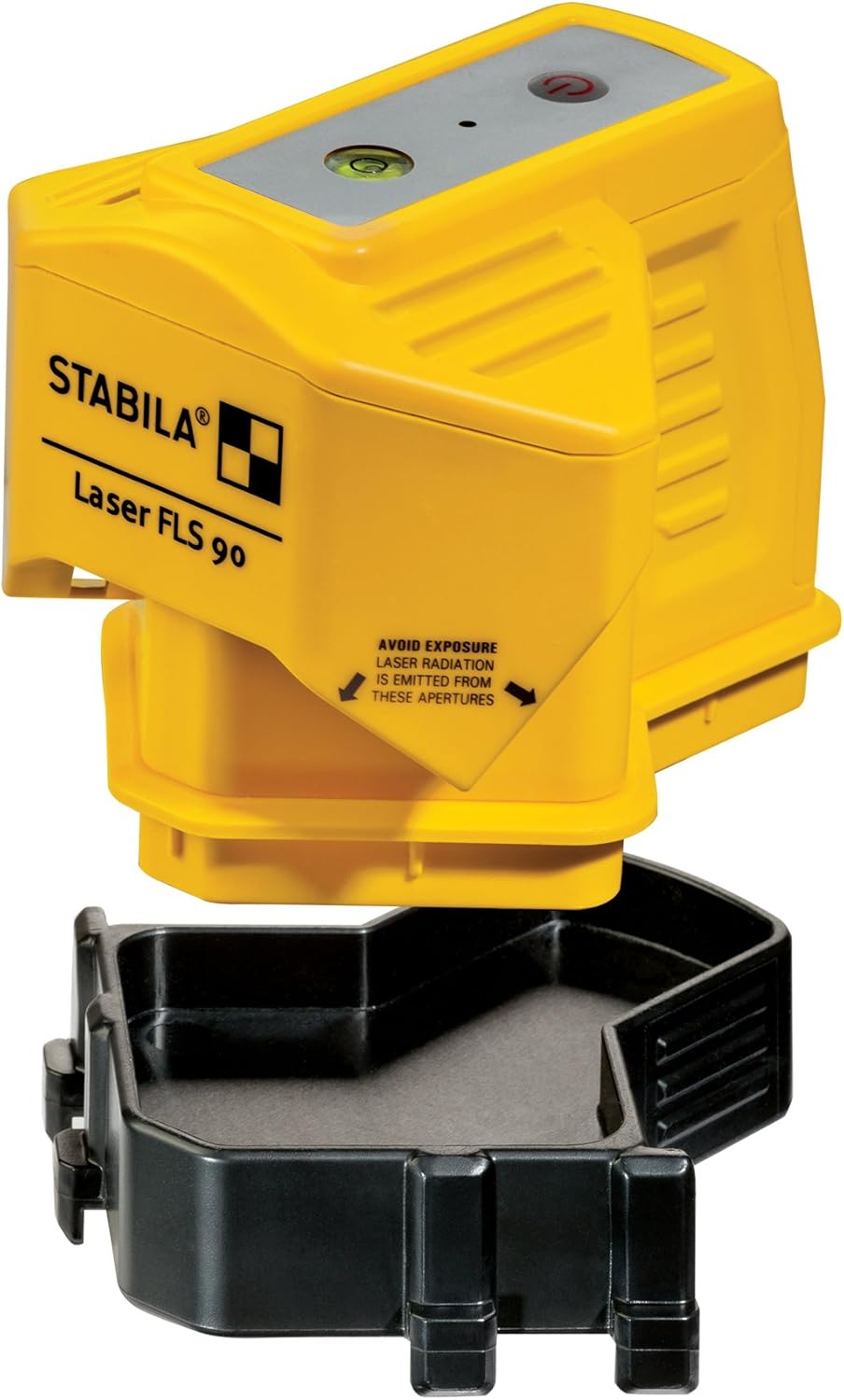
The Stabila FLS90 Laser Kit is designed to facilitate fast and precise layout work for various flooring applications, including tiles, parquet, laminate, carpeting, and PVC. Utilizing STABILA's floor-line optics, this device projects sharp, visible laser lines directly along the floor surface, providing a perfect 90-degree angle with the press of a button. Its dual-purpose base allows for versatile positioning on flat surfaces or directly in tile corners, enhancing efficiency and accuracy in your projects.
2. حفاظت جي ڄاڻ
WARNING: LASER RADIATION
This product is a Class 2 laser product. Avoid direct eye exposure to the laser beam. Do not stare into the beam. Do not intentionally direct the laser beam at people or animals. Use of controls or adjustments or performance of procedures other than those specified herein may result in hazardous radiation exposure.
- Always operate the laser in a safe manner, ensuring the beam is not directed towards reflective surfaces that could cause unintended exposure.
- Keep the device dry and clean. Do not immerse in water or expose to excessive moisture.
- ڊوائيس ٻارن جي پهچ کان ٻاهر محفوظ ڪريو.
- Do not attempt to disassemble or modify the laser unit. Refer all servicing to qualified personnel.
3. پيڪيج مواد
مھرباني ڪري ھيٺ ڏنل شين لاءِ پيڪيج چيڪ ڪريو:
- Stabila FLS90 Laser Unit
- Dual-Purpose Base
- 3 x AA Alkaline بيٽريون
- کڻڻ وارو ڪيس


4. سيٽ اپ
4.1 بيٽري لڳائڻ
- Locate the battery compartment on the underside of the Stabila FLS90 laser unit.
- Open the battery compartment cover by sliding or unlatching it according to the markings.
- 3 AA الڪائن بيٽريون داخل ڪريو، صحيح پولارٽي (+/-) کي يقيني بڻائي جيئن ڪمري اندر ڏيکاريل آهي.
- بيٽري جي ڪمري واري ڍڪ کي محفوظ طور تي بند ڪريو.
4.2 Attaching the Dual-Purpose Base
The FLS90 comes with a versatile base that allows for stable placement on flat surfaces or precise positioning in corners.
- Align the laser unit with the base, ensuring the connection points match.
- Gently press the laser unit onto the base until it clicks securely into place.
- To detach, press the release tabs (if present) and lift the laser unit from the base.
5. آپريٽنگ هدايتون
5.1 پاور آن/آف
- To turn on the device, press the power button located on the top of the laser unit. The laser lines will immediately project.
- ڊوائيس کي بند ڪرڻ لاء، ٻيهر پاور بٽڻ کي دٻايو.
5.2 Laser Line Projection
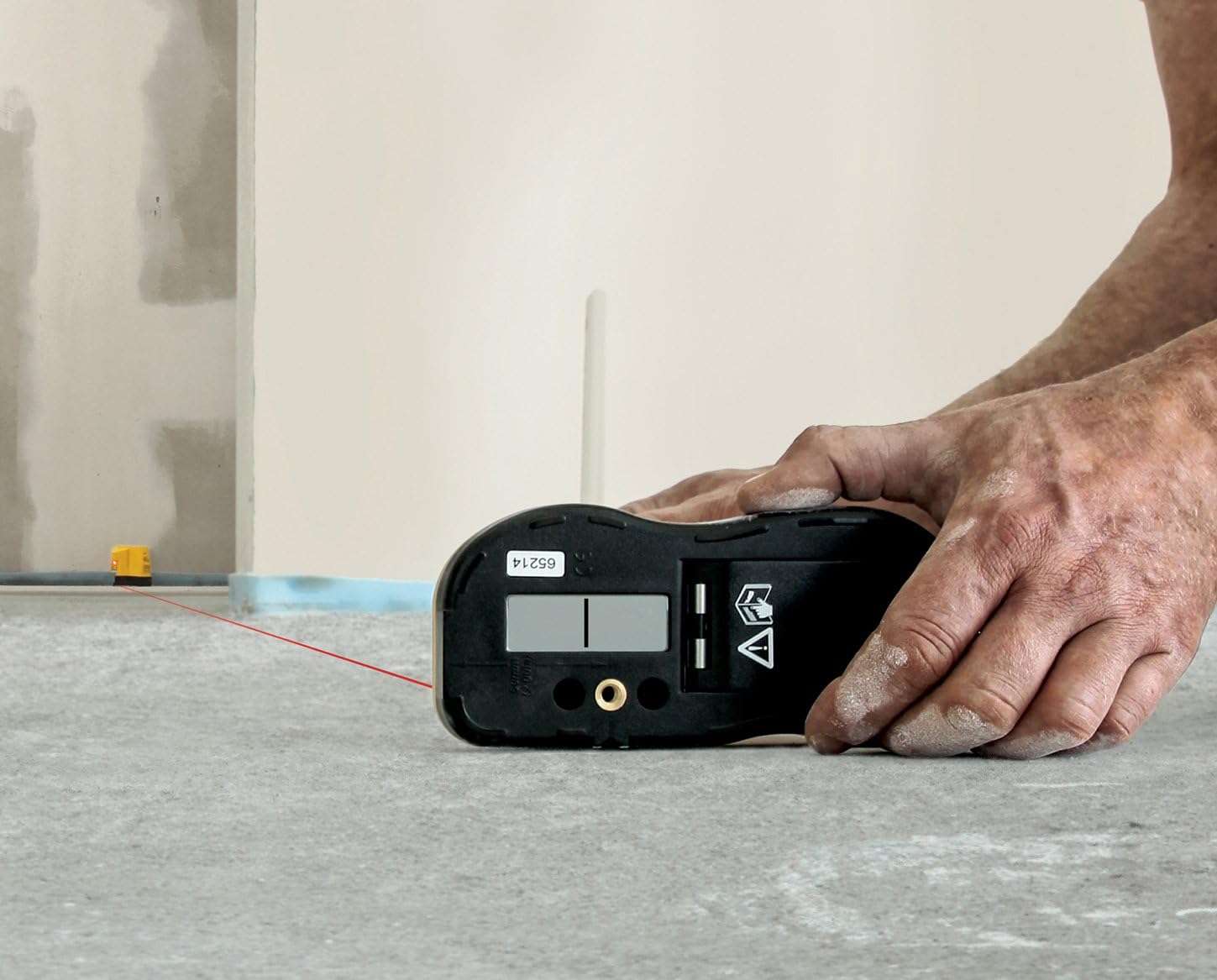
Upon activation, the FLS90 projects two sharp, visible laser lines at a perfect 90-degree angle. These lines are optimized by STABILA's floor-line optics to run precisely along the floor surface.
5.3 ايپليڪيشنون
- Floor Layout: Place the FLS90 on the floor where you need to establish a precise 90-degree reference. The laser lines will guide your installation of tiles, parquet, laminate, or other flooring materials.
- Corner Alignment: The dual-purpose base allows the unit to be positioned directly into corners, providing accurate square lines for wall and floor transitions or corner tile installations.
- Wall Squareness Check: The unique housing design allows for quick visual checks of wall squareness.


The laser lines are visible up to 50 feet. For extended range applications, the FLS90 can be used with an optional receiver (Stabila #07330) for visibility up to 490 feet.
6. سار سنڀال
6.1 صفائي
- ڊوائيس کي نرم سان مسح ڪريو، ڊيamp ڪپڙو. استعمال نه ڪريو abrasive cleaners يا solvents.
- Ensure the laser apertures are clean and free of dust or debris to maintain optimal beam clarity.
6.2 اسٽوريج
- When not in use, store the Stabila FLS90 in its provided carrying case to protect it from dust, dirt, and physical damage.
- ڊوائيس کي ٿڌي، سڪل جاءِ تي، سڌي سج جي روشني ۽ انتهائي گرمي پد کان پري رکو.
- For long-term storage, remove the batteries to prevent leakage and potential damage to the unit.
7. مسئلا حل ڪرڻ
| مسئلو | ممڪن سبب | حل |
|---|---|---|
| No laser lines projected | Batteries are dead or incorrectly inserted. Device is not turned on. | Check battery polarity and replace batteries if necessary. Press the power button to turn on the device. |
| Laser lines are faint or flickering | Low battery power. Bright ambient light. Dirty laser apertures. | Replace batteries. Operate in lower light conditions if possible. Clean laser apertures with a soft cloth. |
| Inaccurate laser lines | Device is not placed on a stable, level surface. Obstructions blocking the beam. | Ensure the device is on a flat, stable surface. Remove any obstructions from the laser path. |
| ڊوائيس چالو نٿو ڪري | Batteries are completely drained or faulty. | Replace with new, fresh alkaline batteries. |
8. وضاحتون
| خاصيت | تفصيل |
|---|---|
| ماڊل نمبر | Stabila - 04490 |
| برانڊ | Stabila |
| مواد | پلاسٽڪ، ڌاتو |
| رنگ | ڪارو |
| انداز | Laser, Square |
| شيءِ جو وزن | 1 پائونڊ (0.45 ڪلوگرام) |
| پيداوار جي ماپ | 7.5 x 7.25 x 5.25 انچ (19.05 x 18.42 x 13.34 سينٽي) |
| آپريشن موڊ | خودڪار |
| ليزر جي نمائش | 50 فوٽ (15.24 ميٽر) تائين |
| Laser Visibility with Receiver | Up to 490 feet (149.35 m) with optional receiver #07330 |
| بيٽرين جي ضرورت آهي | 3 x AA Alkaline batteries (included) |
| سراسري بيٽري جي زندگي | 20 ڪلاڪ |
| يو پي سي | 743153432501 |
9. وارنٽي ۽ سپورٽ
For detailed warranty information, please refer to the warranty card included with your product or visit the official Stabila website. Stabila stands behind the quality of its products and offers support for any manufacturing defects.
If you encounter any issues not covered in the troubleshooting section or require further assistance, please contact Stabila customer support through their official webسائيٽ يا توهان جي پراڊڪٽ پيڪنگنگ ۾ ڏنل رابطي جي معلومات.
وڌيڪ معلومات لاء، دورو ڪريو: www.stabila.com


