1. تعارف
This manual provides essential instructions for the safe and efficient operation of your InFocus IN128HDx 1080p DLP Professional Network Projector. Please read this manual thoroughly before using the projector and retain it for future reference. The InFocus IN128HDx is designed to deliver high-definition content with clarity and brightness, suitable for various professional and educational environments.
2. پراڊڪٽ ختمview
2.1 اهم خاصيتون
- Native 1080p resolution for high-definition content display without scaling.
- 4000 lumens brightness and 15,000:1 contrast ratio for clear, readable images in various lighting conditions.
- Integrated 10-watt speaker for audio output.
- Common throw ratio (1.3:1) for flexible installation and replacement.
- Multiple connectivity options: HDMI, VGA, composite, S-video, and LAN port for network management.
2.2 پروجيڪٽر جا جزا

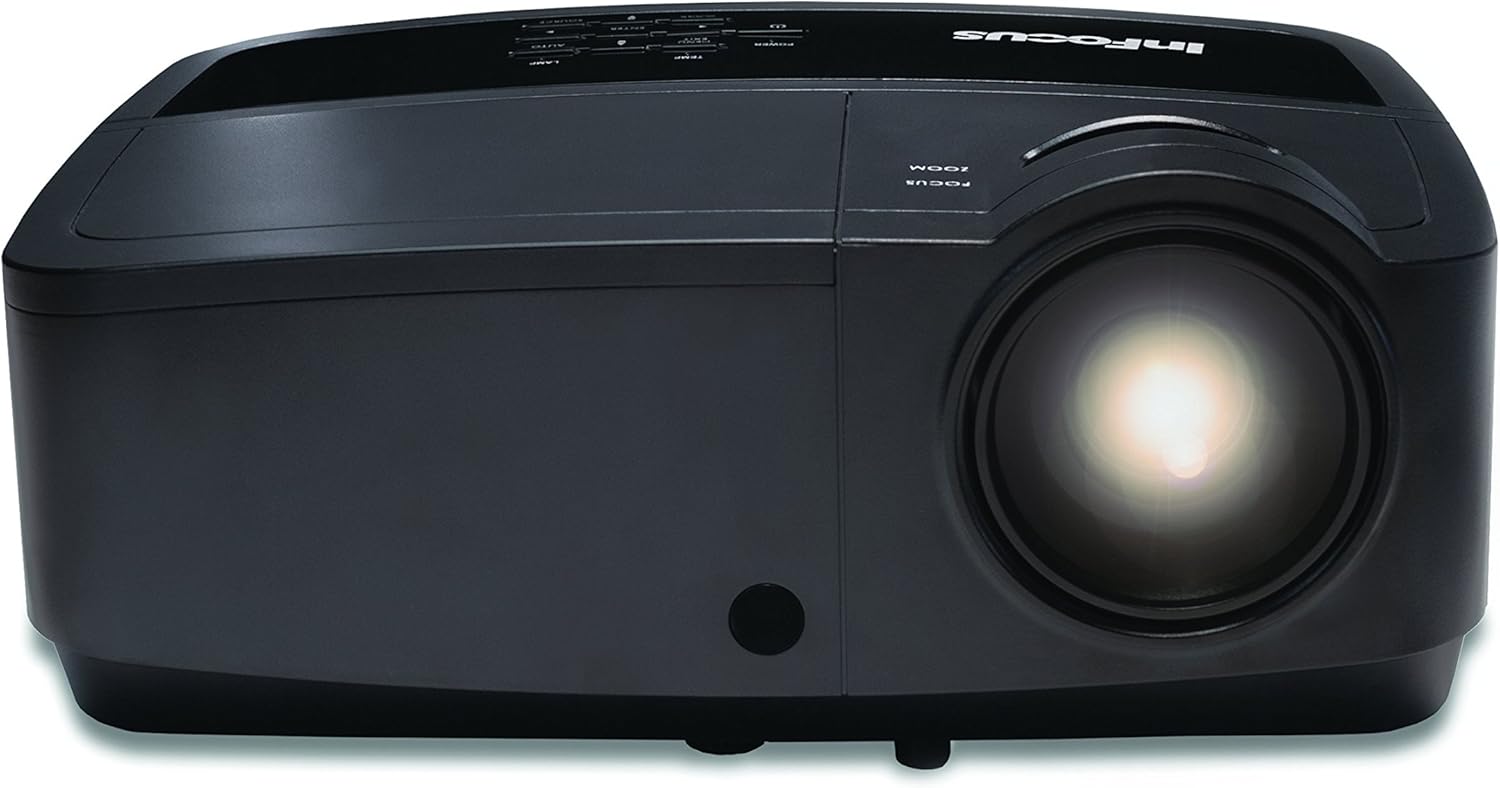
شڪل 2.1: سامهون view of the InFocus IN128HDx projector. This image shows the main lens and the overall compact design of the unit.

شڪل 2.2: مٿو view of the InFocus IN128HDx projector, highlighting the control panel with buttons for power, menu, source selection, and navigation. Also visible are the focus and zoom rings near the lens.

شڪل 2.3: پاسي view of the InFocus IN128HDx projector, illustrating the ventilation grilles for heat dissipation and the overall profile ڊوائيس جو.
3. سيٽ اپ
3.1 Unpacking ۽ لڳائڻ
- Carefully remove the projector from its packaging.
- Place the projector on a stable, flat surface or mount it securely according to installation guidelines. Ensure adequate ventilation around the unit.
- Position the projector at the desired distance from the screen. Refer to the specifications for throw ratio details.
3.2 پاور سان نڻ
- پاور ڪنڊ کي پروجيڪٽر جي پاور انليٽ سان ڳنڍيو.
- پاور ڪنڊ جي ٻئي پڇاڙيءَ کي گرائونڊ ٿيل برقي آئوٽليٽ ۾ لڳايو.
3.3 وڊيو ذريعن کي ڳنڍڻ
The IN128HDx supports multiple input sources:
- HDMI: For high-definition digital video and audio. Connect an HDMI cable from your source device to the projector's HDMI port.
- VGA: For analog video signals from computers. Connect a VGA cable from your computer to the projector's VGA port.
- جامع وڊيو: For standard definition video. Connect a composite video cable (yellow RCA) to the corresponding port.
- ايس وڊيو For improved standard definition video. Connect an S-Video cable to the S-Video port.
- LAN: For network control and management. Connect an Ethernet cable to the LAN port.
4. آپريٽنگ هدايتون
4.1 پاور آن/آف
- پاور آن: کي دٻايو طاقت button on the projector's control panel or remote control. The power indicator light will illuminate.
- بجلي بند: کي دٻايو طاقت button again. A confirmation message may appear; press طاقت a second time to confirm shutdown. Allow the projector to cool down before unplugging.
4.2 Adjusting Focus and Zoom
شڪل 4.1: بند ڪرڻ view of the projector lens, showing the manual focus and zoom adjustment rings. These rings are used to sharpen the image and adjust its size on the screen.
- فوڪس: گھمايو فڪر ring around the lens until the image appears sharp and clear on the screen.
- وڏو ڪريو: گھمايو زوم ring to adjust the size of the projected image.
4.3 ان پٽ سورس چونڊڻ
کي دٻايو ذريعو button on the control panel or remote control to cycle through available input sources (HDMI, VGA, Composite, S-Video). Alternatively, use the menu to select the desired source.
4.4 مينيو نيويگيشن
کي دٻايو مينيو آن-اسڪرين ڊسپلي (OSD) مينيو تائين رسائي حاصل ڪرڻ لاءِ بٽڻ. نيويگيٽ ڪرڻ لاءِ تير وارا بٽڻ استعمال ڪريو ۽ داخل ڪريو اختيارن کي چونڊڻ لاءِ بٽڻ دٻايو. مينيو or نڪرڻ مينيو کي بند ڪرڻ لاء.
5. سار سنڀال
5.1 ايلamp بدلائڻ
پروجيڪٽر ايلamp هڪ محدود عمر آهي. جڏهن lamp indicator illuminates or the image brightness significantly decreases, the lamp شايد متبادل جي ضرورت هجي. تفصيلي l لاءِ مڪمل سروس مينوئل ڏسو.amp replacement procedures. Always use genuine InFocus replacement lamps.
5.2 پروجيڪٽر جي صفائي
- ٻاهران: نرم، لِنٽ کان خالي ڪپڙو استعمال ڪريو ڊيampened with a mild cleaning solution to wipe the exterior casing. گھڙڻ وارا صاف ڪندڙ يا محلول استعمال نه ڪريو.
- لينس: پروجيڪٽر لينس کي لينس صاف ڪرڻ واري ڪپڙي يا لينس پيپر سان نرميءَ سان صاف ڪريو. پنهنجين آڱرين سان لينس جي مٿاڇري کي ڇهڻ کان پاسو ڪريو.
- ايئر فلٽر: Regularly check and clean the air filters to ensure proper ventilation and prevent overheating. Refer to the full service manual for filter access and cleaning instructions.
6. مسئلا حل ڪرڻ
| مسئلو | ممڪن سبب | حل |
|---|---|---|
| ڪابه تصوير ڏيکاريل ناهي |
|
|
| تصوير urري آهي |
|
|
| نه آڊيو |
|
|
For more detailed troubleshooting, please consult the comprehensive user manual available on the InFocus support webسائيٽ.
7. وضاحتون
| خاصيت | تفصيل |
|---|---|
| ماڊل نمبر | IN128HDX |
| ڊسپلي جو قسم | ڊي ايل پي |
| اصلي قرارداد | 1920 x 1080 (1080p) |
| روشني | 4000 Lumens |
| مقابلي جي نسبت | 15,000:1 |
| رابطي | HDMI, VGA, Composite, S-Video, LAN |
| بلٽ ان اسپيڪر | 10-واٽ |
| شيءِ جو وزن | 5.06 پائونڊ (2.29 ڪلوگرام) |
| پيداوار جي ماپ | 8.66 x 11.5 x 3.86 انچ (22 x 29.2 x 9.8 سينٽي) |

شڪل 7.1: InFocus IN128HDx projector illustrating its physical dimensions: approximately 29.2 cm (11.5 inches) in length, 22 cm (8.66 inches) in width, and 12.1 cm (4.76 inches) in height.
8. وارنٽي ۽ سپورٽ
For information regarding the product warranty, please refer to the warranty card included with your projector or visit the official InFocus website. For technical support, service, or to purchase replacement parts, please contact InFocus customer service or visit their support portal online.
InFocus Official Webسائيٽ: www.infocus.com


