تعارف
This manual provides detailed instructions for the safe and proper installation, operation, and maintenance of your AmazonBasics Heavy-Duty, Full Motion Articulating TV Wall Mount. Designed for 12-inch to 39-inch LED, LCD, and Flat Screen TVs, this mount offers flexibility and an optimal viewing experience. Please read all instructions carefully before beginning installation.
حفاظت جي ڄاڻ
WARNING: Improper installation may result in serious personal injury or damage to equipment. If you do not understand these instructions or have doubts about the safety of the installation, consult a qualified professional.
- This mount is intended for use with televisions weighing up to 18 kg (40 lbs). Exceeding this weight limit may result in instability and potential injury.
- پڪ ڪريو ته ڀت جي جوڙجڪ محفوظ طور تي ماؤنٽ ۽ ٽيليويزن جي گڏيل وزن کي سپورٽ ڪري سگهي ٿي.
- Do not install this product on drywall alone. It must be mounted to wood studs or solid concrete/brick walls.
- Always use a stud finder to locate the center of wood studs.
- Tighten all screws firmly but do not overtighten. Overtightening can damage the screws or the mounting surface.
- انسٽاليشن دوران ٻارن کي پري رکو.

This image shows the AmazonBasics full motion articulating TV wall mount in its folded position, highlighting the compact design and the integrated warning label regarding weight capacity and installation.
پيڪيج مواد
Verify that all components are present and undamaged before installation. If any parts are missing or defective, contact customer support.
- Articulating TV Wall Mount Assembly
- ٽي وي ماونٽنگ برڪٽس
- وال پليٽ
- بلبل جي سطح
- انسٽاليشن سانچو
- Assorted Mounting Hardware (screws, anchors, washers)

This image displays the complete set of installation components for the AmazonBasics TV wall mount, including a bubble level for accurate positioning, various screws and anchors, and a detailed installation template to guide the mounting process.
سيٽ اپ ۽ تنصيب
Follow these steps carefully for a secure installation.
اوزار گھربل (شامل نه آھي):
- پنسل
- سوراخ ڪرڻ
- Drill Bits (appropriate for wall type and screw size)
- فلپس هيڊ اسڪوشرو
- اسٽڊ فائنڊر (ڪاٺ جي اسٽڊ جي انسٽاليشن لاءِ)
- ماپڻ وارو ٽيپ
مرحلا 1: چڙهڻ جي جڳھ جو تعين ڪريو
Choose a location on your wall that is structurally sound and can support the weight of your TV and the mount. Use a stud finder to locate the center of two adjacent wood studs if mounting to wood. For concrete or brick walls, ensure the wall is solid.
قدم 2: ڊرل سوراخن کي نشان لڳايو
Position the installation template at the desired height on the wall. Use the included bubble level to ensure it is perfectly horizontal. Mark the drill hole locations with a pencil. For wood studs, mark the center of the studs. For concrete/brick, mark the desired locations.
مرحلا 3: ڊرل پائلٽ سوراخ
- For Wood Studs: Drill pilot holes into the center of the marked studs.
- ڪنڪريٽ/سرن جي ڀتين لاءِ: Drill pilot holes and insert the appropriate wall anchors (if included and suitable for your wall type).
قدم 4: وال پليٽ کي لڳايو
Align the wall plate with the drilled holes. Secure the wall plate to the wall using the provided lag bolts and washers. Tighten firmly with a wrench, ensuring the mount is level and secure.

هڪ طرف view of the AmazonBasics TV wall mount, illustrating its robust aluminum and steel construction. The image also indicates that all necessary mounting hardware is included for installation.
مرحلا 5: ٽي وي بريڪٽس کي ٽي وي سان ڳنڍيو
Identify the VESA mounting holes on the back of your television. Select the appropriate screws, washers, and spacers from the provided hardware kit that fit your TV's VESA pattern. Attach the TV mounting brackets to the back of your TV. Ensure the brackets are securely fastened and centered.

A diagram demonstrating the diverse VESA compatibility of the mount, fitting patterns such as 200x200, 200x100, 100x100, and 75x75 mm. It clarifies that VESA patterns correspond to the distance between the four screw holes on the back of the TV.
قدم 6: ٽي وي کي ڀت جي پليٽ تي لڳايو
With assistance, carefully lift the television and hook the TV brackets onto the wall plate. Ensure the TV is securely seated on the mount. Tighten any safety screws or locking mechanisms to prevent accidental dislodgement.
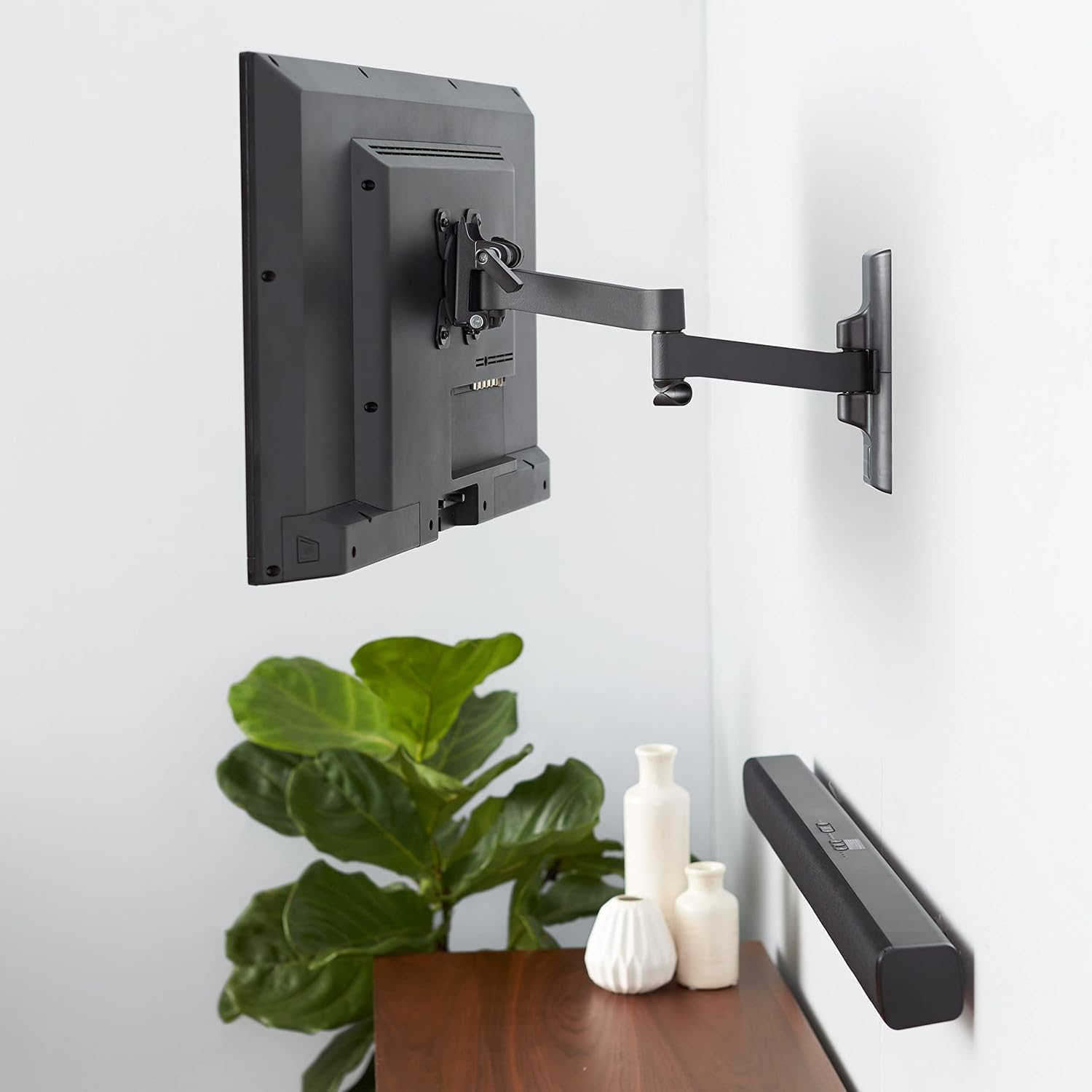
هڪ سابقample of the AmazonBasics TV wall mount installed in a home setting, securely holding a television on the wall and demonstrating its aesthetic integration and functional use.
Operating the Mount (Adjustments)
Your full motion articulating TV wall mount allows for various adjustments to achieve the best viewزاويه.
- توسيع: Gently pull the TV away from the wall to extend the articulating arm. The mount can extend up to 16.1 inches (40.89 cm).
- گھمڻ: Rotate the TV left or right to adjust the horizontal viewزاويه.
- جھلڻ: Loosen the tilt adjustment knobs (if present) on the TV brackets, adjust the TV to the desired vertical angle (+15 to -3 degrees), and then re-tighten the knobs to secure the position.

This diagram details the mount's versatility, showing it extends up to 16.1 inches (40.89 cm) from the wall, accommodates 12- to 39-inch TVs (up to 40 pounds/18 kg), and offers a tiltable range of -3 to +15 degrees.
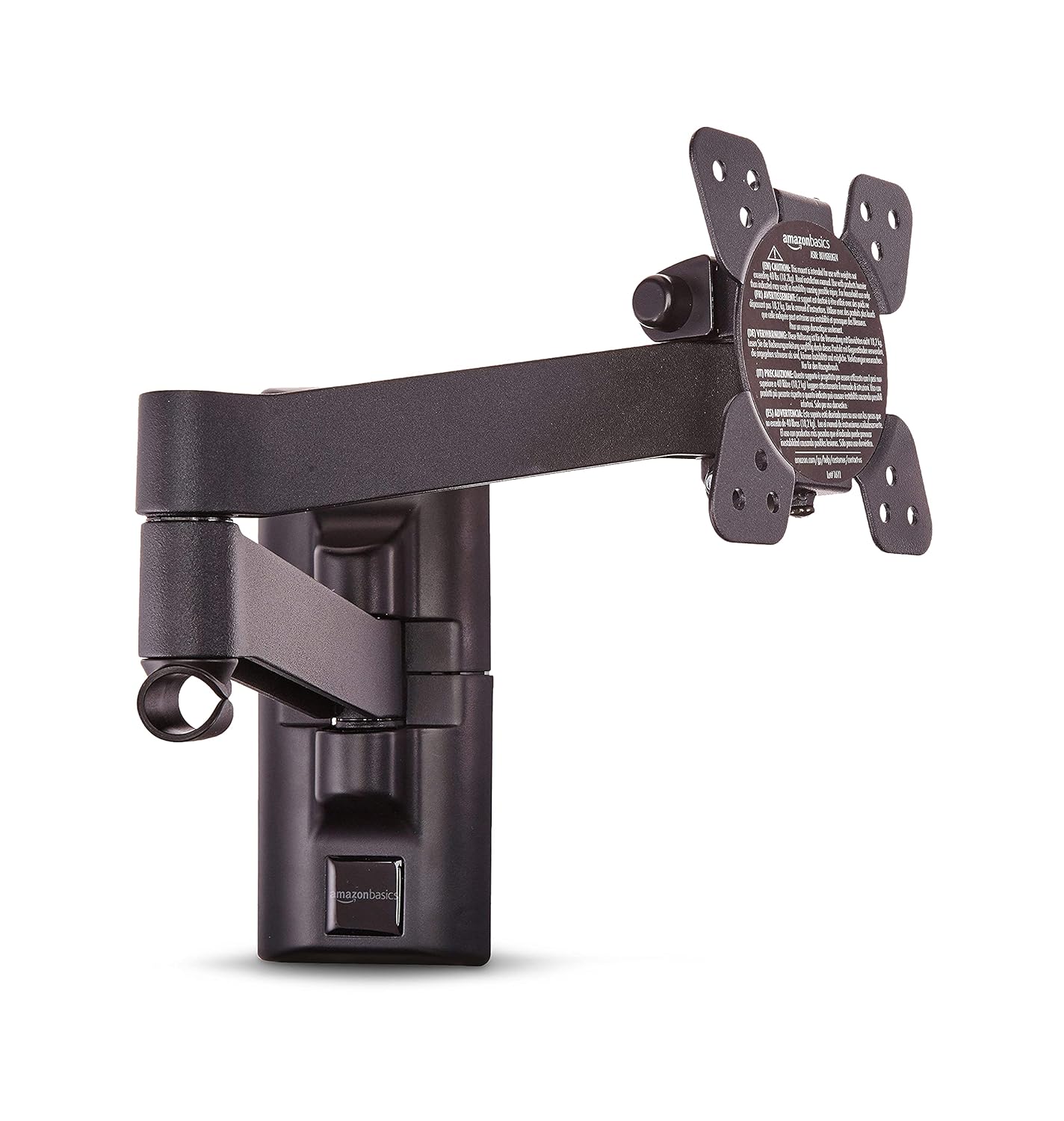
The AmazonBasics TV wall mount is shown fully extended, demonstrating its articulating arm capability to position the TV further from the wall for flexible viewing angles.
ڪيبل جو انتظام:
Utilize the integrated cable management system to route and conceal cables for a neat and organized appearance. Secure cables along the articulating arm to prevent snagging during adjustments.
سار سنڀال
- وقتي طور تي سڀني پيچرن ۽ بولٽن کي چيڪ ڪريو ته جيئن اهي تنگ ۽ محفوظ رهن.
- نرم، سڪل ڪپڙي سان جبل کي صاف ڪريو. رگڙيندڙ صاف ڪندڙ يا محلولن کان پاسو ڪريو.
- Ensure no cables are pinched or stressed during TV adjustments.
مشڪلاتون
- ٽي وي ليول نه آهي: Check the wall plate installation with a bubble level. Adjust if necessary by slightly loosening and re-tightening the wall plate screws.
- جبل غير مستحڪم محسوس ٿئي ٿو: Re-check all mounting screws on both the wall plate and the TV brackets. Ensure the wall structure is adequate for the weight. Do not exceed the maximum weight capacity of 18 kg (40 lbs).
- Difficulty adjusting TV: Ensure no cables are obstructing movement. Check if any adjustment knobs (for tilt) are overtightened.
وضاحتون
| خاصيت | تفصيل |
|---|---|
| برانڊ | Amazon Basics |
| ماڊل | PBH-991 |
| مطابقت رکندڙ ٽي وي سائيز | 12 انچ کان 39 انچ تائين |
| وڌ ۾ وڌ وزن جي گنجائش | 18 ڪلوگرام (40 پائونڊ) |
| VESA مطابقت | 75x75mm, 100x100mm, 200x100mm, 200x200mm |
| ڇڪڻ جي حد | +15 to -3 degrees |
| ڀت کان واڌ | 16.1 انچ تائين (40.89 سينٽي) |
| مواد | مصر جو اسٽيل |
| پيداوار جي ماپ | 42.21 x 22 x 22 سينٽ (فولڊ) |
| شيءِ جو وزن | 1.54 ڪلو |
وارنٽي
This AmazonBasics TV Wall Mount comes with a 1-year limited warranty from the date of purchase. This warranty covers manufacturing defects under normal use. For warranty claims or details, please contact customer support.
ڪسٽمر سپورٽ
For assistance, troubleshooting, or warranty inquiries, please contact:
Cloudtail India Private Limited
Customer Support Desk
6th & 7th Floor, Divyasree Chambers, ‘B’ Wing, #11, O’Shaugnessy Road, Langford Town, Bangalore, Karnataka - 560025.
فون: 18004190416
اي ميل: cloudtail@blubirch.com


