1. تعارف
This manual provides instructions for the proper installation, use, and maintenance of your Canon PG-46 Black Ink Cartridge. The PG-46 is a black ink cartridge designed to deliver high-quality prints and offers a page yield of approximately 400 pages. Please read this manual thoroughly before using the product to ensure safe and efficient operation.
2. حفاظت جي ڄاڻ
- مس ڪارٽريج ٻارن جي پهچ کان پري رکو.
- Do not ingest ink. If ink is swallowed, seek medical attention immediately.
- Avoid contact with eyes. If ink gets into your eyes, flush immediately with water and seek medical attention.
- Do not attempt to disassemble or modify the ink cartridge.
- Store cartridges in their original packaging until ready for use to prevent drying or damage.
3. مطابقت
The Canon PG-46 Black Ink Cartridge is compatible with the following Canon PIXMA printer models:
- Canon PIXMA E204
- Canon PIXMA E304
- Canon PIXMA E3140
- Canon PIXMA E3340
- Canon PIXMA E3440
- Canon PIXMA E404
- Canon PIXMA E414
- Canon PIXMA E464
- Canon PIXMA E474
- Canon PIXMA E484
- Canon PIXMA E4240

Image: Packaging of the Canon PG-46 ink cartridge, clearly listing compatible PIXMA printer models.
4. سيٽ اپ ۽ تنصيب
Follow these steps to install the Canon PG-46 Black Ink Cartridge into your compatible printer:
- ڪارٽريج کوليو: Carefully remove the new ink cartridge from its sealed packaging.
- حفاظتي ٽيپ هٽايو: Gently pull off the orange protective tape or cap from the cartridge. Do not touch the electrical contacts or the ink nozzles.
- پرنٽر ڪَوَر کوليو: Ensure your printer is turned on. Open the printer's top cover or access door to expose the cartridge carriage. The carriage will typically move to the center.
- پراڻو ڪارٽريج هٽايو (جيڪڏهن قابل اطلاق هجي): If replacing an existing cartridge, press down on the old cartridge until it clicks, then lift it out of its slot.
- نئون ڪارٽريج داخل ڪريو: Insert the new PG-46 cartridge into the correct black ink slot. Push it firmly until it clicks into place.
- پرنٽر ڪَوَر بند ڪريو: Close the printer's top cover or access door. The printer will perform an initialization process.
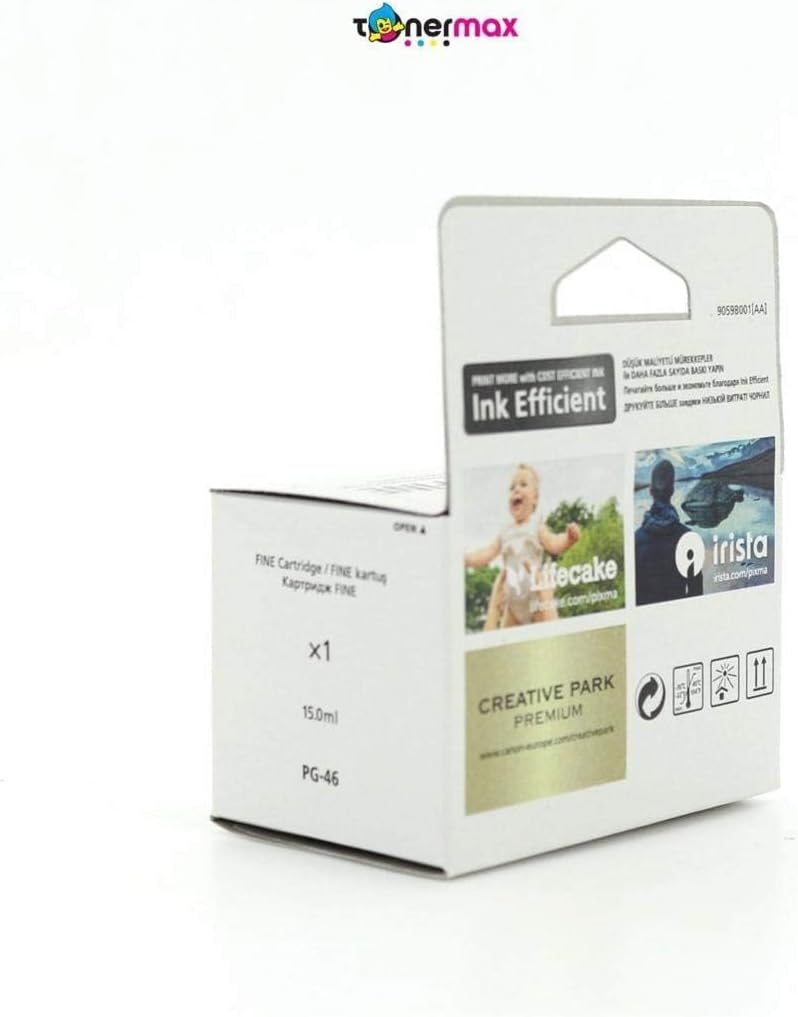
Image: The Canon PG-46 black ink cartridge, ready for installation.
5. آپريٽنگ هدايتون
Once the ink cartridge is installed, your printer is ready for use. For detailed printing instructions, refer to your printer's specific user manual.
- ڇپائي: Send print jobs from your computer or device as usual. The printer will automatically detect the new ink cartridge.
- مس جي سطح جي جانچ: You can monitor the ink levels through your printer's software utility on your computer. Refer to your printer's manual for specific steps.
- پرنٽ معيار: If print quality issues arise, perform a nozzle check and print head cleaning using your printer's maintenance functions.
6. مينٽيننس ۽ اسٽوريج
Proper maintenance and storage ensure the longevity and performance of your ink cartridge:
- اسٽوريج حالتون: Store unused cartridges in a cool, dry place, away from direct sunlight. The recommended storage temperature range is -30°C to 40°C (-22°F to 104°F).
- مدو ختم ٿيڻ جي تاريخ: Install the cartridge before the date indicated on the packaging.
- سنڀالڻ: Avoid touching the ink nozzles or electrical contacts on the cartridge.
- پرنٽر استعمال: Use your printer regularly to prevent ink from drying out in the print head.

تصوير: پوئين پاسي view of the Canon PG-46 ink cartridge packaging, showing storage temperature guidelines and a 'use by' date indicator.
7. مسئلا حل ڪرڻ
If you encounter issues with your Canon PG-46 ink cartridge, consider the following common solutions:
- خراب پرنٽ معيار (تارون، ختم ٿيڻ): Perform a print head cleaning and nozzle check through your printer's utility software. Ensure the cartridge is properly seated.
- ڪارٽريج جي سڃاڻپ نه ٿي: Remove the cartridge and reinsert it firmly. Clean the electrical contacts on the cartridge and inside the printer with a lint-free cloth. Ensure the protective tape was fully removed.
- گهٽ مس جي خبرداري: Replace the cartridge when the low ink warning appears to avoid print interruptions.
- غلطي جا پيغام: Refer to your printer's manual for specific error codes and their solutions.
8. وضاحتون
| ٺاهيندڙ | ڪينن |
| شيون ماڊل نمبر | 9059B001 |
| پيداوار جي ماپ | 20 x 15 x 10 سينٽي |
| شيءِ جو وزن | 60 گرام |
| اڇو رنگ | ڪارو |
| صفحي جي پيداوار | 400 صفحا |
| مس جو بنياد | پاڻي |
| خاص خاصيتون | Black cartridge |
| مطابقت رکندڙ پرنٽر ماڊل | E204, E304, E3140, E3340, E3440, E404, E414, E464, E474, E484, E4240 |
9. وارنٽي ۽ سپورٽ
For warranty information, technical support, or additional resources, please visit the official Canon website or contact Canon customer service.
- سرڪاري ڪينن Webسائيٽ: www.canon-europe.com
- Canon Creative Park: Explore creative printing projects and templates at creativepark.canon
- Printer Setup and Resources: Find guides and software for your printer at Canon Printer Resources
Canon Inc.
30-2، شيمومارڪو 3-چوم، اوهتا-ڪو، ٽوڪيو 146-8501، جاپان
ڪينن يورپ NV
Bovenkerkerweg 59, 1185 XB Amstelveen, The Netherlands


