1. تعارف
Thank you for choosing the NTC V380 WiFi Smart Camera. This device is designed to provide reliable indoor security monitoring with advanced features such as remote access, two-way audio, and night vision. This manual will guide you through the setup, operation, and maintenance of your camera to ensure optimal performance.
2. پراڊڪٽ ختمview
The NTC V380 WiFi Smart Camera is a compact, indoor surveillance camera featuring pan, tilt, and zoom capabilities. It connects wirelessly to your home network, allowing for remote viewing and control via a smartphone or desktop application.
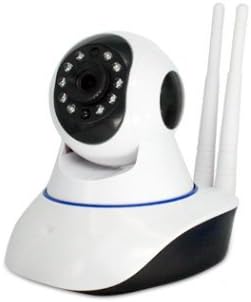
شڪل 2.1: سامهون view of the NTC V380 WiFi Smart Camera, showing the lens, infrared LEDs, and microphone.
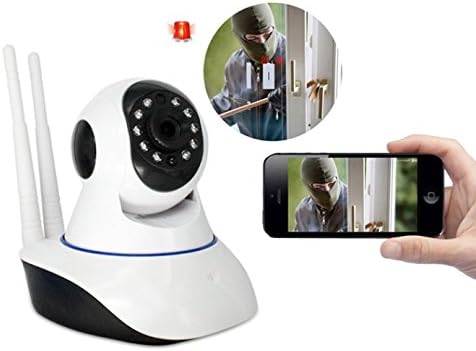
Figure 2.2: The NTC V380 camera demonstrating remote monitoring capabilities with a smartphone displaying the live video feed.
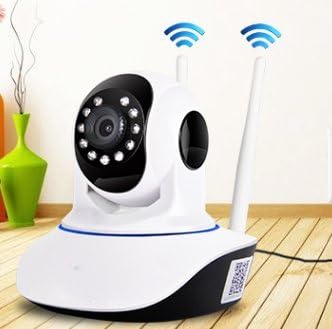
Figure 2.3: The NTC V380 camera positioned in an indoor environment, illustrating its wireless connectivity with WiFi signal indicators.
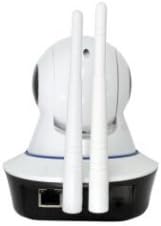
شڪل 2.4: پوئتي view of the NTC V380 camera, highlighting the dual antennas for enhanced WiFi reception and the Ethernet port for wired connection.
3. اهم خاصيتون
- ٻه طرفي آڊيو: Communicate through the camera with built-in microphone and speaker.
- PTZ ڪنٽرول: Pan (355° horizontal) and Tilt (120° vertical) functionality for comprehensive area coverage.
- هاءِ ڊيفينيشن وڊيو: Records video at 1080p resolution with a frame rate of up to 25 frames per second.
- رات جو خواب: Equipped with 10 infrared LEDs, providing clear visibility up to 10 meters in low-light conditions.
- حرڪت جي چڪاس: Receive alerts via email or FTP upload when motion is detected, with adjustable sensitivity.
- وائرلیس رابطي Supports Wi-Fi for flexible placement and easy integration into your network.
- ريموٽ مانيٽرنگ: Access live video and control camera functions from your smartphone (iOS/Android) or desktop via the V380 application.
- مقامي اسٽوريج: Supports TF (microSD) card for local video recording.
4. سيٽ اپ گائيڊ
4.1 پيڪيج مواد
پڪ ڪريو ته سڀئي شيون موجود آهن:
- NTC V380 WiFi Smart Camera
- پاور اڊاپٽر
- Mounting Accessories (screws, wall plug)
- استعمال ڪندڙ جو دستياب (ھي دستاويز)
4.2 شروعاتي پاور آن
- Connect the power adapter to the camera's power input port.
- Plug the adapter into a power outlet. The camera will power on and initiate its self-test sequence.
- Wait for the camera to indicate readiness (e.g., a voice prompt or LED indicator change).
4.3 ايپ جي انسٽاليشن ۽ وائي فائي ڪنيڪشن
- ڊائون لوڊ ڪريو V380 application from your smartphone's app store (available for iOS and Android).
- نئون اڪائونٽ رجسٽر ڪريو يا جيڪڏهن توهان وٽ اڳ ۾ ئي آهي ته لاگ ان ڪريو.
- Follow the in-app instructions to add your camera. This typically involves scanning a QR code on the camera or using an AP hotspot connection method.
- Select your 2.4GHz Wi-Fi network and enter the password when prompted. The camera does not support 5GHz Wi-Fi networks.
- Once connected, the camera will confirm its network status, and you will see it listed in your app.
4.4 ڪئميرا لائڻ
The camera supports wall mounting for optimal positioning.
- Choose a suitable indoor location with a clear view and within Wi-Fi range.
- Use the provided mounting bracket as a template to mark screw holes on the wall.
- جيڪڏهن ضروري هجي ته پائلٽ سوراخ ڪريو ۽ ڀت تي پلگ لڳايو.
- اسڪرو استعمال ڪندي ڀت تي چڙهڻ واري بریکٹ کي محفوظ ڪريو.
- Attach the camera to the mounting bracket, ensuring it is securely fastened.
5. آپريٽنگ هدايتون
5.1 زنده View ۽ PTZ ڪنٽرول
- Open the V380 app and select your camera from the device list to access the live video feed.
- Use the on-screen joystick or swipe gestures to pan (move horizontally) and tilt (move vertically) the camera lens.
- Pinch-to-zoom on the live feed to digitally zoom in or out.
5.2 ٻه طرفي آڊيو
- رهڻ دوران view, tap the microphone icon in the app to speak through the camera's speaker.
- ڪئميرا جي ماحول مان آڊيو ٻڌڻ لاءِ اسپيڪر آئڪن تي ٽيپ ڪريو.
5.3 Video Recording and Playback
- Insert a TF (microSD) card into the camera's card slot for continuous or event-based recording.
- In the app, navigate to the playback section to view رڪارڊ ٿيل footage stored on the TF card.
- You can also manually record video or capture screenshots directly from the live view interface in the app.
5.4 حرڪت جي ڳولا ۽ خبرداريون
- Access the camera settings in the V380 app to configure motion detection.
- Adjust sensitivity levels to minimize false alarms.
- Enable push notifications, email alerts, or FTP uploads for motion detection events.
6. سار سنڀال
- صفائي: ڪئميرا لينس ۽ جسم کي نرم، سڪل ڪپڙي سان نرميءَ سان صاف ڪريو. سخت ڪيميڪلز يا رگڙيندڙ مواد استعمال ڪرڻ کان پاسو ڪريو.
- فرم ويئر اپڊيٽس: Periodically check the V380 app for available firmware updates to ensure your camera has the latest features and security enhancements. Follow the in-app instructions for updating.
- ٽي ايف ڪارڊ جو انتظام: Regularly back up important recordings from your TF card. Format the TF card periodically within the app to maintain optimal recording performance.
7. مسئلا حل ڪرڻ
عام مسئلا ۽ حل:
- ڪئميرا آف لائن:
- چيڪ ڪريو ته ڪئميرا آن آهي يا نه.
- Verify your Wi-Fi network is active and the camera is within range.
- ڪئميرا ۽ پنهنجو وائي فائي روٽر ٻيهر شروع ڪريو.
- پڪ ڪريو ته ڪئميرا 2.4GHz وائي فائي نيٽ ورڪ سان ڳنڍيل آهي.
- خراب وڊيو معيار:
- Ensure a strong Wi-Fi signal. Move the camera closer to the router if necessary.
- ڪئميرا لينس کي صاف ڪريو.
- پنھنجي انٽرنيٽ ڪنيڪشن جي رفتار چيڪ ڪريو.
- حرڪت جي چڪاس ڪم نه ڪندي:
- تصديق ڪريو ته ايپ سيٽنگز ۾ حرڪت جي سڃاڻپ فعال آهي.
- حساسيت جي سطح کي ترتيب ڏيو.
- Ensure notification permissions are granted for the V380 app on your smartphone.
- ايپ سان ڳنڍي نه ٿو سگهجي:
- Ensure you have the correct V380 app.
- پنھنجو يوزر نالو ۽ پاسورڊ چيڪ ڪريو.
- If issues persist, try resetting the camera to factory defaults (refer to the camera's physical reset button, usually a small pinhole, and hold for 5-10 seconds while powered on) and re-add it to the app.
8. وضاحتون
| خاصيت | تفصيل |
|---|---|
| ماڊل نمبر | ICP-T3810-Q5 (T) V380 |
| برانڊ | اين ٽي سي |
| وڊيو رڪارڊنگ جي قرارداد | 1080 ص |
| فريم جي شرح | 25 فريم في سيڪنڊ |
| رابطي ٽيڪنالاجي | وائرليس (وائي فائي) |
| ڪنيڪشن پروٽوڪول | وائي فائي (صرف 2.4GHz) |
| رات جو نظارو فاصلو | 10 ميٽر |
| خاص خاصيتون | Night Vision, Motion Sensor, PTZ Technology, Two-Way Audio |
| مطابقت رکندڙ ڊوائيسز | اسمارٽ فون، ڊيسڪ ٽاپ |
| ڪنٽرولر جو قسم | Android (via V380 App) |
| چڙهڻ جو قسم | ڀت جبل |
| فارم فيڪٽر | Turret (Dome Type) |
| تجويز ڪيل استعمال | اندروني حفاظت |
| اندروني / ٻاهرين استعمال | اندريون |
| طاقت جو ذريعو | Corded Electric (No batteries required) |
9. وارنٽي ۽ سپورٽ
For warranty information and technical support, please refer to the documentation provided at the time of purchase or contact your retailer. Keep your purchase receipt as proof of purchase for any warranty claims.


