تعارف
This user manual provides essential information for the safe and efficient operation of your DOOGEE BL5000 smartphone. Please read this manual thoroughly before using your device to ensure proper functionality and to avoid damage.
The DOOGEE BL5000 is a high-performance smartphone featuring a 5.5-inch FHD display, powered by an Octa-core processor, and equipped with 4GB RAM and 64GB internal storage. It runs on Android v7.0 (Nougat) operating system.
ڊوائيس ختمview
Familiarize yourself with the physical components of your DOOGEE BL5000 smartphone.

شڪل 1: سامهون ۽ پاسي view of the DOOGEE BL5000 smartphone, highlighting its sleek design and button placement.
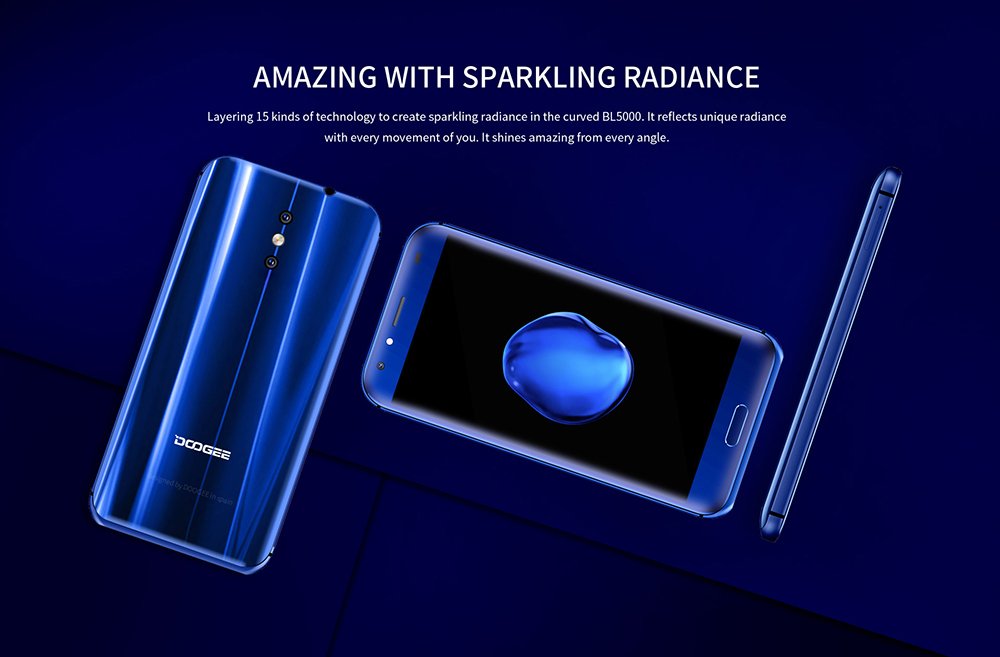
شڪل 2: پوئتي ۽ اڳيان view of the DOOGEE BL5000, showcasing its curved design and sparkling radiance achieved through 15 layers of technology.

شڪل 3: A display of multiple DOOGEE BL5000 smartphones in blue, gold, and black, emphasizing the 8-sided curved design that provides an ergonomic grip.
سيٽ اپ ڪريو
1. سم ڪارڊ ۽ ايس ڊي ڪارڊ داخل ڪرڻ
The DOOGEE BL5000 supports dual SIM cards and an expandable memory card. Locate the SIM tray on the side of the device. Use the provided SIM ejector tool to open the tray. Carefully place your Nano-SIM cards and/or microSD card into the designated slots. Ensure the cards are correctly oriented as indicated on the tray. Gently push the tray back into the device until it clicks into place.
2. شروعاتي پاور آن ۽ سيٽ اپ مددگار
Press and hold the Power button on the side of the phone until the DOOGEE logo appears. The phone will boot up and guide you through the initial setup wizard. Follow the on-screen prompts to select your language, connect to a Wi-Fi network, set up your Google account, and configure security settings (fingerprint, PIN, pattern, or password).
3. بيٽري کي چارج ڪرڻ
Before first use, it is recommended to fully charge the device. Connect the USB cable to the phone's charging port and the other end to a power adapter. Plug the adapter into a wall outlet. The battery indicator on the screen will show charging progress. The BL5000 features a 5050mAh battery and supports 12V-2A quick charging.

شڪل 4: Illustration of the DOOGEE BL5000's large 5050mAh battery, designed for extended usage.

شڪل 5: The DOOGEE BL5000 supports 12V-2A quick charging, allowing for significant battery charge in a short period, such as 40% in 10 minutes.
توهان جي اسمارٽ فون کي هلائڻ
بنيادي نيويگيشن
- پاور بٽڻ: اسڪرين کي جاڳائڻ/سليپ ڪرڻ لاءِ دٻايو. پاور آن/آف ڪرڻ يا ٻيهر شروع ڪرڻ لاءِ دٻايو ۽ رکو.
- حجم بٽڻ: پلے بیک دوران ميڊيا جي مقدار يا رنگ ٽون جي مقدار کي ترتيب ڏيو.
- هوم بٽڻ: گھر جي اسڪرين ڏانھن موٽڻ لاءِ ٽيپ ڪريو.
- پوئتي بٽڻ: پوئين اسڪرين تي واپس وڃڻ لاءِ ٽيپ ڪريو.
- تازو ائپس بٽڻ: تي ٽيپ ڪريو view ۽ تازو استعمال ٿيل ايپليڪيشنن جي وچ ۾ سوئچ ڪريو.
ڊسپلي ۽ روشني
The BL5000 features a 5.5-inch FHD (1920x1080) display with 650nit brightness, ensuring clear visibility even in bright sunlight. You can adjust the brightness manually or enable auto-brightness in the display settings.

شڪل 6: The DOOGEE BL5000's 650nit display ensures excellent visibility and vivid colors, even under direct sunlight.
ڪئميرا خاصيتون
The DOOGEE BL5000 is equipped with a dual 13.0MP rear camera system that supports PDAF and a soft flashlight. It can create a blur effect for professional-looking portraits.

شڪل 7: The DOOGEE BL5000's dual camera system can produce a natural blur effect, similar to DSLR cameras, enhancing portrait photography.
رابطي
The device supports 4G and 4G+ networks with LTE Cat-6, offering faster download and upload speeds. It also includes Wi-Fi, Bluetooth, and USB connectivity options.

شڪل 8: The DOOGEE BL5000 supports advanced 4G+ (LTE Cat-6) network technology, providing significantly faster internet speeds compared to standard 4G.
سار سنڀال
- صفائي: فون جي اسڪرين ۽ باڊي کي صاف ڪرڻ لاءِ نرم، لِنٽ فري ڪپڙو استعمال ڪريو. سخت ڪيميڪلز يا رگڙيندڙ مواد استعمال ڪرڻ کان پاسو ڪريو.
- سافٽ ويئر اپڊيٽ: Regularly check for system updates to ensure optimal performance and security. Go to Settings > About phone > System updates.
- بيٽري جي سنڀال: To prolong battery life, avoid exposing the phone to extreme temperatures. Do not let the battery drain completely before recharging frequently.
- اسٽوريج جو انتظام: وقتي طور تي ڪيش صاف ڪريو، غير استعمال ٿيل ايپس کي انسٽال ڪريو، ۽ وڏي منتقلي ڪريو files to external storage (SD card) to maintain sufficient free space. The BL5000 comes with 64GB of internal storage.
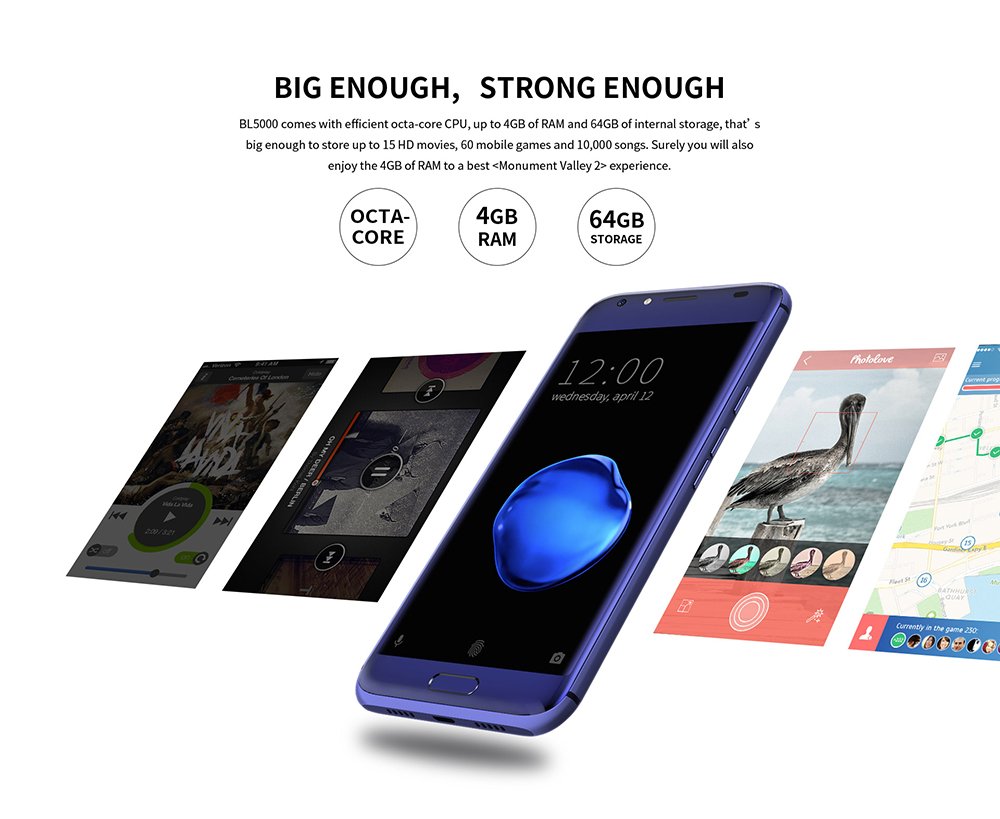
شڪل 9: The DOOGEE BL5000 is powered by an efficient Octa-core CPU, 4GB RAM, and 64GB internal storage, providing ample power and space for applications and media.
مشڪلاتون
| مسئلو | ممڪن حل |
|---|---|
| فون آن نٿو ٿئي | پڪ ڪريو ته بيٽري چارج ٿيل آهي. چارجر سان ڳنڍيو ۽ پاور آن ڪرڻ جي ڪوشش ڪرڻ کان اڳ ڪجھ منٽ انتظار ڪريو. |
| ايپس ڪريش ٿي رهيون آهن يا منجمد ٿي رهيون آهن | Clear the app's cache (Settings > Apps > [App Name] > Storage > Clear cache). If the issue persists, try reinstalling the app or performing a factory reset (backup data first). |
| خراب نيٽ ورڪ سگنل | Check if SIM card is properly inserted. Try restarting the phone. Ensure you are in an area with network coverage. |
| بيٽري جلدي ختم ٿي ويندي آهي | Reduce screen brightness, disable unused features like Wi-Fi/Bluetooth when not in use, close background apps, and limit location services. |
وضاحتون
| خاصيت | تفصيل |
|---|---|
| ماڊل | DOOGEE BL5000 |
| آپريٽنگ سسٽم | Android v7.0 (Nougat) |
| ڏيکاريو | 5.5-inch FHD (1920 x 1080) LCD, 650nit brightness |
| پروسيسر | Octa core (1.5 GHz Quad core + 1 GHz Quad core, Cortex A53) |
| رام | 4 جي بي |
| اندروني اسٽوريج | 64 جي بي |
| پوئين ڪئميرا | Dual 13.0 MP with PDAF and soft flashlight |
| بيٽري | 5050 mAh, supports 12V-2A Quick Charge |
| طول و عرض (LxWxH) | 15.5 x 7.6 x 1 سينٽي |
| وزن | 210 جي |
| رابطي | 4G/4G+ (LTE Cat-6), Wi-Fi, Bluetooth, USB |
| جي پي ايس | گلناس |
| رنگ | نيرو |
وارنٽي ۽ سپورٽ
For warranty information and technical support, please refer to the warranty card included with your product packaging or visit the official DOOGEE webسائيٽ. وارنٽي دعوائن لاءِ خريداري جي ثبوت طور پنهنجي خريداري جي رسيد رکو.
For further assistance, you may contact DOOGEE customer service through their official channels. Details can typically be found on the manufacturer's webسائيٽ يا پراڊڪٽ جي اصل دستاويز ۾.


