1. تعارف
This manual provides detailed instructions for the proper setup, operation, and maintenance of your Taylor Digital Kitchen Scale, Model 3897. Designed for precision and ease of use, this scale is ideal for weighing a variety of food items and other household goods. Please read this manual thoroughly before using the scale to ensure accurate measurements and prolonged product life.

This image displays the Taylor Digital Kitchen Scale from a top-down perspective, highlighting the stainless steel weighing platform, the bright red LED display, and the 'UNIT' and 'TARE' buttons.
2. اهم خاصيتون
- اعلي سڌائي: Measures up to 11 lb (5000 g) with increments of 0.1 oz (1 g).
- آسان ٽائر فنڪشن: Allows for weighing multiple ingredients in the same container by zeroing out the container's weight.
- روشن LED ڊسپلي: Features a 1-inch brilliant red LED screen for clear readability from various angles.
- پائيدار ڊيزائن: Constructed with a brushed stainless steel weighing platform and top housing, resistant to odors and stains.
- پاڻمرادو بند بيٽري جي زندگي کي محفوظ ڪري ٿو خودڪار طور تي بند ٿيڻ کان پوء غير فعال ٿيڻ جي مدت کان پوء.
- يونٽ جي تبديلي: Easily switch between pounds/ounces, grams, ounces, and kilograms.
3. پيڪيج مواد
پيڪنگ ڪرڻ وقت، مھرباني ڪري پڪ ڪريو ته ھيٺ ڏنل سڀ شيون موجود آھن:
- 1 x Taylor Digital Kitchen Scale (Model 3897)
- 3 x AAA بيٽريون
4. سيٽ اپ
4.1. بيٽري لڳائڻ
- اسڪيل جي هيٺئين پاسي بيٽري جي خاني کي ڳوليو.
- بيٽري جي ڪمري واري ڍڪ کي کوليو.
- Insert the three (3) AAA batteries, ensuring correct polarity (+/-) as indicated inside the compartment.
- بيٽري جي ڪمري واري ڍڪ کي محفوظ طور تي بند ڪريو.
4.2. شروعاتي جڳهه
Place the scale on a hard, flat, and stable surface. Uneven surfaces can affect accuracy. Avoid placing the scale near strong electromagnetic fields or extreme temperature fluctuations.

هڪ زاويه وارو view of the Taylor Digital Kitchen Scale, showcasing its sleek, low-profile design and brushed stainless steel finish.
5. آپريٽنگ هدايتون
5.1. پاور آن/آف
- پاور آن ڪرڻ: کي دٻايو TARE/POWER button once. The display will show '0.0'.
- پاور آف ڪرڻ: کي دٻايو ۽ رکو TARE/POWER button for approximately 3 seconds. The scale will also automatically shut off after a period of inactivity to save battery life.
5.2. يونٽ جي تبديلي
With the scale powered on, press the يونٽ button to cycle through the available measurement units: pounds and ounces (lb oz), grams (g), ounces (oz), and kilograms (kg). The selected unit will be displayed on the screen.
5.3. وزني شيون
- Ensure the scale is on a flat, stable surface and powered on, displaying '0.0'.
- Place the item(s) to be weighed directly onto the center of the stainless steel platform.
- The weight will be displayed on the LED screen in the currently selected unit.
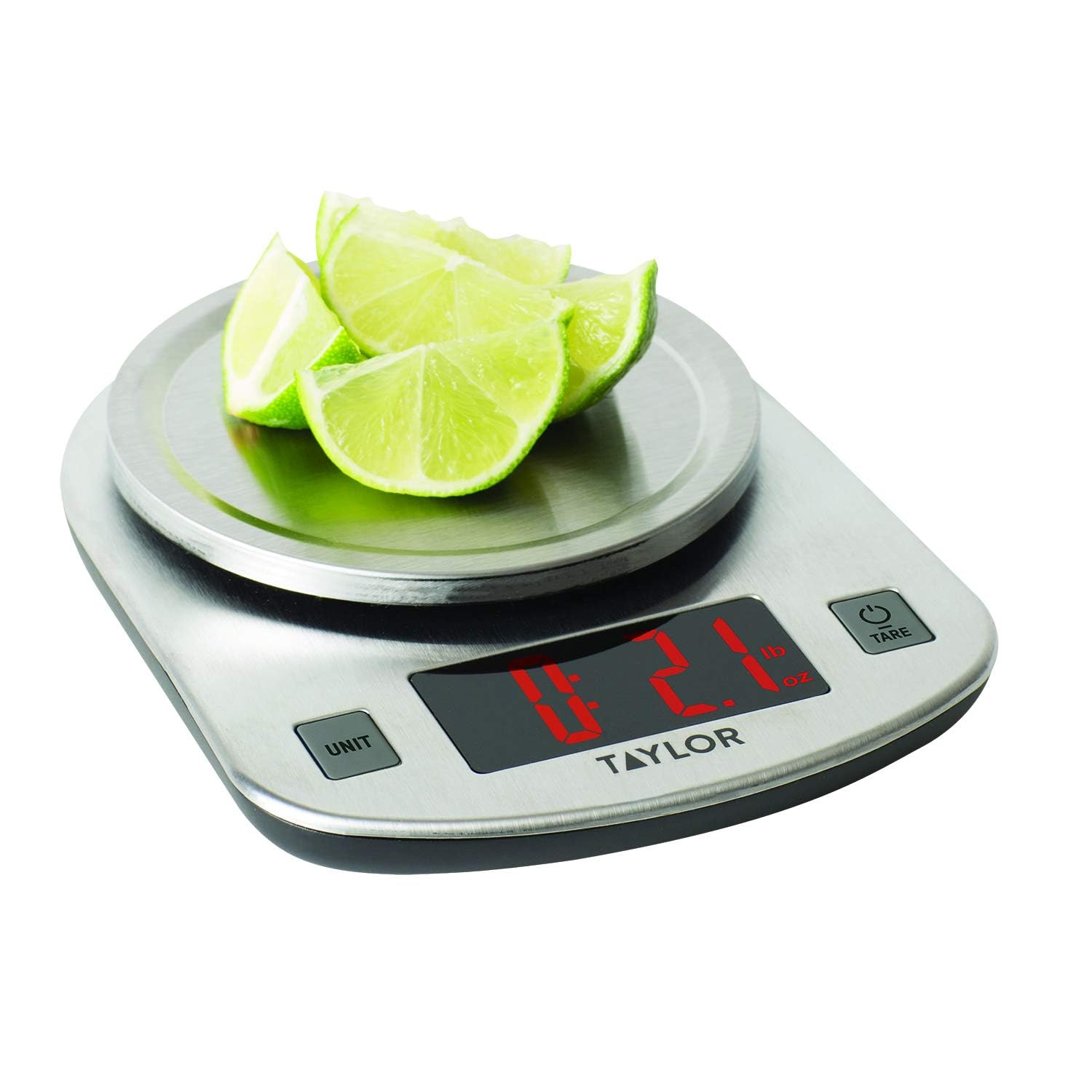
The scale in use, measuring sliced limes. The LED display clearly shows a weight of 2.1 ounces, demonstrating its functionality for weighing food items.
5.4. ٽائر فنڪشن (شامل ڪريو ۽ وزن ڪريو)
The Tare function allows you to weigh multiple ingredients consecutively in the same container without emptying it. It effectively resets the scale to zero after each ingredient is added.
- Place an empty container on the scale platform. The display will show its weight.
- کي دٻايو TARE/POWER بٽڻ. ڊسپلي '0.0' تي ري سيٽ ٿي ويندي.
- Add the first ingredient to the container. The display will show the weight of only that ingredient.
- ٻيو جزو شامل ڪرڻ لاءِ، دٻايو TARE/POWER button again to reset the display to '0.0'.
- Add the next ingredient. Repeat this process for all subsequent ingredients.
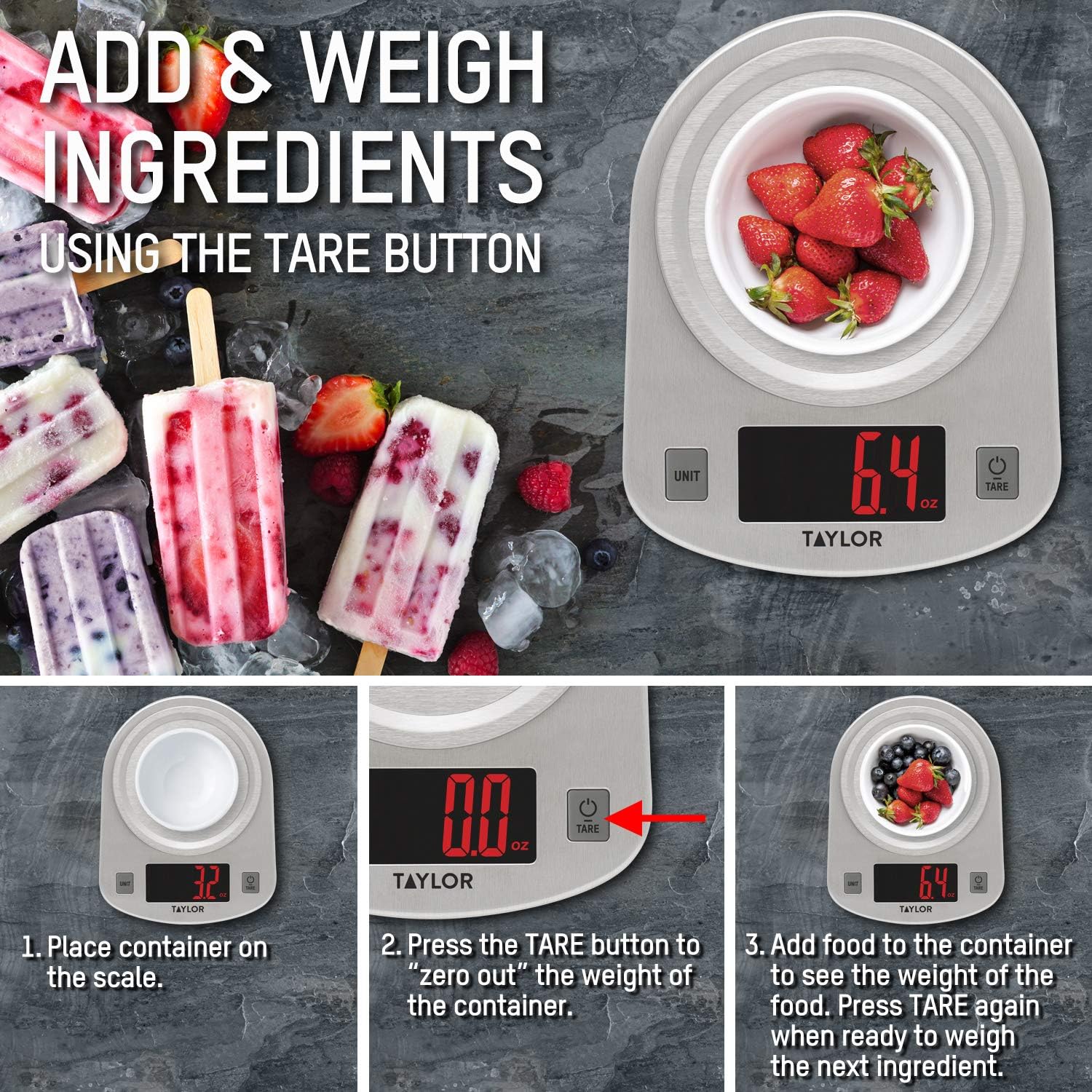
This instructional image illustrates the 'Add & Weigh' feature using the TARE button. It shows placing a container, taring its weight to zero, and then adding ingredients like strawberries to measure their net weight.
6. سار سنڀال
6.1. صفائي
- Wipe the scale clean with a damp ڪپڙو ۽ نرم صابڻ.
- Do not immerse the scale in water or use abrasive cleaning agents.
- The stainless steel platform is odor and stain-resistant, making it easy to clean.
6.2. اسٽوريج
Store the scale in a cool, dry place. Avoid placing heavy objects on the scale when not in use, as this may affect its accuracy over time.
7. مسئلا حل ڪرڻ
| مسئلو | ممڪن سبب | حل |
|---|---|---|
| ڊسپلي 'لو' ڏيکاري ٿي. | گھٽ بيٽري طاقت. | Replace the three (3) AAA batteries. |
| ڊسپلي 'Err' ڏيکاري ٿي. | پيمانو اوور لوڊ ٿيل آهي. | Remove items immediately. The maximum capacity is 11 lb (5000 g). |
| غلط پڙھڻ | Scale is on an uneven or unstable surface. | اسڪيل کي سخت، سڌي ۽ مستحڪم مٿاڇري تي رکو. |
| اسڪيل نه ٿو ڦري | بيٽريون غلط طور تي نصب ٿيل آهن يا ختم ٿيل آهن. | بيٽري جي پولارٽي چيڪ ڪريو يا بيٽريون تبديل ڪريو. |
8. وضاحتون
- ماڊل نمبر: 3897
- وڌ ۾ وڌ گنجائش: 11 lb x 0.1 oz (5000 g x 1 g, 176 oz x 0.1 oz, 5 kg x 0.001 kg)
- پيداوار جي ماپ: 7 x 1.25 x 5.38 انچ
- شيء جو وزن: 11.2 اونس
- ڊسپلي جو قسم: ايل اي ڊي
- طاقت جو ذريعو: 3 x AAA بيٽريون (شامل)
- خاص خصوصيت: خودڪار بند ٿيل بند
- مواد: برش ٿيل اسٽينلیس سٹیل
9. وارنٽي ۽ سپورٽ
This Taylor Digital Kitchen Scale is backed by the manufacturer's warranty. For specific warranty details, product support, or service inquiries, please refer to the warranty information provided with your purchase or contact Taylor customer service directly. Keep your purchase receipt as proof of purchase.


