1. تعارف
This manual provides detailed instructions for the installation, operation, and maintenance of your MERCUSYS AC1200 Wireless Dual Band Router, model AC12. Please read this guide thoroughly to ensure proper setup and optimal performance of your device.
The MERCUSYS AC1200 Router offers high-speed Wi-Fi connectivity with dual-band support, designed to provide reliable internet access for your home or office network.
2. پيڪيج مواد
پڪ ڪريو ته سڀئي شيون توهان جي پراڊڪٽ پيڪيج ۾ موجود آهن:
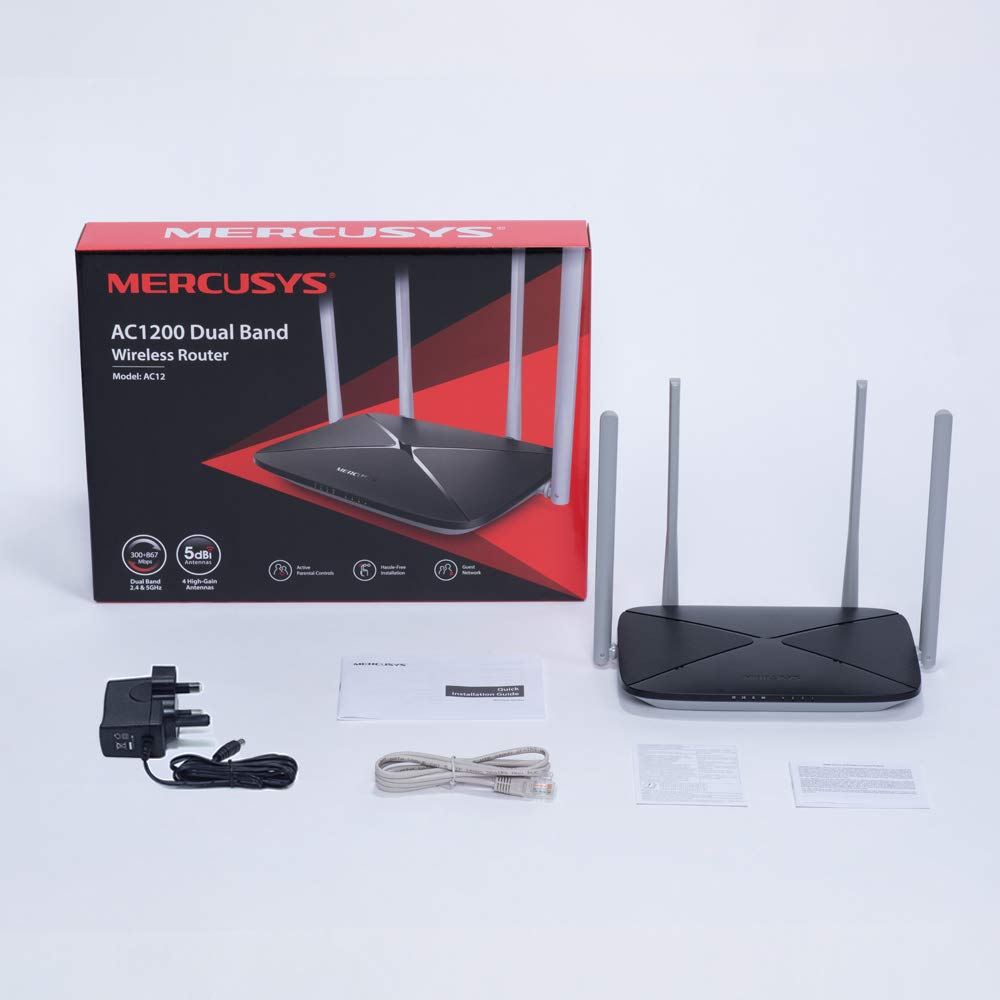
- MERCUSYS AC1200 Dual Band Wireless Router (AC12)
- پاور اڊاپٽر
- جلدي انسٽاليشن ھدايت
- Ethernet ڪيبل
3. ھارڊويئر ختمview
3.1 فرنٽ پينل
The front panel features LED indicators that provide status information about the router's operation, including power, internet connection, and Wi-Fi activity.

3.2 ريئر پينل
The rear panel contains all the physical ports and buttons necessary for connecting the router to your network and power source.
- WAN Port (Orange): توهان جي موڊيم يا انٽرنيٽ سروس فراهم ڪندڙ (ISP) جي سامان سان ڳنڍي ٿو.
- LAN Ports (Blue): Connects to wired devices such as computers, gaming consoles, or network printers. The AC12 model features 4 LAN ports.
- پاور ان پٽ: مهيا ڪيل پاور اڊاپٽر سان ڳنڍي ٿو.
- ري سيٽ / WPS بٽڻ: Used to reset the router to factory settings or to initiate a Wi-Fi Protected Setup (WPS) connection.

3.3 اينٽيننا
The router is equipped with four external 5dBi omni-directional antennas, designed to enhance wireless coverage and signal strength.

4. سيٽ اپ گائيڊ
Follow these steps to set up your MERCUSYS AC1200 Router:
- هارڊويئر ڳنڍيو:
- پنهنجي موڊيم کي پاور بند ڪريو.
- Connect the modem's Ethernet cable to the WAN port (orange) of the AC12 router.
- Connect your computer to one of the LAN ports (blue) on the router using an Ethernet cable, or connect wirelessly using the default Wi-Fi name (SSID) and password printed on the router's label.
- Power on your modem, then power on the AC12 router.
- Configure Router via Web انٽرفيس:
کوليو a web browser on your connected computer or device. The intuitive webpage guides you through the setup process in minutes.
- قدم 1: Create a unique login password for the router's management page.
- قدم 2: Choose your internet service type and enter any required information provided by your ISP.
- قدم 3: Set your wireless network name (SSID) and password for both 2.4 GHz and 5 GHz bands.

5. آپريٽنگ هدايتون
5.1 Dual Band Wi-Fi
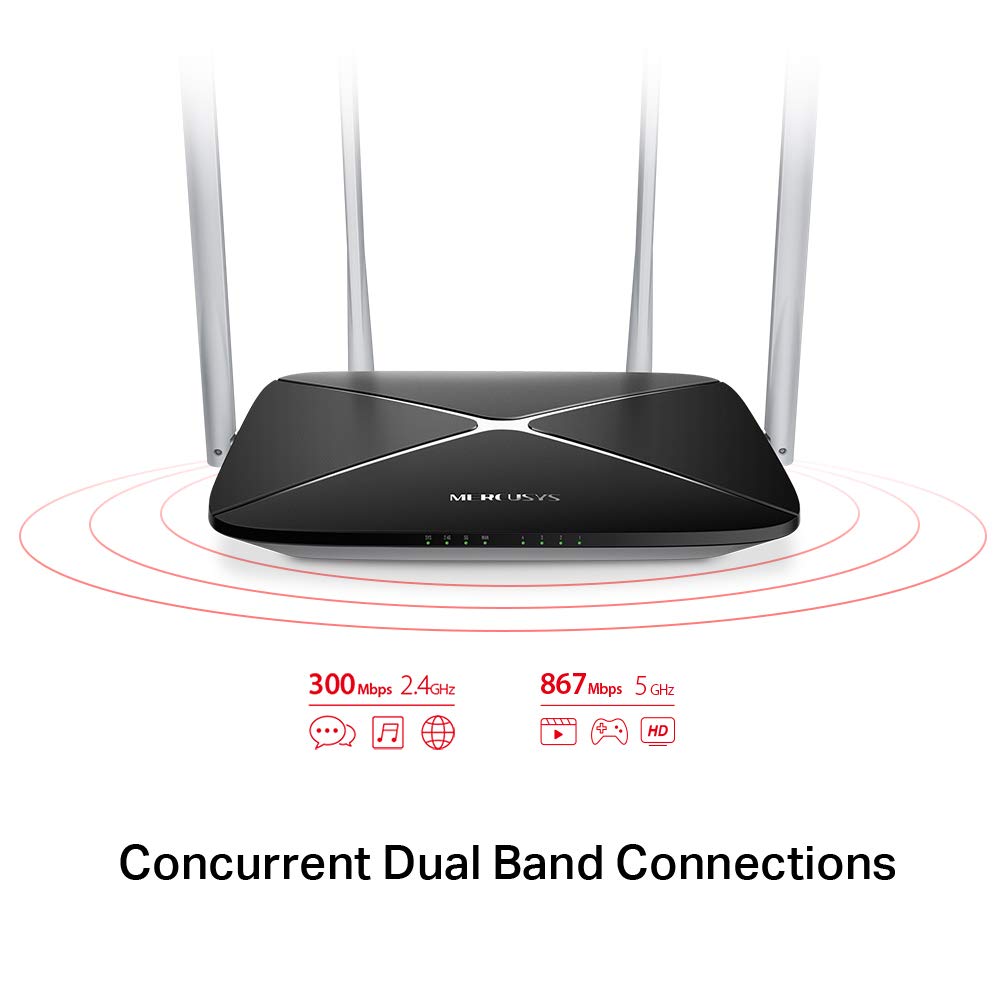
The AC1200 router operates on two distinct Wi-Fi bands:
- 2.4 GHz بينڊ: Provides speeds of up to 300 Mbps, suitable for general internet use, web برائوزنگ، ۽ اي ميل.
- 5 GHz بينڊ: Offers faster speeds of up to 867 Mbps, ideal for online gaming, HD video streaming, and other bandwidth-intensive applications.
5.2 Enhanced Wireless Coverage
The four external 5dBi omni-directional antennas are designed to provide extensive wireless coverage and strong signal intensity throughout your home or office, minimizing weak spots and dropped connections.

5.3 مهمان نيٽورڪ
The Guest Network feature allows you to provide secure Wi-Fi access to guests without sharing your main network password. This enhances security by isolating guest devices from your primary network resources.
5.4 سيڪيورٽي پروٽوڪول
The router supports WPA-PSK / WPA2-PSK security protocols to protect your wireless network from unauthorized access.
6. سار سنڀال
- فرم ويئر اپڊيٽس: Regularly check the MERCUSYS official webبهترين ڪارڪردگي ۽ سيڪيورٽي کي يقيني بڻائڻ لاءِ فرم ويئر اپڊيٽس لاءِ سائيٽ.
- جسماني صفائي: روٽر کي صاف ۽ مٽيءَ کان پاڪ رکو. صفائي لاءِ نرم، سڪل ڪپڙو استعمال ڪريو. مائع ڪلينر استعمال نه ڪريو.
- لڳائڻ: روٽر کي مرڪزي جڳهه تي رکو، رڪاوٽن ۽ ڊوائيسز کان پري جيڪي مداخلت جو سبب بڻجي سگهن ٿا (مثال طور، مائڪرو ويز، ڪارڊ لیس فون).
- ٻيهر شروع ڪندي: جيڪڏهن توهان کي نيٽ ورڪ جا مسئلا درپيش اچن ٿا، ته پوءِ 10 سيڪنڊن لاءِ پاور اڊاپٽر کي ان پلگ ڪري روٽر کي ٻيهر شروع ڪرڻ جي ڪوشش ڪريو ۽ پوءِ ان کي واپس پلگ ان ڪريو.
7. مسئلا حل ڪرڻ
- انٽرنيٽ جي رسائي ناهي:
- چيڪ ڪريو ته WAN پورٽ LED روشن آهي يا نه. جيڪڏهن نه، پڪ ڪريو ته توهان جي موڊيم مان ايٿرنيٽ ڪيبل محفوظ طور تي ڳنڍيل آهي.
- پڪ ڪريو ته توهان جو موڊيم صحيح ڪم ڪري رهيو آهي.
- پنهنجو موڊيم ۽ روٽر ٻئي ٻيهر شروع ڪريو.
- Contact your Internet Service Provider (ISP) if the issue persists.
- ڪمزور وائي فائي سگنل:
- روٽر کي وڌيڪ مرڪزي پوزيشن تي منتقل ڪريو.
- پڪ ڪريو ته اينٽينا عمودي طور تي رکيل آهن.
- Minimize physical obstructions (walls, large furniture) between the router and your devices.
- Avoid placing the router near other electronic devices that may cause interference.
- روٽر تائين رسائي نه ٿي سگهي Web انتظام صفحو:
- پڪ ڪريو ته توهان جو ڊوائيس روٽر سان ڳنڍيل آهي (وائرڊ يا وائرليس).
- Verify that you are using the correct IP address (e.g.,
192.168.1.1ormwlogin.net) توهان ۾ web برائوزر. - پنهنجي برائوزر جي ڪيش صاف ڪريو يا ڪو ٻيو برائوزر آزمايو.
- Forgot Wi-Fi Password or Login Password:
- You can reset the router to factory default settings by pressing and holding the Reset/WPS button on the rear panel for approximately 6-10 seconds until the LEDs flash. Note that this will erase all your custom settings.
8. وضاحتون
| خاصيت | تفصيل |
|---|---|
| برانڊ | مرسڊيز |
| ماڊل نالو | AC12 |
| وائرلیس معياري | 802.11ac |
| فريڪوئنسي بينڊ ڪلاس | ڊوئل بينڊ (2.4 GHz ۽ 5 GHz) |
| 2.4 GHz وائي فائي اسپيڊ | 300 Mbps تائين |
| 5 GHz وائي فائي اسپيڊ | 867 Mbps تائين |
| اينٽينا | 4 x 5dBi Omni-Directional Antennas |
| Ethernet بندرگاهن | 1 وان، 4 LAN |
| سيڪيورٽي پروٽوڪول | WPA-PSK / WPA2-PSK |
| پيداوار جي ماپ | 22.2 x 14 x 3.2 سينٽي |
| شيءِ جو وزن | 260 جي |
| جلدtage | 9 وولٽ |
| آپريٽنگ سسٽم مطابقت | Windows (for setup via web انٽرفيس) |
9. وارنٽي ۽ سپورٽ
9.1 وارنٽي ڄاڻ
This MERCUSYS AC1200 Router comes with a 3 سال وارنٽي. Please retain your purchase receipt for warranty claims. The warranty covers manufacturing defects under normal use conditions.
9.2 ٽيڪنيڪل سپورٽ
For technical assistance, please visit the official MERCUSYS website or contact their customer support. Manufacturer: TP-Link Technologies Co.,Ltd.


