تعارف
The Logitech G603 Lightspeed Wireless Gaming Mouse is engineered to deliver exceptional performance and reliability for gamers. Featuring the revolutionary HERO optical sensor and Lightspeed wireless technology, it provides precise tracking and ultra-fast response times. The G603 also boasts an impressive battery life, offering flexibility with its dual connectivity options (Lightspeed and Bluetooth) and customizable settings through Logitech G HUB software.
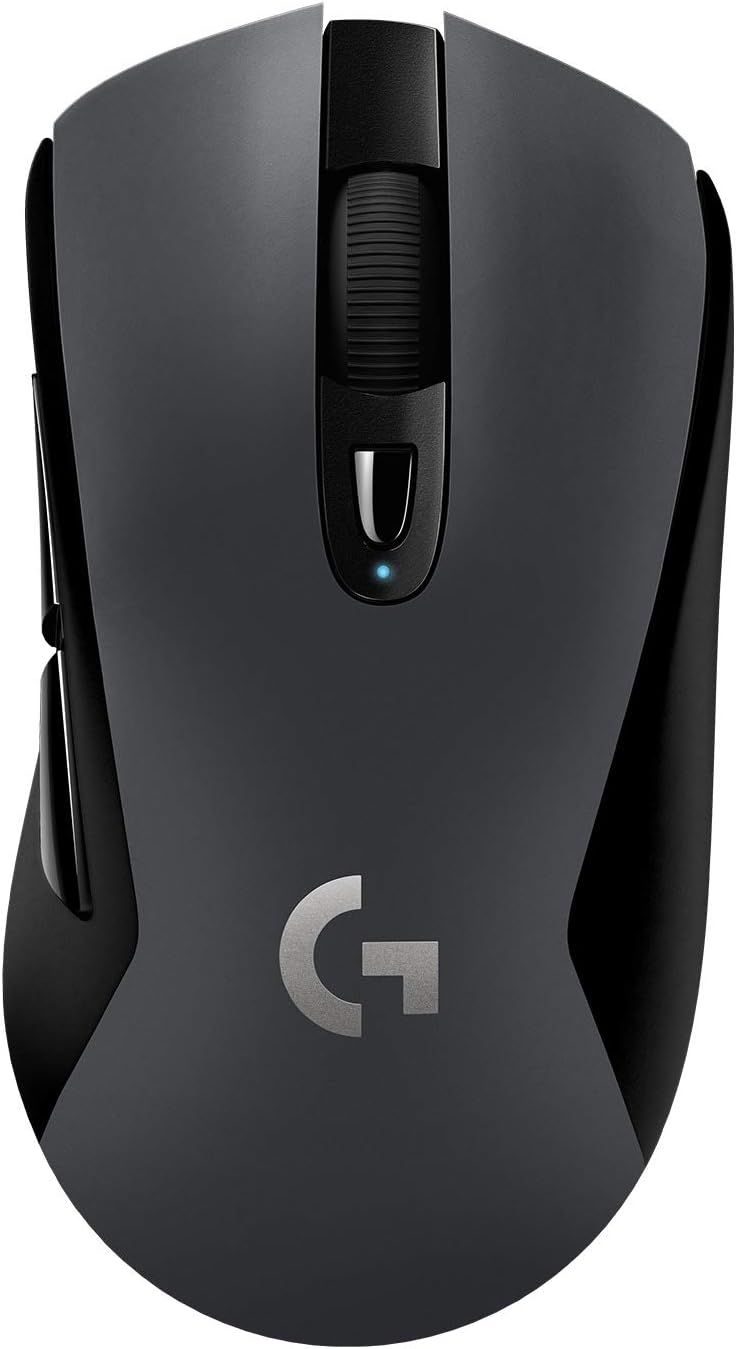
The Logitech G603 Lightspeed Wireless Gaming Mouse, showcasing its ergonomic design and central scroll wheel.
سيٽ اپ ڪريو
پيڪيج مواد
شروع ڪرڻ کان اڳ، پڪ ڪريو ته سڀئي جزا پيڪيج ۾ موجود آهن:
- Logitech G603 وائرليس گيمنگ ماؤس
- Lightspeed USB Nano Receiver
- USB Receiver Extender Cable
- 2 AA Batteries (pre-installed or included separately)

Illustration of the Logitech G603 mouse and its included accessories: two AA batteries, a Lightspeed USB nano receiver, and a receiver extender cable.
بيٽري لڳائڻ
The G603 mouse operates on two AA batteries. You can use one or two batteries to adjust the mouse's weight and balance to your preference. The mouse functions normally with a single battery.
- Gently lift the top cover of the mouse from the rear to reveal the battery compartment.
- Insert one or two AA batteries, ensuring correct polarity (+/-).
- Replace the top cover, aligning it properly until it clicks into place.

The removable top cover of the G603 mouse, showing the internal compartment for battery and USB receiver storage.
رابطي
The G603 offers dual connectivity options: Lightspeed wireless and Bluetooth.
- Lightspeed Wireless: For optimal gaming performance, connect via the Lightspeed USB Nano Receiver. Plug the receiver into an available USB port on your computer. For best signal, use the included extender cable to position the receiver closer to the mouse.
- بلوٽوٿ: For general use or connecting to multiple devices, switch the mouse to Bluetooth mode using the switch on the bottom of the mouse. Pair it with your Bluetooth-enabled device through your device's Bluetooth settings.

The bottom of the G603 mouse, highlighting the Lightspeed and Bluetooth connectivity indicators and the mode switch.
ماؤس هلائڻ
Power Modes (HI/LO)
The G603 features a power mode switch on its underside, allowing you to toggle between HI (High) and LO (Low) modes, or turn the mouse OFF.
- هاءِ موڊ: Provides peak performance with a 1ms report rate, ideal for gaming. Offers up to 500 hours of continuous gaming on two AA batteries.
- LO موڊ: Extends battery life with an 8ms report rate, suitable for general desktop use. Can last up to 18 months on two AA batteries.

Close-up of the G603's power mode switch, indicating HI (1ms), LO (8ms), and OFF settings.
Programmable Buttons and DPI Shifting
The G603 comes with 6 programmable buttons, including on-the-fly DPI shifting. You can customize these buttons and up to 5 sensitivity settings using the Logitech G HUB software.
- DPI بٽڻ: Located below the scroll wheel, this button allows you to cycle through your pre-configured DPI settings.
- Logitech G HUB: Download and install Logitech G HUB from the official Logitech website to unlock full customization. You can assign custom commands, configure macros, and store configuration profiles directly on the mouse's onboard memory.

هڪ تفصيلي view of the G603's scroll wheel and the DPI cycle button located just below it.
بيٽري اسٽيٽس اشارو
The LED status indicator on the mouse and the Logitech G HUB software will notify you when the battery level reaches 15%, allowing you to replace batteries before they run out during critical moments.

Visual representation of the G603's extended battery life, indicating up to 500 hours of use with two AA batteries.
سار سنڀال
صفائي
To maintain optimal performance and appearance, regularly clean your G603 mouse:
- مائوس جي ٻاهرئين حصي کي صاف ڪرڻ لاءِ نرم، لِنٽ کان پاڪ ڪپڙو استعمال ڪريو.
- ضدي مٽيءَ لاءِ، ٿورو ڊيampڪپڙي کي پاڻي يا نرم صفائي واري محلول سان ڌوئڻ ڏيو. سخت ڪيميڪلز کان پاسو ڪريو.
- Use a can of compressed air to clear dust and debris from around the scroll wheel and buttons.
- Ensure the optical sensor on the bottom is clean and free of obstructions.
بيٽري جي سنڀال
To maximize battery life and prevent issues:
- Remove batteries if the mouse will not be used for an extended period.
- Use high-quality alkaline or rechargeable AA batteries.
- بيٽرين کي ٿڌي، سڪل جاءِ ۾ ذخيرو ڪريو.
مشڪلاتون
If you encounter issues with your Logitech G603 mouse, try the following solutions:
- Mouse is unresponsive:
- Check the power mode switch on the bottom of the mouse and ensure it is set to HI or LO, not OFF.
- Verify that the batteries are correctly installed and have sufficient charge. Replace if necessary.
- If using Lightspeed, ensure the USB Nano Receiver is securely plugged into a working USB port. Try a different USB port.
- If using Bluetooth, ensure Bluetooth is enabled on your device and the mouse is properly paired.
- دير يا وقفي وقفي سان ڪنيڪشن:
- Reduce the distance between the mouse and the receiver/device.
- Use the USB extender cable to bring the Lightspeed receiver closer to the mouse.
- Move the mouse away from other wireless devices that might cause interference (e.g., Wi-Fi routers, cordless phones).
- DPI or button customization not working:
- Ensure Logitech G HUB software is installed and up to date.
- Check if the mouse is recognized in G HUB and that your profiles سرگرم آهن.
- Mouse cursor erratic or not tracking:
- مائوس جي تري ۾ موجود آپٽيڪل سينسر کي صاف ڪريو.
- پڪ ڪريو ته توهان مائوس کي مناسب مٿاڇري تي استعمال ڪري رهيا آهيو (مثال طور، هڪ مائوس پيڊ). تمام گهڻي عڪاسي ڪندڙ يا شفاف سطحن کان پاسو ڪريو.
وضاحتون
| خاصيت | تفصيل |
|---|---|
| برانڊ | Logitech |
| ماڊل نالو | Logitech G603 |
| شيون ماڊل نمبر | 910-005103 |
| رابطي ٽيڪنالاجي | Bluetooth, USB (Lightspeed Wireless) |
| تحريڪ جي سڃاڻپ ٽيڪنالاجي | Optical (HERO Sensor) |
| ڊي پي آءِ رينج | 200 to 12,000 DPI |
| Report Rate (Lightspeed) | 1 ms (HI Mode) |
| Report Rate (LO Mode) | 8 ايم ايس |
| بٽڻ جو تعداد | 6 (پروگراميبل) |
| طاقت جو ذريعو | بيٽري سان هلندڙ (2 AA بيٽريون) |
| Battery Life (HI Mode) | 500 ڪلاڪ تائين |
| Battery Life (LO Mode) | 18 مهينن تائين |
| طول و عرض (L x W x H) | 12.4 x 6.8 x 4.3 سينٽي |
| شيءِ جو وزن | 88 g (mouse only, without batteries) |
| رنگ | ڪارو |
| هارڊويئر پليٽ فارم | PC |
| آپريٽنگ سسٽم | ونڊوز 7 ۽ بعد ۾ |

Diagram illustrating the approximate dimensions of the Logitech G603 mouse.
وارنٽي ۽ سپورٽ
Logitech products are manufactured to the highest quality standards. For detailed warranty information, please refer to the warranty card included with your product or visit the official Logitech support webسائيٽ.
For further assistance, troubleshooting guides, and driver downloads (including Logitech G HUB), please visit the official Logitech Support page:


