پيداوار ختمview
The Amazon Basics Full Size Ergonomic Wireless Mouse is designed for comfort and seamless functionality, ideal for right-hand use. This black wireless mouse provides reliable performance for both laptops and PCs, enhancing your computing experience with its advanced features.
Key features include fast-scrolling capabilities, a clickable scroll wheel, and convenient forward/back thumb buttons for streamlined navigation. It connects via a compact USB receiver, allowing for a tidy workspace without occupying additional ports. The optical sensor offers a 1600 DPI resolution for smooth and accurate tracking on most surfaces. An integrated on/off switch helps extend battery life, making it a dependable choice for continuous use. The mouse operates on a stable 2.4 GHz non-Bluetooth wireless connection and comes with 2 AA batteries and a battery LED light for user convenience.
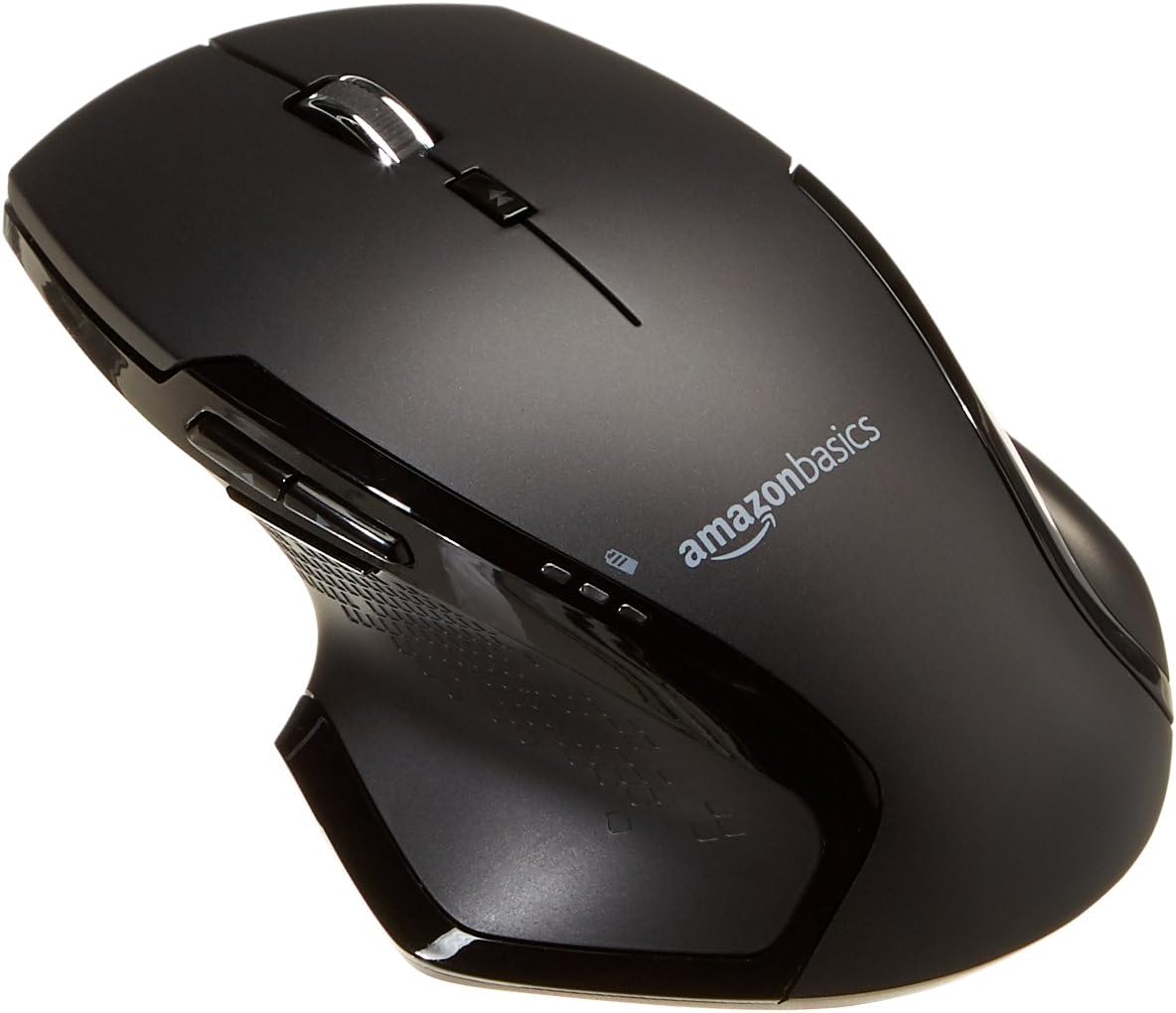
تصوير: مٿي view of the Amazon Basics Full Size Ergonomic Wireless Mouse, showcasing ان جي ڪاري ختم ۽ ergonomic ڊيزائن.
پيڪيج مواد
سيٽ اپ سان اڳتي وڌڻ کان اڳ پڪ ڪريو ته سڀئي شيون موجود آهن:
- وائرليس ماؤس
- 2 x AA بيٽريون
- USB وصول ڪندڙ
سيٽ اپ ڪريو
1. بيٽرين کي انسٽال ڪرڻ
- Turn the mouse upside down.
- مائوس جي هيٺئين پاسي بيٽري جي ڪمپارٽمينٽ ڪَوَر کي ڳوليو.
- ڪپڙا کليل سلائيڊ ڪريو.
- Insert the two (2) AA batteries, ensuring correct polarity (+/-) as indicated inside the compartment.
- بيٽري جي ڪمري واري ڍڪ کي محفوظ طور تي بند ڪريو.

Image: Underside of the mouse with the battery compartment open, showing the slots for two AA batteries and the stored USB receiver.
2. USB رسيور کي ڳنڍڻ
- Remove the USB receiver from its storage slot within the battery compartment of the mouse.
- Plug the USB receiver into an available USB port on your computer (PC or Mac).
- ماؤس يرايو ON using the on/off switch located on the underside of the mouse.
- توهان جي ڪمپيوٽر کي خودڪار طريقي سان ضروري ڊرائيور ڳولڻ ۽ انسٽال ڪرڻ گهرجي. ان ۾ ڪجهه لمحا لڳي سگهن ٿا.

Image: The Amazon Basics wireless mouse positioned next to a laptop, illustrating a typical setup.
The mouse is plug-and-play and does not require additional software installation. For pointer speed adjustments, refer to your operating system's system settings.
آپريٽنگ هدايتون
بنيادي ڪم
- کاٻي ڪلڪ ڪريو: شيون چونڊڻ، کولڻ لاءِ پرائمري بٽڻ files، ۽ سافٽ ويئر سان لهه وچڙ ۾.
- ساڄي ڪلڪ ڪريو: حوالي جي مينيو ۽ اضافي اختيارن تائين رسائي لاءِ ثانوي بٽڻ.
- اسڪرول ويل: دستاويزن ذريعي مٿي يا هيٺ اسڪرول ڪريو ۽ web pages. The wheel is also clickable for middle-click functions.

تصوير: پاسي view of the Amazon Basics wireless mouse, highlighting its ergonomic contours and side buttons.
Advanced Functions (Thumb Buttons)
- فارورڊ بٽڻ: اڳتي نيويگيٽ ڪري ٿو web برائوزر يا file ڳولا ڪندڙ
- پوئتي بٽڻ: پوئتي نيويگيٽ ڪري ٿو web برائوزر يا file ڳولا ڪندڙ

Image: A hand demonstrating the ergonomic grip on the Amazon Basics wireless mouse, showing natural placement of fingers and thumb on the buttons.
سار سنڀال
- صفائي: مائوس کي صاف ڪرڻ لاءِ نرم، سڪل ڪپڙو استعمال ڪريو. ضدي مٽيءَ لاءِ، ٿورو ڊيamp ڪپڙو استعمال ڪري سگهجي ٿو، پر پڪ ڪريو ته نمي اندروني حصن ۾ داخل نه ٿئي.
- بيٽري مٽائڻ: When the battery LED light indicates low power, replace both AA batteries promptly to ensure optimal performance.
- اسٽوريج: When not in use for extended periods, turn off the mouse using the on/off switch to conserve battery life. The USB receiver can be stored inside the battery compartment for safekeeping.
مشڪلاتون
| مسئلو | ممڪن سبب | حل |
|---|---|---|
| مائوس جواب نه ڏئي رهيو آهي. |
|
|
| ڪرسر جي حرڪت بي ترتيب يا ٽپڪي آهي. |
|
|
| Forward/Back buttons not working on Mac. |
|
|
وضاحتون
| خاصيت | تفصيل |
|---|---|
| برانڊ | Amazon بنياديات |
| ماڊل نمبر | GP8-BK |
| رابطي ٽيڪنالاجي | 2.4 GHz وائرليس (USB رسيور) |
| تحريڪ جي سڃاڻپ ٽيڪنالاجي | بصري |
| DPI قرارداد | 1600 ڊي پي آئي |
| طاقت جو ذريعو | 2 x AA بيٽريون (شامل) |
| رنگ | ڪارو |
| شيءِ جو وزن | 8 آونس (تقريبن 227 گرام) |
| پيداوار جي ماپ (LxWxH) | 4.96 x 1.77 x 3.24 انچ (تقريبن 12.6 x 4.5 x 8.2 سينٽي ميٽر) |
| مطابقت رکندڙ آپريٽنگ سسٽم | PC (Windows 7 and above), Mac, Laptop, Chromebook |
وارنٽي ۽ سپورٽ
وارنٽي جي معلومات ۽ ڪسٽمر سپورٽ لاءِ، مھرباني ڪري سرڪاري Amazon Basics جو حوالو ڏيو. website or the documentation included with your product. You can also find additional resources and contact information via the following links:
For further assistance, please contact Amazon Basics customer service.


