تعارف
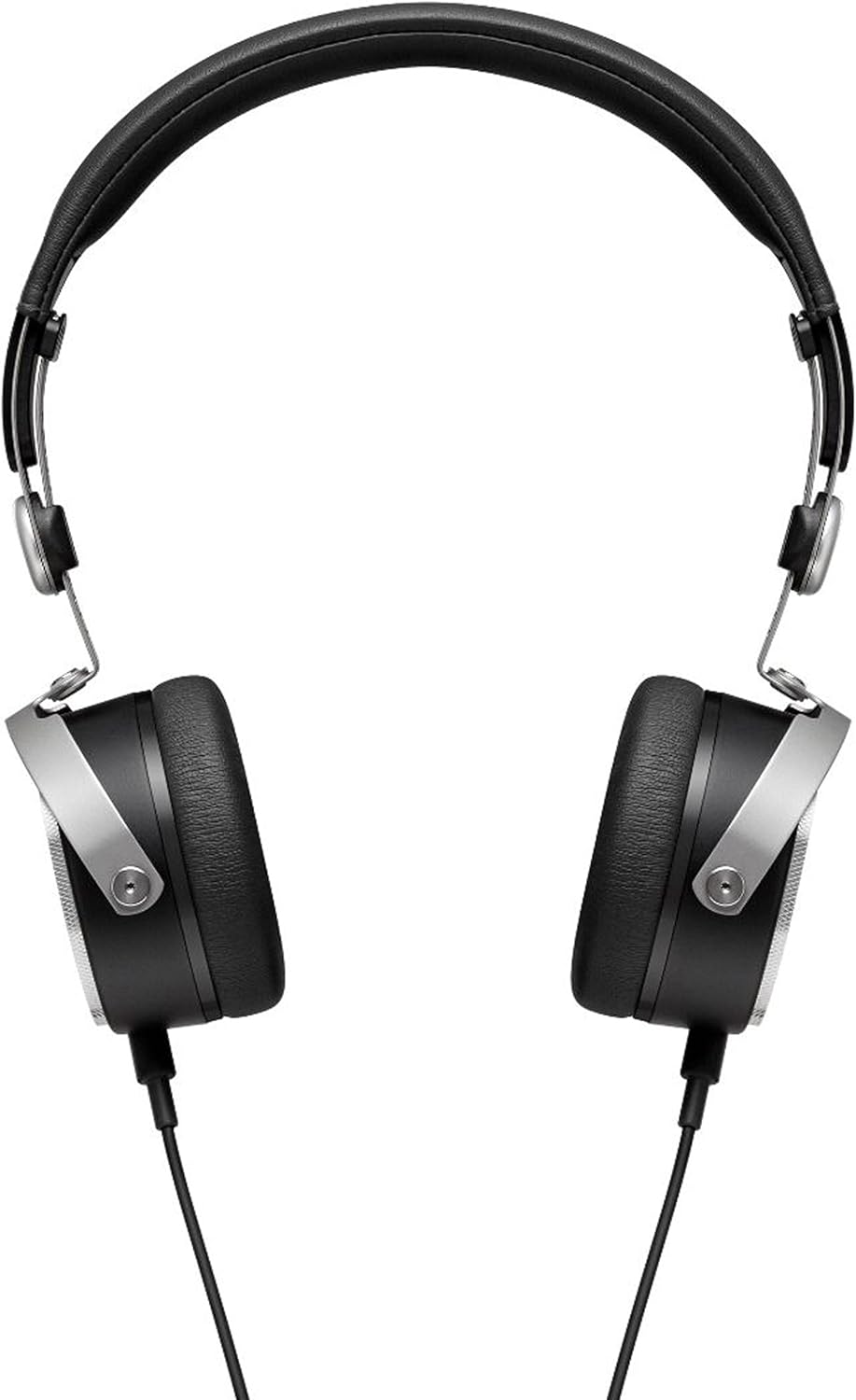
The beyerdynamic Aventho Wired headphones are designed to deliver an exceptional audio experience, allowing users to perceive every detail and nuance in their music. Featuring advanced Tesla technology, these high-end mobile headphones combine superior sound quality with practical design for on-the-go use.

اهم خاصيتون
- Tesla Technology: Ensures optimum sound quality and unique richness of detail.
- Three-Button Remote Control: Provides flexible control of media playback and calls.
- High-Quality Hands-Free Microphone: Integrated into the detachable cable for clear communication.
- ڪمپيڪٽ ۽ پورٽبل ڊيزائن: Features swiveling ear cups and soft ear pads, ideal for mobile use.
- Premium Materials and Craftsmanship: Stylish design with high-quality materials, made in Germany.
- وسيع تعدد جواب: Covers 20 - 25,000 Hz for a full audio spectrum.

سرڪاري پراڊڪٽ وڊيو شوasing the beyerdynamic Aventho Wired Headphones and their key features.
پيڪيج مواد
Upon unboxing your beyerdynamic Aventho Wired headphones, you should find the following items:
- beyerdynamic Aventho Wired Headphones
- Detachable Audio Cable with Remote and Microphone
- نرم کڻڻ وارو ٿيلهو
سيٽ اپ ڪريو
هيڊفونز کي ڳنڍڻ
- Locate the 3.5 mm audio jack on your audio source (e.g., smartphone, tablet, computer).
- Insert the 3.5 mm plug of the detachable audio cable into the audio source's jack.
- Connect the other end of the cable to the input port on the left ear cup of the headphones. Ensure a secure connection.
هيڊفون پائڻ
- Gently extend the headband to fit comfortably over your head.
- Position the ear cups so that they fully cover your ears, ensuring the soft ear pads rest comfortably.
- Adjust the headband length on both sides until the headphones fit securely without excessive pressure.
آپريٽنگ هدايتون
آڊيو پلے بیک
Once connected, your headphones will play audio from your source device. Adjust the volume directly on your device or using the in-line remote control.
ريموٽ ڪنٽرول استعمال ڪندي
The three-button remote control on the cable allows for convenient management of media and calls:
- سينٽر بٽڻ: Press once to play/pause music or answer/end calls. Press twice to skip to the next track. Press three times to go to the previous track.
- '+' بٽڻ: حجم وڌائڻ لاءِ دٻايو.
- '-' بٽڻ: حجم گھٽائڻ لاءِ دايو.
سار سنڀال
صفائي
پنهنجي هيڊفونز جي حالت برقرار رکڻ لاءِ:
- ڪنن جي ڪپن ۽ هيڊ بينڊ کي نرم، سڪل ڪپڙي سان صاف ڪريو.
- ضدي مٽيءَ لاءِ، ٿورو ڊيampڪپڙو پاڻي سان ڍڪيو. سخت ڪيميڪل يا رگڙيندڙ صاف ڪندڙ استعمال ڪرڻ کان پاسو ڪريو.
- Do not immerse the headphones in water or any liquid.
ذخيرو
When not in use, store your headphones in the provided soft carry bag. The swiveling ear cups allow for a more compact storage, protecting them from dust and damage.
مشڪلاتون
ڪو آواز
- پڪ ڪريو ته آڊيو ڪيبل محفوظ طور تي هيڊفون ۽ آڊيو سورس ٻنهي سان ڳنڍيل آهي.
- Check the volume level on your audio source and on the headphone's remote control.
- ڊوائيس جي مسئلن کي رد ڪرڻ لاءِ هيڊفونز کي مختلف آڊيو ذريعن سان آزمايو.
مائڪروفون ڪم نه ڪري رهيو آهي
- Verify the cable is fully inserted into the headphone jack.
- Check your device's audio input settings to ensure the correct microphone is selected.
- Ensure the microphone is not muted on your device or application.
وضاحتون
| خاصيت | قدر |
|---|---|
| برانڊ | بي حيواناتي |
| ماڊل نالو | beyerdynamic Aventho wired mobile Tesla high-end headphones - Black |
| رابطي ٽيڪنالاجي | وائرڊ |
| هيڊ فون جيڪ | 3.5 مليڪ جيڪ |
| تعدد جواب | 20 - 25,000 هز |
| رڪاوٽ | 32 اوم |
| شيءِ جو وزن | 7.04 آونس (تقريبن 199.6 گرام) |
| پيداوار جي ماپ | 5.7 x 2.75 x 7.1 انچ |
| مواد | Cotton (for carry bag) |
| ڪنٽرول قسم | ريموٽ |
| ڪن جي جڳهه | ڪن تي |
| آڊيو ڊرائيور جو قسم | پلانر مقناطيسي ڊرائيور |
وارنٽي ۽ سپورٽ
Your beyerdynamic Aventho Wired headphones are covered by the manufacturer's warranty. For detailed warranty information, product registration, or technical support, please refer to the official beyerdynamic webسائيٽ تي وڃو يا سڌو سنئون انهن جي ڪسٽمر سروس سان رابطو ڪريو. وارنٽي دعوائن لاءِ خريداري جو ثبوت رکو.


