تعارف
Thank you for choosing the AKASO V50 Pro Action Camera. This manual provides essential information for setting up, operating, and maintaining your camera to ensure optimal performance. The AKASO V50 Pro is designed to capture high-quality 4K/30fps video and 20MP photos, featuring Electronic Image Stabilization (EIS), a touch screen, and waterproof capabilities up to 100 feet (30 meters) with its included case. It supports an external microphone and remote control, making it ideal for various sports and outdoor activities.
دٻي ۾ ڇا آهي
Your AKASO V50 Pro package includes the following items:
- 1x AKASO V50 Pro Action Camera
- 1x بيٽري چارجر
- 2x 1100mAh بيٽري
- پنروڪ ڪيس 1x
- 1x ريموٽ ڪنٽرول
- 1x سائيڪل اسٽينڊ
- 10x ماؤنٽ (مختلف قسمن جا)
- هيلمٽ ميٽين کي 2x
- ڇاڻن کي ڇاڻيو
- ٽينرز کي 5x
- 1x Protective Backdoor
- 1x USB ڪيبل
- 1x لين ڪپڙي
- 1x تڪڙو شروع گائيٽ

Image: All accessories included with the AKASO V50 Pro Action Camera, neatly laid out.
ڪئميرا ختمview
The AKASO V50 Pro features a compact design with intuitive controls and a responsive touch screen.
اهم اجزاء:
- لينس: High-quality lens for 4K video and 20MP photos.
- سامهون اسڪرين: For easy framing during selfies or vlogging.
- 2-Inch IPS Touch Screen: For intuitive navigation and settings adjustment.
- پاور / موڊ بٽڻ: To power on/off and switch between modes.
- شٽر / منتخب ڪريو بٽڻ: To start/stop recording or take photos.
- USB-C پورٽ: چارج ڪرڻ ۽ ڊيٽا جي منتقلي لاء.
- مائڪرو ايس ڊي ڪارڊ سلاٽ: For storage (Micro SD card not included).
- بيٽري جو خانو: هٽائڻ واري بيٽري رکي ٿو.

تصوير: سامهون view of the AKASO V50 Pro Action Camera, highlighting the lens and front screen.
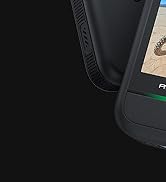
Image: A hand interacting with the 2-inch IPS touch screen of the AKASO V50 Pro, showing its responsive interface.
سيٽ اپ ڪريو
1. بيٽري کي چارج ڪرڻ:
- Insert the 1100mAh batteries into the provided battery charger.
- Connect the charger to a USB power source using the USB cable.
- چارجر تي انڊيڪيٽر لائيٽ چارجنگ اسٽيٽس ڏيکاريندي.
2. Inserting a Micro SD Card:
- بيٽري جي ڪمري واري ڍڪ کي کوليو.
- ڳوليو مائڪرو ايس ڊي ڪارڊ سلاٽ.
- Insert a Class 10 or higher Micro SD card (up to 64GB recommended) with the contacts facing down until it clicks into place.
- بيٽري جي ڪمري واري ڍڪ کي بند ڪريو.
- Note: Format the Micro SD card in the camera before first use.
3. Using the Waterproof Case:
- پنروڪ ڪيس جي مٿي تي لچ کوليو.
- Carefully place the AKASO V50 Pro camera inside the case.
- Close the latch securely to ensure a watertight seal.
- Note: The camera is waterproof up to 100 feet (30 meters) with the case.

Image: AKASO V50 Pro Action Camera securely placed inside its transparent waterproof case.
آپريٽنگ هدايتون
1. پاور آن/بند:
- ڪيمرا کي آن يا آف ڪرڻ لاءِ پاور/موڊ بٽڻ کي دٻايو ۽ رکو.
2. مٽائڻ جا طريقا:
- مختلف موڊس (ويڊيو، فوٽو، پلے بیک، سيٽنگون) ذريعي سائيڪل هلائڻ لاءِ پاور/موڊ بٽڻ کي بار بار دٻايو.
- Use the touch screen to select modes and adjust settings.
3. Recording Video/Taking Photos:
- In Video mode, press the Shutter/Select button to start recording. Press again to stop.
- فوٽو موڊ ۾، فوٽو ڪڍڻ لاءِ شٽر/منتخب بٽڻ کي دٻايو.
4. وائي فائي ڪنيڪشن:
- Download the iSmart Pro+ App on your smartphone or tablet.
- On the camera, navigate to the Wi-Fi settings and turn Wi-Fi on.
- Connect your phone/tablet to the camera's Wi-Fi network (SSID and password will be displayed on the camera screen).
- Use the app to control the camera remotely, view footage, and share to social media.
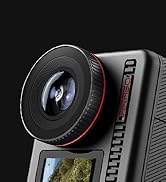
Image: A smartphone screen displaying the iSmart Pro+ app, connected to the AKASO V50 Pro for instant sharing.
5. ريموٽ ڪنٽرول:
- The included remote control wristband allows for convenient operation from a distance.
- Use the buttons on the remote to switch between video/photo modes and start/stop recording.
- Note: The remote control is not waterproof.
اهم خاصيتون
- شاندار تصويري معيار: Capture every detail with 4K/30fps video and 20MP images.
- اليڪٽرانڪ تصويري استحڪام (EIS): Built-in 6-axis gyroscope ensures stable videos even during motion or impact.
- اختياري View زاويه: Adjust between Super Wide, Wide, Medium, and Narrow. Includes distortion calibration.
- Built-in Wi-Fi and HDMI Output: Easily share moments and connect to a TV.
- ٽچ اسڪرين: Intuitive 2-inch IPS touch screen for easy navigation.
- پنروڪ: Camera is waterproof up to 100 feet (30 meters) with the included case.

Image: The AKASO V50 Pro capturing sharp 4K footage of a person kitesurfing, demonstrating its superb image quality.
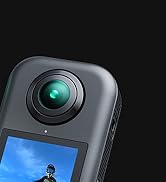
Image: A side-by-side comparison showing the effectiveness of Electronic Image Stabilization (EIS) on the AKASO V50 Pro, with one side blurred (EIS off) and the other clear (EIS on) during a cycling activity.
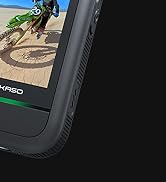
Image: The AKASO V50 Pro demonstrating its adjustable view angle lens, showing options from Super Wide to Narrow with a panoramic landscape view.
وضاحتون
| خاصيت | تفصيل |
|---|---|
| وڊيو قرارداد | 4K/30fps |
| فوٽو حل | 20MP |
| تصوير جي استحڪام | Electronic Image Stabilization (EIS) with 6-axis gyroscope |
| View زاويه | Super Wide, Wide, Medium, Narrow (with distortion calibration) |
| اسڪرين | 2 انچ IPS ٽچ اسڪرين |
| پنروڪ کوٽائي | 100 feet (30 meters) with waterproof case |
| رابطي | وائي فائي، ايڇ ڊي ايم آءِ |
| بيٽري | 2x 1100mAh Lithium Polymer (included) |
| ذخيرو | Micro SD (Class 10+, up to 64GB, not included) |
| وڊيو فارميٽ | ايم پي 4 |
| فوٽو سينسر ٽيڪنالاجي | CMOS |
| شيءِ جو وزن | 2.89 اونس |
| پيداوار جي ماپ | 2.36 x 0.94 x 1.57 انچ |
سار سنڀال
- صفائي: Use the provided lens cloth to clean the camera lens and screen. For the waterproof case, rinse with fresh water after use in saltwater and allow to air dry.
- بيٽري جي سنڀال: Store batteries in a cool, dry place. Avoid extreme temperatures.
- فرم ويئر اپڊيٽس: Regularly check the AKASO website or the iSmart Pro+ app for firmware updates to ensure optimal performance and new features.
مشڪلاتون
ڪئميرا آن نه آهي:
- پڪ ڪريو ته بيٽري مڪمل طور تي چارج ٿيل آهي ۽ صحيح طرح سان داخل ڪئي وئي آهي.
- Try using a different charged battery.
Video/Photo Quality Issues:
- چيڪ ڪريو ته لينس صاف آهي ۽ داغن کان پاڪ آهي.
- Ensure adequate lighting conditions.
- Verify that the correct resolution and frame rate settings are selected.
وائي فائي ڪنيڪشن جا مسئلا:
- Make sure Wi-Fi is enabled on the camera and your mobile device.
- Ensure your mobile device is within range of the camera's Wi-Fi signal.
- ڪئميرا ۽ پنهنجي موبائل ڊوائس ٻئي ٻيهر شروع ڪريو.
پاڻي جو رسڻ:
- Always check the waterproof case for any damage or debris on the rubber seal before use.
- Ensure the latch is securely closed.
وارنٽي ۽ سپورٽ
The AKASO V50 Pro Action Camera comes with a standard manufacturer's warranty. For detailed warranty information, product support, or service inquiries, please visit the official AKASO webسائيٽ تي وڃو يا سڌو سنئون انهن جي ڪسٽمر سروس سان رابطو ڪريو.
AKASO Store: Visit the AKASO Store on Amazon