تعارف
خريد ڪرڻ لاءِ مهربانيasing the MAJORITY Histon Portable DAB/DAB+ Digital Radio. This manual provides essential information for setting up, operating, and maintaining your radio. Please read it thoroughly before use to ensure optimal performance and longevity of your device.
دٻي ۾ ڇا آهي
- MAJORITY Histon Radio
- مين پاور ڪيبل
- مالڪ جو دستور (هي دستاويز)

Image: The contents of the product packaging, including the Histon radio, its mains power cable, and the user manual.
پيداوار ختمview
The MAJORITY Histon radio is designed for portable and mains-powered listening, offering both DAB/DAB+ and FM radio reception. It features a clear LED display, dual alarm functionality, and a sleep timer.
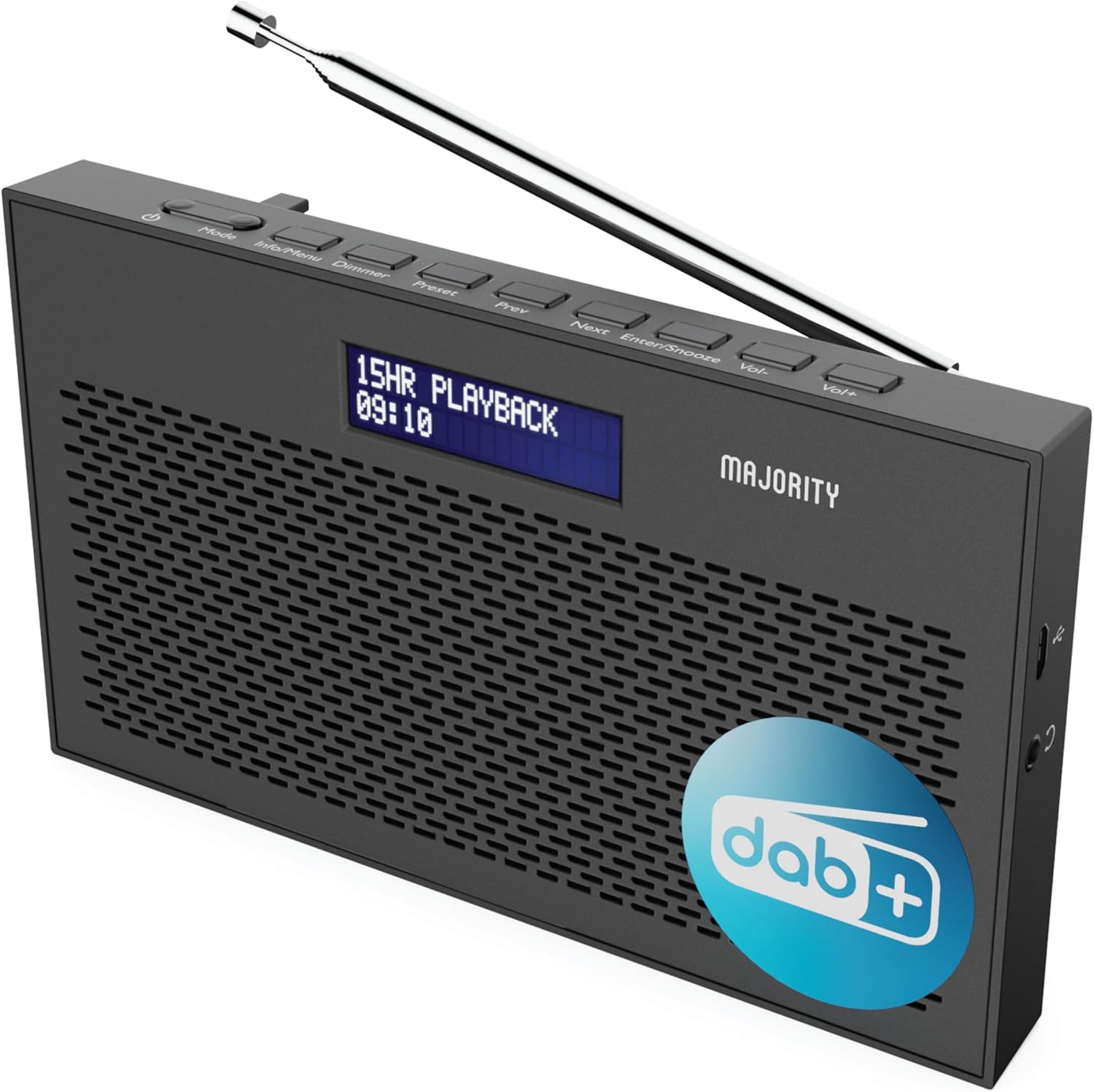
تصوير: هڪ تفصيلي view of the Majority Histon radio, highlighting its compact design and front speaker.
ڪنٽرول ۽ ڊسپلي
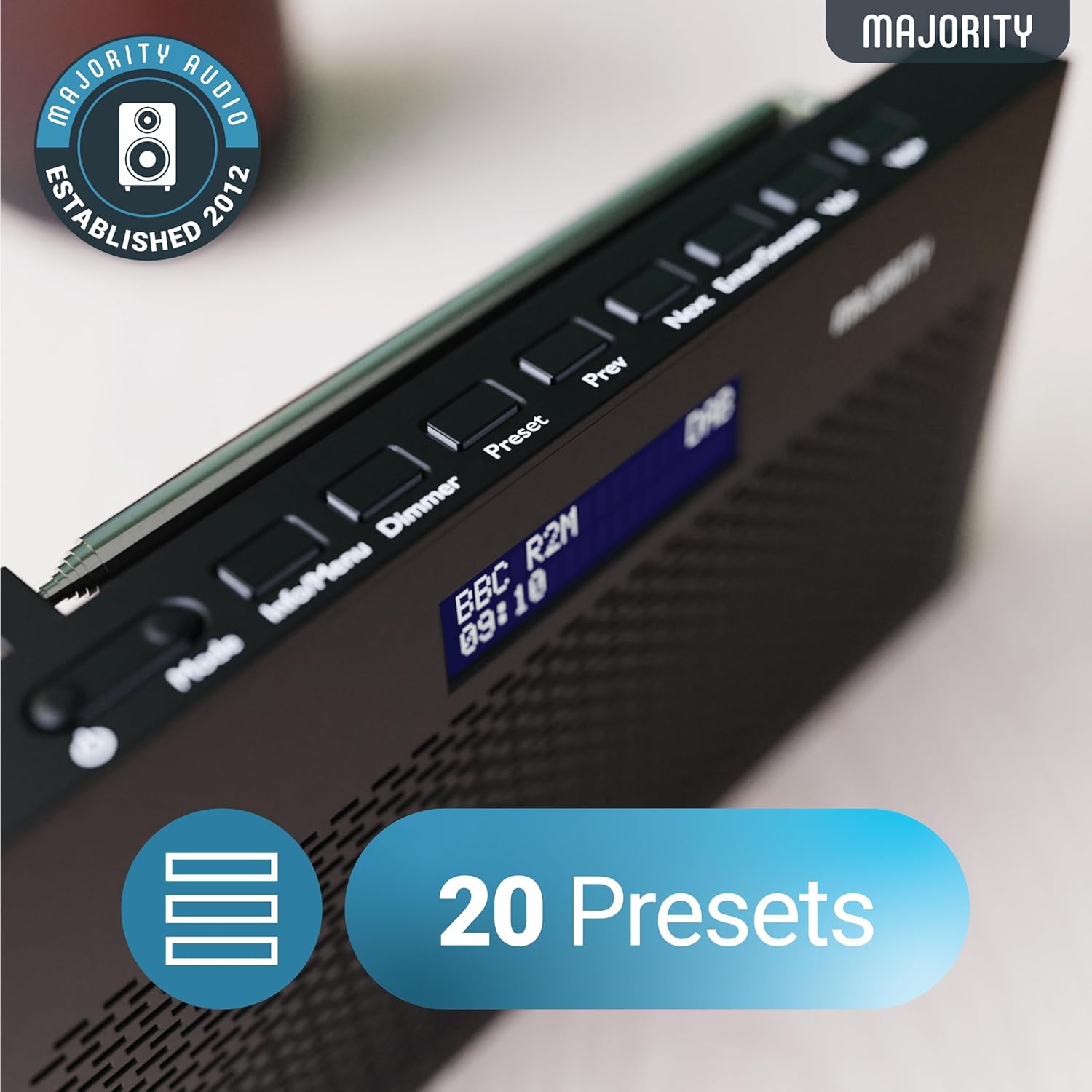
Image: A close-up of the radio's top panel, illustrating the various control buttons and the LED display showing station information.
- موڊ: Switches between DAB, FM, and other modes.
- ڄاڻ/مينيو: Displays station information or accesses menu settings.
- طول و عرض: ڊسپلي جي روشني کي ترتيب ڏئي ٿو.
- اڳواٽ مقرر: Accesses or saves preset stations.
- اڳيون/اڳيون: Navigates through stations or menu options.
- Enter/Snooze: Confirms selections or activates snooze during an alarm.
- Vol-/Vol+: حجم کي ترتيب ڏئي ٿو.
بندرگاهن ۽ ڪنيڪشن
- ڊي سي پورٽ ۾: For connecting the mains power cable.
- 3.5mm هيڊ فون جڪ: ذاتي ٻڌڻ لاءِ.
- بيٽري جو خانو: Located on the rear for 4 AA batteries (not included).
- Telescopic Antenna: Extendable for optimal signal reception.
سيٽ اپ ڪريو
پاور آن
The Histon radio can be powered by either the included mains power cable or 4 x AA batteries (not supplied).
- مکيه طاقت: Connect the mains power cable to the DC IN port on the radio and plug the adapter into a wall socket.
- بيٽري پاور: Open the battery compartment on the rear of the radio and insert 4 x AA batteries, ensuring correct polarity.

Image: The radio in a portable setting, emphasizing its 15-hour battery life capability.
اينٽينا جي ترتيب
Extend the telescopic antenna fully for the best possible signal reception, especially for DAB/DAB+ and FM broadcasts.
Initial Scan (DAB/DAB+)
Upon first power-on, the radio will automatically perform a full scan for DAB/DAB+ stations. This process may take a few minutes. Once complete, the radio will tune to the first available station.
- If no stations are found, ensure the antenna is fully extended and reposition the radio, then perform a manual scan (see Operating Instructions).
آپريٽنگ هدايتون
DAB / DAB + ريڊيو آپريشن
- Selecting DAB Mode: کي دٻايو موڊ button until "DAB" is displayed.
- اسٽيشن جي چونڊ: استعمال ڪريو پويون or اڳيان buttons to scroll through available DAB stations. Press داخل ڪريو اسٽيشن چونڊڻ.
- مڪمل اسڪين: To perform a full scan for new stations, press and hold the معلومات/مينيو button to enter the menu, then navigate to "Full Scan" and press داخل ڪريو.
- اڳواٽ اسٽيشنون:
- اڳواٽ محفوظ ڪرڻ: While listening to a station, press and hold the اڳواٽ بٽڻ استعمال ڪريو اvيون/ايون اڳواٽ نمبر (1-20) چونڊڻ لاءِ، پوءِ دٻايو داخل ڪريو بچائڻ لاءِ.
- پري سيٽ ياد ڪرڻ: مختصر طور تي دٻايو اڳواٽ بٽڻ استعمال ڪريو اvيون/ايون to scroll through saved presets, then press داخل ڪريو to tune.
Image: The radio's control panel, highlighting the capability to store up to 20 preset radio stations.
ايف ايم ريڊيو آپريشن
- Selecting FM Mode: کي دٻايو موڊ بٽڻ دٻايو جيستائين "FM" ظاهر نه ٿئي.
- خودڪار اسڪين: دٻايو ۽ رکو داخل ڪريو to automatically scan for the next available FM station.
- دستي ترتيب مختصر طور تي دٻايو پويون or اڳيان to fine-tune the frequency in 0.05 MHz steps.
- اڳواٽ اسٽيشنون: Saving and recalling FM presets follows the same procedure as DAB presets.
الارم سيٽنگ
The Histon radio features a dual alarm function.

Image: The radio displaying "DUAL ALARM" on its screen, illustrating its dual alarm capability.
- دٻايو ۽ رکو معلومات/مينيو مينيو داخل ڪرڻ لاء.
- استعمال ڪريو اvيون/ايون to navigate to "System Settings" and press داخل ڪريو.
- Navigate to "Alarm" and press داخل ڪريو.
- Select "Alarm 1" or "Alarm 2" and press داخل ڪريو.
- Configure the alarm time, duration, source (Buzzer, DAB, FM), frequency (Daily, Once, Weekends, Weekdays), and volume using اvيون/ايون ۽ داخل ڪريو.
- To activate/deactivate an alarm, select "On" or "Off" for the chosen alarm.
- جڏهن الارم وڄي، دٻايو داخل ڪريو / اسنوز ڪريو to snooze for 9 minutes, or press the طاقت الارم کي بند ڪرڻ لاءِ بٽڻ.
سمهڻ جو ٽائيم
سليپ ٽائمر ريڊيو کي مقرر مدت کان پوءِ پاڻمرادو بند ٿيڻ جي اجازت ڏئي ٿو.
- دٻايو ۽ رکو معلومات/مينيو مينيو داخل ڪرڻ لاء.
- Navigate to "System Settings" and press داخل ڪريو.
- Navigate to "Sleep" and press داخل ڪريو.
- استعمال ڪريو اvيون/ايون to select the desired sleep duration (e.g., 15, 30, 45, 60, 90, 120 minutes) or "Off". Press داخل ڪريو تصديق ڪرڻ.
روشني ڏيکاريو
Adjust the brightness of the LED display.
- مختصر طور تي دٻايو ڊمر چمڪ جي سطحن ذريعي چڪر ڪرڻ لاءِ بٽڻ.
هيڊ فون استعمال ڪريو
For private listening, connect standard 3.5mm headphones to the headphone jack on the side of the radio. The internal speaker will automatically mute when headphones are connected.
مشڪلاتون
| مسئلو | ممڪن سبب / حل |
|---|---|
| ڪابه بجلي ناهي / ريڊيو آن نٿو ٿئي. |
|
| Poor DAB/FM reception or no stations found. |
|
| آواز بگڙيل يا وقفي وقفي سان اچي ٿو. |
|
| الارم نٿو وڄي. |
|
| ڊسپلي خالي آهي يا پڙهڻ لائق ناهي. |
|
وضاحتون
- ماڊل: Histon 2
- پيداوار جي ماپ: 18 x 4.5 x 11 سينٽي (L x W x H)
- وزن: 249 گرام
- طاقت جو ذريعو: Mains (via included adapter) or 4 x AA Batteries (not included)
- ريڊيو بينڊ جي حمايت ڪئي وئي: DAB/DAB+، FM
- پيشڪش: 20 (DAB) / 20 (FM)
- رابطي: 3.5mm Headphone Jack, DC IN Port
- خاص خاصيتون: Portable, Lightweight, Automatic and Manual Tuning, Dual Alarm Clock, Sleep Timer, LED Display, Mono/Auto Switching in FM Mode

Image: A visual representation of the radio's dimensions for reference.
سار سنڀال
- صفائي: ريڊيو جي مٿاڇري کي صاف ڪرڻ لاءِ نرم، سڪل ڪپڙو استعمال ڪريو. رگڙيندڙ ڪلينر يا محلول استعمال نه ڪريو.
- اسٽوريج: If storing the radio for an extended period, remove the batteries to prevent leakage. Store in a cool, dry place.
- پاڻي جي نمائش: This radio is not waterproof. Avoid exposure to water or high humidity.
- اينٽينا جي سنڀال: ٽيليسڪوپڪ اينٽينا کي نرميءَ سان هٿ ڪريو ته جيئن موڙ يا ٽٽڻ کان بچي سگهجي.
وارنٽي ۽ سپورٽ
The MAJORITY Histon radio comes with a 3 سال وارنٽي. To activate your warranty and for further support, please refer to the registration instructions provided with your purchase or visit the official MAJORITY webسائيٽ.
For technical assistance or warranty claims, please contact MAJORITY customer support through their official channels. Keep your proof of purchase for warranty validation.

Image: A graphic highlighting the 3-year warranty provided with Majority audio products.


