1. پراڊڪٽ ختمview
The IPEGA PG-9067 is a versatile wireless gaming controller designed for use with Android smartphones, tablets, PCs, and TV boxes. It features Bluetooth 3.0 connectivity for a stable wireless connection and an ergonomic design for comfortable extended gameplay sessions. The controller includes a built-in stretchable phone bracket, allowing for easy mobile gaming.

شڪل 1: سامهون view of the IPEGA PG-9067 Wireless Gaming Controller.
2. پيڪيج مواد
مھرباني ڪري پيڪيج جي مواد کي انباڪس ڪرڻ وقت چيڪ ڪريو ته جيئن سڀ شيون موجود ھجن:
- 1 x IPEGA PG-9067 Game Controller
- 1 x USB چارجنگ ڪيبل
- 1 x استعمال ڪندڙ دستياب
3. وضاحتون
| خاصيت | تفصيل |
|---|---|
| ماڊل | پي جي-9067 |
| بي ٽي معيار | V3.0 |
| وائرلیس رينج | 8-10 ميٽر |
| مطابقت رکندڙ ماڊل | Cellphone, Tablet, PC, TV Box |
| سپورٽ سسٽم | Android 3.2 ۽ مٿي، iOS 7 ۽ مٿي |
| بيٽري | Built-in Lithium rechargeable 3.7V/380mAh |
| ڪم ڪرڻ وارو جلدtage | ڊي سي 3.7 وي |
| ڪم ڪندڙ موجوده | ≤30mA |
| خاموش موجوده | ≤80mA |
| پيداوار جي ماپ | تقريبن 16 x 12 x 6 سينٽي ميٽر (6.24 x 4.7 x 2.34 انچ) |
| پيداوار جو وزن | لڳ ڀڳ. 180 ز (7.35 اوز) |
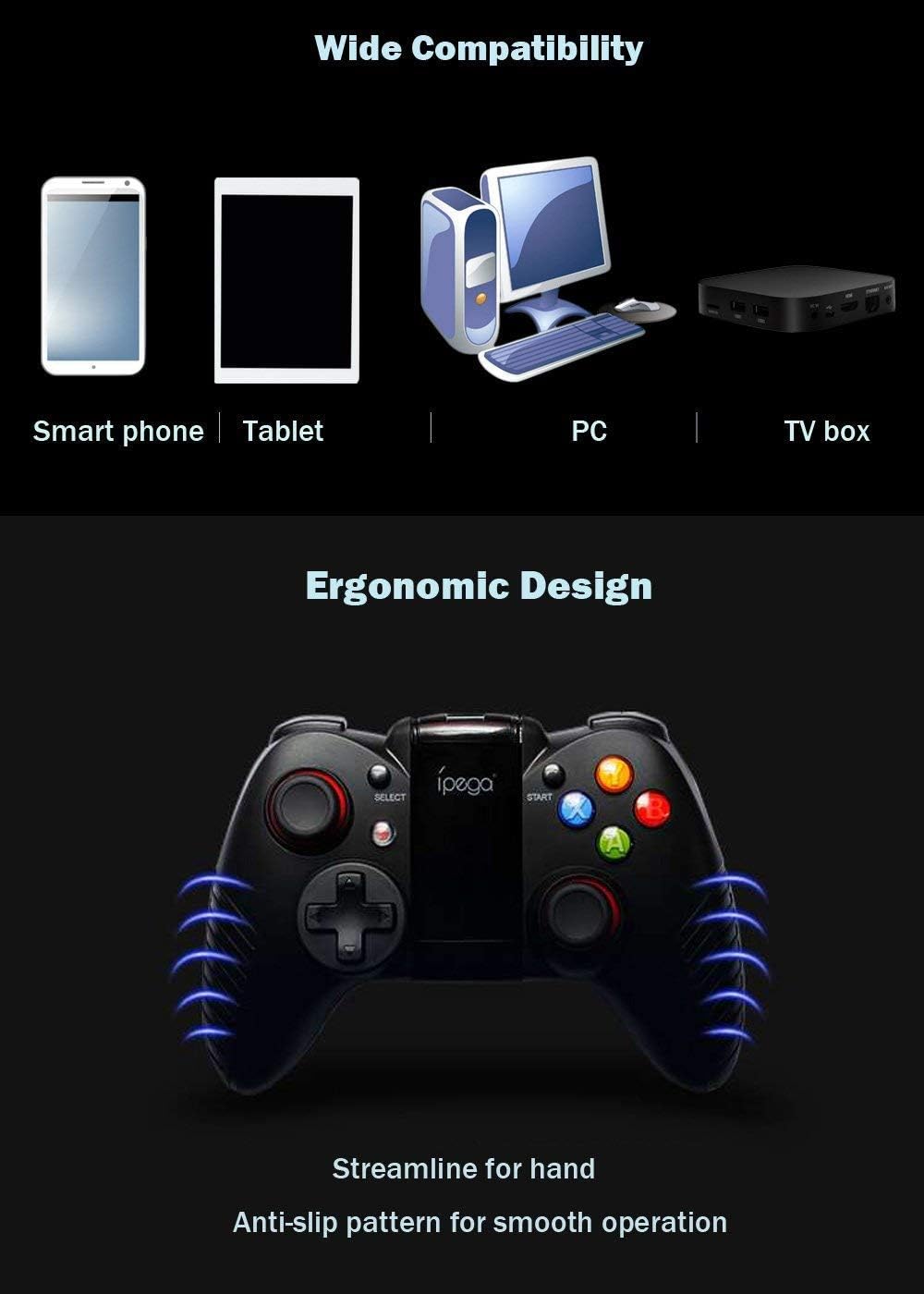
Figure 2: The PG-9067 controller highlighting wide compatibility and ergonomic design.
4. سيٽ اپ ۽ ڪنيڪشن
4.1 ڪنٽرولر کي چارج ڪرڻ
Before first use, fully charge the controller using the provided USB cable. Connect the small end of the USB cable to the charging port on the controller and the other end to a USB power source (e.g., computer USB port, USB wall adapter). The charging indicator light will show the charging status.
4.2 اينڊرائيڊ ڊوائيسز سان جوڙڻ
Follow these steps to pair your PG-9067 controller with an Android smartphone or tablet:
- کي دٻايو ۽ رکو ايڪس بٽڻ ۽ جي گهر جو بٽڻ (
 ) simultaneously for approximately 2 seconds.
 - Release both buttons when LED1 starts to flash quickly. This indicates the controller is in pairing mode.
- On your Android device, open the بلوٽوٿ سيٽنگون ۽ بلوٽوت کي فعال ڪريو.
- ڳولھيو available devices. The controller will appear as "پي جي-9067". Select it to pair.
- Once successfully connected, LED1 on the controller will remain lit.
Figure 3: Visual guide for connecting the controller to an Android device.
نوٽ: This device supports only Bluetooth enabled PC, laptop and TV box. Not all games can be fully played with this controller.
5. آپريٽنگ هدايتون
5.1 Game Compatibility and Platforms
The PG-9067 controller supports various game application platforms. For optimal compatibility, it is recommended to download games from specific game halls or platforms that support gamepad control. Some recommended platforms include:
- Micro Game Lobby
- Chicken Simulator
- KO Video Game City
- Grape Game Hall
You can download games within these game halls. After connecting the controller via Bluetooth, you can control gameplay directly.
For simulator games, you can download the Android Game Center App from http://www.xiaoji001.com/m/. This app has a vast selection of popular compatible games.
For games downloaded from Google Playstore (e.g., PUBG Mobile, Rules of Survival) that may not fully support the controller natively, you might need to download a key mapping tool like Octopus Driver. More information can be found at http://www.phoenixos.com/octopus/intro?ref=ipega or by searching for relevant operation videos on YouTube.

Figure 4: The controller with its integrated phone bracket extended.
6. سار سنڀال
- Keep the controller dry. Avoid exposure to humidity, rain, or liquids.
- Do not store the controller in hot or cold environments.
- Clean the controller with a soft, dry cloth. Do not use harsh chemicals or abrasive cleaners.
- ڪنٽرولر کي ڇڏڻ يا مضبوط اثرن جي تابع ڪرڻ کان پاسو ڪريو.
- When not in use for extended periods, charge the controller at least once every three months to preserve battery life.
7. مسئلا حل ڪرڻ
| مسئلو | ممڪن سبب / حل |
|---|---|
| ڪنٽرولر آن نٿو ٿئي. | Battery may be depleted. Charge the controller fully. |
| Controller does not pair with device. |
|
| Controller connects but games do not respond. |
|
| Connection is unstable or disconnects frequently. |
|
For further assistance, you may find relevant videos and troubleshooting guides on YouTube by searching for "IPEGA PG-9067 connection" or "IPEGA gamepad setup".
8. وارنٽي ۽ سپورٽ
Specific warranty information for the IPEGA PG-9067 controller is not provided in this manual. Please refer to the retailer or point of purchase for details regarding warranty coverage and return policies.
For technical support or inquiries, please contact the IPEGA customer service or visit their official website if available. Always retain your proof of purchase for any warranty claims.


