1. تعارف
This manual provides essential instructions for the installation, operation, and maintenance of your Lorex 1080p 8-Channel 1TB Wired DVR Security System. Please read this manual thoroughly before using the product to ensure proper setup and functionality.

تصوير 1.1: مٿيview of the Lorex 1080p 8-Channel 1TB Wired DVR Security System components.
1.1 دٻي ۾ ڇا آهي
- 1080p Full HD 8-Channel Security System with 1 TB DVR
- Four 1080p Night Vision Dome Cameras
- Power adapters for DVR and cameras
- Video cables for camera connection
- USB ماؤس
- Ethernet ڪيبل
- هارڊويئر لڳائڻ
2. سيٽ اپ
2.1 DVR Connection
- مانيٽر سان ڳنڍيو: Use an HDMI or VGA cable to connect the DVR to a compatible monitor.
- USB ماؤس ڳنڍيو: Plug the included USB mouse into an available USB port on the DVR.
- نيٽ ورڪ ڪنيڪشن (اختياري): ريموٽ لاءِ viewing, connect an Ethernet cable from the DVR's LAN port to your router.
- پاور ڪنيڪشن: Connect the DVR's power adapter to the DVR and then to a power outlet.

Image 2.1: Rear panel of the DVR with connection ports.
2.2 ڪئميرا لalائڻ
The included dome cameras are designed for both indoor and outdoor use, featuring IP67 weatherproof rating and durable metal housing.
- چڙهڻ جو هنڌ چونڊيو: هڪ جڳهه چونڊيو جيڪا گهربل مهيا ڪري viewing angle and is within reach of the video and power cables. Consider areas that offer optimal coverage and minimize blind spots.
- ڪئميرا لڳايو: Use the provided mounting hardware to securely attach the cameras to a wall or ceiling. Ensure the camera is positioned correctly for the desired field of view.
- Connect Video and Power: Connect the camera's video cable to an available BNC input on the DVR. Connect the camera's power cable to the power adapter and then to a power source.

Image 2.2: Dome camera mounted on an exterior wall.

Image 2.3: Dome camera mounted under eaves for subtle security.
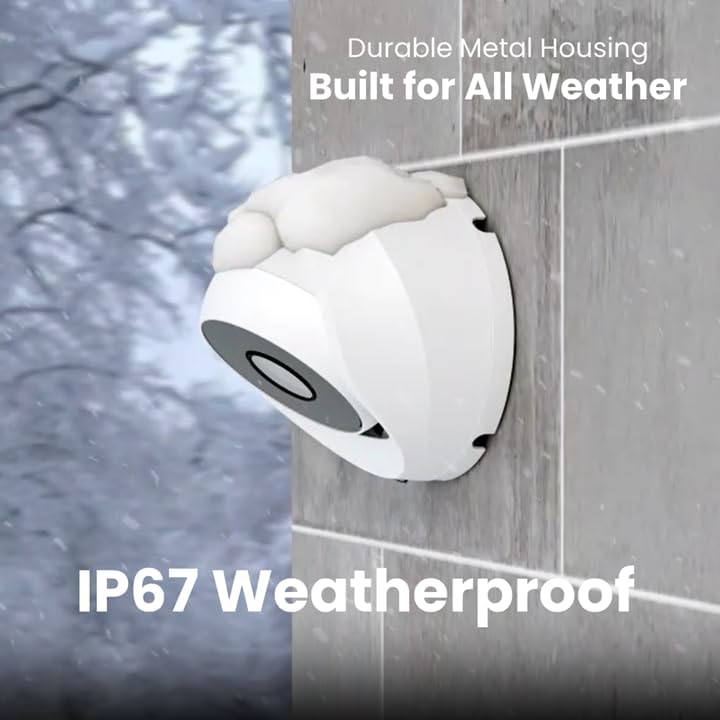
Image 2.4: Camera demonstrating IP67 weatherproof durability.
2.3 شروعاتي ترتيب
After powering on the DVR, follow the on-screen prompts to complete the initial setup, which typically includes:
- ٻولي جي چونڊ
- تاريخ ۽ وقت سيٽنگون
- Password creation
- Network settings (if connected)
3. سسٽم کي هلائڻ
3.1 زنده View ۽ رڪارڊنگ
هڪ دفعو سسٽم قائم ٿي ويندو، توهان ڪري سگهو ٿا view live feeds from all connected cameras on your monitor. The DVR is configured for 24/7 continuous recording to the internal 1TB hard drive.
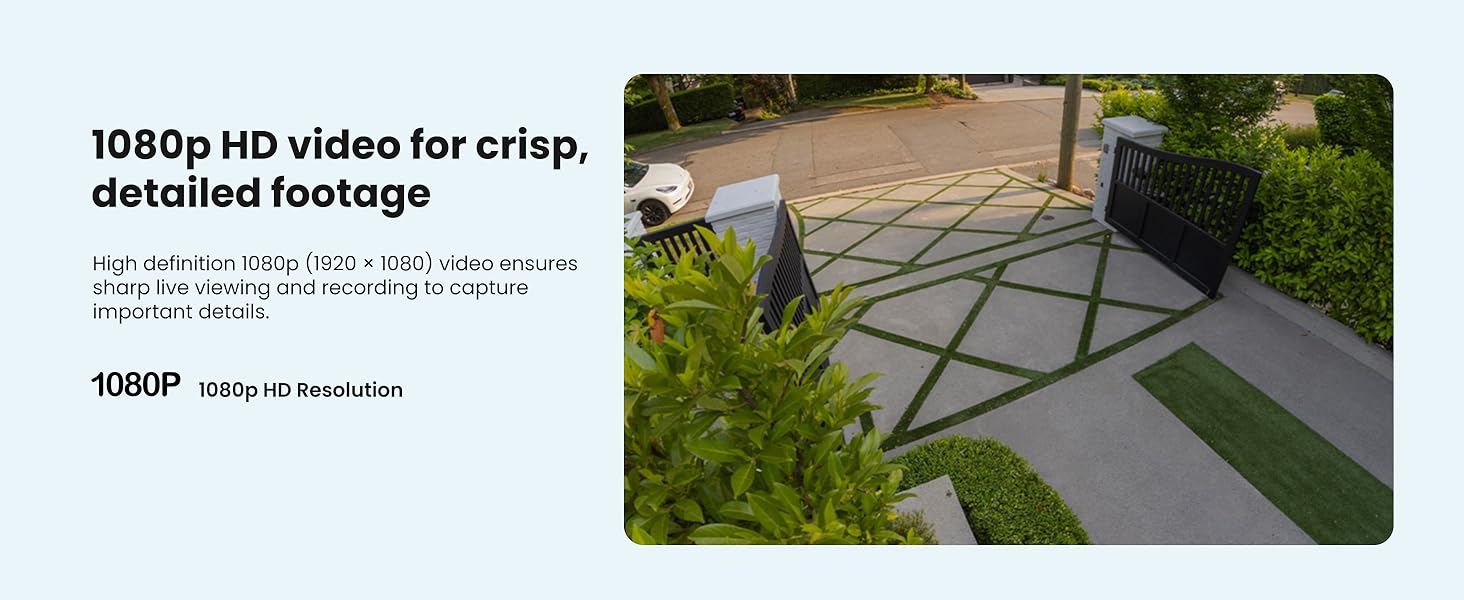
تصوير 3.1: اڳوڻيample of 1080p HD video resolution.
3.2 سمارٽ موشن جي چڪاس
The system features Smart Motion Detection, which can differentiate between people and vehicles. This helps reduce false alarms and ensures you receive relevant alerts.
- ٺاھ جوڙ: هر ڪئميرا لاءِ حرڪت جي سڃاڻپ زون ۽ حساسيت کي ترتيب ڏيڻ لاءِ DVR جي مينيو تائين رسائي ڪريو.
- الرٽ: Enable push notifications through the Lorex App for real-time alerts on your smartphone when person or vehicle motion is detected.
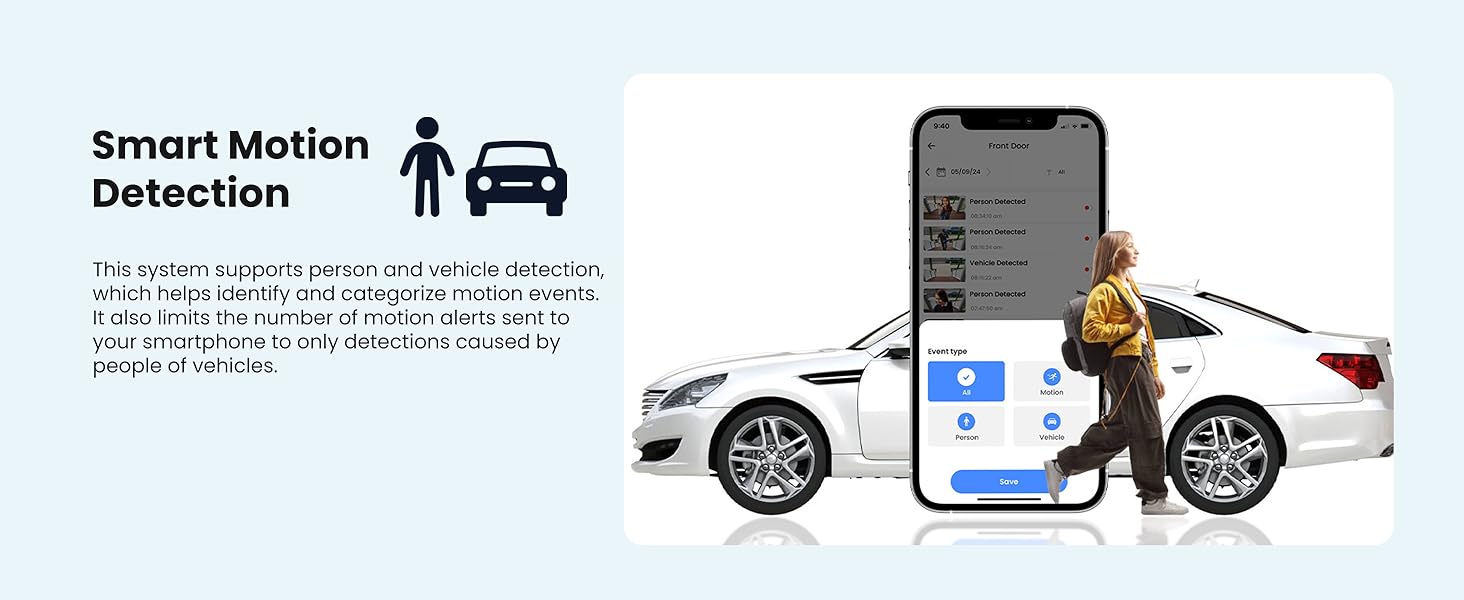
Image 3.2: Smart Motion Detection identifying a person and vehicle.
3.3 رات جو خواب
The cameras are equipped with Smart Infrared (IR) night vision, providing clear black and white video footage up to 65 feet in low-light conditions. The IR mode activates automatically.
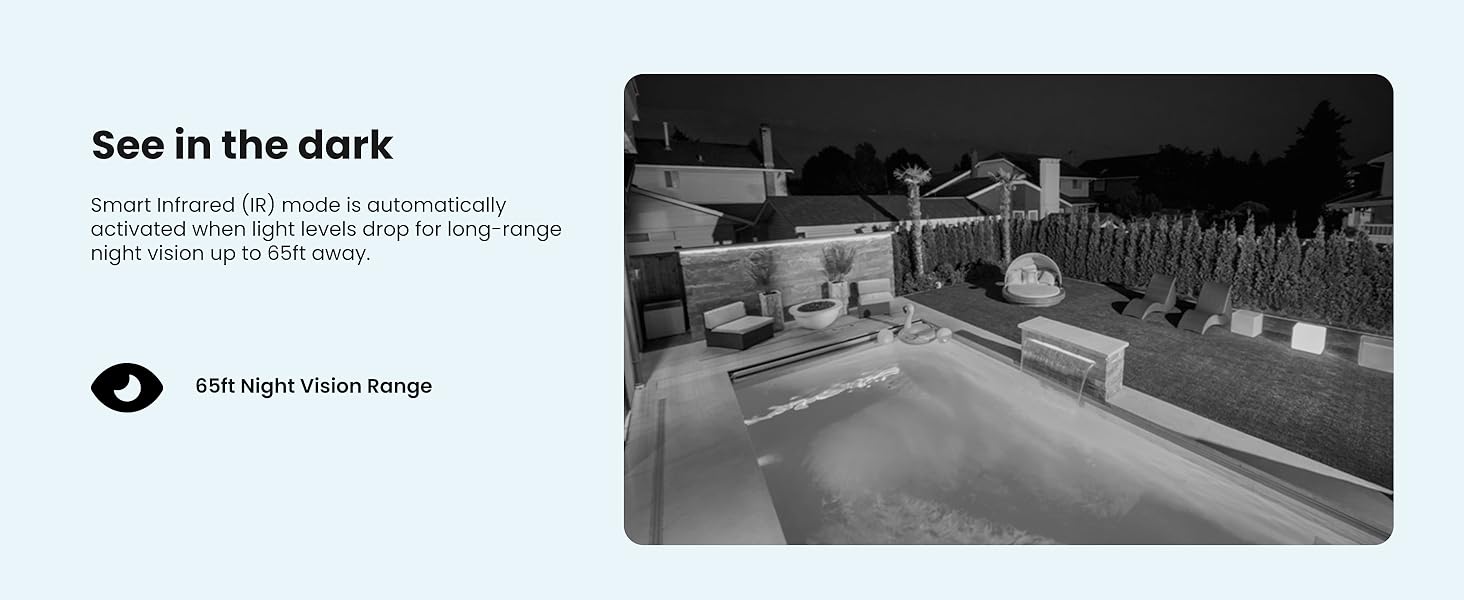
Image 3.3: Comparison of daytime and infrared night vision.
3.4 Playback and Digital Zoom
Review رڪارڊ ٿيل footage directly from the DVR. The system also supports digital zoom on both live and recorded video for closer inspection of details.

Image 3.4: Digital zoom functionality on recorded video.
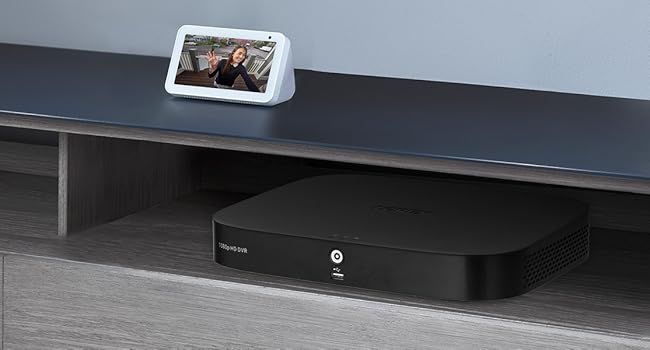
Image 3.5: Quick search feature for reviewفو فوtage.
3.5 Remote Access (Lorex App)
Download the Lorex App on your smartphone or tablet to access live views, playback recordings, and receive alerts remotely. Ensure your DVR is connected to the internet for this feature.
4. سار سنڀال
4.1 هارڊ ڊرائيو جو انتظام
The 1TB internal hard drive provides ample storage for continuous recording without the need for monthly fees or subscriptions. The system automatically overwrites the oldest footage جڏهن هارڊ ڊرائيو ڀريل هجي.

Image 4.1: 1TB hard drive for local storage.
4.2 صفائي
- ڪئميرا لينس: صاف تصوير جي معيار کي يقيني بڻائڻ لاءِ ڪئميرا لينس کي وقتي طور تي نرم، لِنٽ فري ڪپڙي سان صاف ڪريو. رگڙيندڙ صاف ڪندڙن کان پاسو ڪريو.
- DVR Unit: DVR يونٽ کي مٽيءَ کان پاڪ رکو ۽ وڌيڪ گرم ٿيڻ کان بچڻ لاءِ مناسب وينٽيليشن کي يقيني بڻايو.
4.3 فرم ویئر تازه ڪاريون
Check the Lorex support website periodically for firmware updates. Keeping your DVR's firmware updated ensures optimal performance and access to the latest features and security enhancements.
5. مسئلا حل ڪرڻ
If you encounter issues with your Lorex security system, refer to the following common troubleshooting steps:
- وڊيو ڊسپلي ناهي: Ensure all cables (power, video, monitor) are securely connected. Verify the monitor input source is correct.
- ڪابه رڪارڊنگ: Check if the hard drive is properly installed and initialized. Verify recording schedules and motion detection settings.
- ريموٽ رسائي جا مسئلا: Confirm the DVR is connected to the internet and has a stable network connection. Ensure the Lorex App is updated and configured correctly.
- خراب تصويري معيار: Clean camera lenses. Check cable connections for damage. Adjust camera position if glare or obstructions are present.
For more detailed troubleshooting guides and technical support, visit the official Lorex support webسائيٽ.
6. وضاحتون
| خاصيت | تفصيل |
|---|---|
| برانڊ | لورڪس |
| ماڊل نمبر | AZT-D24281-2ND4-1 |
| رابطي ٽيڪنالاجي | وائرڊ |
| وڊيو ڪيپچر ريزوليوشن | 1080 ص (1920 X 1080) |
| چينلن جو تعداد | 8 |
| ميموري رکڻ جي صلاحيت | 1 ٽي بي |
| خاص خاصيتون | App Control, Night Vision, Vehicle Detection, Weatherproof |
| نائيٽ ويزن رينج | 65 فوٽن تائين |
| Weatherproof جي درجه بندي | IP67 |
| آپريٽنگ جي درجه حرارت | 140°F/60°C Heat Rating and -40°F/-40°C Cold Rating |
| Viewزاويه | 94 درجا |
| طاقت جو ذريعو | تار ٿيل برقي |
| شيون طول و عرض (L x W x H) | 19.7 x 19.2 x 10.3 انچ |
| شيءِ جو وزن | 21.7 پائونڊ |
| يو پي سي | 695529022086 |
7. وارنٽي ۽ سپورٽ
7.1 وارنٽي ڄاڻ
For detailed warranty information regarding your Lorex 1080p 8-Channel 1TB Wired DVR Security System, please refer to the warranty card included with your product or visit the official Lorex webسائيٽ. وارنٽي جون شرطون ۽ ضابطا مختلف ٿي سگهن ٿا.
7.2 ڪسٽمر سپورٽ
If you require further assistance, technical support, or have questions not covered in this manual, please contact Lorex customer support through their official website. Online resources, FAQs, and contact information are available to help you.
Lorex Official Webسائيٽ: www.lorex.com


