تعارف
This manual provides detailed instructions for the setup, operation, maintenance, and troubleshooting of your Logitech HD Pro Webcam C922. Please read this manual thoroughly before using the product to ensure optimal performance and longevity.
The Logitech C922 HD Pro Webcam is designed for high-definition video calls and streaming, offering clear 1080p video capture and reliable performance.
پيداوار ختمview
Familiarize yourself with the components of your Logitech C922 Webڪيم.

شڪل 1: سامهون view of the Logitech C922 HD Pro Webcam, showing the lens and "HD 1080p" branding.

شڪل 2: Logitech C922 HD پرو Webcam with its adjustable clip extended, suitable for mounting on monitors or laptops.
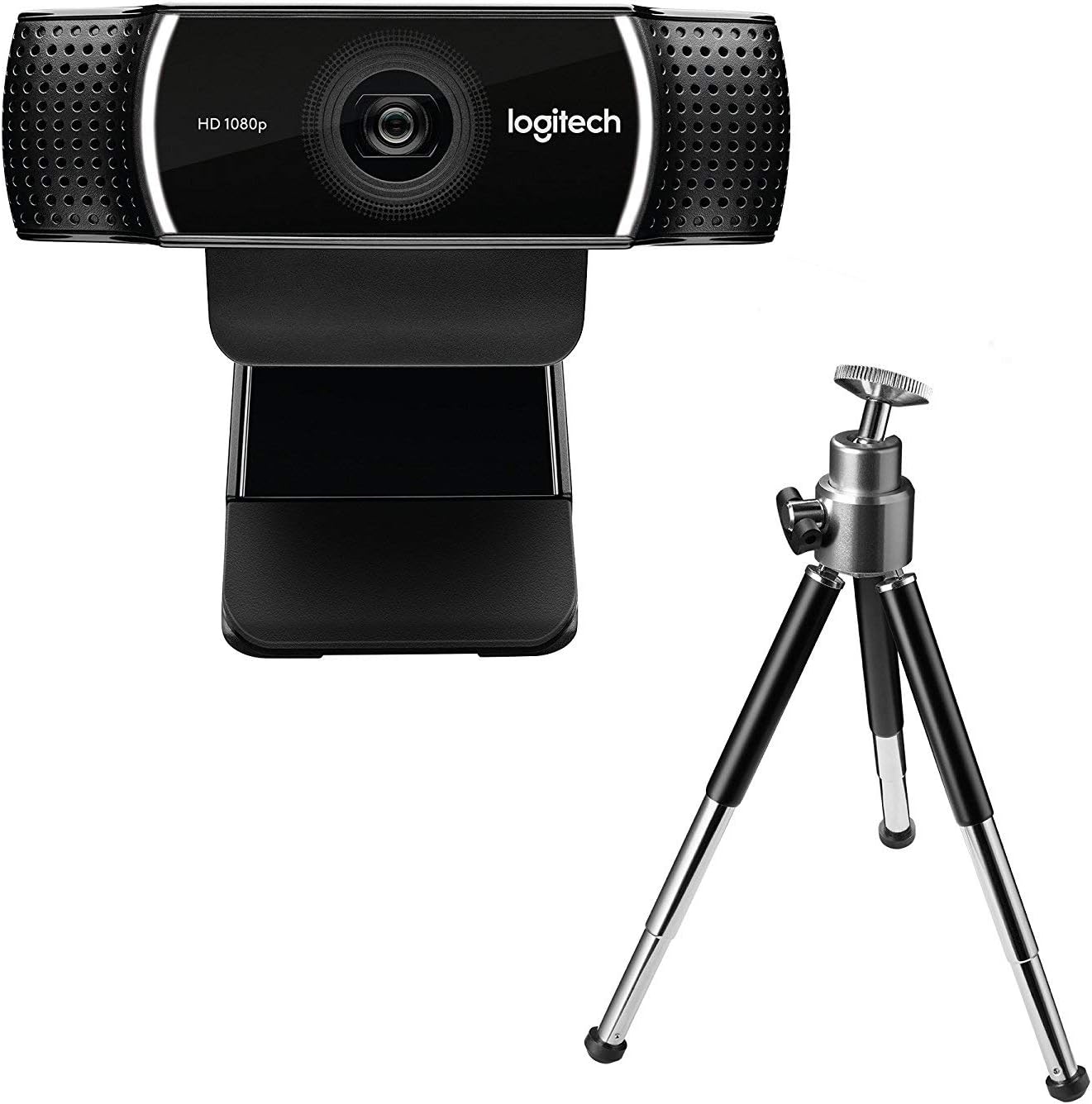
شڪل 3: Logitech C922 HD پرو Webcam shown with its included mini-tripod, offering alternative placement options.
سيٽ اپ ڪريو
سسٽم گهرجون
- Windows 7 يا بعد ۾
- macOS 10.10 يا بعد ۾
- ڪروم او ايس
- USB 2.0 پورٽ
- سافٽ ويئر ڊائون لوڊ لاءِ انٽرنيٽ ڪنيڪشن
تنصيب جا مرحلا
- ان کي کوليو Webڪيمرا: Carefully remove the C922 webcam and any accessories from its packaging.
- ڪمپيوٽر سان ڳنڍيو: Plug the USB cable of the C922 webcam into an available USB 2.0 or 3.0 port on your computer.
- پوزيشن کي Webڪيمرا:
- مانيٽر/ليپ ٽاپ تي: Open the flexible clip base and place it over the top edge of your monitor or laptop screen. Adjust the front part of the clip so the webcam sits securely.
- ٽرائيپڊ تي: If using the included tripod, screw the webcam onto the tripod mount. Place the tripod on a stable, flat surface.
- سافٽ ويئر انسٽاليشن: Your operating system should automatically detect and install basic drivers. For full functionality, including advanced settings and features, download and install the Logitech G HUB software from the official Logitech webسائيٽ (www.logitech.com/ghub).
- ٽيسٽ ڪريو Webڪيمرا: Open a video conferencing application (e.g., Zoom, Skype, Google Meet) or your computer's camera application to verify the webڪئميرا صحيح ڪم ڪري رهيو آهي.
آپريٽنگ هدايتون
بنيادي آپريشن
- Once connected and drivers are installed, the C922 webcam is ready for use with most video applications.
- Select "Logitech C922 Pro Stream Webcam" as your video device within your chosen application's settings.
- The integrated dual microphones will automatically be selected as the audio input.
Using Logitech G HUB Software
The Logitech G HUB software provides advanced control over your C922 webڪيمرا:
- قرارداد ۽ فريم جي شرح: Adjust video resolution (up to 1080p) and frame rate (up to 60fps at 720p, 30fps at 1080p).
- جو ميدان View: جي فيلڊ کي ترتيب ڏيو view.
- خودڪار فوٽو: Enable or disable autofocus.
- Exposure and White Balance: Manually adjust exposure, white balance, and other image settings for optimal lighting conditions.
- ChromaCam (Background Replacement): Utilize the ChromaCam feature for virtual background replacement (requires compatible system).
- پروfiles: ڪسٽم پرو ٺاهيو ۽ محفوظ ڪريوfiles for different applications or lighting scenarios.
سار سنڀال
- لينس جي صفائي: نرم، لِنٽ کان پاڪ ڪپڙو استعمال ڪريو جيڪو خاص طور تي آپٽڪس لاءِ ٺهيل آهي ته جيئن نرميءَ سان صاف ڪري سگهجي webڪيم لينس. ٻرندڙ مواد يا سخت ڪيميڪلز کان پاسو ڪريو.
- جسم جي صفائي: جسم کي صاف ڪريو webڪيم هڪ نرم، ڊي سانamp ڪپڙو. ٻڏڻ نه ڏيو webڪيم کي پاڻي ۾ وجھو يا وڌيڪ نمي استعمال ڪريو.
- اسٽوريج: جڏهن استعمال ۾ نه هجي، ذخيرو ڪريو webcam in a clean, dry place away from extreme temperatures and direct sunlight.
- ڪيبل جي سنڀال: نقصان کان بچڻ لاءِ USB ڪيبل کي تمام گهڻو موڙڻ يا ڇڪڻ کان پاسو ڪريو.
مشڪلاتون
| مسئلو | حل |
|---|---|
| Webڪمپيوٽر طرفان ڪيم نه مليو. |
|
| ڪابه وڊيو يا ڪاري اسڪرين ناهي. |
|
| خراب وڊيو معيار (ڌمڪو، ڪارو، داڻو). |
|
| ڪابه آڊيو يا خراب آڊيو معيار ناهي. |
|
وضاحتون
| خاصيت | تفصيل |
|---|---|
| ماڊل نمبر | 960-001088 |
| برانڊ | Logitech |
| وڊيو ڪيپچر ريزوليوشن | 1080p (Full HD) at 30fps, 720p (HD) at 60fps |
| تصويري سينسر ٽيڪنالاجي | CMOS |
| وڌ ۾ وڌ ايپرچر | 1.8 ايف |
| وڌ ۾ وڌ فوڪل ڊگھائي | 52 ملي ميٽر |
| رابطي ٽيڪنالاجي | USB 2.0 |
| سپورٽ آڊيو فارميٽ | AAC |
| وڊيو ڪيپچر فارميٽ | ايم پي 4 |
| رنگ | ڪارو |
| شپنگ جي ماپ | 12.8 x 8.6 x 5.2 سينٽي؛ 162 گرام |
| پهرين دستياب تاريخ | فيبروري 11، 2019 |
Note: Some specifications from the source data (e.g., "Removable Memory Type: SD", "Connectivity Technology: Wi-Fi") appear to be generic or incorrect for this specific webcam model and have been omitted or corrected for accuracy. The C922 is a wired USB webڪيم.
وارنٽي ۽ سپورٽ
Logitech products typically come with a limited hardware warranty. For specific warranty details, registration, and technical support, please visit the official Logitech support webسائيٽ:
You can also find FAQs, driver downloads, and community forums on their support page.


