1. تعارف
Thank you for choosing the lightmaXX Vega 3-Way PRO Beam/WASH/FX Moving Head Scanner. This versatile lighting fixture is designed for professional stage, event, and club applications, offering dynamic beam, wash, and special effect capabilities. This manual provides essential information for safe operation, setup, maintenance, and troubleshooting to ensure optimal performance and longevity of your device.
2. حفاظتي هدايتون
Please read and understand all safety instructions before installing or operating this device. Failure to comply with these instructions may result in electric shock, fire, or personal injury.
- هي ڊوائيس صرف پروفيشنل استعمال لاءِ آهي.
- بجلي جي فراهمي کي يقيني بڻائيtage سان ملي ٿوtagاي يونٽ تي بيان ڪيو ويو آهي.
- هميشه ڊوائيس کي گرائونڊ پاور آئوٽ سان ڳنڍيو.
- Disconnect from mains power before any service, cleaning, or maintenance.
- جيڪڏهن بجلي جي تار خراب ٿي وڃي ته ڊوائيس نه هلايو.
- روشني جي ذريعن ڏانهن سڌو اکين جي نمائش کان بچڻ.
- Ensure adequate ventilation around the unit to prevent overheating. Maintain a minimum distance of 0.5 meters from flammable materials.
- Mount the device securely using appropriate clamps ۽ حفاظتي ڪيبل.
- هائوسنگ نه کوليو؛ اندر ڪو به استعمال ڪندڙ جي خدمت لائق پرزا نه آهن. سڀني سروسنگ کي قابل اهلڪارن جي حوالي ڪريو.
- Keep the device away from rain, moisture, and extreme temperatures.
3. پراڊڪٽ ختمview
The lightmaXX Vega 3-Way PRO is a hybrid moving head fixture designed to deliver powerful and versatile lighting effects. It combines beam, wash, and special effect functionalities in one compact unit.
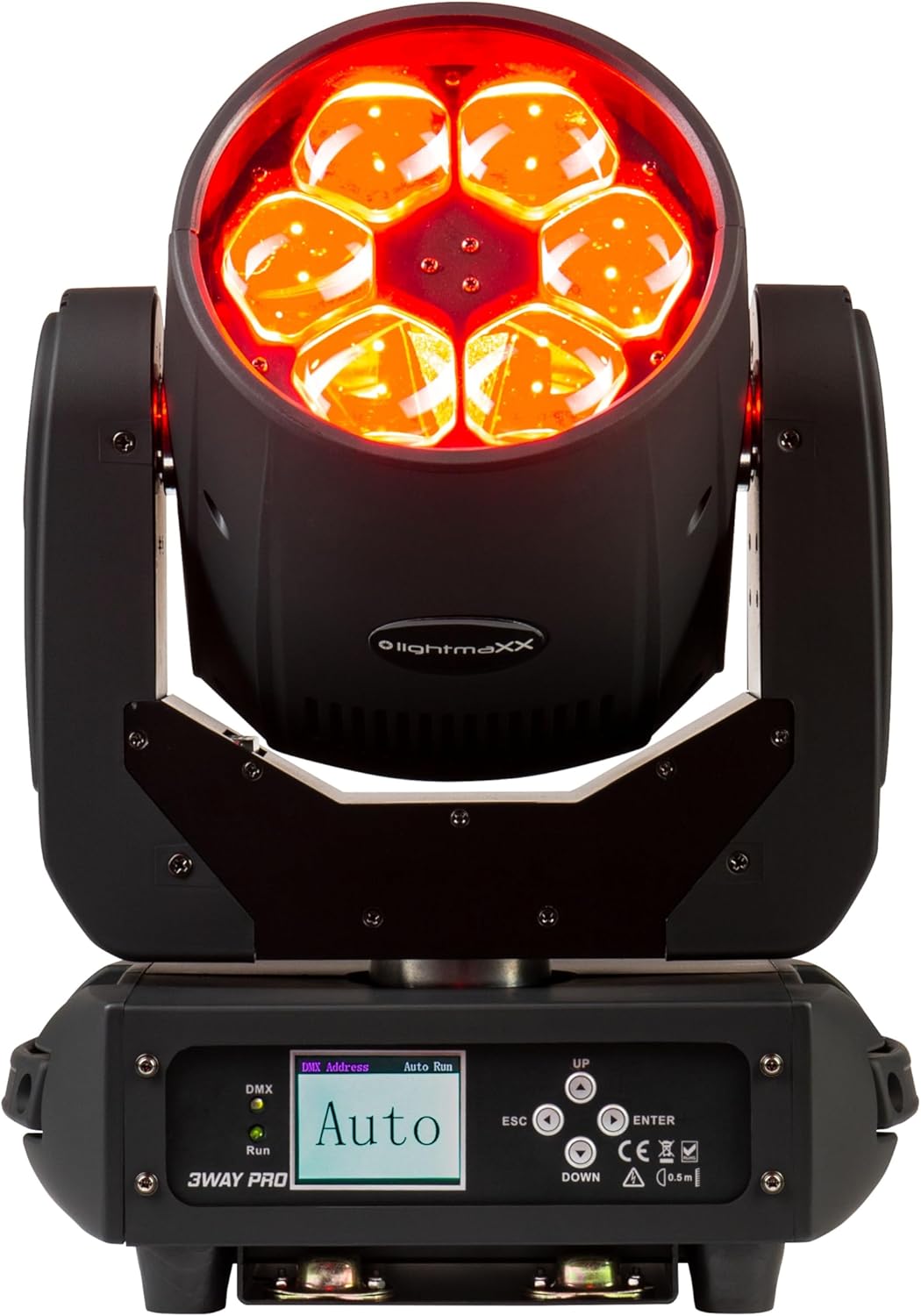
شڪل 3.1: سامهون view of the lightmaXX Vega 3-Way PRO, displaying red light output.

شڪل 3.2: سامهون view of the lightmaXX Vega 3-Way PRO with lights off, showing the lens array.
3.1 ڪنٽرول پينل ۽ ڪنيڪشن
The rear of the unit features the control panel and various input/output connections for power and DMX control.

Figure 3.3: Close-up of the control panel and connection ports.

شڪل 3.4: پوئتي view of the lightmaXX Vega 3-Way PRO, showing DMX In/Out, Power In/Out, and fuse.
- DMX اندر / ٻاهر: 3-pin XLR connectors for DMX signal input and output.
- پاور اندر / ٻاهر: PowerCon compatible connectors for mains power input and daisy-chaining power to other units.
- ڪم: Fuse holder for circuit protection.
- آن/آف سوئچ: يونٽ لاء مکيه پاور سوئچ.
- ڏيکاريو: LCD screen for menu navigation and settings.
- ڪنٽرول بٽڻ: UP, DOWN, ESC, ENTER for navigating the menu and adjusting settings.
- DMX/Run Indicators: LEDs indicating DMX signal presence and auto-run mode.
4. سيٽ اپ
4.1 چڙهڻ
The lightmaXX Vega 3-Way PRO can be mounted in various orientations (floor, truss, wall) using appropriate mounting hardware (not included). Always ensure the mounting surface or truss is capable of supporting the weight of the fixture and any additional equipment.
- Use a safety cable (not included) attached to the designated safety point on the fixture to prevent accidental drops.
- Ensure the fixture is securely fastened and balanced.
- Allow sufficient space around the fixture for ventilation and movement.
4.2 پاور ڪنيڪشن
Connect the provided power cable to the POWER IN connector on the fixture and then to a suitable grounded power outlet. The unit supports daisy-chaining power to other fixtures using the POWER OUT connector, but ensure the total current draw does not exceed the circuit breaker's rating.
4.3 DMX ڪنيڪشن
To control the fixture via DMX, connect a DMX controller to the DMX IN port using a 3-pin XLR cable. If connecting multiple DMX fixtures, daisy-chain them by connecting the DMX OUT of the first fixture to the DMX IN of the next. The last fixture in the chain should have a DMX terminator connected to its DMX OUT port to prevent signal reflection.
5. آپريٽنگ
5.1 ڪنٽرول پينل نيويگيشن
Use the control buttons to navigate the menu and adjust settings:
- لاهيون چاڙهيون: Scroll through menu options or increase/decrease values.
- داخل ٿيڻ: ڪو آپشن چونڊيو يا سيٽنگ جي تصديق ڪريو.
- ESC: Go back to the previous menu or cancel an action.
5.2 DMX Address Setting
To control the fixture with a DMX controller, you must set a unique DMX start address for each unit. Refer to the DMX channel chart in your DMX controller's manual for channel assignments.
- دٻايو داخل ڪريو مين مينيو تائين رسائي حاصل ڪرڻ لاء.
- Navigate to the 'DMX Address' or 'Address Set' option using مٿي / هيٺ.
- دٻايو داخل ڪريو چونڊڻ لاءِ.
- استعمال ڪريو مٿي / هيٺ to set the desired DMX start address.
- دٻايو داخل ڪريو to confirm and save the address.
5.3 آپريٽنگ موڊس
The lightmaXX Vega 3-Way PRO typically offers several operating modes:
- DMX موڊ: Full control over all functions via a DMX controller.
- خودڪار هلائڻ جو طريقو: Pre-programmed internal light shows that run automatically. Select 'Auto Run' from the menu and choose a program.
- آواز فعال موڊ: The fixture reacts to sound via its built-in microphone. Select 'Sound Active' from the menu.
- ماسٽر/غلام موڊ: Link multiple units together. Set one unit as 'Master' and others as 'Slave'. The slave units will mirror the master's actions.
6. سار سنڀال
Regular maintenance ensures the longevity and optimal performance of your lightmaXX Vega 3-Way PRO.
- صفائي: Periodically clean the lenses and exterior housing with a soft, lint-free cloth. Do not use abrasive cleaners or solvents. Ensure the unit is powered off and cool before cleaning.
- وينٽيليشن: Keep ventilation openings clear of dust and debris. Use compressed air to gently clear vents if necessary.
- فيوز مٽائڻ: If the unit does not power on, check the fuse. Disconnect power, unscrew the fuse holder, and replace with a fuse of the exact same type and rating (refer to specifications).
- چڪاس: بجلي ڪيبل، ڊي ايم ايڪس ڪيبل، ۽ ماؤنٽنگ هارڊويئر جو باقاعدي معائنو ڪريو ته جيئن ڪنهن به قسم جي خرابي يا نقصان جي نشاني هجي. خراب ٿيل حصن کي فوري طور تي تبديل ڪريو.
7. مسئلا حل ڪرڻ
If you encounter issues with your lightmaXX Vega 3-Way PRO, refer to the following common problems and solutions:
| مسئلو | ممڪن سبب | حل |
|---|---|---|
| طاقت نه آهي | No mains power; Blown fuse; Damaged power cable | Check power outlet; Replace fuse; Replace power cable |
| ڪوبه DMX ڪنٽرول ناهي | Incorrect DMX address; Faulty DMX cable; No DMX signal; Missing terminator | Verify DMX address; Check/replace DMX cables; Ensure DMX controller is active; Add DMX terminator to last fixture |
| Fixture not moving/responding | DMX issue; Internal error; Motor blockage | Check DMX connection/address; Power cycle the unit; Ensure no physical obstructions |
| گهڻو گرم ٿيڻ | Blocked ventilation; Insufficient airflow | Clear vents; Ensure proper spacing for airflow |
If the problem persists after attempting these solutions, please contact lightmaXX customer support or your authorized dealer.
8. وضاحتون
| خاصيت | تفصيل |
|---|---|
| ماڊل | Vega 3-Way PRO Beam/WASH/FX |
| ٺاهيندڙ ريفرنس | LIG0014819-000 |
| بجلي جو استعمال | 240 واٽ |
| طول و عرض (L x W x H) | 43.5 x 36.5 x 33 سينٽي |
| وزن | 11.1 ڪلوگرام |
| رابطي | DMX (3-pin XLR), PowerCon compatible (In/Out), USB (for service/firmware) |
| آپٽيڪل سينسر ٽيڪنالاجي | CMOS |
| قرارداد | 600 (units not specified, likely for internal sensor) |
9. وارنٽي ۽ سپورٽ
For warranty information, please refer to the terms and conditions provided at the time of purchase or contact your authorized lightmaXX dealer. If you require technical assistance or have questions not covered in this manual, please contact lightmaXX customer support or your retailer for further guidance.


