1. تعارف
Thank you for choosing the Comfee Mobile Air Conditioner MPPH-09CRN7. This manual provides essential information for the safe and efficient operation of your appliance. Please read it thoroughly before use and retain it for future reference.
This 3-in-1 unit offers cooling, dehumidification, and fan modes, designed for rooms up to 33m² (88m³).

تصوير: سامهون view of the Comfee Mobile Air Conditioner MPPH-09CRN7.
2. حفاظت جي ڄاڻ
باهه، بجليءَ جي جھٽڪي، يا زخم جي خطري کي گهٽائڻ لاءِ بجليءَ جا سامان استعمال ڪرڻ وقت هميشه بنيادي حفاظتي احتياطن تي عمل ڪريو.
- پڪ ڪريو ته بجلي جي فراهمي جي مقدار سان ملي ٿيtage جي درجه بندي ليبل تي بيان ڪيو ويو آهي.
- يونٽ کي خراب ٿيل ڪنڊ يا پلگ سان هلائڻ نه ڏيو.
- يونٽ کي گرمي جي ذريعن ۽ س sunي سج جي روشنيءَ کان پري رکو.
- ايئر انليٽ يا آئوٽليٽ کي بلاڪ نه ڪريو.
- هي اوزار R290 ريفريجرينٽ استعمال ڪري ٿو. ريفريجرينٽ سرڪٽ کي پنڪچر نه ڪريو.
3. پراڊڪٽ اجزاء ۽ لوازمات
The Comfee Mobile Air Conditioner MPPH-09CRN7 comes with the following components:

Image: Diagram showing all included accessories for the mobile air conditioner.
- نڪرندڙ نلي
- اوزار اڊاپٽر
- ونڊو سلائڊر کٽ
- Foam Seal (non-adhesive)
- Exhaust Hose Adapter
- Wall Outlet Adapter
- Foam Seal (adhesive)
- Screws, Bolts, Anchors
- ريموٽ ڪنٽرول
- ونڊو سلائيڊر
- خشڪ هون
The unit also features four castor wheels for easy mobility.
تصوير: ويجهو تصوير view of the castor wheels on the base of the air conditioner, highlighting its mobility.
4. سيٽ اپ ۽ تنصيب
Proper installation is crucial for optimal performance. Follow these steps for setting up your mobile air conditioner:
4.1 ايگزاسٽ هوز جي انسٽاليشن
The exhaust hose expels hot air from the room. Ensure it is installed correctly to prevent hot air recirculation.

Image: Three options for installing the exhaust hose: through a wall air outlet, a window adapter, or a window with a "Hot Air Stop" cover.
- Option 1: Wall Air Outlet: Drill and install the hose in a dedicated air outlet.
- Option 2: Window Adapter: Assemble and install the hose in the provided window adapter.
- Option 3: Window with "Hot Air Stop" Cover: Assemble and install the hose in the window using a "Hot Air Stop" cover (not included).
4.2 Window Slider Kit Installation
For window installation, use the provided window slider kit to seal the opening and maximize cooling efficiency.

Image: Step-by-step guide for installing the window slider kit: 1. Open the window. 2. Install the window slider adapter. 3. Seal and secure the adapter. 4. Install the exhaust hose to the adapter. 5. Attach the exhaust hose to the unit. 6. Power on and activate the device.
- ونڊو کوليو.
- Install the window slider adapter into the window opening.
- Seal and secure the adapter to prevent air leakage.
- Install the exhaust hose to the adapter.
- Attach the exhaust hose to the air conditioner unit.
- Plug in the unit and activate it.
5. آپريٽنگ هدايتون
5.1 ڪنٽرول پينل ۽ ريموٽ ڪنٽرول
The unit can be operated via the control panel on top of the unit or the included remote control.

Image: Layout of the remote control and the top control panel of the air conditioner, indicating various buttons and their functions.
ريموٽ ڪنٽرول افعال:
- پاور آن / آف
- Modes Control (Cooling, Fan, Dehumidification)
- فين اسپيڊ ڪنٽرول
- ننڊ موڊ ڪنٽرول
- Temperature Control (Up/Down)
- DIY Mode Control
- Timer Control (Timer On/Timer Off)
- ايل اي ڊي لائيٽ ڪنٽرول
- "Follow Me" Function (on remote)
The "Follow Me" function on the remote control helps monitor and control the temperature around you, providing more precise cooling.

Image: A person using the remote control to operate the Comfee mobile air conditioner, demonstrating the "Smart Cooling" feature.
5.2 آپريٽنگ موڊس
يونٽ ۾ ٽي بنيادي آپريٽنگ موڊ آهن:

Image: Visual representation of the three functional modes: Cooling Mode, Fan Mode, and Dehumidification Mode. Note: For dehumidification, a hose for water drainage is required.
- کولنگ موڊ: توهان جي ڪمري لاءِ طاقتور ٿڌي فراهم ڪري ٿي.
- پکي جي موڊ ٿڌي ڪرڻ کان سواءِ هوا کي گردش ڪري ٿو، وينٽيليشن فراهم ڪري ٿو.
- Dehumidification موڊ: Removes excess moisture from the air. A drain hose must be connected for continuous drainage in this mode.
5.3 ٽائمر فنڪشن
The 24-hour timer function allows you to set the unit to turn on or off automatically at a desired time.

Image: A visual representation of the 24-hour timer function, showing a clock face around the air conditioner unit.
5.4 خودڪار ٻيهر شروع ڪريو
طاقت جي صورت ۾tage، بجلي بحال ٿيڻ کان پوءِ يونٽ پاڻمرادو پنهنجي پوئين سيٽنگن سان ٻيهر شروع ٿيندو.

Image: A stylized image of a microchip with the Comfee logo, illustrating the automatic restart function.
5.5 Noise Level and Sleep Mode
The unit is designed for lower noise operation, especially in Sleep Mode, where the sound pressure level can be reduced to 46.9 dB(A).

Image: A person sleeping peacefully next to the air conditioner, with a decibel meter graphic showing noise levels, emphasizing the low noise operation.
6. سار سنڀال
باقاعده سار سنڀال توهان جي ايئر ڪنڊيشنر جي ڊگهي عمر ۽ ڪارڪردگي کي يقيني بڻائي ٿي.
6.1 فلٽر صفائي
The washable filter should be cleaned regularly to maintain air quality and cooling performance.
- صاف ڪرڻ کان اڳ يونٽ کي بند ڪريو ۽ ان کي بند ڪريو.
- يونٽ جي پوئين پاسي کان ايئر فلٽر هٽايو.
- فلٽر کي گرم، صابڻ واري پاڻي سان ڌوئو.
- ٻيهر داخل ڪرڻ کان اڳ چڱي طرح ڌوئو ۽ مڪمل طور تي هوا ۾ سڪي وڃڻ ڏيو.
6.2 پاڻي ڪڍڻ
The unit has a self-evaporative system, but in high humidity or dehumidification mode, manual drainage may be required.
- Locate the drain port at the bottom rear of the unit.
- Place a shallow pan or connect the drain hose to the port.
- پاڻي کي ٻاهر نڪرڻ لاءِ ڊرين پلگ هٽايو.
- Replace the plug securely after drainage.
7. مسئلا حل ڪرڻ
ڪسٽمر سپورٽ سان رابطو ڪرڻ کان اڳ، مھرباني ڪري ھيٺ ڏنل عام مسئلن ۽ حلن جو حوالو ڏيو:
| مسئلو | ممڪن سبب | حل |
|---|---|---|
| يونٽ چالو نه آهي. | No power supply; power cord unplugged; fuse blown. | Check power connection; check circuit breaker/fuse. |
| يونٽ اثرائتي طور تي ٿڌو نه ٿو ٿئي. | Windows/doors open; air filter dirty; exhaust hose not properly installed; room too large. | Close windows/doors; clean air filter; ensure exhaust hose is sealed; verify room size is within specifications. |
| پاڻيءَ جي وهڪري. | Drain plug loose; unit tilted; drain hose clogged. | Secure drain plug; place unit on a level surface; clear drain hose. |
| غير معمولي شور. | Unit not on a level surface; internal component issue. | Place unit on a flat, stable surface. If noise persists, contact support. |
8. ٽيڪنيڪل وضاحتون
| خاصيت | تفصيل |
|---|---|
| ماڊل نمبر | MPPH-09CRN7 |
| کولڻ جي صلاحيت | 9000 BTU/h (2.6 kW/h) |
| تجويز ڪيل ڪمرو سائيز | Up to 33m² (88m³) |
| بجلي جو استعمال | 1000 واٽ |
| جلدtage | 230 وولٽ |
| شور جي سطح | 47 ڊي بي |
| ريفريجرينٽ | R290 (Climate Neutral) |
| طول و عرض (L x W x H) | 34.49 x 35.51 x 70.31 سينٽي |
| وزن | 25.3 ڪلوگرام |
| توانائي جي ڪارڪردگي ڪلاس | A |
| خاص خاصيتون | Dehumidifier, Automatic Restart, 24-hour Timer, Sleep Mode, Smart Cooling with "Follow Me" function |

Image: Diagram showing the dimensions of the Comfee Mobile Air Conditioner: 70.3cm height, 35.5cm width, 34.5cm depth.
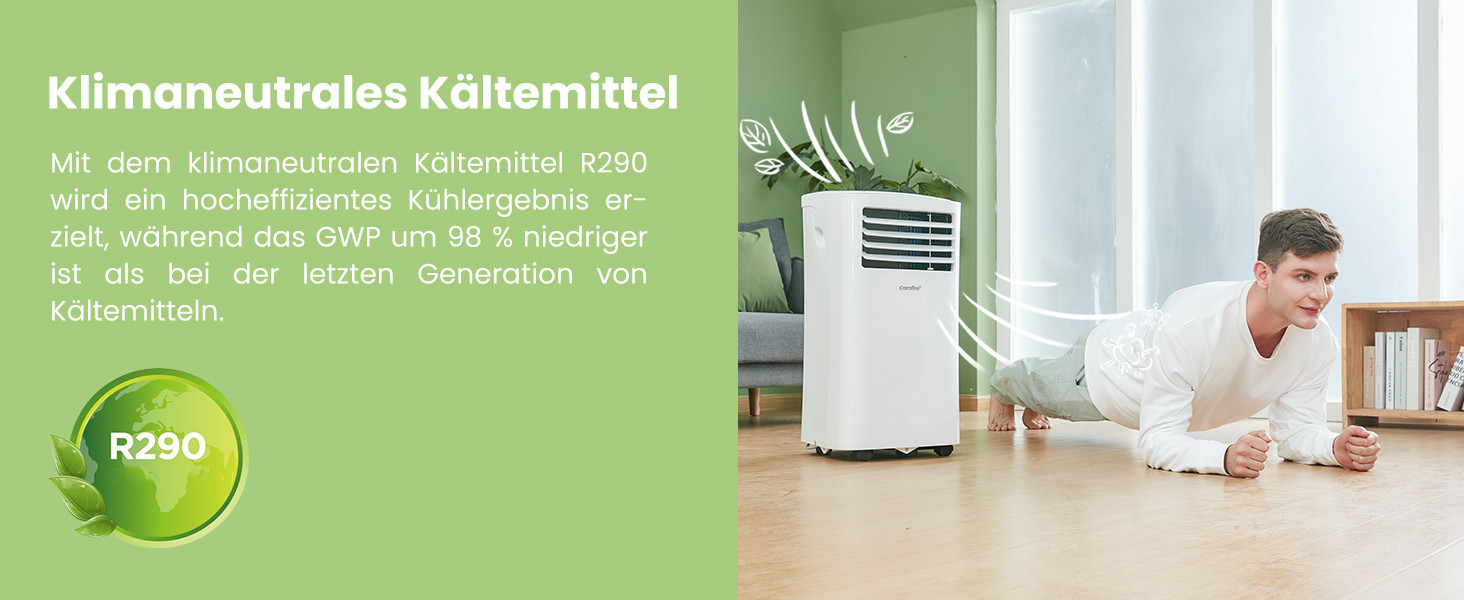
The unit uses R290, a climate-neutral refrigerant with significantly lower Global Warming Potential (GWP) compared to previous generations of refrigerants.

Image: Illustration highlighting the use of R290 climate-neutral refrigerant, with a person doing a plank exercise next to the unit.
9. وارنٽي ڄاڻ
This product is covered by a manufacturer's warranty. Please refer to the warranty card included in your product packaging for specific terms and conditions, including warranty period and coverage details. Retain your proof of purchase for warranty claims.
10. ڪسٽمر سپورٽ
For technical assistance, troubleshooting beyond this manual, or warranty inquiries, please contact Comfee customer support. Contact details can typically be found on the manufacturer's webسائيٽ يا پيداوار جي پيڪنگنگ ۾.
You can also visit the official Comfee store on Amazon for more information and support: ڪافي اسٽور


