1. تعارف
This manual provides essential information for setting up, operating, and maintaining your HP Spectre x360 2-in-1 Laptop. This device combines the power of a traditional laptop with the versatility of a tablet, featuring a 15.6-inch 4K UHD touchscreen display and an Intel Core i7-8565U processor.
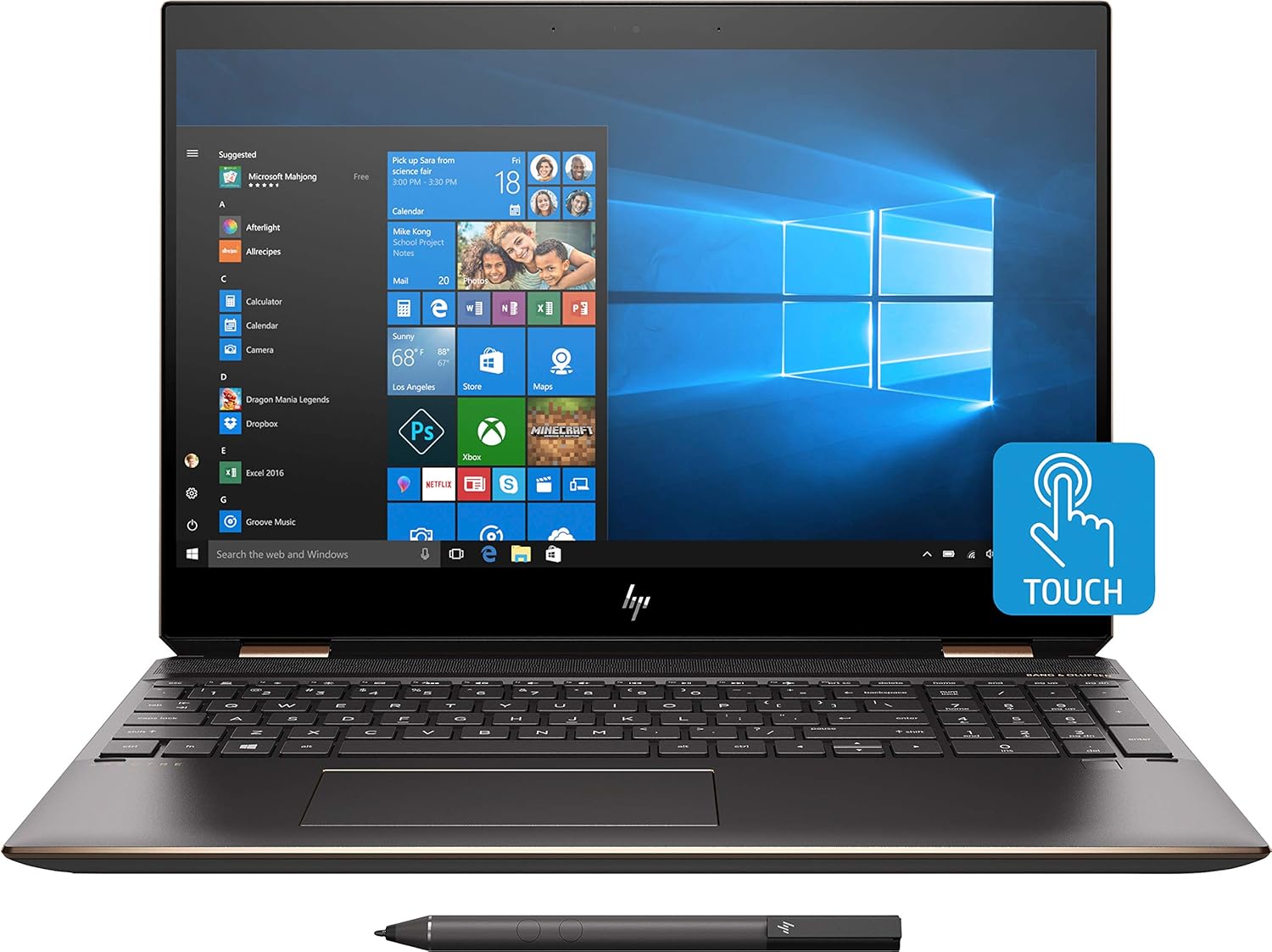
تصوير 1.1: سامهون view of the HP Spectre x360 in laptop configuration.
2. سيٽ اپ
2.1 شروعاتي پاور آن
- Unpack your HP Spectre x360 laptop and all accessories.
- پاور اڊاپٽر کي ليپ ٽاپ ۽ پاور آئوٽليٽ سان ڳنڍيو.
- ڊوائيس کي چالو ڪرڻ لاء پاور بٽڻ کي دٻايو.
- Follow the on-screen instructions to complete the initial Windows 10 Home setup, including language, region, and user account creation.
2.2 وائرليس نيٽ ورڪ سان ڳنڍڻ
- During the Windows setup or afterward, click the Wi-Fi icon in the taskbar.
- Select your desired wireless network from the list.
- جيڪڏهن اشارو ڪيو وڃي ته نيٽ ورڪ سيڪيورٽي ڪي (پاسورڊ) داخل ڪريو.
- Click "Connect".
2.3 HP Active Stylus Setup
The HP Active Stylus is included for enhanced interaction with the touchscreen. Ensure the stylus has a working battery. The stylus should automatically pair with your device. If not, refer to the Windows Bluetooth settings for manual pairing.

Image 2.1: HP Spectre x360 with included Active Stylus.
3. آپريٽنگ هدايتون
3.1 2-ان-1 ڪارڪردگي
The HP Spectre x360 can seamlessly transition between laptop, tablet, tent, and stand modes. Gently rotate the screen backward to switch modes. The system will automatically detect the orientation and adjust the display and keyboard functionality accordingly.

Image 3.1: HP Spectre x360 in a convertible mode.
3.2 Touchscreen and Stylus Usage
The 4K UHD touchscreen supports multi-touch gestures for intuitive navigation. Use the included HP Active Stylus for precise input, drawing, and note-taking directly on the screen. The stylus offers pressure sensitivity for a natural writing and drawing experience.
3.3 ڪي بورڊ ۽ ٽچ پيڊ
The full-size backlit keyboard provides comfortable typing in various lighting conditions. Adjust backlight intensity using the function keys. The HP Imagepad supports multi-touch gestures for scrolling, zooming, and navigating.
3.4 بندرگاهن ۽ ڪنيڪٽوٽي
توهان جو ليپ ٽاپ پردي جي ڳنڍڻ لاءِ مختلف بندرگاهن سان ليس آهي:
- 1 Thunderbolt 3 Port: For high-speed data transfer (up to 40 Gb/s), DisplayPort 1.2, and HP Sleep and Charge functionality.
- 1 USB 3.1 Type-C Gen 1 Port: For data transfer (up to 5 Gb/s), DisplayPort 1.2, and HP Sleep and Charge functionality.
- 1 USB 3.1 Gen 1 Port: For connecting standard USB devices and HP Sleep and Charge functionality.
- 1 HDMI پورٽ: ٻاهرين ڊسپلي يا پروجيڪٽرن سان ڳنڍڻ لاءِ.
- 1 Headphone/Microphone Combo Jack: آڊيو ان پٽ ۽ آئوٽ پُٽ لاءِ.

تصوير 3.2: سائڊ پروfile of the HP Spectre x360 displaying its connectivity ports.
3.5 آڊيو سسٽم
Experience rich audio with the Bang & Olufsen dual speakers. The integrated dual array digital microphone ensures clear voice input for calls and recordings.
3.6 سيڪيورٽي خاصيتون
The HP Spectre x360 includes advanced security features:
- فنگر پرنٽ ريڊر: Located on the keyboard deck for quick and secure login.
- HP Wide Vision FHD IR Camera: Supports Windows Hello for secure facial recognition login.
4. سار سنڀال
4.1 پنهنجي ليپ ٽاپ کي صاف ڪرڻ
- نرم، لِنٽ کان خالي ڪپڙو استعمال ڪريو ٿورڙو ڊيampڊسپلي کي صاف ڪرڻ لاءِ پاڻي يا اسڪرين ڪلينر سان ٻوڙيو وڃي.
- ڪيبورڊ ۽ چيسس لاءِ، نرم، سڪل ڪپڙو استعمال ڪريو. سخت ڪيميڪلز کان پاسو ڪريو.
4.2 بيٽري جي سنڀال
- بيٽري جي زندگي کي وڌائڻ لاءِ، انتهائي گرمي پد کان پاسو ڪريو.
- Periodically allow the battery to discharge below 20% before recharging.
4.3 سافٽ ويئر اپڊيٽ
بهترين ڪارڪردگي ۽ سيڪيورٽي کي يقيني بڻائڻ لاءِ باقاعدي طور تي ونڊوز اپڊيٽس ۽ HP ڊرائيور اپڊيٽس جي جانچ ڪريو ۽ انسٽال ڪريو.
5. مسئلا حل ڪرڻ
This section addresses common issues you might encounter. For more detailed troubleshooting, refer to the HP support webسائيٽ.
- طاقت ناهي: پڪ ڪريو ته پاور اڊاپٽر محفوظ طور تي ڳنڍيل آهي ۽ آئوٽ ليٽ ڪم ڪري رهيو آهي. هڪ مختلف آئوٽ ليٽ آزمايو.
- ڊسپلي مسئلا: If the screen is blank, try pressing the power button briefly or connecting to an external monitor to diagnose.
- وائي فائي رابطي جا مسئلا: Check if Wi-Fi is enabled. Restart your router and laptop.
- ٽچ اسڪرين غير جوابده: Restart the laptop. Ensure no physical obstructions are on the screen.
6. وضاحتون
| خاصيت | تفصيل |
|---|---|
| ماڊل نالو | HP Spectre x360 2-in-1 (Model: Spectre) |
| پروسيسر | انٽيل ڪور i7-8565U (4.6GHz تائين) |
| گرافڪس | NVIDIA GeForce MX150 (2GB GDDR5 dedicated) |
| رام | 16 GB DDR4-2400 SDRAM |
| ذخيرو | 512 GB PCIe NVMe M.2 SSD |
| ڏيکاريو | 15.6" diagonal 4K IPS eDP micro-edge BrightView WLED-backlit (3840 x 2160) Touchscreen |
| آپريٽنگ سسٽم | ونڊوز 10 گهر 64 |
| وائرليس ڪنيڪشن | Intel 802.11b/g/n/ac (2x2) Wi-Fi and Bluetooth 4.2 Combo |
| بندرگاهن | 1x Thunderbolt 3, 1x USB 3.1 Type-C Gen 1, 1x USB 3.1 Gen 1, 1x HDMI, 1x Headphone/Microphone Combo |
| آڊيو | Bang & Olufsen, Dual Speakers |
| ڪئميرا | HP وائڊ ويزن FHD IR ڪئميرا انٽيگريٽيڊ ڊبل سري ڊجيٽل مائڪروفون سان |
| شامل لوازمات | HP Active Stylus, HP Sleeve |
| رنگ | Dark Ash Silver |
| طول و عرض (LxWxH) | 14.2 x 9.8 x 0.8 انچ |
| شيءِ جو وزن | 12.3 آونس (تقريبن 0.35 ڪلوگرام) |
| سراسري بيٽري جي زندگي | 17.5 ڪلاڪ تائين |
7. وارنٽي ۽ سپورٽ
For warranty information, technical support, and additional resources, please visit the official HP support website. You can find detailed documentation, driver downloads, and contact options there.
HP سپورٽ Webسائيٽ: www.hp.com/ سپورٽ