1. تعارف
This manual provides detailed instructions for the safe and efficient use of your UGREEN Portable Wireless Magnetic Apple Watch Charger (Model 50944). This MFi certified charger is designed for convenience and compatibility with various Apple Watch Series models. Please read this manual thoroughly before use and retain it for future reference.
2. پيڪيج مواد
- 1 x UGREEN Portable Wireless Magnetic Apple Watch Charger
- 1 x استعمال ڪندڙ دستياب
3. مصنوعات جون خاصيتون
- MFi تصديق ٿيل: Ensures full compatibility and safe charging for Apple Watch.
- پورٽبل ڊيزائن: ٺهيل ۽ هلڪو وزن، سفر لاء مثالي.
- Magnetic Charging Module: Integrates MagSafe technology with inductive charging.
- USB-A Connector: Plugs directly into any standard USB-A port for power.
- ڪيترائي تحفظ: Built-in safeguards against over-current, over-voltagاي، شارٽ سرڪٽ، ۽ وڌيڪ گرمي پد.
- لين يارڊ ڊيزائن: Allows for easy attachment to bags or keychains.
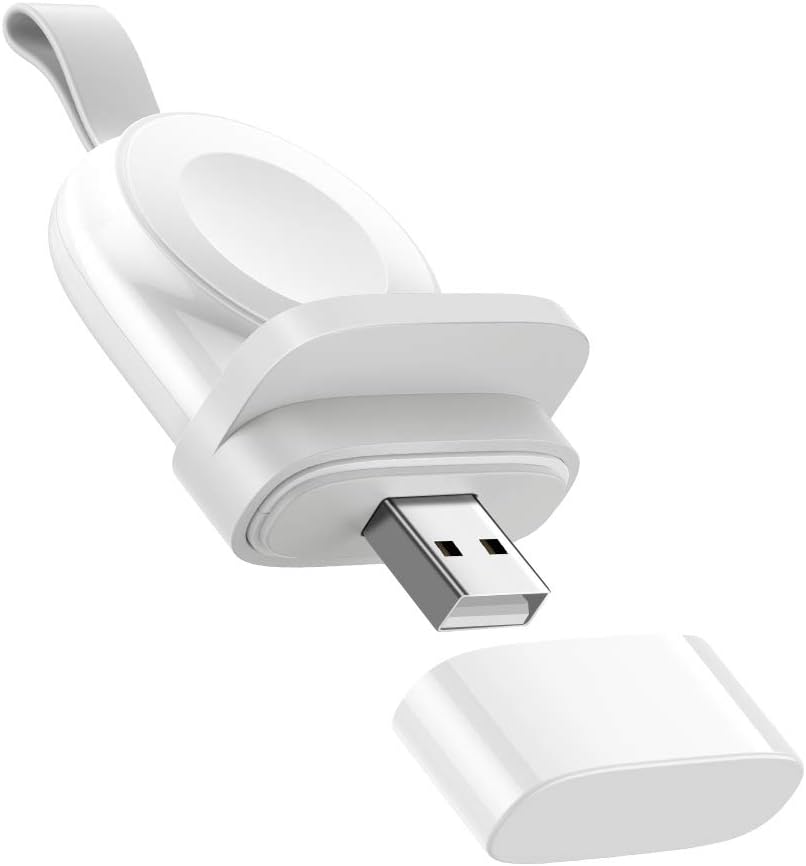
Image 3.1: The UGREEN Portable Wireless Magnetic Apple Watch Charger, showing its compact design and USB-A connector.

Image 3.2: A diagram illustrating the MFi certification and broad compatibility with various Apple Watch models, including Series 1 through 8 and SE.

Image 3.3: An exploded diagram illustrating the internal components and multiple protection layers of the charger, including over-current, over-voltagاي، شارٽ سرڪٽ، ۽ وڌيڪ گرمي پد کان بچاءُ.
4. سيٽ اپ
- پيڪ ڪريو: احتياط سان چارجر کي ان جي پيڪنگ مان هٽايو.
- ڍڪ هٽايو: Take off the protective cap from the USB-A connector.
- پاور سان ڳنڍيو: Insert the USB-A connector into a powered USB port (e.g., wall adapter, power bank, laptop, desktop computer). Ensure the power source provides sufficient output (e.g., 5V/2A for optimal charging).
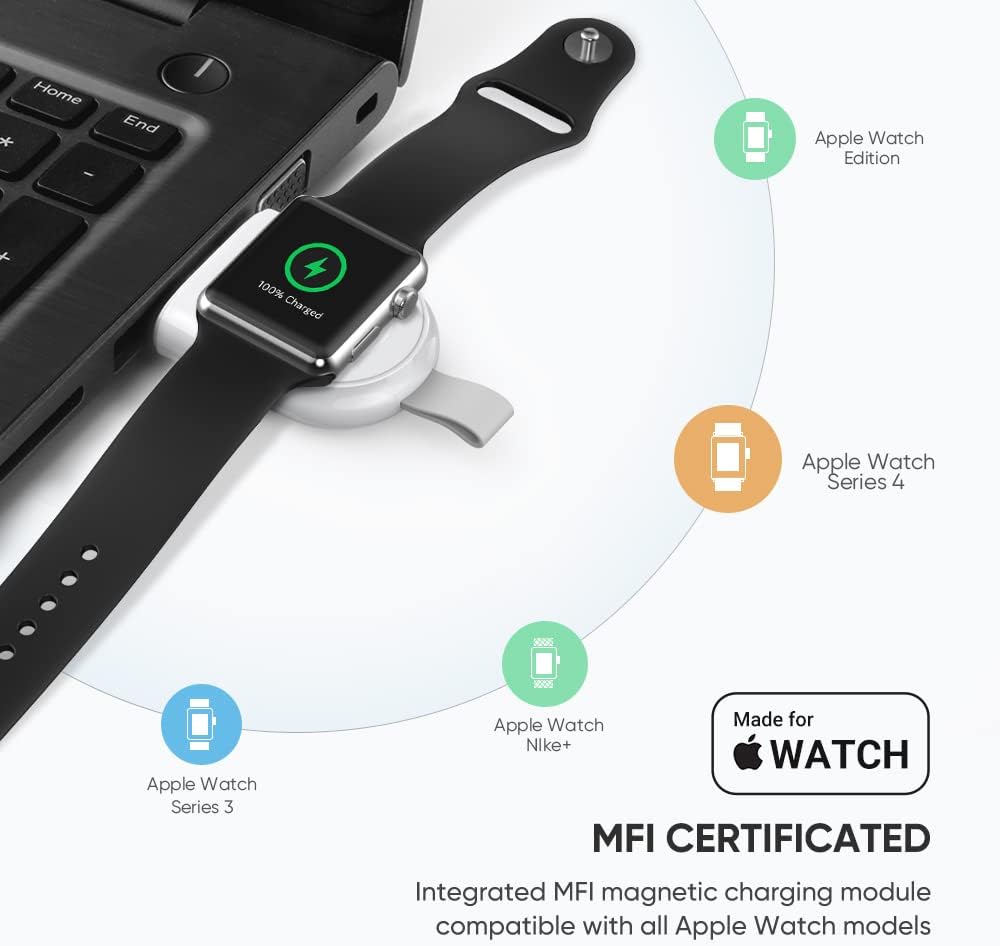
Image 4.1: An Apple Watch placed on the UGREEN portable charger, which is plugged into a laptop's USB port, demonstrating a typical setup.
5. آپريٽنگ هدايتون
- Place Apple Watch: Gently place your Apple Watch onto the magnetic charging module. The watch will automatically align and begin charging.
- چارجنگ اشارو: Your Apple Watch screen will display a charging icon and battery percentage.
- چارج ڪرڻ وقت: The charger is designed to fully charge your Apple Watch within approximately 2 hours, similar to the original charger.
- واقفيت: The charger can be used in various orientations depending on the USB port. If the watch hangs downwards, ensure it is securely attached to prevent accidental dislodgement. The included anti-slip component can help stabilize the watch if needed.

Image 5.1: An Apple Watch charging on the UGREEN portable charger, which is plugged into a wall outlet, illustrating the fast charging capability.
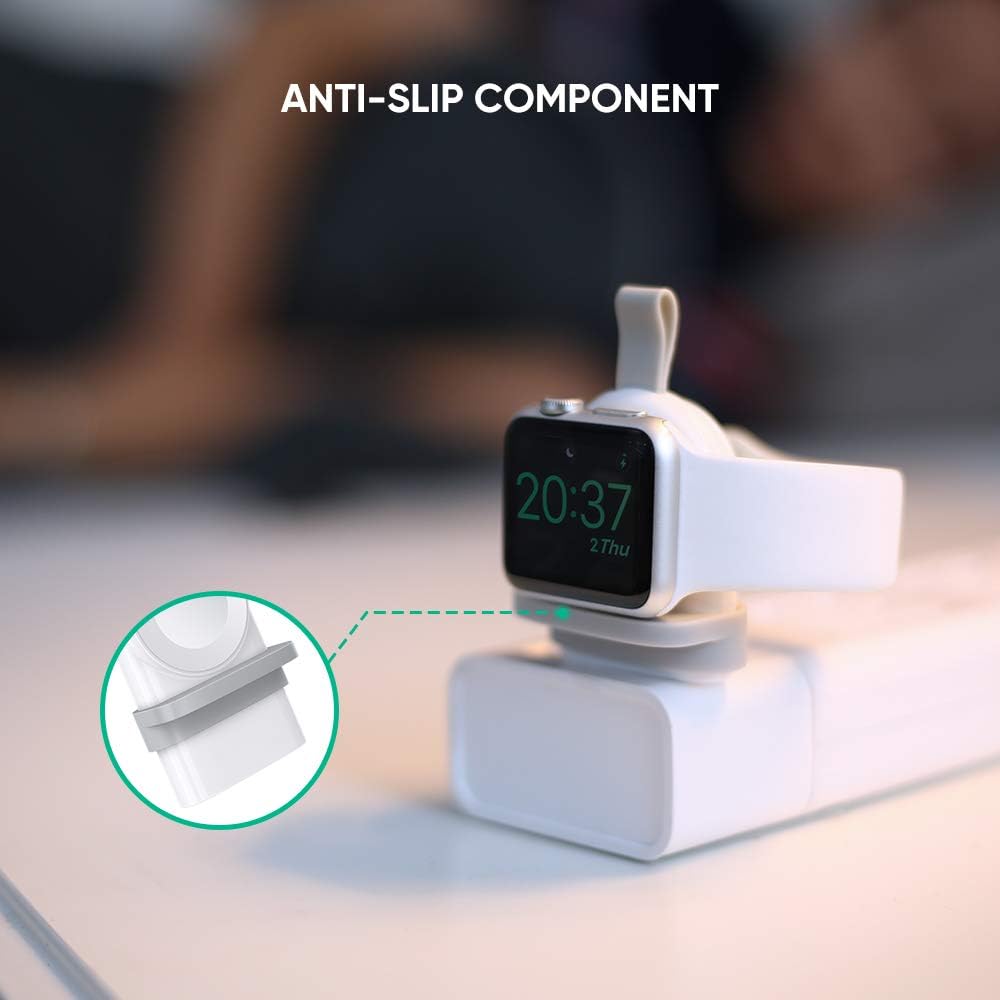
تصوير 5.2: هڪ ويجهو تصوير view of the anti-slip component on the UGREEN charger, designed to provide stability for the Apple Watch during charging.
Video 5.1: This video demonstrates the UGREEN Apple Watch Charger in use, showing how to connect it to a power source and place the Apple Watch for charging. It highlights the charger's portability and ease of use in various scenarios, including charging from a laptop, power strip, and power bank.
6. سار سنڀال
- صفائي: چارجر کي صاف ڪرڻ لاءِ نرم، سڪل ڪپڙو استعمال ڪريو. مائع ڪلينر يا ايروسول استعمال نه ڪريو.
- اسٽوريج: When not in use, store the charger in a cool, dry place. Replace the protective cap over the USB-A connector to prevent dust and damage.
- سنڀالڻ: چارجر کي ڇڏڻ يا ان کي مضبوط اثرن جي تابع ڪرڻ کان پاسو ڪريو.
7. مسئلا حل ڪرڻ
| مسئلو | ممڪن سبب | حل |
|---|---|---|
| ايپل واچ چارج نه ڪندي. |
|
|
| سست چارج. |
|
|
| چارجر استعمال دوران گرم محسوس ٿئي ٿو. |
|
|
8. وضاحتون
| خاصيت | تفصيل |
|---|---|
| ماڊل نمبر | 50944 |
| برانڊ | يوگرين |
| رابطي ٽيڪنالاجي | وائرليس، USB |
| ڪنيڪٽر جو قسم | USB Type A (Note: Product images and video show USB-A, despite some specifications listing USB Type C) |
| مطابقت رکندڙ ڊوائيسز | Apple Watch Series 1/2/3/4/5/6/7/8/SE |
| خاص خاصيتون | Portable, Magnetic Charger, Lightweight, Wireless, Travel |
| شيءِ جو وزن | 0.81 اونس |
| پيڪيج جي ماپ | 5.4 x 3.1 x 0.7 انچ |
| Ampعمر | 2 Amps |
| واتtage | 10 واٽ |
| رنگ | اڇو |
9. وارنٽي ۽ سپورٽ
وارنٽي جي معلومات يا ٽيڪنيڪل سپورٽ لاءِ، مھرباني ڪري سرڪاري UGREEN جو حوالو ڏيو. website or contact their customer service directly. Details can typically be found on the product packaging or the manufacturer's official channels.


