تعارف
The Canon VIXIA HF G50 4K30P Camcorder is designed for capturing high-quality video with exceptional detail and color. Featuring a large-format CMOS Sensor and DIGIC DV 6 Image Processor, it delivers brilliant results. The advanced 20x Optical Zoom lens provides impressive telephoto power and a wide angle of view, complemented by a 5-axis Image Stabilization system for steady footagه. هي دستورالعمل توهان جي ڪيمڪارڊر کي قائم ڪرڻ، هلائڻ ۽ برقرار رکڻ لاءِ ضروري معلومات فراهم ڪري ٿو.
دٻي ۾ ڇا آهي
شروع ڪرڻ کان اڳ، پڪ ڪريو ته سڀئي جزا موجود آهن:
- VIXIA HF G50 Camcorder Body
- Compact Power Adapter CA-570
- Battery Pack BP-820
- Lens Hood with Lens Barrier
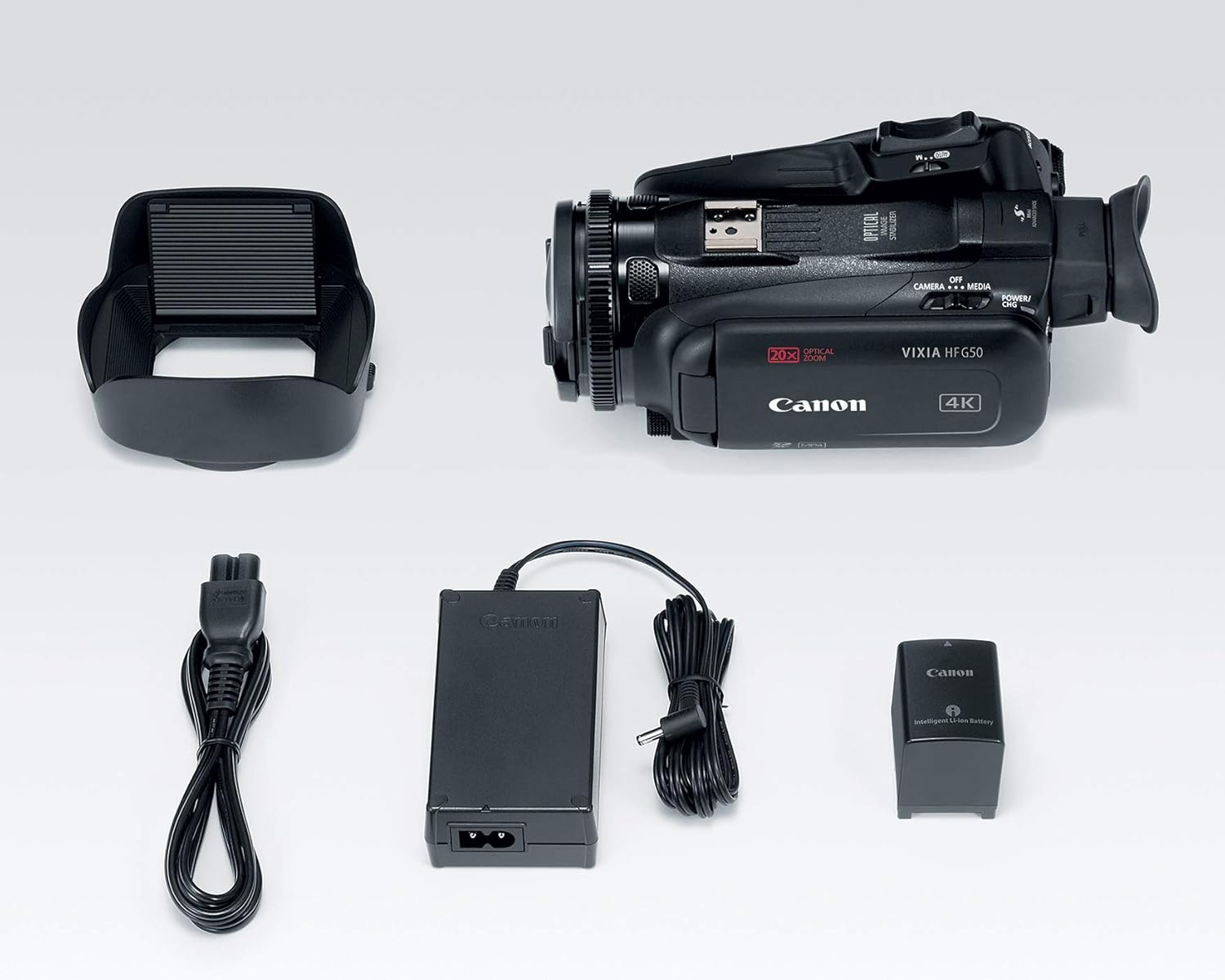
Image: All components included in the Canon VIXIA HF G50 camcorder package.
سيٽ اپ ڪريو
1. بيٽري کي چارج ڪرڻ
- Connect the Compact Power Adapter CA-570 to the camcorder and a power outlet.
- Insert the Battery Pack BP-820 into the camcorder. The charging indicator will illuminate.
- Charge until the indicator turns off, signifying a full charge.
2. ايس ڊي ڪارڊ داخل ڪرڻ
- ايس ڊي ڪارڊ سلاٽ جو ڍڪ کوليو.
- Insert an SDXC memory card into one of the dual slots until it clicks into place.
- ايس ڊي ڪارڊ سلاٽ جو ڍڪ بند ڪريو.

تصوير: پوئين پاسي view of the camcorder, highlighting the battery and dual SD card slots.
3. لينس هوڊ کي ڳنڍڻ
- لينس جي هڊ کي لينس جي سامهون واري حصي سان ترتيب ڏيو.
- Twist the lens hood clockwise until it locks securely.
- Ensure the lens barrier is open before recording.
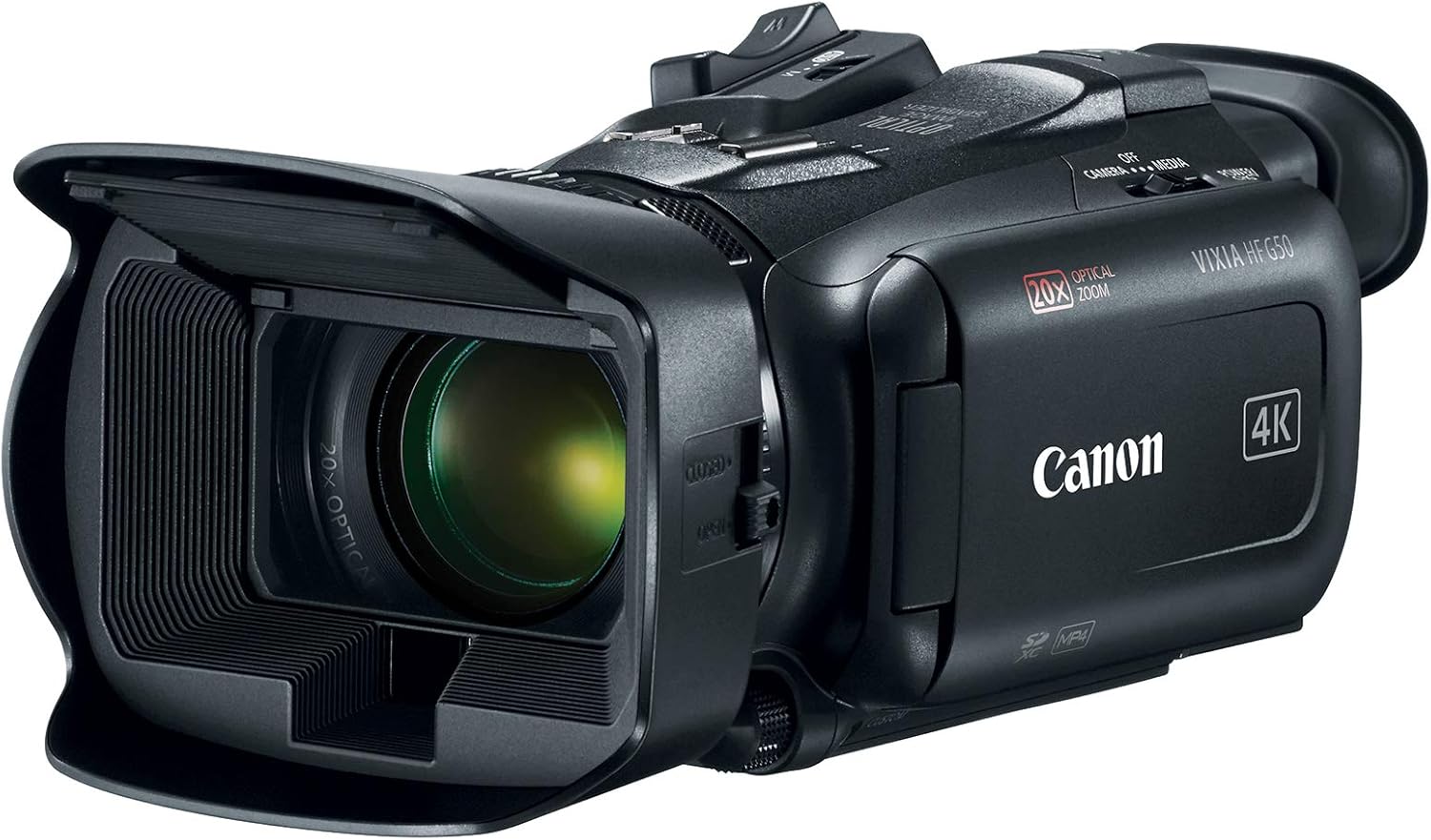
Image: The Canon VIXIA HF G50 camcorder with its lens hood and open LCD screen.
4. پاور آن/آف
To power on the camcorder, slide the POWER switch to the 'CAMERA' or 'MEDIA' position. To power off, slide the switch to 'OFF'.
آپريٽنگ هدايتون
Recording 4K UHD 30p Video
The VIXIA HF G50 supports 4K UHD 30p recording for high-resolution video. Ensure your SD card has sufficient space and speed for 4K recording. Press the record button to start and stop recording.
20x بصري زوم
Utilize the zoom lever to control the 20x optical zoom lens. Push the lever towards 'W' for wide-angle shots and towards 'T' for telephoto magnification.
Intelligent 5-axis Image Stabilization
The camcorder features Intelligent 5-axis Image Stabilization to reduce blur caused by camera shake. This function is automatically engaged during recording to ensure smooth footage.
ڏيکاري ۽ Viewڳوليندڙ
The 3.0-inch LCD Capacitive Touchscreen allows for intuitive control and menu navigation. For bright conditions or precise framing, use the Tiltable Electronic Viewڳوليندڙ.

Image: The camcorder with its LCD screen open, showing the interface for operation.
ڪسٽم ڪنٽرول
Personalize your shooting experience using the five assignable buttons, joystick, lens ring, and custom dial. These controls can be configured for quick access to frequently used functions.
Special Recording Modes
Explore creative options with Slow and Fast Motion recording, including Interval Recording, available for both 4K and Full HD resolutions.
Webcam Functionality with Clean HDMI Output
Transform your VIXIA HF G50 into a high-quality webcam using its clean HDMI output. This feature allows you to stream video without on-screen display information, ideal for live streaming and video conferencing.
Video: Official Canon guide on using your camcorder for livestreaming with clean HDMI output.
سار سنڀال
ڪيمڪارڊر صاف ڪرڻ
- ڪيمڪارڊر جي جسم کي صاف ڪرڻ لاءِ نرم، سڪل ڪپڙو استعمال ڪريو.
- For the lens, use a lens brush or a soft, lint-free cloth specifically designed for optical surfaces. Avoid touching the lens directly with your fingers.
- Do not use organic solvents such as alcohol or benzene, as these may damage the finish.
بيٽري جي سنڀال
- بيٽرين کي ٿڌي، سڪل جاءِ تي ذخيرو ڪريو جڏهن استعمال ۾ نه هجي.
- گهڻي عرصي تائين بيٽري کي مڪمل طور تي چارج ڪرڻ کان پاسو ڪريو.
- Charge the battery at least once every six months to maintain its lifespan.
ذخيرو
When storing the camcorder for an extended period, remove the battery and store it separately. Keep the camcorder in a dry, dust-free environment, ideally in a protective case.
مشڪلاتون
ڪابه طاقت
- پڪ ڪريو ته بيٽري مڪمل طور تي چارج ٿيل آهي ۽ صحيح طرح سان داخل ڪئي وئي آهي.
- Verify the power adapter is securely connected to both the camcorder and a working power outlet.
- Check the POWER switch position.
رڪارڊنگ جا مسئلا
- Confirm an SD card is inserted and has sufficient free space.
- Check the SD card's write-protect tab.
- Ensure the camcorder is in recording mode.
تصويري معيار جا خدشا
- Clean the lens if images appear blurry or smudged.
- Adjust lighting conditions for optimal exposure.
- Check image stabilization settings if footagاي لرزش آهي.
For more detailed troubleshooting or persistent issues, please refer to the comprehensive user manual available on the Canon support webسائيٽ يا رابطو ڪنن ڪسٽمر سپورٽ.
وضاحتون
| خاصيت | تفصيل |
|---|---|
| پيداوار جي ماپ | 9.1 x 4.5 x 3.3 انچ |
| شيءِ جو وزن | 1.25 پائونڊ |
| شيون ماڊل نمبر | 3667C002 |
| بيٽريون | 1 Lithium Ion بيٽريون گھربل (شامل) |
| فوٽو سينسر ٽيڪنالاجي | CMOS |
| وڊيو ڪيپچر ريزوليوشن | 4K، 1080p |
| وڌ ۾ وڌ فوڪل ڊگھائي | 73.4 ملي ميٽر |
| وڌ ۾ وڌ ايپرچر | 2.8 ف |
| فليش ميموري جو قسم | SDXC |
| وڊيو ڪيپچر فارميٽ | MPEG-4 |
| سپورٽ آڊيو فارميٽ | AAC, Dolby Digital/AC-3 |
| اسڪرين جي ماپ | 3 انچ |
| رابطي ٽيڪنالاجي | يو ايس بي، وائرليس |
| 4K UHD 30p Recording | ها |
| بصري زوم | 20x |
| تصوير جي استحڪام | Intelligent 5-axis |
| Clean HDMI Output | ها |
| Dual SD Card Slots | ها |
وارنٽي ۽ سپورٽ
The Canon VIXIA HF G50 Camcorder is covered by a manufacturer's warranty. For specific warranty terms and conditions, please refer to the documentation included with your product or visit the official Canon webسائيٽ.
For technical support, driver downloads, or to access the full user manual, please visit the Canon USA support webسائيٽ.