1. تعارف
The AXIS T8351 Mk II Microphone 3.5 mm is a high-performance analog microphone designed for integration into video surveillance systems. It provides superior audio monitoring and recording capabilities, particularly in environments with low ambient noise. This manual provides essential information for the proper installation, operation, and maintenance of your AXIS T8351 Mk II Microphone.
2. حفاظت جي ڄاڻ
- انسٽاليشن ۽ استعمال ڪرڻ کان پهريان سڀ هدايتون احتياط سان پڙهو.
- Do not expose the microphone to extreme temperatures, humidity, or corrosive environments.
- Ensure the microphone is securely mounted to prevent accidental falls.
- Only use accessories and power sources specified by Axis Communications.
- صفائي ڪرڻ يا ڪنهن به سار سنڀال ڪرڻ کان اڳ بجلي بند ڪريو.
3. پيڪيج مواد
پڪ ڪريو ته سڀئي شيون پيڪيج ۾ موجود آهن:
- AXIS T8351 Mk II Microphone 3.5 mm
- Installation Guide (if separate)
Note: Additional mounting accessories may be sold separately.
4. سيٽ اپ ۽ تنصيب
4.1 مائڪروفون لڳائڻ
The AXIS T8351 Mk II Microphone offers flexible mounting options for walls, ceilings, or covert areas. Choose a location that allows optimal sound capture for your surveillance needs.
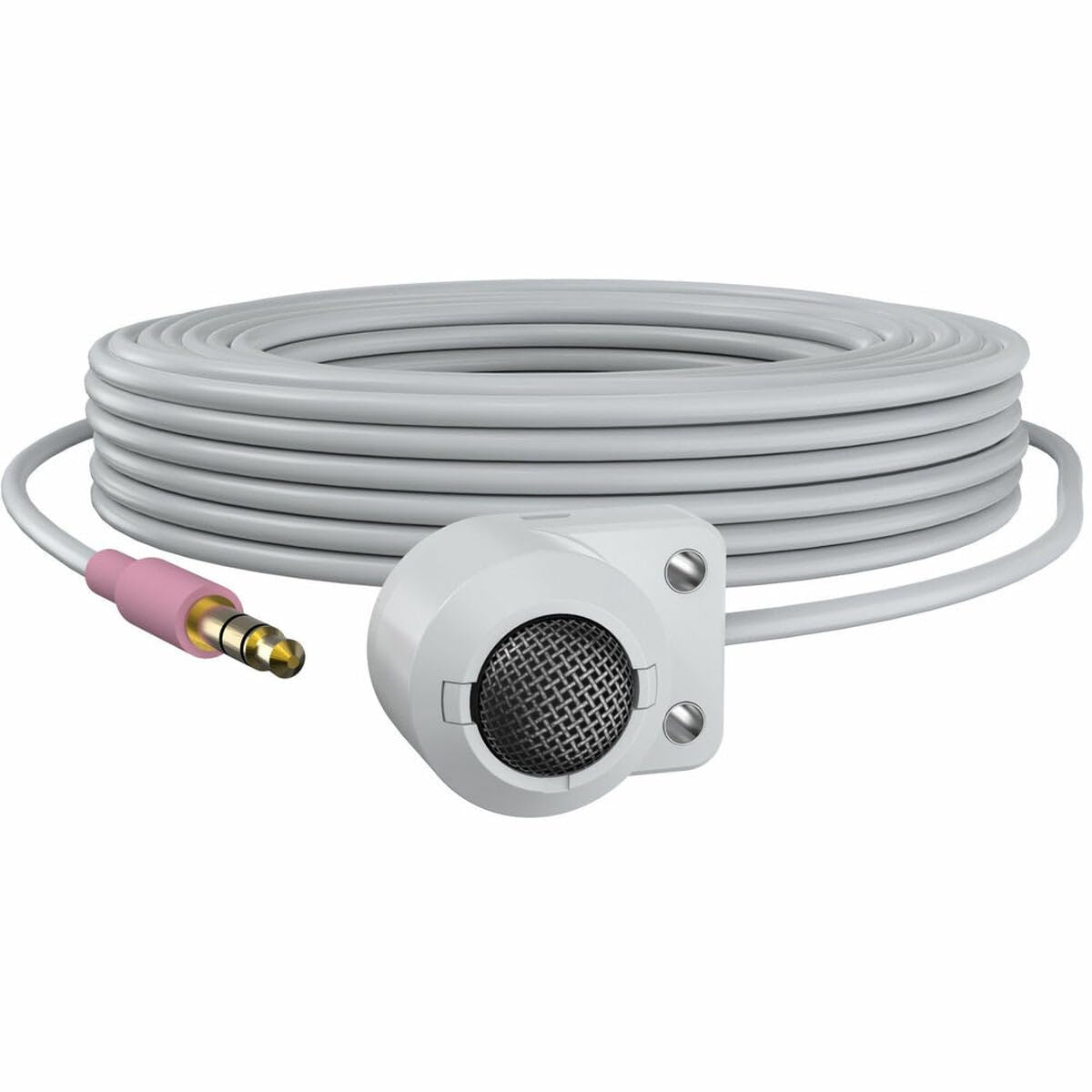
Figure 1: The AXIS T8351 Mk II Microphone, illustrating its compact design and the 3.5 mm connector for integration into surveillance systems. This image highlights the microphone's small form factor, making it suitable for discreet placement.
Consider the following when selecting a mounting location:
- آواز جي ماخذ جي قربت: For best results, position the microphone close to the intended sound source.
- ماحول جو شور: While designed for low ambient noise environments, avoid placing the microphone near sources of constant noise (e.g., air conditioning vents, loud machinery).
- صوابديد: The compact size allows for subtle concealment if required.
4.2 مائڪروفون کي ڳنڍڻ
The AXIS T8351 Mk II Microphone connects to compatible network products via a 3.5 mm microphone input jack or a 4-pin audio connector.
- Locate the 3.5 mm microphone input jack or 4-pin audio connector on your network product (e.g., IP camera, audio encoder).
- Insert the microphone's connector firmly into the corresponding port.
- Ensure a secure connection. The microphone is powered directly by the network product, eliminating the need for additional power cables.
5. Operating the Microphone
5.1 Audio Capture
The AXIS T8351 Mk II is a hemispherical, omni-directional microphone, meaning it captures sound from all directions. This characteristic makes it effective for monitoring general ambient sound within a room.
- Once connected, the microphone will begin capturing audio as configured by your network product's settings.
- Adjust audio input levels and sensitivity through the interface of your connected network device to achieve optimal sound quality and prevent distortion.
5.2 Integration with Surveillance Systems
The microphone is designed to complement video surveillance by providing synchronized audio. Refer to your network product's documentation for specific instructions on:
- Enabling audio recording.
- Configuring audio triggers or events.
- Live audio monitoring.
6. سار سنڀال
6.1 صفائي
بهترين ڪارڪردگي ۽ ظاهر برقرار رکڻ لاءِ:
- Gently wipe the exterior of the microphone with a soft, dry cloth.
- سخت ڪيميڪل، محلول، يا گھڙڻ وارا صاف ڪندڙ استعمال نه ڪريو.
- Ensure no moisture enters the microphone's openings.
6.2 ماحولياتي خيالات
The microphone is designed for indoor use. Protect it from:
- Direct sunlight or extreme heat.
- Excessive dust or dirt.
- Strong vibrations or impacts.
7. مسئلا حل ڪرڻ
7.1 ڪو به آڊيو آئوٽ پٽ ناهي
- ڪنيڪشن چيڪ ڪريو: Ensure the 3.5 mm connector is fully inserted into the network product's audio input.
- Verify Network Product Settings: Confirm that audio input is enabled and configured correctly in your network product's software interface. Check volume levels.
- طاقت: Since the microphone is powered by the network product, ensure the network product itself is powered on and functioning correctly.
- مطابقت: Confirm your network product supports a 3.5 mm microphone input or 4-pin audio connector.
7.2 Poor Audio Quality (Distortion, Low Volume, Noise)
- مائڪروفون لڳائڻ: Reposition the microphone closer to the sound source or away from sources of ambient noise.
- ان پٽ ليولز: Adjust the audio input sensitivity and gain settings on your network product. Too high a gain can cause distortion; too low can result in faint audio.
- ماحولياتي شور: Identify and mitigate external noise sources in the environment.
- ڪيبل سالميت: Inspect the cable for any damage or kinks.
8. وضاحتون
| خاصيت | تفصيل |
|---|---|
| ماڊل نالو | T8351 Mk II Microphone 3.5 mm |
| مائڪروفون فارم فيڪٽر | ميني |
| پولر نمونو | Hemispherical, Omni-directional |
| ڪنيڪٽر جو قسم | Audio Line Out (3.5mm jack) |
| رابطي ٽيڪنالاجي | XLR (Note: Product description mentions 3.5mm, please verify specific model variant if XLR is primary) |
| طاقت جو ذريعو | Corded Electric (powered by network product) |
| تعدد جواب | 16 KHz |
| سگنل کان شور جي نسبت | 76 ڊي بي |
| آڊيو حساسيت | 22 ڊيسيبل |
| شيون طول و عرض (L x W x H) | 1.1 x 0.8 x 0.8 انچ |
| شيءِ جو وزن | 3.2 اونس |
| مطابقت رکندڙ ڊوائيسز | Camera (with 3.5mm mic input or 4-pin audio connector) |
9. وارنٽي ۽ سپورٽ
For information regarding the product warranty, technical support, and additional resources, please visit the official Axis Communications webسائيٽ تي وڃو يا پنهنجي مجاز ڊيلر سان رابطو ڪريو. وارنٽي دعوائن لاءِ پنهنجي خريداري جي رسيد رکو.
ايڪسس ڪميونيڪيشن آفيشل Webسائيٽ: www.axis.com


