1. تعارف
Thank you for choosing the Hoco ES24 Wireless Sound Earphones. This manual provides detailed instructions on how to set up, operate, and maintain your earphones. Please read this manual carefully before use to ensure optimal performance and longevity of your device.
2. پيڪيج مواد
پڪ ڪريو ته هيٺ ڏنل سڀئي شيون توهان جي پيڪيج ۾ موجود آهن:
- Hoco ES24 Wireless Earphones (Left and Right)
- چارج ڪيس
- USB چارجنگ ڪيبل
- ڪن جي ٽوٽن جا ڪيترائي سائز (ايس، ايم، ايل)
- استعمال ڪندڙ دستي

Image: The Hoco ES24 earphones, charging case, USB cable, and various ear tip sizes included in the package.
3. پراڊڪٽ ختمview
The Hoco ES24 earphones are designed for comfortable, wireless audio experience. They come with a compact charging case that not only protects the earphones but also recharges them on the go.

Image: The Hoco ES24 earphones resting inside their open charging case, showcasing انهن جي ڪمپيڪٽ ڊيزائن.
4. سيٽ اپ
4.1 شروعاتي چارجنگ
- پهرين استعمال کان اڳ، ائرفون ۽ چارجنگ ڪيس کي مڪمل طور تي چارج ڪريو.
- ٻئي ائرفون کي چارجنگ ڪيس ۾ رکو.
- USB چارجنگ ڪيبل کي ڪيس تي چارجنگ پورٽ ۽ پاور سورس سان ڳنڍيو (مثال طور، USB وال اڊاپٽر، ڪمپيوٽر USB پورٽ).
- The LED indicator on the charging case will show the charging status. A full charge typically takes about 1 hour for fast charging.

Image: The Hoco ES24 charging case displaying the battery percentage via an LED screen, indicating charging status and capacity.
5. آپريٽنگ هدايتون
5.1 پاور آن/آف
- پاور آن: Open the charging case, and the earphones will automatically power on. Alternatively, press and hold the touch control area on both earphones for 3 seconds.
- بجلي بند: Place the earphones back into the charging case and close the lid. They will automatically power off and begin charging. Alternatively, press and hold the touch control area on both earphones for 5 seconds.
5.2 بلوٽوٽ جوڙي
- پهريون ڀيرو جوڙيو:
a. Ensure the earphones are charged.
b. Open the charging case. The earphones will automatically enter pairing mode, indicated by a flashing LED light on one of the earbuds.
c. On your device (smartphone, tablet, etc.), enable Bluetooth and search for available devices.
d. Select "Hoco ES24" from the list of devices. Once connected, the LED indicator on the earphone will stop flashing. - ايندڙ جوڙ:
Once paired, the earphones will automatically connect to the last paired device when taken out of the charging case, provided Bluetooth is enabled on your device.
5.3 ٽچ ڪنٽرول
The Hoco ES24 earphones feature touch-sensitive controls for easy management of music and calls.
- راند/روڪ: ٻنهي ائرفونن تي هڪ ڀيرو ٽيپ ڪريو.
- اڳيون ٽريڪ: ساڄي ائرفون تي ٻٽي ٽيپ ڪريو.
- پويون ٽريڪ: کاٻي ائرفون تي ٻٽي ٽيپ ڪريو.
- جواب/آخر ڪال: Single tap on either earphone during an incoming call or active call.
- ڪال رد ڪريو: Press and hold either earphone for 2 seconds during an incoming call.
- وائس اسسٽنٽ کي فعال ڪريو. ٻنهي ائرفونن تي ٽي ڀيرا ٽيپ ڪريو.

Image: A user wearing the Hoco ES24 earphones, illustrating their in-ear fit and highlighting features like Bluetooth 5.0 connectivity and clear call quality.
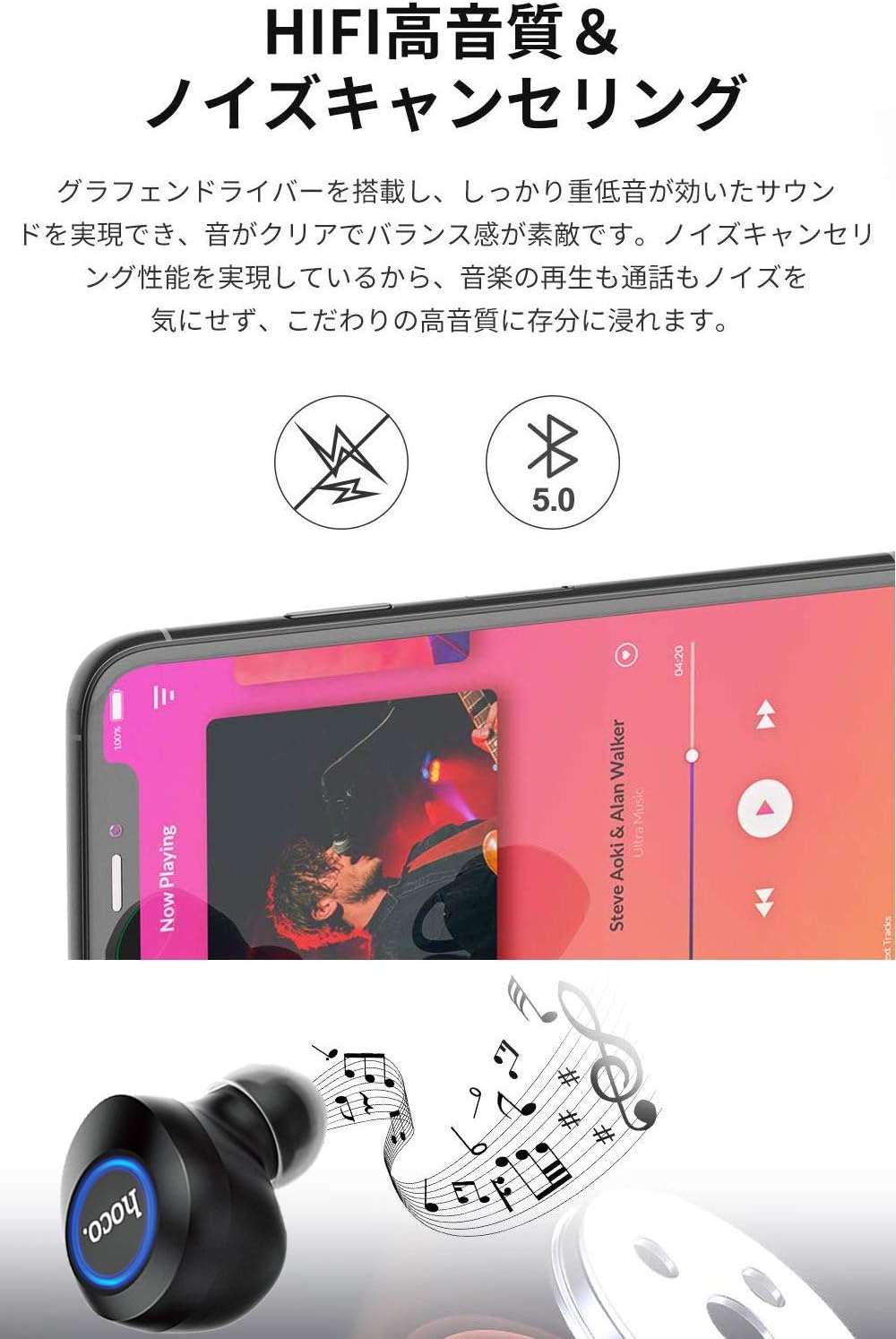
Image: A close-up of a Hoco ES24 earphone, with a smartphone screen in the background showing music playback, emphasizing HiFi sound quality and noise cancellation capabilities.
6. سار سنڀال
6.1 صفائي
- ائرفون ۽ چارجنگ ڪيس کي باقاعدي طور تي نرم، سڪل، لِنٽ فري ڪپڙي سان صاف ڪريو.
- گھڙڻ وارا صاف ڪندڙ، الڪوحل، يا ڪيميائي محلول استعمال نه ڪريو.
- ننڍڙي، نرم برش يا ڪپهه جي سواب جي مدد سان ڪنن جي ڪنن ۽ اسپيڪر ميش مان ڪنهن به ڪن جي موم يا ملبي کي نرميءَ سان هٽايو.
6.2 اسٽوريج
- جڏهن استعمال ۾ نه هجي، ته ائرفون کي انهن جي چارجنگ ڪيس ۾ رکو ته جيئن انهن کي مٽي ۽ نقصان کان بچائي سگهجي.
- Avoid storing the device in extreme temperatures (hot or cold) or in humid environments.
6.3 بيٽري جي سنڀال
- بيٽري جي زندگي کي وڌائڻ لاءِ، ائرفون کي مڪمل طور تي ڊسچارج ڪرڻ ۽ ڪيس کي بار بار چارج ڪرڻ کان پاسو ڪريو.
- ڊوائيس کي باقاعدي چارج ڪريو، جيتوڻيڪ بار بار استعمال ۾ نه هجي.
7. مسئلا حل ڪرڻ
If you encounter any issues with your Hoco ES24 earphones, refer to the following common problems and solutions:
| مسئلو | حل |
|---|---|
| ائرفون آن نه ٿا ٿين. | Ensure the earphones and charging case are fully charged. Place earphones in the case and close the lid, then open again. |
| ڊوائيس سان جوڙو نه ٿو ٺاهي سگهجي. | Make sure Bluetooth is enabled on your device. Ensure earphones are in pairing mode (flashing LED). Turn off and on your device's Bluetooth. Forget "Hoco ES24" from your device's Bluetooth list and try pairing again. |
| No sound from one or both earphones. | Check device volume. Ensure earphones are properly connected. Try re-pairing. Clean any debris from the speaker mesh. |
| چارجنگ ڪيس چارج نه ٿي رهيو آهي. | Verify the USB cable is securely connected to both the case and the power source. Try a different USB cable or power adapter. |
| ٽچ ڪنٽرول غير جوابدار آهن. | Ensure your fingers are clean and dry. Restart the earphones by placing them in the case and taking them out again. |
8. وضاحتون
Below are the technical specifications for the Hoco ES24 Wireless Sound Earphones:
- ماڊل: ES24
- رابطي: وائرليس (بلوٽوٿ 5.0)
- فارم فيڪٽر: ڪن ۾
- مواد: پلاسٽڪ
- ڪنٽرول جو طريقو: ڇڪڻ
- مائڪروفون: ها
- شور منسوخي: No (Passive noise isolation may be present due to in-ear design)
- مطابقت رکندڙ ڊوائيسز: All devices with Bluetooth functionality
- شيء جو وزن: 55 grams (earphones + case)
- پيداوار جي ماپ: 2.38 x 2.1 x 2.35 cm (earphone dimensions)
- شامل اجزاء: Protective charging case
- رنگ: ڪارو
- عمر جي حد: بالغ
- چارج ڪرڻ وقت: Approximately 1 hour (fast charge)
- استعمال وقت: Approximately 4-5 hours (single use)
9. حفاظت جي ڄاڻ
ڊوائيس کي نقصان پهچڻ يا پاڻ کي زخمي ٿيڻ کان بچائڻ لاءِ مهرباني ڪري هيٺ ڏنل حفاظتي هدايتن تي عمل ڪريو:
- مصنوعات کي جدا نه ڪريو، مرمت ڪريو، يا تبديل ڪريو.
- ڊوائيس کي پاڻي، نمي، ۽ انتهائي گرمي کان پري رکو.
- ٻڌڻ جي نقصان کي روڪڻ لاء اعلي حجم جي سطح تي ڊگهي نمائش کان بچاء.
- ٻارن ۽ پالتو جانورن جي پهچ کان پري رکو.
- مقامي ضابطن جي مطابق ذميواري سان پيداوار کي ختم ڪريو.
10. وارنٽي ۽ سپورٽ
Hoco products are designed and manufactured to the highest quality standards. For warranty information, technical support, or customer service inquiries, please refer to the warranty card included in your package or contact your local retailer or Hoco customer support directly. Please retain your proof of purchase for any warranty claims.


