1. تعارف
جي ViewSonic VP3481 monitor offers an immersive curved screen with stunning UWQHD+ 3440x1440 resolution. Designed for precise color accuracy, it delivers incredible detail and vivid colors across wide viewing angles. This monitor supports HDR10 for a wider dynamic range and richer contrast, making it suitable for video editing, content development, and other color-critical applications. Key features include a 100Hz refresh rate, AMD FreeSync™ technology for smooth playback, and versatile connectivity options including USB 3.1 Type-C, DisplayPort, and HDMI.
2. سيٽ اپ
2.1. پيڪيج مواد
انسٽاليشن شروع ڪرڻ کان اڳ، مھرباني ڪري تصديق ڪريو ته ھيٺ ڏنل سڀ شيون توھان جي پيڪيج ۾ موجود آھن:
- ايل سي ڊي مانيٽر
- پاور ڪيبل
- AC/DC اڊاپٽر
- USB 3.1 قسم سي ڪيبل
- USB 3.0 ڪيبل
- ڊي پي کي ڊي پي ڪيبل
- HDMI 2.0 ڪيبل
- آڊيو ڪيبل
- Factory Color Calibration Report
2.2. مانيٽر اسيمبلي
Carefully remove the monitor from its packaging. Attach the monitor stand to the back of the display panel. Ensure all connections are secure before placing the monitor on a stable surface.

Figure 2.2.1: Monitor dimensions for proper placement and setup.
2.3. ڪنيڪشن
The VP3481 monitor offers flexible connectivity options to integrate with various devices. Connect your computer or other video sources using the appropriate cables.
- USB 3.1 قسم-سي: This single cable solution supports audio, data, video, and charging (up to 60W) for compatible laptops and devices, reducing cable clutter.
- HDMI2.0: Two HDMI ports are available, supporting HDCP 2.2 content protection for secure 4K content playback.
- ڊسپلي پورٽ: One DisplayPort input is provided for high-resolution video and audio transmission.
- USB 3.0 حب: The monitor features a built-in USB 3.0 hub with three downstream ports and two upstream ports for connecting peripherals.

Figure 2.3.1: USB Type-C provides a single-cable solution for multiple functions.

شڪل 2.3.2: ختمview of the monitor's input/output ports.
وڊيو 2.3.1: هڪ اوورview of ViewSonic USB-C monitor connectivity features.
3. مانيٽر کي هلائڻ
3.1. پاور آن/آف
مانيٽر کي آن يا آف ڪرڻ لاءِ ان تي موجود پاور بٽڻ کي دٻايو. جڏهن مانيٽر فعال هوندو ته پاور انڊيڪيٽر لائيٽ روشن ٿيندي.
3.2. ڊسپلي خاصيتون
The VP3481 offers advanced display technologies for an optimal viewتجربو:
- UWQHD (3440x1440p) Resolution: Experience sharp, detailed images across the expansive 34-inch curved screen.
- 100Hz ريفريش جي شرح: Enjoy smooth, tear-free visuals, ideal for fast-paced content and video editing.
- HDR10 سپورٽ: Delivers a wider dynamic range of vivid colors and richer contrast for a more immersive viewتجربو.
- AMD FreeSync™ Technology: Synchronizes the monitor's refresh rate with your graphics card to eliminate screen tearing and stuttering.

Figure 3.2.1: HDR10 support enhances color and contrast for stunning visuals.

Figure 3.2.2: The 100Hz refresh rate and AMD FreeSync™ ensure smooth playback.
3.3. Color Accuracy and Calibration
The VP3481 is engineered for ultimate color accuracy, providing 100% sRGB color space coverage and a Delta E<2 accuracy value. An integrated color uniformity function ensures consistent chromaticity across the screen, and a 14-bit 3D look-up table generates a smooth palette of 4.39 trillion colors.
For professional applications, hardware calibration is available with the optional ViewSonic Colorbration Kit (sold separately), allowing for quick and easy monitor calibration.

Figure 3.3.1: Curved viewing experience optimized for color-critical tasks.
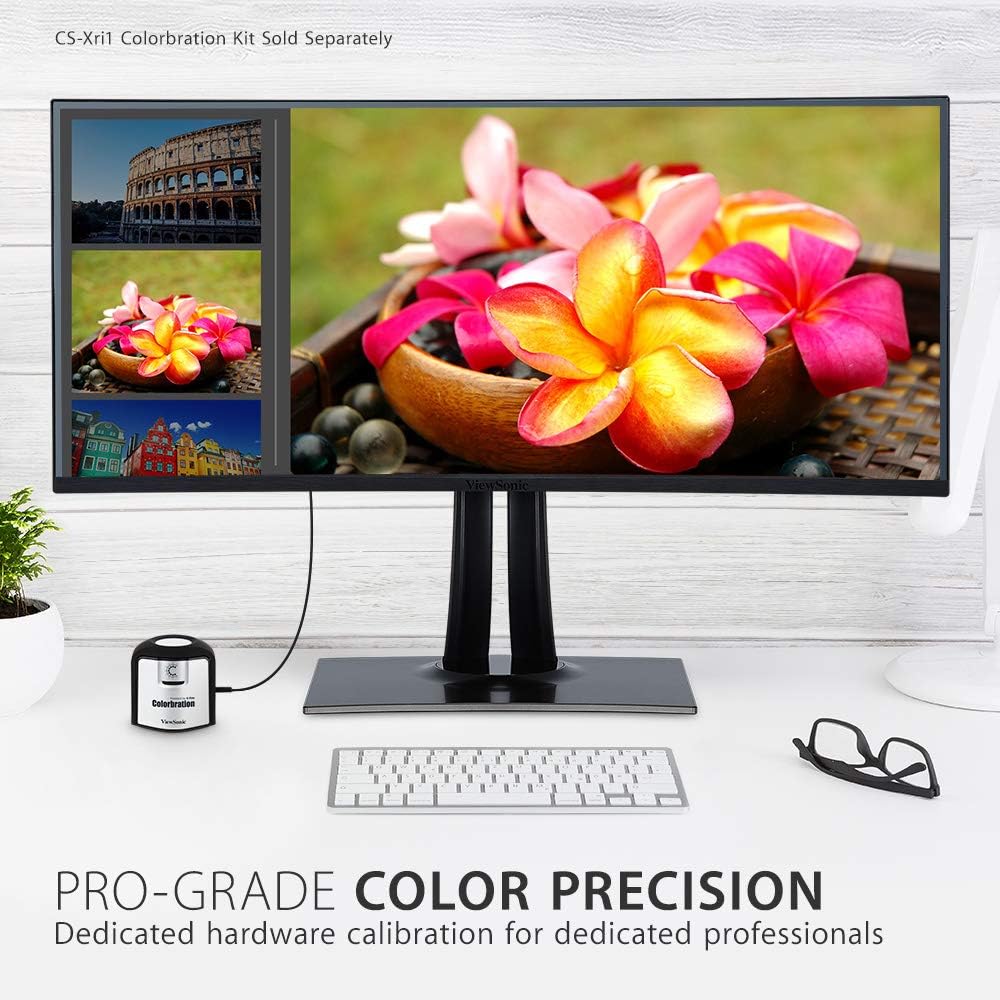
Figure 3.3.2: Dedicated hardware calibration is available for professional color precision.
4. سار سنڀال
توهان جي ڊگهي عمر ۽ بهترين ڪارڪردگي کي يقيني بڻائڻ لاءِ ViewSonic VP3481 monitor, follow these maintenance guidelines:
- اسڪرين جي صفائي: نرم، لِنٽ کان پاڪ ڪپڙي سان اسڪرين کي نرميءَ سان صاف ڪريو. ضدي نشانن لاءِ، هلڪو ڊيampen the cloth with water or a mild, non-abrasive screen cleaner. Avoid using alcohol-based cleaners or harsh chemicals.
- سي جي صفائيasing: مانيٽر جي سي کي صاف ڪرڻ لاءِ نرم، سڪل ڪپڙو استعمال ڪريوasinج. مائع صاف ڪندڙ سڌو سنئون سي تي استعمال نه ڪريوasing.
- وينٽيليشن: پڪ ڪريو ته مانيٽر جي وينٽيليشن جا سوراخ بند نه آهن ته جيئن وڌيڪ گرم ٿيڻ کان بچي سگهجي.
- طاقت جو انتظام: Unplug the monitor from the power outlet during lightning storms or when it will be unused for extended periods.
5. مسئلا حل ڪرڻ
جيڪڏهن توهان کي پنهنجي سان مسئلا درپيش اچن ٿا ViewSonic VP3481 monitor, refer to the following common troubleshooting steps:
- طاقت ناهي: Ensure the power cable and AC/DC adapter are securely connected to both the monitor and a working power outlet. Check if the power indicator light is on.
- ڪوبه سگنل/خالي اسڪرين ناهي: Verify that the video cable (USB-C, HDMI, or DisplayPort) is correctly connected to both the monitor and your computer. Ensure the correct input source is selected on the monitor.
- Image Problems (Distorted, Flickering, Incorrect Colors): Check your computer's display settings for correct resolution and refresh rate. Ensure the video cable is not damaged. Perform a factory reset via the monitor's On-Screen Display (OSD) menu.
- نه آڊيو: If using the monitor's built-in speakers or headphone jack, ensure the audio cable is connected (if applicable) and the volume is not muted or set too low on both the monitor and your computer.
- USB بندرگاهن ڪم نه ڪري رهيا آهن: Ensure the USB upstream cable is connected from the monitor to your computer. Check device drivers on your computer.
6. وضاحتون
| خاصيت | تفصيل |
|---|---|
| اسٽينڊنگ اسڪرين ڊسپلي سائيز | 34 انچ |
| اسڪرين جي قرارداد | UWQHD (3440x1440) |
| وڌ ۾ وڌ اسڪرين ريزوليوشن | 3440 x 1440 پکسلز |
| ريفريش جي شرح | 100Hz |
| اسپيڪٽ ريشو | 2.33:1 (21:9) |
| اسڪرين جي مٿاڇري جي وضاحت | اينٽي گليئر، سخت ڪوٽنگ (3H) |
| USB 3.0 بندرگاهن جو تعداد | 3 |
| USB 2.0 بندرگاهن جو تعداد | 2 |
| USB 3.1 قسم سي | Yes (with Power Delivery) |
| HDMI ان پٽز | 2 (HDMI 2.0 with HDCP 2.2) |
| ڊسپلي پورٽ ان پٽ | 1 |
| شيءِ جو وزن | 26.6 پائونڊ |
| پيداوار جي ماپ (LxWxH) | 31.9 x 11.8 x 24 انچ |
| رنگ | ڪارو |
| ٺاهيندڙ | Viewسونڪ |
| تاريخ پهرين دستياب | 20 جون 2019 |
7. وارنٽي ۽ سپورٽ
جي ViewSonic VP3481 monitor comes with an industry-leading 3-year limited warranty. This coverage includes access to our US-based customer service team for technical assistance and support. For detailed warranty terms and conditions, please refer to the official Viewسونڪ webسائيٽ يا توهان جي پراڊڪٽ سان شامل دستاويز.
وڌيڪ مدد لاءِ، مھرباني ڪري دورو ڪريو Viewسونڪ اسٽور يا گراهڪ جي مدد سان رابطو ڪريو.


