1. تعارف
Thank you for choosing the ZIPRO Neon Magnetic Elliptical Trainer. This elliptical is designed for effective home workouts, allowing you to train endurance and strengthen muscles. Its compact size makes it ideal for smaller living spaces. The user-friendly computer tracks key workout parameters such as speed, distance, calories, and pulse. Featuring a robust construction, anti-slip footrests, and ergonomic handles, it ensures a comfortable and safe exercise experience. The internal magnetic mechanism provides smooth and quiet operation with 8 adjustable resistance levels to suit your individual training needs.

Image: The ZIPRO Neon Magnetic Elliptical Trainer, showcasing its sleek black design with green accents.
2. اهم حفاظتي ڄاڻ
Please read all instructions carefully before using this product. Failure to follow these instructions may result in injury or damage to the equipment.
- ڪنهن به ورزش پروگرام کي شروع ڪرڻ کان اڳ هڪ طبيب سان صلاح ڪريو، خاص طور تي جيڪڏهن توهان کي اڳ ۾ ئي ڪا صحت جي حالت آهي.
- آپريشن دوران ٻارن ۽ پالتو جانورن کي سامان کان پري رکو.
- Place the elliptical trainer on a flat, stable surface with adequate clearance around it.
- Wear appropriate exercise clothing and athletic footwear. Avoid loose clothing that could get caught in moving parts.
- Before each use, ensure all bolts, nuts, and connections are securely tightened.
- وڌ ۾ وڌ استعمال ڪندڙ جي وزن جي گنجائش 120 ڪلوگرام (264 پائونڊ) کان وڌيڪ نه ڪريو.
- If you experience dizziness, chest pain, or any other abnormal symptoms, stop your workout immediately and consult a physician.
- Do not attempt to service the elliptical trainer beyond the maintenance steps described in this manual. Contact customer support for assistance.
3. پيڪيج مواد
اسيمبلي شروع ڪرڻ کان اڳ پڪ ڪريو ته سڀئي حصا موجود آهن. جيڪڏهن ڪو به پرزو غائب يا خراب آهي، مهرباني ڪري ڪسٽمر سپورٽ سان رابطو ڪريو.
| شيءِ | مقدار |
|---|---|
| مکيه فريم اسيمبلي | 1 |
| سامهون اسٽيبلائزر بار | 1 |
| پوئتي اسٽيبلائزر بار | 1 |
| ھلندڙ ھٿيار | 2 |
| Fixed Handlebar Post | 1 |
| پيرن جا پيادل | 2 |
| ڪنسول يونٽ | 1 |
| پاڻي جي بوتل هولڊر | 1 |
| Hardware Kit (Bolts, Washers, Nuts, Tools) | 1 سيٽ |
| استعمال ڪندڙ دستي | 1 |
4. اسيمبلي ۽ سيٽ اپ
4.1 کولڻ
Carefully remove all components from the packaging. Lay them out on a clean, flat surface to ensure all parts are accounted for and to prevent scratching.
4.2 اسيمبليءَ جا مرحلا
- اسٽيبلائيزر بارز ڳنڍيو: مهيا ڪيل بولٽس ۽ واشرن کي استعمال ڪندي اڳيان ۽ پوئين اسٽيبلائيزر بارن کي مکيه فريم سان محفوظ ڪريو. پڪ ڪريو ته اهي استحڪام لاءِ مضبوطيءَ سان مضبوط ڪيا ويا آهن.
- Install Pedal Arms and Moving Handlebars: Connect the pedal arms to the main crank assembly and then attach the moving handlebars to the pedal arms. Pay attention to left and right markings.
- Mount Console Post and Fixed Handlebars: Attach the console post to the main frame. Then, secure the fixed handlebars to the console post. Ensure all wiring for the console is routed correctly and connected.
- Attach Console Unit: Carefully connect the sensor wires from the console post to the back of the console unit. Then, mount the console onto its designated bracket on the console post.
- Install Foot Pedals: Secure the foot pedals to the pedal arms. Ensure they are oriented correctly and tightened to prevent wobbling during use.
- پاڻي جي بوتل هولڊر لڳايو: Mount the water bottle holder to the designated spot on the frame.
- فائنل چيڪ: Review all connections and ensure all bolts are tightened. Test the elliptical for smooth movement and stability. Adjust the leveling caps on the stabilizer bars if the unit is uneven.
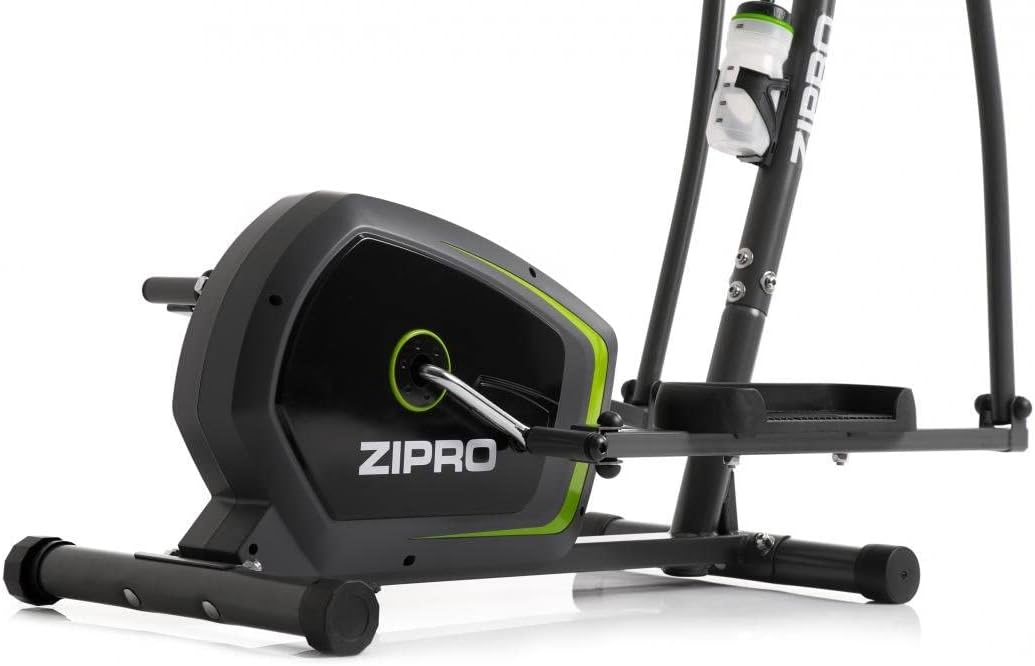
Image: Detail of the sturdy base and flywheel housing.

تصوير: سائڊ پروfile of the elliptical, showing the pedal arms and handlebars.

تصوير: سامهون view, highlighting the console post and handlebars.
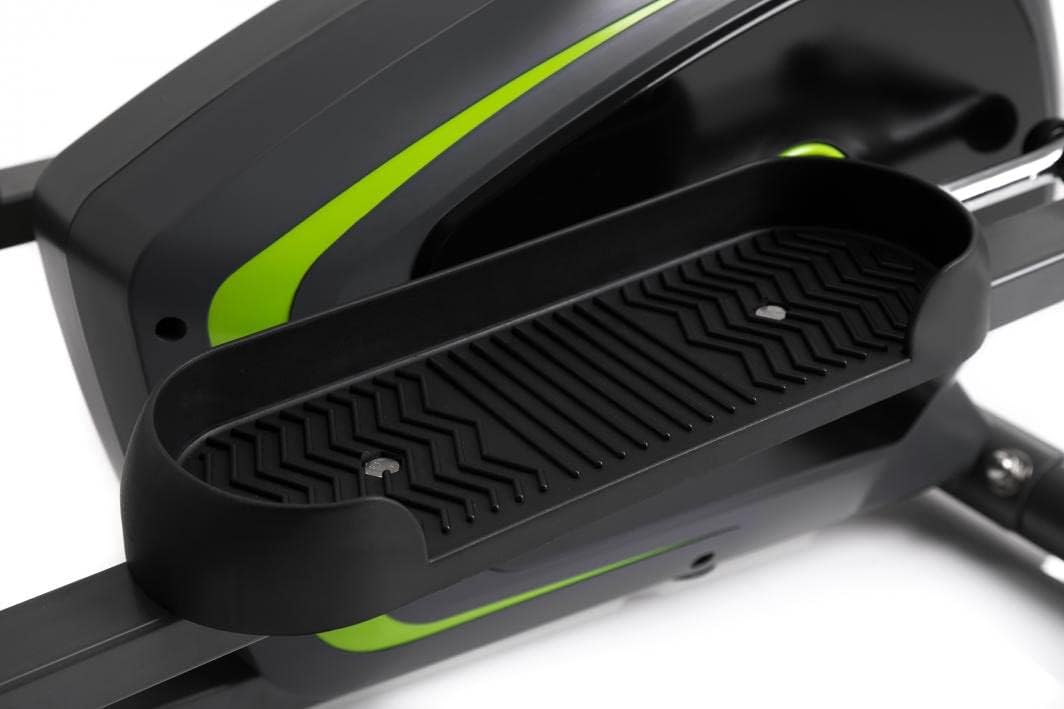
Image: Detail of the textured, anti-slip foot pedal surface.

Image: The integrated water bottle holder on the elliptical frame.

Image: The rear stabilizer bar with built-in transport wheels for easy relocation.
5. آپريٽنگ هدايتون
5.1 ڪنسول جا ڪم
The integrated console provides real-time feedback on your workout. It typically displays:
- ٽائيم: توهان جي ورزش جو عرصو.
- رفتار: Current speed in km/h or mph.
- دوري: ورزش دوران پورو ڪيل ڪل فاصلو.
- ڪيليئرز: اندازي مطابق ڪيليريا ساڙي.
- ڇنڊو: Your heart rate (measured via hand pulse sensors on fixed handlebars).
- اسڪين: سڀني ڊسپلي ڪمن ذريعي خودڪار طريقي سان چڪر لڳائي ٿو.
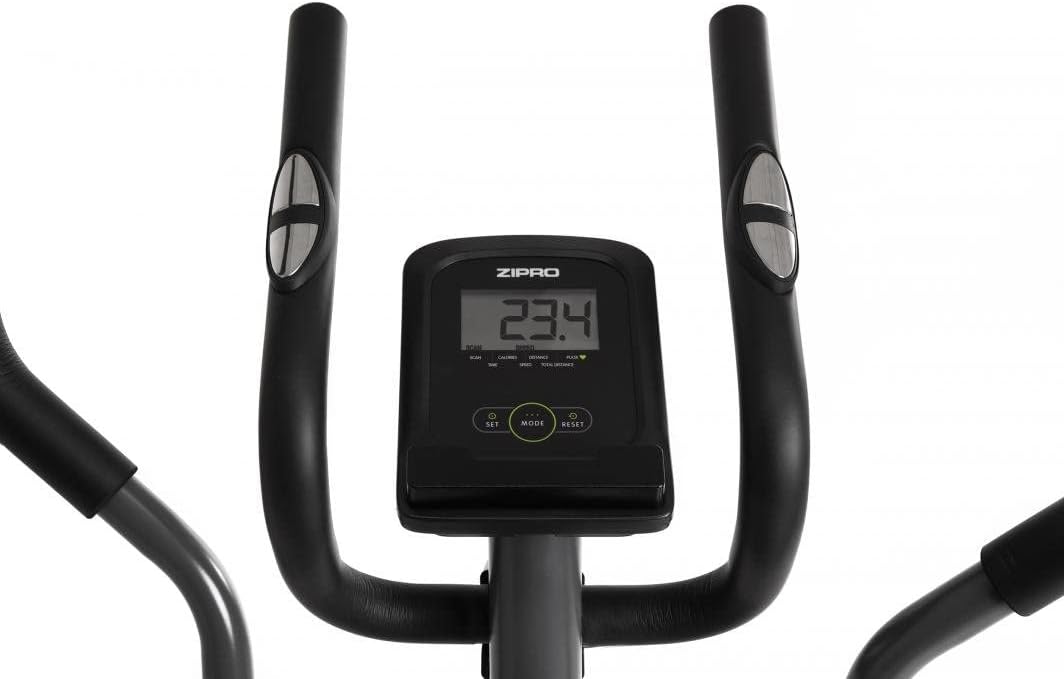
Image: The digital console displaying workout metrics.
Use the 'MODE' button to select a specific display function or 'SCAN' mode. 'RESET' will clear all workout data.
5.2 مزاحمت کي ترتيب ڏيڻ
The ZIPRO Neon Elliptical Trainer features 8 levels of magnetic resistance. To adjust the resistance, turn the tension control knob located on the main frame. Turn clockwise to increase resistance for a more challenging workout, and counter-clockwise to decrease resistance for an easier workout.

Image: The resistance control knob with settings from 1 to 8.
5.3 ڊيوائس هولڊر استعمال ڪندي
The elliptical is equipped with a convenient shelf for mobile devices, allowing you to place your smartphone or tablet while exercising. This is located just below the console.

Image: The device holder, capable of holding a tablet or smartphone for entertainment during workouts.
5.4 Workout Guidelines
- گرم ٿيو: Begin each workout with 5-10 minutes of light exercise and stretching.
- ورزش: Maintain a steady pace and resistance level for 20-30 minutes, or as recommended by your fitness plan.
- کولڻ: Finish with 5-10 minutes of slower pedaling and stretching.
- هائيڊريشن: Use the integrated bottle holder to keep water accessible and stay hydrated during your workout.
6. سار سنڀال ۽ سنڀال
Regular maintenance will extend the life of your elliptical trainer.
- صفائي: اشتهار سان سامان صاف ڪريوamp هر استعمال کان پوءِ پسين ۽ مٽي کي هٽائڻ لاءِ ڪپڙو. رگڙيندڙ صاف ڪندڙ يا محلول استعمال نه ڪريو.
- لوڻ: Periodically check moving parts for friction. Apply a silicone-based lubricant to pivot points and joints if squeaking occurs.
- بندن کي مضبوط ڪريو: Regularly inspect all bolts, nuts, and screws to ensure they are tight. Tighten as necessary to prevent noise and ensure stability.
- اسٽوريج: ايلپٽيڪل کي سڌي سج جي روشني ۽ انتهائي گرمي پد کان پري سڪل، ٿڌي جاءِ تي ذخيرو ڪريو.
7. مسئلا حل ڪرڻ
If you encounter issues with your elliptical trainer, refer to the table below for common problems and solutions.
| مسئلو | ممڪن سبب | حل |
|---|---|---|
| چِڪڻ يا پيسڻ جو آواز | Loose bolts; lack of lubrication; worn parts. | Tighten all visible bolts. Apply silicone lubricant to pivot points. If noise persists, contact support. |
| ڪنسول ڊيٽا نه ڏيکاري رهيو آهي | Batteries low or dead; loose sensor connection. | Replace console batteries. Check all sensor cables are securely connected. |
| مزاحمت تبديل نه ٿيندي | مزاحمتي ڪيبل ڪٽيل يا خراب ٿي وئي. | Inspect the resistance cable connection to the knob and the flywheel mechanism. Reconnect if loose. |
| Elliptical feels unstable/wobbly | Uneven surface; loose stabilizer bar bolts. | Adjust the leveling caps on the stabilizer bars. Ensure all stabilizer bar bolts are tightened. |
8. ٽيڪنيڪل وضاحتون
| خاصيت | تفصيل |
|---|---|
| ماڊل نالو | نيون |
| برانڊ | ZIPRO |
| رنگ | ڪارو |
| پيداوار جي ماپ (L x W x H) | 107 x 67 x 152 سينٽي (42.1 x 26.4 x 59.8 انچ) |
| شيءِ جو وزن | 29.8 ڪلوگرام (65.7 پائونڊ) |
| مواد | Durable Steel Frame, Plastic Components |
| مزاحمتي ميڪانيزم | مقناطيسي |
| وڌ ۾ وڌ وزن جي سفارش | 120 ڪلوگرام (264 پائونڊ) |
| وڌ ۾ وڌ اسٽرائيڊ ڊگھائي | 27 سينٽي (10.6 انچ) |
| مزاحمت جي سطح جو تعداد | 8 |
| شامل اجزاء | Elliptical Trainer, Water Bottle Holder |
| بيٽريون شامل آهن | ها |
| ٺاهيندڙ | Morele.net Sp. z oo |
| ماڊل نمبر | 1592673 |
9. وارنٽي ۽ سپورٽ
Your ZIPRO Neon Magnetic Elliptical Trainer comes with a standard manufacturer's warranty covering defects in materials and workmanship. Please refer to the warranty card included in your package for specific terms and conditions, including the warranty period.
For technical support, replacement parts, or warranty claims, please contact ZIPRO customer service. Have your model number (1592673) and proof of purchase ready when contacting support.
رابطي جي ڄاڻ:
Please visit the official ZIPRO webتوهان جي علائقي لاءِ سڀ کان وڌيڪ تازه ترين رابطي جي تفصيلن لاءِ سائيٽ.


