1. تعارف
Thank you for choosing the ZIPRO Boost Exercise Bike. This manual provides essential information for the safe and effective assembly, operation, and maintenance of your new fitness equipment. Please read this manual thoroughly before first use and keep it for future reference.
2. حفاظت جي ڄاڻ
- ڪنهن به مشق پروگرام شروع ڪرڻ کان پهريان هڪ طبيب سان صلاح ڪريو.
- هر استعمال کان اڳ پڪ ڪريو ته سڀئي حصا محفوظ طور تي مضبوط آهن.
- آپريشن دوران ٻارن ۽ پالتو جانورن کي سامان کان پري رکو.
- ورزش واري سائيڪل کي هڪ فليٽ، مستحڪم مٿاڇري تي رکو.
- مناسب ورزشي لباس ۽ بوٽ پائڻ.
- وڌ ۾ وڌ استعمال ڪندڙ جي وزن جي گنجائش 120 ڪلوگرام کان وڌيڪ نه ڪريو.
- جيڪڏهن توهان کي بي هوشي، چڪر اچڻ، يا درد محسوس ٿئي ته فوري طور تي ورزش بند ڪريو.
3. پيڪيج مواد
Before assembly, verify that all components are present and undamaged:
- مکيه فريم
- فرنٽ ۽ ريئر اسٽيبلائيزر
- پيادل (کاٻي ۽ ساڄي)
- سيٽ پوسٽ ۽ سيڊل
- هينڊل بار پوسٽ ۽ هينڊل بار
- ڪمپيوٽر جي مشق
- اسيمبلي هارڊويئر (بولٽ، واشر، نٽ)
- اسيمبلي جا اوزار (رينچ، ايلن ڪيز)
- استعمال ڪندڙ دستي
4. اسيمبليءَ جون هدايتون
Follow these steps for proper assembly. It is recommended to have two people for certain steps.
- اسٽيبلائيزر لڳايو: مهيا ڪيل بولٽس ۽ واشرن کي استعمال ڪندي اڳيان ۽ پوئين اسٽيبلائيزر کي مکيه فريم سان محفوظ ڪريو. پڪ ڪريو ته اهي مضبوطيءَ سان مضبوط ٿيل آهن.
- انسٽال ڪريو پيادل: Identify the left (L) and right (R) pedals. The left pedal screws counter-clockwise, and the right pedal screws clockwise. Tighten securely.
- مائونٽ سيٽ پوسٽ ۽ سيڊل: Insert the seat post into the main frame and adjust to the desired height. Attach the saddle to the seat post and secure it.
- هينڊل بار پوسٽ ڳنڍيو: Insert the handlebar post into the main frame.
- Install Handlebars and Computer: Attach the handlebars to the handlebar post. Connect the sensor wires from the main frame to the exercise computer. Mount the computer onto the handlebar post.

Figure 4.1: Detailed assembly diagram for the ZIPRO Boost Exercise Bike.

شڪل 4.2: ڌماڪو ٿيو view of the exercise bike components, illustrating how parts fit together during assembly.
5. آپريٽنگ هدايتون
5.1 مزاحمت کي ترتيب ڏيڻ
The ZIPRO Boost features an 8-level magnetic resistance system. To adjust the resistance, turn the tension control knob located below the computer display. Turn clockwise to increase resistance (harder) and counter-clockwise to decrease resistance (easier).

Figure 5.1: The resistance adjustment knob, showing levels 1 through 8.
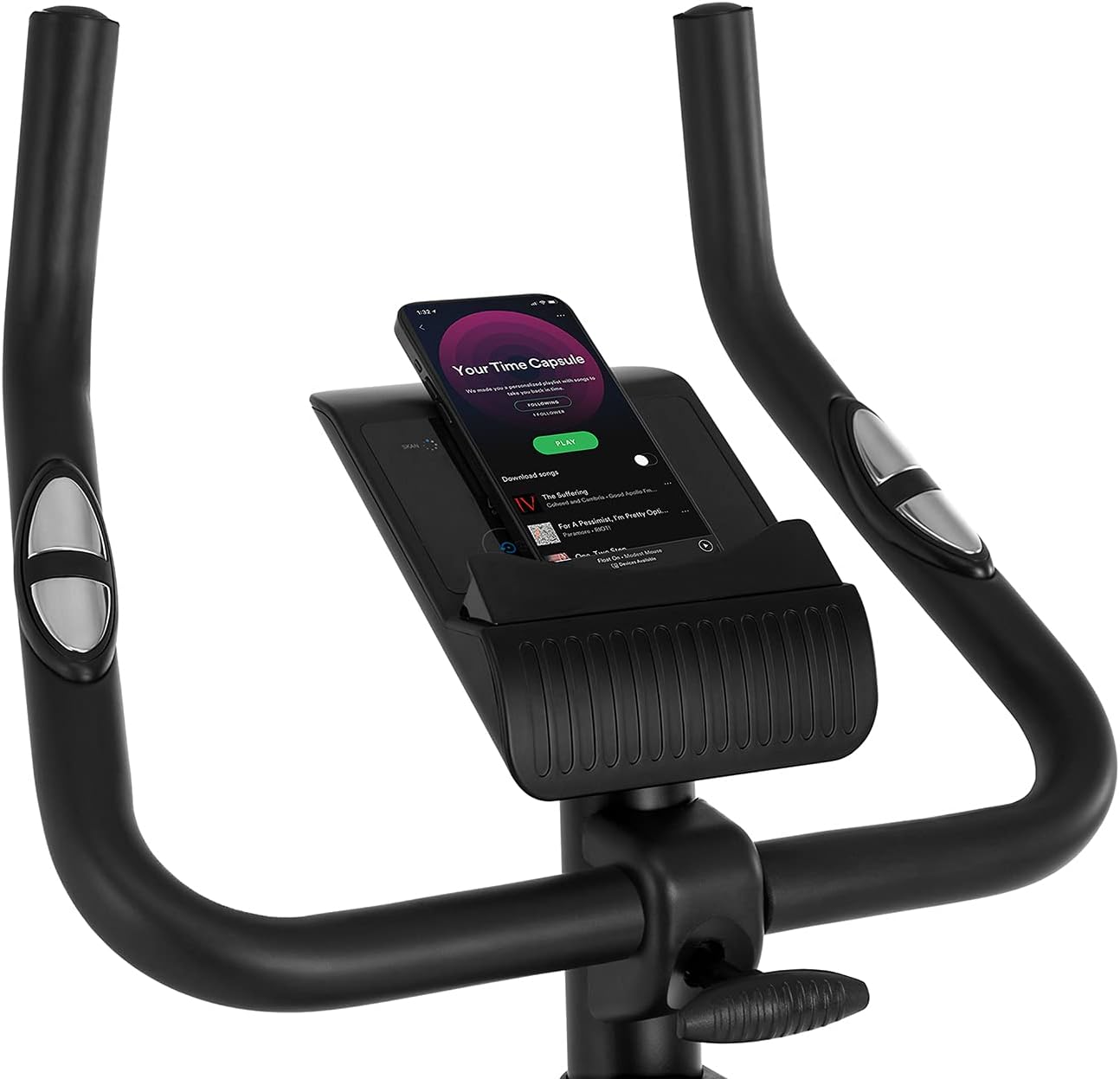
Figure 5.2: Demonstrating how to adjust the magnetic resistance using the tension control knob.
5.2 سيڊل ۽ هينڊل بار جي ترتيب
Proper adjustment of the saddle and handlebars ensures comfort and effective training.
- سيڊل جي اوچائي: Loosen the adjustment knob on the seat post, raise or lower the saddle to your desired height (ensure a slight bend in your knee at the bottom of the pedal stroke), and tighten the knob securely.
- Saddle Horizontal Position: Loosen the knob beneath the saddle to slide it forward or backward for optimal positioning relative to the pedals. Tighten securely.
- دستي جي اوچائي: Loosen the adjustment knob on the handlebar post, raise or lower the handlebars to a comfortable position, and tighten the knob securely.
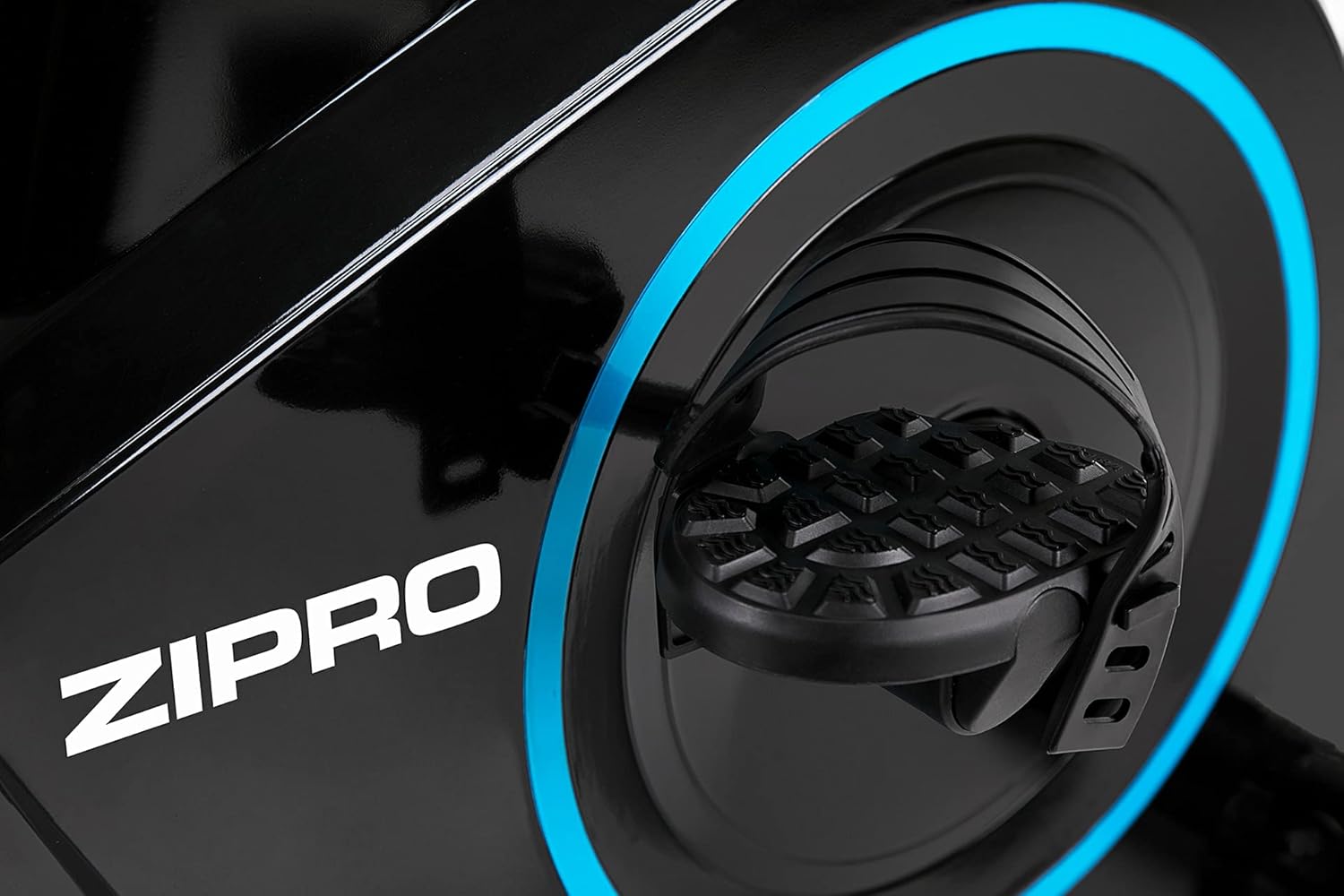
Figure 5.3: Adjusting the saddle's vertical position for user comfort.
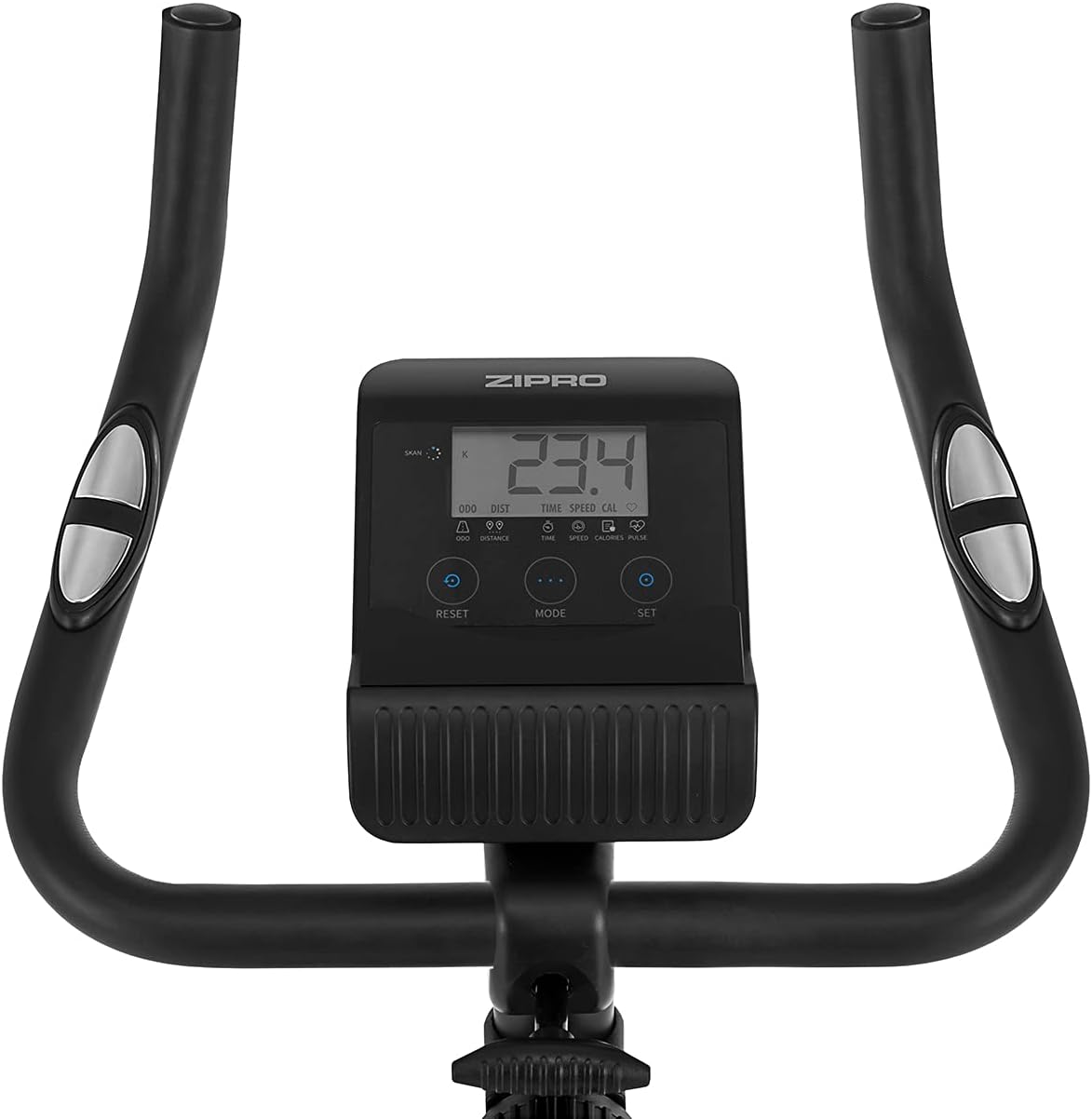
Figure 5.4: Adjusting the saddle's horizontal position for optimal riding posture.
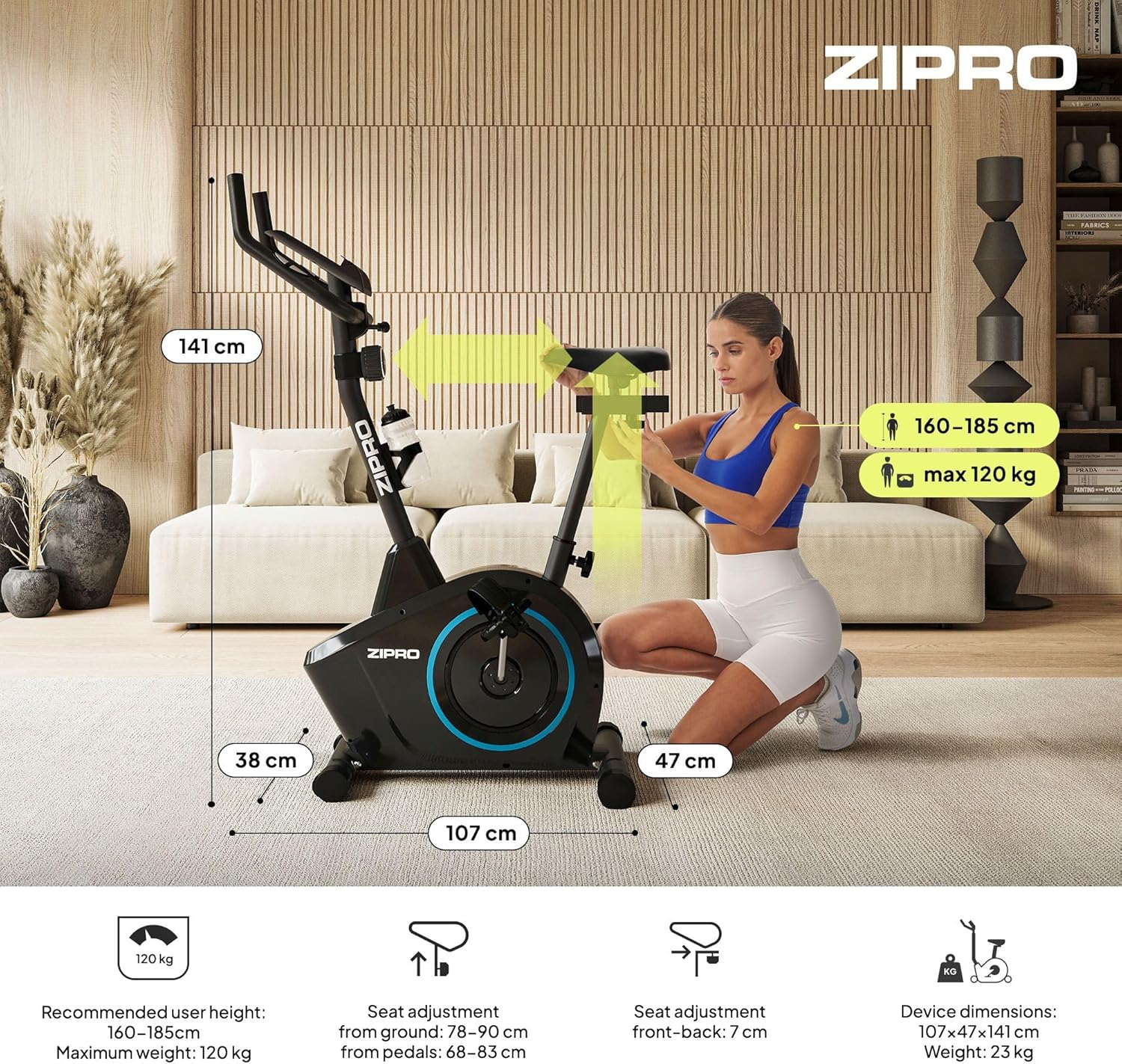
Figure 5.5: Adjusting the handlebar height to suit different user preferences and workout styles.
5.3 Computer Functions
The integrated computer tracks your workout data. It measures time, distance, speed, calories burned, and pulse (via sensors in the handlebar). The SCAN function cycles through all data alternately on the screen.
- موڊ بٽڻ: Press to select the display function (Time, Speed, Distance, Calories, Odometer, Pulse).
- ري سيٽ بٽڻ: Press and hold to clear all current workout data (Time, Distance, Speed, Calories).
- سيٽ بٽڻ: Used to set target values for Time, Distance, or Calories.
- نبض سينسر: Grip the metal plates on the handlebars to measure your heart rate.
- Mobile Device Shelf: A convenient shelf is provided above the computer for your smartphone or tablet.

Figure 5.6: The exercise computer display with MODE, RESET, and SET buttons.

شڪل 5.7: ختمview of the computer display and integrated pulse sensors.

Figure 5.8: The integrated shelf designed to hold a mobile device like a tablet during workouts.
6. سار سنڀال
باقاعده سار سنڀال توهان جي ورزش واري سائيڪل جي ڊگهي عمر ۽ محفوظ آپريشن کي يقيني بڻائي ٿي.
- صفائي: اشتهار سان سائيڪل کي هيٺ ڪريوamp هر استعمال کان پوءِ پسين ۽ مٽي کي هٽائڻ لاءِ ڪپڙو. رگڙيندڙ صاف ڪندڙ استعمال نه ڪريو.
- ڪنيڪشن چيڪ ڪريو: Periodically check all bolts, nuts, and screws to ensure they are tight. Tighten if necessary.
- لوڻ: The magnetic resistance system is generally maintenance-free. If you notice any squeaking from moving parts (e.g., pedal axles), apply a small amount of silicone-based lubricant.
- اسٽوريج: When not in use, store the bike in a dry, cool place away from direct sunlight. The integrated transport wheels allow for easy movement.

Figure 6.1: The exercise bike features transport wheels for easy relocation after use.
7. مسئلا حل ڪرڻ
| مسئلو | ممڪن سبب | حل |
|---|---|---|
| ڪمپيوٽر ڊسپلي ڪم نه ڪري رهيو آهي | Loose cable connection; Dead batteries | Check all cable connections to the computer; Replace batteries (if applicable). |
| ڪابه مزاحمتي تبديلي ناهي | مزاحمتي ڪيبل ڪٽيل يا خراب ٿي وئي | Check the resistance cable connection to the tension knob and the main unit. |
| چِڪڻ يا پيسڻ جو آواز | Loose parts; Lack of lubrication | Check and tighten all bolts and nuts; Apply silicone lubricant to moving parts if necessary. |
| استعمال دوران غير مستحڪم | Bike not on a level surface; Loose stabilizers | Ensure the bike is on a flat surface; Adjust leveling caps on stabilizers; Tighten stabilizer bolts. |
8. وضاحتون
| خاصيت | تفصيل |
|---|---|
| ماڊل | 979536 |
| طول و عرض (L x W x H) | 73 x 48 x 137 سينٽي |
| پيداوار جو وزن | 23 ڪلو |
| وڌ ۾ وڌ استعمال ڪندڙ وزن | 120 ڪلو |
| مزاحمتي نظام | Magnetic, 8-level manual adjustment |
| ڊرائيو سسٽم | بيلٽ |
| ڪمپيوٽر جا ڪم | Time, Distance, Speed, Calories, Pulse (Heart Rate) |
| مواد جو قسم | پلاسٽڪ، ڌاتو |
| Power Source (Computer) | بيٽري سان هلندڙ |
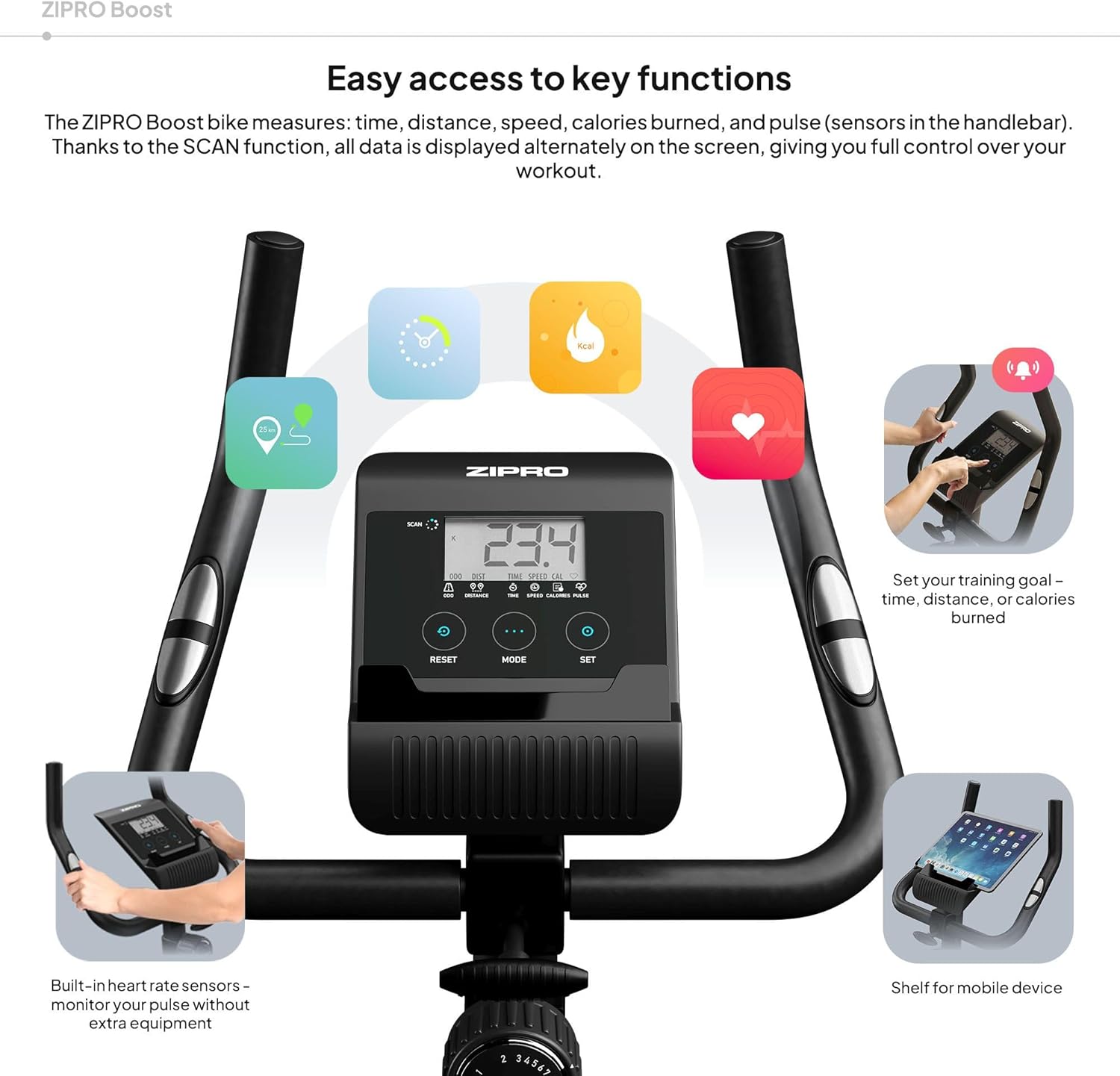
Figure 8.1: Key dimensions and user specifications for the exercise bike.
9. وارنٽي ۽ سپورٽ
Your ZIPRO Boost Exercise Bike comes with a standard manufacturer's warranty. Please refer to the warranty card included in your package for specific terms and conditions. For technical support, spare parts, or any inquiries not covered in this manual, please contact ZIPRO customer service through their official webسائيٽ يا پرچون ڪندڙ جتي توهان پراڊڪٽ خريد ڪيو.


