تعارف
Welcome to the user manual for your Picun Elite P80S Wireless Headset. This guide provides detailed instructions for setup, operation, maintenance, and troubleshooting to ensure you get the most out of your device. Please read this manual thoroughly before using the headset.
پيڪيج مواد
- Picun Elite P80S Headset
- Detachable AUX Microphone
- USB چارجنگ ڪيبل
- AUX Cable for Wired Transmission

Image: Picun Elite P80S Wireless Headset with detachable microphone, showcasing its design and included microphone.
پيداوار ختمview
Headset Components and Controls
The Picun Elite P80S headset features an ergonomic design with easy-to-access media buttons for various functions. These include controls for music playback, call management, vibration mode, LED light display, and volume adjustments.

Image: The Picun Elite P80S Wireless Headset shown in its folded configuration, highlighting its portable design.

Image: The Picun Elite P80S Wireless Headset displayed on a stand, providing a clear view of its over-ear design, earcups, and adjustable headband.
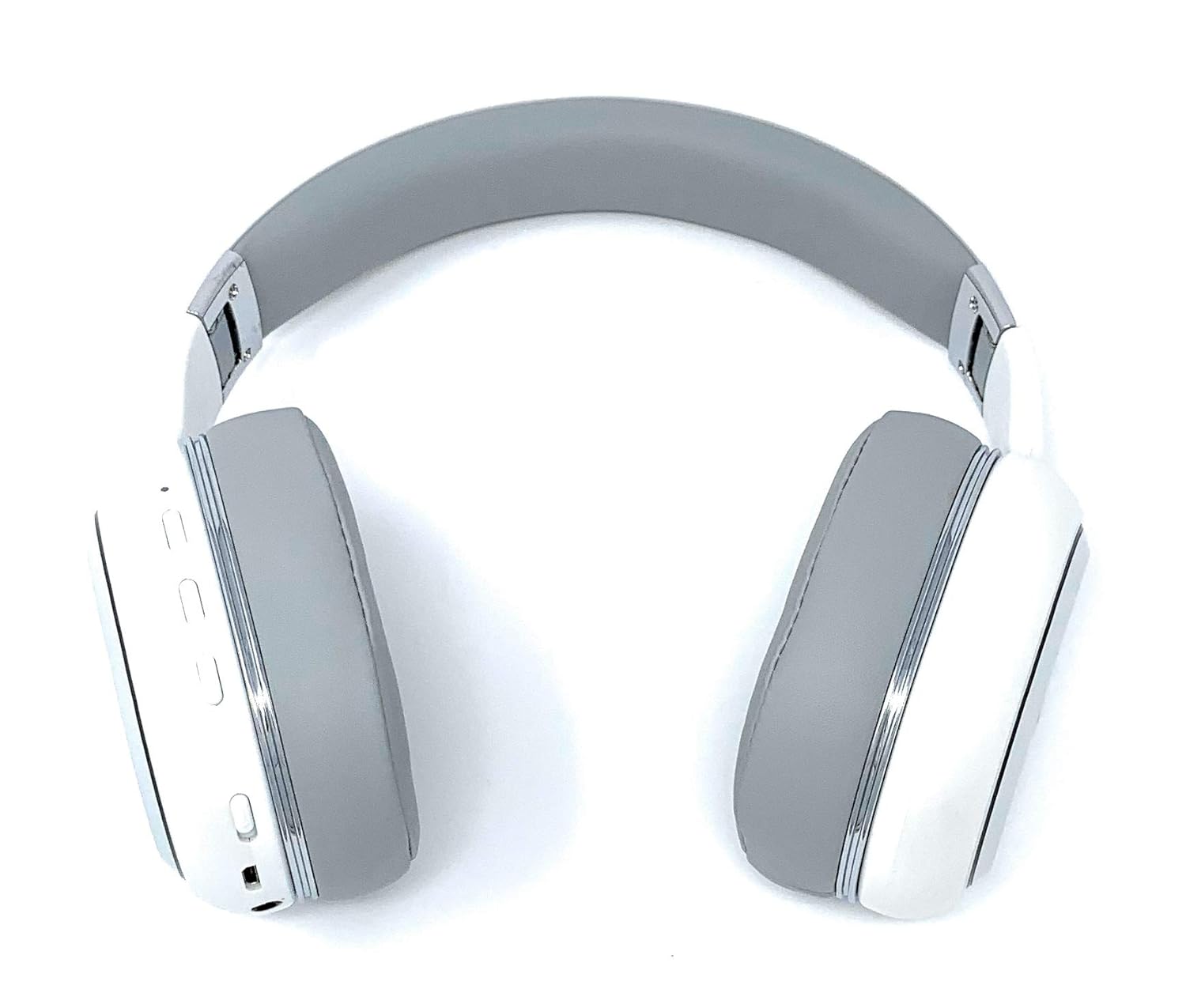
Image: A rear perspective of the Picun Elite P80S Wireless Headset, illustrating the placement of control buttons on the earcup.

Image: A detailed close-up of the right earcup hinge and the 'R' indicator on the Picun Elite P80S Wireless Headset, showing construction details.
سيٽ اپ ڪريو
هيڊ سيٽ کي چارج ڪرڻ
Before initial use, fully charge the headset. Use the provided USB charging cable with any compatible USB adapter or device.
- Connect the USB charging cable to the headset's charging port.
- USB ڪيبل جي ٻئي پڇاڙيءَ کي پاور ماخذ سان ڳنڍيو.
- A full charge provides approximately 40 hours of game time or 60 hours of music/media playback in wireless mode.
بلوٽوٽ جوئر
To connect your headset wirelessly:
- انهي کي پڪ ڪيو ته هيڊٽ پاور بند ٿيل آهي.
- پاور بٽڻ کي دٻايو ۽ رکو جيستائين LED اشارو چمڪي، جيڪو پيئرنگ موڊ کي ظاهر ڪري ٿو.
- پنهنجي ڊوائيس (اسمارٽ فون، ٽيبليٽ، ڪمپيوٽر) تي، بلوٽوٿ کي فعال ڪريو ۽ موجود ڊوائيسز جي ڳولا ڪريو.
- Select "Picun P80S" from the list of found devices.
- Once connected, the LED indicator will show a steady light or flash slowly.
وائرڊ ڪنيڪشن
For a wired connection, use the provided AUX cable:
- Connect one end of the AUX cable to the headset's AUX port.
- ٻئي ڇيڙي کي پنهنجي آڊيو ڊوائيس جي 3.5 ايم ايم آڊيو جيڪ سان ڳنڍيو.
- The headset can be used indefinitely in wired mode, regardless of battery charge.
مائڪروفون سان ڳنڍڻ
The headset includes a detachable microphone for clear communication:
- Locate the microphone port on the headset.
- Gently insert the detachable microphone into the port until it clicks into place.
- The microphone is designed to reduce ambient noise for high-definition vocals.
آپريٽنگ هدايتون
پاور آن / آف
- پاور آن: ڪجھ سيڪنڊن لاءِ پاور بٽڻ کي دٻايو ۽ رکو جيستائين LED اشاري روشن نه ٿئي.
- بجلي بند: Press and hold the power button for a few seconds until the LED indicator turns off.
موسيقي پلے بیک
- راند/روڪ: دٻايو Play/Pause بٽڻ هڪ ڀيرو.
- اڳيون ٽريڪ: 'واليوم اپ' بٽڻ کي دٻايو ۽ رکو.
- پويون ٽريڪ: 'واليوم ڊائون' بٽڻ کي دٻايو ۽ رکو.
ڪال انتظام
- جواب/آخر ڪال: ملائي واري فنڪشن جي بڪ کي هڪ ڀيرو دٻايو.
- ڪال رد ڪريو: 2 سيڪنڊن لاءِ ملٽي فنڪشن بٽڻ کي دٻايو ۽ رکو.
Dual Shock/Vibration Mode
This mode enhances audio with deep bass and vibrations, ideal for music, movies, and gaming.
- چالو / غير فعال ڪرڻ: Use the dedicated 'Vibration/Dual Shock Mode On-Off toggle switch' on the headset.
LED لائيٽ ڊسپلي
The headset features an LED light display.
- آن/بند ڪريو: Use the dedicated 'LED Light Display On-Off button' on the headset.
حجم ڪنٽرول
- حجم و :ايو: 'واليوم اپ' بٽڻ دٻايو.
- حجم گھٽايو: 'واليوم ڊائون' بٽڻ دٻايو.
سار سنڀال
صفائي
- هيڊ سيٽ کي نرم، سڪل ڪپڙي سان مسح ڪريو.
- استعمال نه ڪريو abrasive cleaners يا solvents.
- Keep the charging port and audio jacks free of dust and debris.
ذخيرو
- هيڊ سيٽ کي سڌي سج جي روشني ۽ انتهائي گرمي پد کان پري ٿڌي، سڪل جاءِ تي رکو.
- When not in use for extended periods, ensure the headset is fully charged before storing.
مشڪلاتون
ڪابه طاقت
- پڪ ڪريو ته هيڊ سيٽ مڪمل طور تي چارج ٿيل آهي.
- Verify the charging cable and power source are functioning correctly.
ڪو آواز
- هيڊ سيٽ ۽ توهان جي ڳنڍيل ڊوائيس ٻنهي تي حجم جي سطح چيڪ ڪريو.
- If using Bluetooth, ensure the headset is properly paired and connected.
- If using a wired connection, ensure the AUX cable is securely plugged into both the headset and the audio source.
- ڪنهن مختلف آڊيو ذريعن يا ڊوائس سان ٽيسٽ ڪريو.
بلوٽوٿ جوڙڻ جا مسئلا
- Ensure the headset is in pairing mode (LED flashing).
- پنهنجي ڊوائيس تي بلوٽوٿ کي بند ۽ آن ڪريو.
- پنهنجي ڊوائيس تي پوئين بلوٽوٿ ڪنيڪشن صاف ڪريو ۽ ٻيهر جوڙڻ جي ڪوشش ڪريو.
- Ensure the headset is within the effective range of your Bluetooth device.
وضاحتون
| خاصيت | وصف |
|---|---|
| ماڊل نالو | Elite P80S |
| رابطي ٽيڪنالاجي | بلوٽوٿ |
| وائرليس ڪميونيڪيشن ٽيڪنالاجي | بلوٽوٿ |
| شامل اجزاء | Headset, Detachable AUX Microphone, USB Charging Cable, AUX Cable for Wired Transmission |
| عمر جي حد (وضاحت) | بالغ |
| مواد | غلط چمڙو |
| ڪنٽرول قسم | حجم ڪنٽرول، ريموٽ |
| ڪيبل خصوصيت | ڌار ڪرڻ جي قابل |
| شيءِ جو وزن | 820 گرام (0.82 ڪلوگرام) |
| شين جو تعداد | 1 |
| خاص خصوصيت | شور جي منسوخي |
| ٺاهيندڙ | پڪن |
| هارڊويئر پليٽ فارم | گيمنگ ڪنسول |
| مائڪروفون فارميٽ | Built-In, Detachable AUX Microphone |
| بيٽرين جي ضرورت آهي | نه (اندروني ريچارج ٿيندڙ بيٽري) |
| فارم فيڪٽر | ڪن مٿان |
| رنگ | اڇو |
| شور ڪنٽرول | فعال شور منسوخي |
| هيڊ فون جيڪ | 3.5 مليڪ جيڪ |
وارنٽي ڄاڻ
The Picun Elite P80S Wireless Headset is covered by a manufacturer's warranty. For specific details regarding warranty terms, duration, and claims process, please refer to the warranty policy provided at the time of purchase or contact Picun customer support.
ڪسٽمر سپورٽ
If you encounter any issues not covered in this manual or require further assistance, please contact Picun customer support through their official website or the contact information provided with your product packaging. Please have your product model (P80S) and purchase details ready when contacting support.


