1. تعارف
This manual provides detailed instructions for the operation and maintenance of your Joyroom JR-T05 Wireless Earbuds. Please read this manual thoroughly before use to ensure proper functionality and to maximize your user experience.
2. پيڪيج مواد
- Joyroom JR-T05 Wireless Earbuds (Left and Right)
- چارج ڪيس
- USB چارجنگ ڪيبل
- ڪن جا ٽوٽڪا (مختلف سائز)
- استعمال ڪندڙ دستي
3. پراڊڪٽ ختمview
The Joyroom JR-T05 Wireless Earbuds feature an in-ear design for comfortable wear and include a portable charging case for extended use. They are equipped with Bluetooth 4.2 for stable connectivity and offer noise-cancelling capabilities.
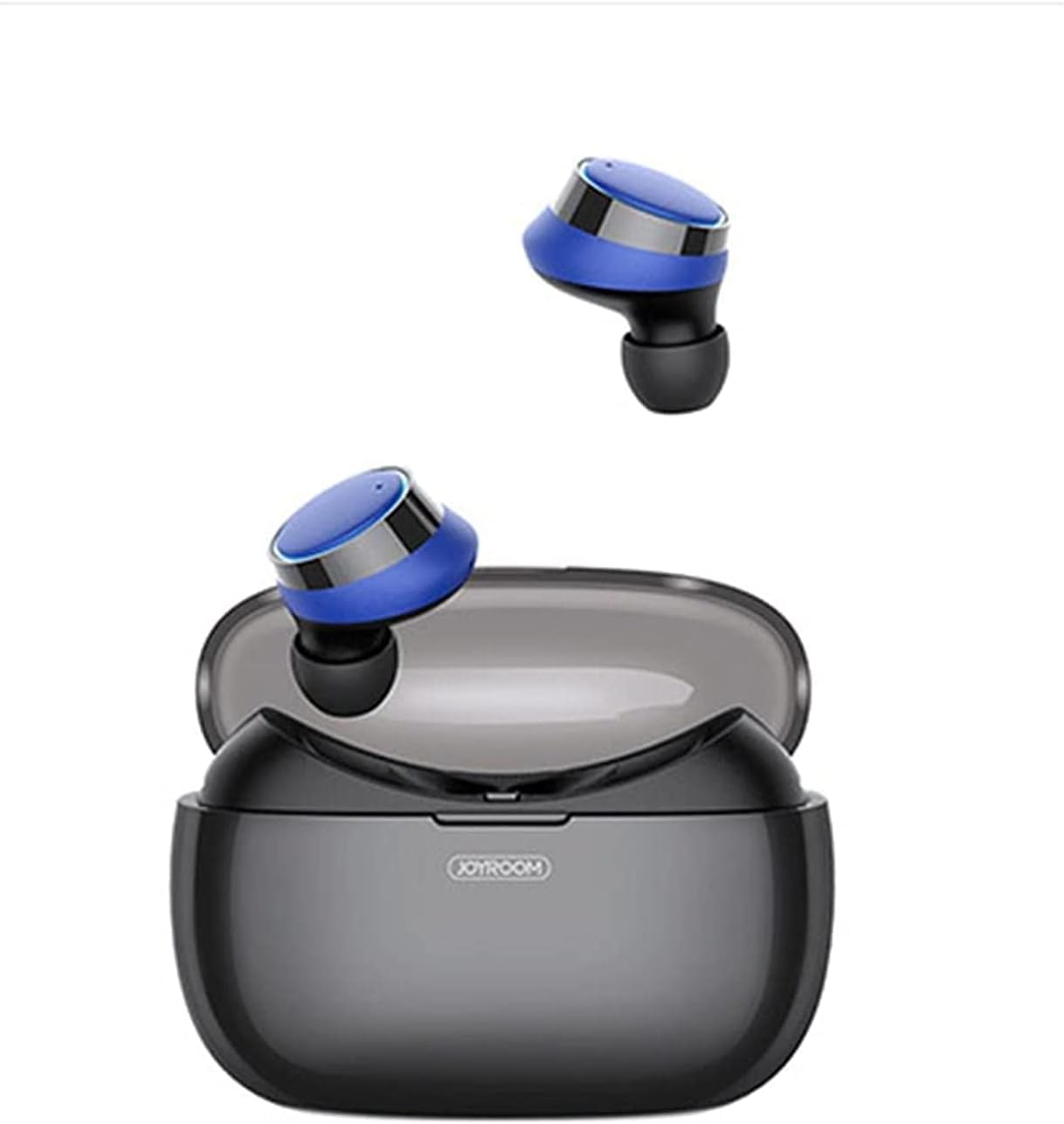
تصوير 3.1: Joyroom JR-T05 Wireless Earbuds shown with their charging case open. The earbuds are black and blue, resting above the black charging case.

تصوير 3.2: هڪ ويجهو view of the Joyroom JR-T05 Wireless Earbuds, highlighting their blue and black design, positioned within the open charging case.
4. سيٽ اپ
4.1 ائربڊس ۽ ڪيس کي چارج ڪرڻ
- ڪيس چارج ڪرڻ: Connect the provided USB charging cable to the charging port on the case and to a compatible USB power source. The indicator lights on the case will show charging status. A full charge for the 1500mAh polymer lithium battery case can provide approximately 10 full charges for the earbuds.
- Earbuds کي چارج ڪرڻ: Place the earbuds into their respective slots in the charging case. Ensure they are correctly seated. The earbuds will automatically begin charging. Indicator lights on the earbuds or case will confirm charging.
4.2 بلوٽوٽ جوڙي
- شروعاتي جوڙ:
- چارجنگ ڪيس مان ٻئي ائربڊ ڪڍو. اهي خودڪار طريقي سان پاور آن ٿيندا ۽ پيئرنگ موڊ ۾ داخل ٿيندا.
- توهان جي موبائل ڊوائيس تي، بلوٽوت کي فعال ڪريو ۽ دستياب ڊوائيسز لاء ڳولا ڪريو.
- Select "JR-T05" from the list of found devices.
- هڪ دفعو ڳنڍيل، هڪ وائس پرامپٽ ڪامياب جوڙڻ جي تصديق ڪندو.
- سنگل ائربڊ موڊ: The double-ear separated design allows for independent use of a single earbud. Simply remove one earbud from the case; it will automatically connect to the last paired device.
5. آپريٽنگ هدايتون
5.1 پاور آن/آف
- پاور آن: Remove earbuds from the charging case. They will power on automatically. Alternatively, press and hold the multi-function button on each earbud for approximately 3 seconds.
- بجلي بند: Place earbuds back into the charging case. They will power off automatically. Alternatively, press and hold the multi-function button on each earbud for approximately 5 seconds.
5.2 ميوزڪ پلے بیک
- راند/روڪ: Single tap the multi-function button on either earbud.
- اڳيون ٽريڪ: Double tap the multi-function button on the right earbud.
- پويون ٽريڪ: Double tap the multi-function button on the left earbud.
5.3 ڪال مئنيجمينٽ
- جواب/آخر ڪال: Single tap the multi-function button on either earbud.
- ڪال رد ڪريو: ٻنهي ائربڊ تي ملٽي فنڪشن بٽڻ کي 2 سيڪنڊن لاءِ دٻايو ۽ رکو.
- آواز جو اسسٽنٽ: Triple tap the multi-function button on either earbud (if supported by your device).
6. سار سنڀال
- صفائي: Regularly clean the earbuds and charging case with a soft, dry, lint-free cloth. Do not use harsh chemicals or abrasive materials. Ensure charging contacts are free of debris.
- پاڻي جي مزاحمت: The earbuds feature an IPX5 waterproof design, protecting them from sweat and light splashes. Do not submerge the earbuds in water or expose them to heavy rain. The charging case is not waterproof.
- اسٽوريج: جڏهن استعمال ۾ نه هجي، ته ائربڊس کي انهن جي چارجنگ ڪيس ۾ محفوظ ڪريو ته جيئن انهن کي محفوظ رکي سگهجي ۽ انهن کي چارج رکيو وڃي. انتهائي گرمي پد کان پري ٿڌي، سڪل جاءِ تي ذخيرو ڪريو.
7. مسئلا حل ڪرڻ
| مسئلو | ممڪن حل |
|---|---|
| ائربڊس ڊوائيس سان جوڙو نه پيا ٺاهين. |
|
| صرف هڪ ائربڊ ڪم ڪري رهيو آهي. |
|
| ائربڊس چارج نه ٿي رهيا آهن. |
|
| خراب آواز جو معيار. |
|
8. وضاحتون
- ماڊل: JR-T05
- برانڊ: جوئر روم
- رابطي: وائرليس (بلوٽوٿ 4.2)
- ڪن جي جڳھ: ڪن ۾
- فارم فيڪٽر: ڪن ۾
- شور ڪنٽرول: فعال شور منسوخي
- مائڪروفون: شامل
- پاڻي جي مزاحمت: IPX5 (صرف earbuds)
- چارج ڪيس بيٽري: 1500mAh Polymer Lithium
- پيداوار جي ماپ: 15 x 3 x 7 سينٽي
- پيداوار جو وزن: 150 جي
- سان مطابقت: موبائل فون
9. حفاظت جي ڄاڻ
- پيداوار کي جدا يا تبديل نه ڪريو.
- انتهائي گرمي پد، سڌي سج جي روشني، ۽ کليل باهه کان پري رهو.
- Avoid exposing the charging case to water or moisture.
- صرف منظور ٿيل چارجر ۽ ڪيبل استعمال ڪريو.
- Prolonged listening at high volumes may cause hearing damage.
- ٻارن ۽ پالتو جانورن جي پهچ کان پري رکو.
10. وارنٽي ۽ سپورٽ
For warranty information or technical support, please refer to the documentation included with your purchase or visit the official Joyroom webسائيٽ. مھرباني ڪري ڪنھن به وارنٽي دعوائن لاءِ خريداري جو ثبوت رکو.


