تعارف
Welcome to the user manual for your Urbanista Sydney Wireless Speaker. This guide provides essential information on setting up, operating, maintaining, and troubleshooting your device. The Urbanista Sydney is a pocket-sized, splash-proof speaker featuring Bluetooth 5.0 connectivity and up to 5 hours of playtime, designed for portable audio enjoyment.
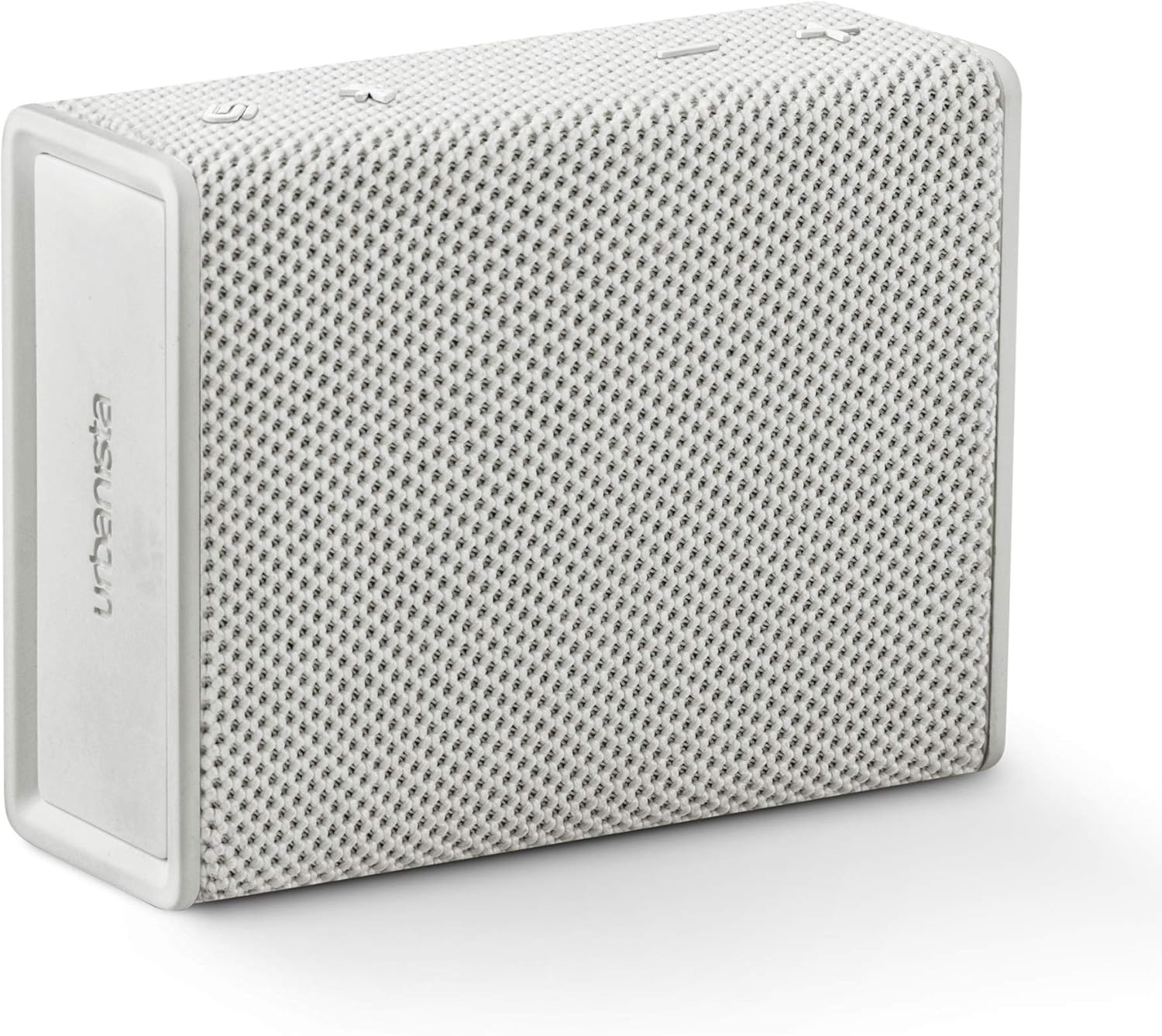
Image: The Urbanista Sydney Wireless Speaker in white, showcasing its compact and minimalist design.
پيداوار ختمview
The Urbanista Sydney speaker is designed for ease of use and portability. It features intuitive controls and robust construction for various environments.

Image: An illustration of the Urbanista Sydney speaker with icons indicating its key features: up to 5 hours total playtime, up to 30 days standby time, Bluetooth 5.0, IPX5 water resistance, and compatibility with Android and iOS devices.
اهم خاصيتون:
- بلوٽوٽ 5.0: مستحڪم ۽ ڪارآمد وائرليس ڪنيڪشن لاءِ.
- 5-Hour Play Time: Enjoy extended audio playback on a single charge.
- IPX5 Splash-Proof: Resistant to water splashes from any direction, suitable for outdoor use.
- کيسي جي ماپ ڊيزائن: ٿلهي وزن ۽ آسان پورائيزيشن لاء ٺهيل.
- اسٽيريو جوڙڻ: Connect two Sydney speakers for an enhanced stereo sound experience.

Image: A person's hand holding the Urbanista Sydney speaker, illustrating its small and portable size.
سيٽ اپ ڪريو
1. اسپيڪر کي چارج ڏيڻ
Before first use, fully charge your Urbanista Sydney speaker. Connect the provided charging cable to the speaker's charging port and a suitable USB power source. The charging indicator light will show the charging status. A full charge takes approximately 1.5 hours.
2. پاور آن/آف
- پاور آن ڪرڻ: Press and hold the power button located on the speaker until the indicator light illuminates.
- پاور آف ڪرڻ: Press and hold the power button again until the indicator light turns off.
3. بلوٽوٽ جوئر
- Ensure the speaker is powered on and within pairing mode (indicator light flashing).
- پنهنجي ڊوائيس (اسمارٽ فون، ٽيبليٽ، وغيره) تي، بلوٽوٿ کي فعال ڪريو.
- ڳولھيو available Bluetooth devices and select "Urbanista Sydney" from the list.
- Once connected, the indicator light on the speaker will become solid, and you will hear an audible confirmation.
4. Connecting Two Speakers (Stereo Pairing)
For an immersive stereo sound experience, you can connect two Urbanista Sydney speakers together.
- Ensure both Urbanista Sydney speakers are powered on and not connected to any other Bluetooth device.
- On one speaker, press and hold the designated pairing button (refer to speaker diagram for exact button, typically the Bluetooth button) until you hear a pairing tone.
- ٻئي اسپيڪر تي هن قدم کي ورجايو.
- The speakers will automatically search for and connect to each other. Once connected, one speaker will act as the left channel and the other as the right channel.
- Now, connect your device to one of the paired Sydney speakers via Bluetooth as described in step 3.

Image: Two Urbanista Sydney speakers demonstrating the second-speaker pairing feature for stereo sound, with a Bluetooth logo and sound wave graphic.
اسپيڪر کي هلائڻ
بنيادي ڪنٽرول
- راند/روڪ: Press the Play/Pause button once to play or pause audio.
- حجم مٿي حجم وڌائڻ لاءِ '+' بٽڻ دٻايو.
- حجم ھيٺ حجم گهٽائڻ لاءِ '-' بٽڻ دٻايو.
- اڳيون ٽريڪ: Press and hold the '+' button to skip to the next track.
- پويون ٽريڪ: Press and hold the '-' button to go to the previous track.
Splash-Proof Functionality (IPX5)
The Urbanista Sydney speaker is rated IPX5, meaning it is protected against low-pressure water jets from any direction. This makes it suitable for use in environments where it might be exposed to splashes, such as by a pool or during light rain. It is not designed to be submerged in water.

Image: A collection of Urbanista Sydney speakers in various colors positioned near a swimming pool, demonstrating their suitability for splash-prone environments.
سار سنڀال
صفائي
To clean your Urbanista Sydney speaker, use a soft, dry, or slightly damp cloth. Avoid using abrasive cleaners, solvents, or harsh chemicals, as these can damage the speaker's finish and internal components.
ذخيرو
When not in use for extended periods, store the speaker in a cool, dry place away from direct sunlight and extreme temperatures. Ensure the speaker is fully charged before storing to prolong battery life.
مشڪلاتون
If you encounter issues with your Urbanista Sydney speaker, refer to the following common problems and solutions:
- اسپيڪر آن نٿو ٿئي:
- Ensure the speaker is fully charged. Connect it to a power source and allow it to charge for at least 15 minutes before attempting to power on again.
- پڪ ڪريو ته پاور بٽڻ صحيح طرح سان دٻايو ۽ رکيو پيو وڃي.
- ڪابه آواز يا گهٽ آواز:
- اسپيڪر ۽ پنهنجي ڳنڍيل ڊوائيس ٻنهي تي واليوم ليول چيڪ ڪريو.
- Ensure the speaker is properly paired and connected to your device via Bluetooth.
- If using stereo pairing, ensure both speakers are correctly linked and connected to your device.
- بلوٽوٿ جوڙڻ جا مسئلا:
- Make sure the speaker is in pairing mode (indicator light flashing).
- پنهنجي ڊوائيس تي بلوٽوٿ کي غير فعال ۽ ٻيهر فعال ڪريو.
- اسپيڪر کي پنهنجي ڊوائيس جي ويجهو ۽ امڪاني مداخلت جي ذريعن کان پري ڪريو.
- Forget the speaker from your device's Bluetooth list and attempt to pair again.
- غريب آواز جي معيار:
- Ensure the speaker is within the effective range of your Bluetooth device (typically up to 10 meters).
- Check for any physical obstructions between the speaker and your device.
- Try playing audio from a different source or device to rule out source-related issues.
وضاحتون
Detailed technical specifications for the Urbanista Sydney Wireless Speaker:
| برانڊ | شهري |
| ماڊل نمبر | 36772 |
| اسپيڪر جو قسم | Surround Sound (2.0 Channel Configuration) |
| خاص خصوصيت | پورٽبل |
| تجويز ڪيل استعمال | Music, Beach, Park, Outdoor Activities |
| مطابقت رکندڙ ڊوائيسز | Smartphone (Android and iOS) |
| رنگ | اڇو |
| شيءِ جو وزن | 300 گرام (10.6 آونس) |
| پاڻي جي مزاحمت | IPX5 (Splash-Proof) |
| ڪنٽرول جو طريقو | ڇڪڻ |
| وائرليس ڪميونيڪيشن ٽيڪنالاجي | بلوٽوٿ 5.0 |
| اسپيڪر سائيز | 40 ملي ميٽر |
| طاقت جو ذريعو | بيٽري سان هلندڙ (1 ليتيم آئن بيٽري گھربل) |
| چارج ڪرڻ وقت | 1.5 ڪلاڪ |
| اسپيڪر وڌ ۾ وڌ آئوٽ پاور | 10 واٽ |
| پيداوار جي ماپ | 4.02 x 1.73 x 4.96 انچ |
حفاظت جي ڄاڻ
Please read and follow these safety guidelines to ensure safe operation and prolong the life of your speaker:
- اسپيڪر کي انتهائي گرمي پد، سڌي سج جي روشني، يا وڌيڪ نمي جي سامهون نه رکو.
- ڊپ کان پاسو ڪريو يا اسپيڪر کي مضبوط اثرن جي تابع ڪرڻ.
- اسپيڪر کي پاڻ ڌار ڪرڻ، مرمت ڪرڻ يا تبديل ڪرڻ جي ڪوشش نه ڪريو. اهو وارنٽي کي رد ڪري ڇڏيندو.
- Keep the speaker away from medical devices, as it contains magnets that may interfere with pacemakers or other medical equipment.
- اسپيڪر ۽ ان جي بيٽري کي مقامي ضابطن جي مطابق ذميواري سان ختم ڪريو.
وارنٽي ۽ سپورٽ
The Urbanista Sydney Wireless Speaker comes with a محدود وارنٽي. For specific warranty terms and conditions, please refer to the documentation included with your purchase or visit the official Urbanista webسائيٽ.
وڌيڪ مدد لاءِ، ٽيڪنيڪل سپورٽ، يا view frequently asked questions, please visit the Urbanista support page:


