تعارف
This manual provides comprehensive instructions for the setup, operation, maintenance, and troubleshooting of your TELLUR Basic Wireless Keyboard and Mouse Kit. Please read this manual thoroughly before using the product to ensure proper functionality and longevity.
The TELLUR Basic Wireless Keyboard and Mouse Kit offers a complete digital control solution with plug-and-play functionality, requiring no special software. Both devices operate within a 10-meter range, providing flexibility and comfort. The mouse features adjustable DPI resolution (800/1200/1600) to suit various activities.
پيڪيج مواد
- 1 ايڪس وائرلیس ڪي بورڊ
- 1 x وائرليس ماؤس
- 1 x USB رسيور
- 1 x AAA بيٽري (ڪي بورڊ لاءِ)
- 1 x AA بيٽري (ماؤس لاءِ)
- 1 x استعمال ڪندڙ دستياب (هي دستاويز)
سيٽ اپ گائيڊ
1. بيٽرين کي انسٽال ڪرڻ
The kit includes batteries for both the keyboard and mouse. Ensure correct polarity when inserting.
- ڪي بورڊ لاءِ: Open the battery compartment on the underside of the keyboard. Insert one AAA battery. Close the compartment.
- مائوس لاءِ: Open the battery compartment on the underside of the mouse. Insert one AA battery. Close the compartment.
2. USB رسيور کي ڳنڍڻ
The keyboard and mouse share a single USB receiver for wireless connectivity.
- Locate the USB receiver, usually stored in the mouse's battery compartment or a dedicated slot.
- USB رسيور کي پنهنجي ڪمپيوٽر (پي سي يا ليپ ٽاپ) تي موجود USB پورٽ ۾ لڳايو.
- Your computer should automatically detect and install the necessary drivers. This is a plug-and-play process and typically requires no manual driver installation.

تصوير: مٿي کان هيٺ تائين view of the TELLUR Basic Wireless Keyboard and Mouse Kit, showing the full keyboard layout and the ergonomic mouse.
آپريٽنگ هدايتون
ڪي بورڊ جو استعمال
The keyboard functions as a standard full-size keyboard. Ensure the USB receiver is connected to your computer for wireless operation.
- فنڪشن ڪيز (F1-F12): These keys may have secondary functions (e.g., media control, volume) accessible by pressing the Fn هڪ ئي وقت ۾ چاٻي.
- عددي ڪي پيڊ: The dedicated numeric keypad on the right provides quick entry for numbers. Ensure نمبر تالا is active if needed.
مائوس جو استعمال
The wireless mouse offers precise tracking and adjustable sensitivity.
- کاٻي ۽ ساڄي ڪلڪ ڪريو: Standard mouse buttons for selection and context menus.
- اسڪرول ويل: Used for vertical scrolling in documents and web صفحا. وچين ڪلڪ بٽڻ طور پڻ ڪم ڪري سگھي ٿو.
- ڊي پي آءِ ايڊجسٽمينٽ: The mouse features a DPI adjustment button, typically located behind the scroll wheel. Press this button to cycle through the available DPI settings: 800, 1200, and 1600. This allows you to adjust the cursor speed and sensitivity to your preference.

تصوير: زاويه view of the TELLUR Basic Wireless Keyboard and Mouse Kit, highlighting the slim profile of the keyboard and the contoured design of the mouse.
آپريٽنگ رينج: Both devices operate reliably within a 10-meter (approximately 33 feet) range from the USB receiver. Obstructions or interference may reduce this range.
سار سنڀال ۽ سنڀال
Proper care will extend the life of your wireless keyboard and mouse kit.
- صفائي: ڪيبورڊ ۽ مائوس جي مٿاڇري کي صاف ڪرڻ لاءِ نرم، سڪل ڪپڙو استعمال ڪريو. ضدي مٽيءَ لاءِ، ٿورو ڊيamp cloth with mild soap can be used, but ensure no liquid enters the devices. Avoid abrasive cleaners or solvents.
- بيٽري مٽائڻ: Replace batteries when performance degrades (e.g., delayed response, intermittent connection). Always use new, good quality batteries of the specified type (AAA for keyboard, AA for mouse).
- اسٽوريج: When not in use for extended periods, remove batteries to prevent leakage. Store the devices in a cool, dry place away from direct sunlight and extreme temperatures.
- USB وصول ڪندڙ: Keep the USB receiver free from dust and debris. Avoid bending or applying excessive force to the receiver when plugging or unplugging.
مشڪلاتون
| مسئلو | ممڪن سبب | حل |
|---|---|---|
| ڪي بورڊ/ماؤس جواب نه ڏئي رهيو آهي |
|
|
| Mouse cursor erratic or jumpy |
|
|
| Delayed response or lag |
|
|
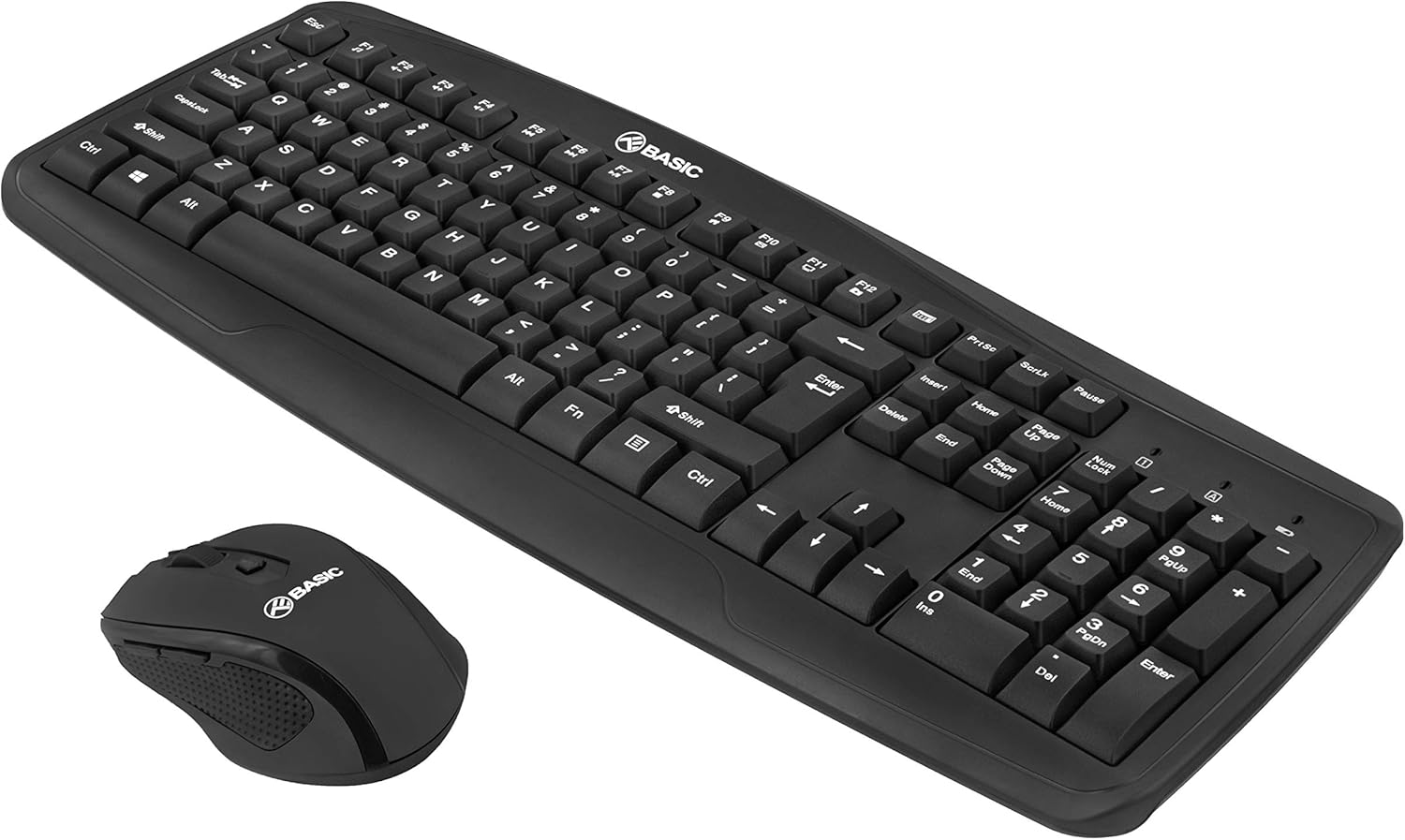
تصوير: ٻيو زاويه view of the TELLUR Basic Wireless Keyboard and Mouse Kit, showing the full keyboard and mouse from a different perspective, emphasizing the compact design.
وضاحتون
| خاصيت | تفصيل |
|---|---|
| برانڊ | TELLUR |
| ماڊل نالو | Basic Wireless Keyboard and Mouse kit |
| ماڊل نمبر | ٽي ايل 491051 |
| رابطي ٽيڪنالاجي | 2.4GHz وائرليس (USB رسيور ذريعي) |
| وائرلیس رينج | 10 ميٽر (33 فوٽ) تائين |
| ماؤس DPI سيٽنگون | 800 / 1200 / 1600 ڊي پي آءِ (ايڊجسٽبل) |
| Keyboard Power Source | 1 x AAA بيٽري (شامل) |
| Mouse Power Source | 1 x AA بيٽري (شامل) |
| مطابقت رکندڙ ڊوائيسز | ليپ ٽاپ، پي سي |
| پيداوار جي ماپ | 45 x 18 x 3.1 سينٽي |
| شيءِ جو وزن | 583 جي |
Note on Connectivity: While some specifications may list "Bluetooth", this product operates via a dedicated 2.4GHz USB receiver for plug-and-play functionality.
وارنٽي ۽ سپورٽ
For warranty information and technical support, please refer to the warranty card included with your product or visit the official TELLUR webسائيٽ. وارنٽي دعوائن لاءِ خريداري جي ثبوت طور پنهنجي خريداري جي رسيد رکو.
رابطي جي ڄاڻ:
- برانڊ: TELLUR
- Webسائيٽ: www.tellur.com
- اي ميل: Refer to official webسپورٽ رابطي لاءِ سائيٽ.
Disclaimer: Product specifications and appearance are subject to change without notice.