1. تعارف
Thank you for choosing the Audeze LCD-1 Audiophile Open-Back Headphones. These headphones are engineered for exceptional audio fidelity, offering a wide soundstage and precise imaging for critical listening, mixing, and mastering. Designed for comfort and portability, the LCD-1 delivers the renowned Audeze planar magnetic sound in a compact form factor.
2. حفاظت جي ڄاڻ
- ٻڌڻ جي حفاظت: ٻڌڻ کان پاسو ڪريو بلند آواز جي سطح تي وڌايل عرصي تائين ٻڌڻ جي نقصان کي روڪڻ لاءِ.
- ماحولياتي آگاهي: Due to their open-back design, these headphones do not provide noise isolation. Be aware of your surroundings when using them, especially in environments where attention is required (e.g., near traffic).
- صفائي: صفائي لاءِ نرم، سڪل ڪپڙو استعمال ڪريو. سخت ڪيميڪلز يا رگڙيندڙ مواد استعمال ڪرڻ کان پاسو ڪريو.
- اسٽوريج: نقصان کان بچڻ لاءِ جڏهن استعمال ۾ نه هجن ته هيڊفونز کي انهن جي حفاظتي ڪيس ۾ رکو.
- نمي: Keep the headphones away from water and excessive moisture. They are not water resistant.
3. پيڪيج مواد
مھرباني ڪري ھيٺ ڏنل شين لاءِ دٻي کي چيڪ ڪريو:
- Audeze LCD-1 Audiophile Open-Back Headphones
- 3.5mm to dual 3.5mm audio cable
- 1/4-inch adapter
- حفاظتي سفري ڪيس
- يوزر گائيڊ (هي دستاويز)
4. پراڊڪٽ ختمview
The Audeze LCD-1 headphones feature a lightweight, foldable design with comfortable memory foam ear pads and headband. The open-back earcups house the planar magnetic drivers, delivering exceptional sound clarity.

شڪل 4.1: سامهون view of the Audeze LCD-1 headphones, showcasinکليل پٺيءَ واري ڊيزائن ۽ آرامده ائرڪپس.
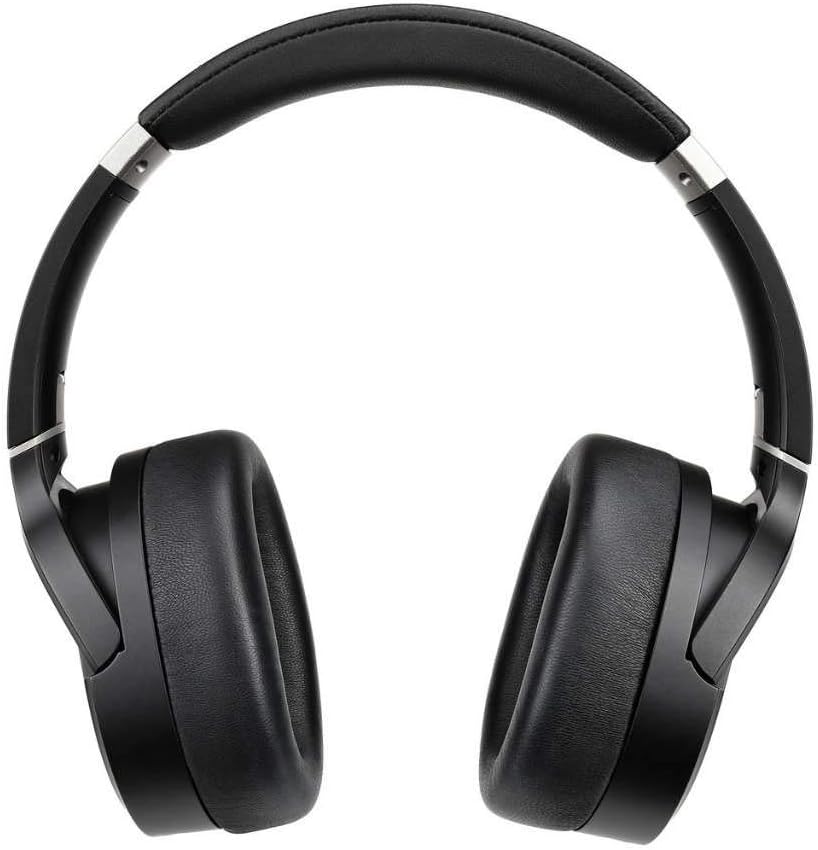
شڪل 4.2: مٿي view of the Audeze LCD-1 headphones, highlighting the adjustable headband and earcups.
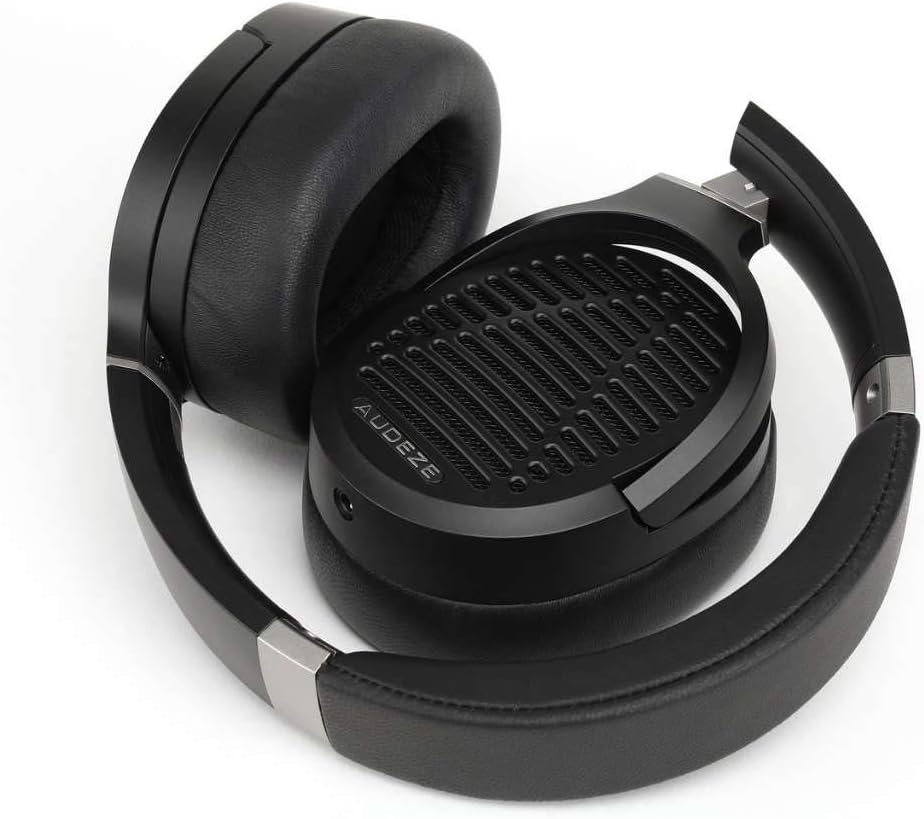
Figure 4.3: The Audeze LCD-1 headphones folded, demonstrating their compact design for easy portability and storage.
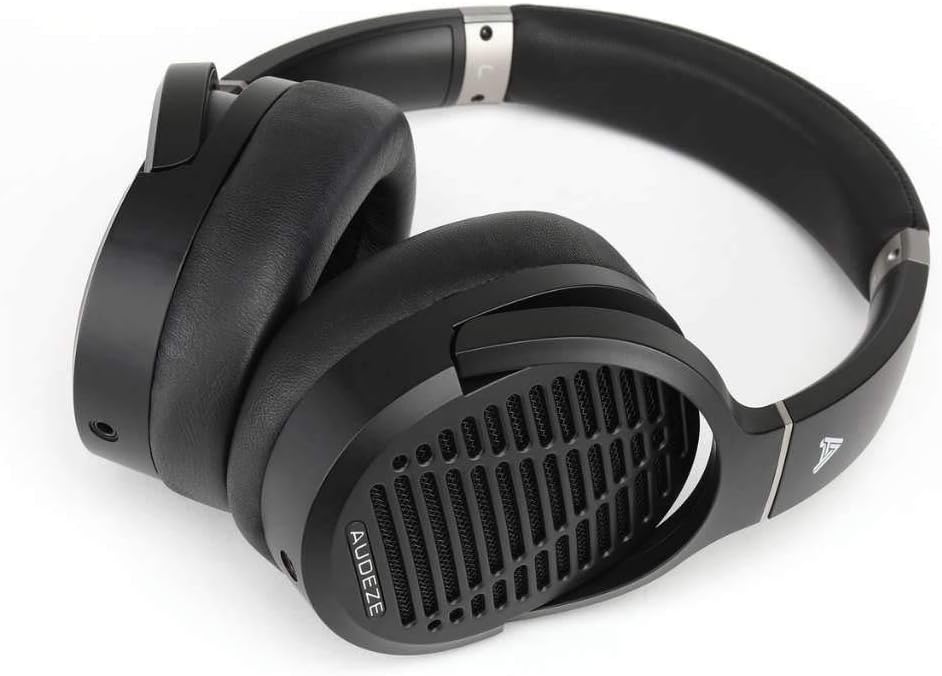
شڪل 4.4: زاويه view of the Audeze LCD-1 headphones in their folded state, ready to be placed in the protective case.
5. سيٽ اپ
5.1 ڪيبل ڳنڍڻ
- Locate the dual 3.5mm connectors on one end of the included audio cable.
- Insert each 3.5mm connector into the corresponding jack on the bottom of each earcup. Ensure they are fully seated.
- Connect the single 3.5mm end of the cable to your audio source (e.g., smartphone, computer, audio interface).
- If your audio source requires a 1/4-inch connection, attach the included 1/4-inch adapter to the single 3.5mm end of the cable before connecting to the source.
5.2 هيڊفون پائڻ
- Gently unfold the headphones.
- Place the earcups over your ears, ensuring the memory foam pads fully encompass your ears for optimal comfort and sound.
- Adjust the headband by sliding the earcups up or down until the headphones fit comfortably and securely on your head. The headband should rest gently on the top of your head.

Figure 5.1: A user wearing the Audeze LCD-1 headphones, demonstrating proper fit and use with a laptop.
6. آپريٽنگ
6.1 آڊيو پلے بیک
Once connected to your audio source, begin playback from your device. Adjust the volume on your audio source to a comfortable listening level. The LCD-1 headphones are designed to be easily driven by most portable devices and audio interfaces without the need for a dedicated amplifier, though a high-quality source will enhance the listening experience.
6.2 Optimal Listening Experience
- For the best sound quality, use high-resolution audio files يا اسٽريمنگ خدمتون.
- Ensure the audio cable is securely connected to both earcups and your audio source.
- The open-back design means sound will leak out and ambient noise will enter. For critical listening, use in a quiet environment.
7. سار سنڀال
7.1 صفائي
- Ear Pads and Headband: Wipe gently with a soft, dry, lint-free cloth. Do not use liquid cleaners or solvents.
- ڪن ڪپ: Use a soft, dry brush to remove any dust from the grilles.
- ڪيبل: Wipe the cable with a dry cloth if it becomes dirty.
7.2 اسٽوريج
When not in use, fold the headphones and store them in the provided protective travel case. This will protect them from dust, scratches, and accidental damage.
8. مسئلا حل ڪرڻ
| مسئلو | ممڪن سبب | حل |
|---|---|---|
| آواز ڪونهي | Cable not connected properly; Audio source volume too low; Incorrect audio output selected on device. | Ensure all cable connections are secure; Increase volume on audio source; Verify correct audio output is selected on your device. |
| آواز خراب يا غير واضح آهي | Cable damage; Audio source issue; Volume too high causing clipping. | Try a different audio cable if available; Test with another audio source; Reduce volume. |
| هيڊفون بي آرام آهن | نامناسب فٽ. | Adjust the headband and earcup position until a comfortable fit is achieved. Ensure ear pads fully surround your ears. |
9. وضاحتون
| خاصيت | تفصيل |
|---|---|
| ماڊل نالو | LCD-1 |
| رابطي ٽيڪنالاجي | وائرڊ (3.5 ملي ايم جڪ) |
| آڊيو ڊرائيور جو قسم | پلانر مقناطيسي ڊرائيور |
| ڪن جي جڳهه | ڪن مٿان |
| فارم فيڪٽر | ڪن مٿان |
| مواد | Memory Foam (ear pads), Leather (carrying case) |
| شيءِ جو وزن | 250 گرام (8.8 آونس) |
| پيداوار جي ماپ | 12.28 x 10.31 x 6.77 انچ |
| شامل اجزاء | حفاظتي ڪيس |
| يو پي سي | 819343013093 |
| ٺاهيندڙ | آڊيز |
10. وارنٽي ۽ سپورٽ
10.1 وارنٽي ڄاڻ
Audeze products typically come with a limited warranty covering manufacturing defects. For specific warranty terms and conditions, including duration and coverage, please refer to the warranty card included with your product or visit the official Audeze webسائيٽ. وارنٽي دعوائن لاءِ خريداري جو ثبوت رکو.
10.2 ڪسٽمر سپورٽ
For technical assistance, troubleshooting beyond this manual, or warranty service, please contact Audeze customer support. You can find contact information on the official Audeze webسائيٽ:
Webسائيٽ: www.audeze.com/support
Please have your product model number (LCD-1, Model: 210-L1-1200-00) and proof of purchase ready when contacting support.


