تعارف
Thank you for choosing the seenda Wireless Keyboard and Mouse Combo. This manual provides essential information for setting up, operating, and maintaining your new device. This combo offers a comfortable, quiet, and efficient experience for your Windows-enabled laptop, PC, notebook, or desktop.
- ريچارج لائق ڊيزائن: Both the keyboard and mouse feature built-in lithium batteries, easily rechargeable with the included cable. A full charge can last up to 1-2 months.
- Comfortable & Quiet: گھٽ پروfile keys ensure comfortable typing, and the quiet design minimizes noise during use.
- Sleek & Modern: An ultra-thin design with a silver and white finish complements any workspace.
- آسان سيٽ اپ: A single USB receiver connects both the keyboard and mouse, offering a stable 2.4GHz wireless connection up to 33 feet.
- مڪمل-سائيز ترتيب: The keyboard includes convenient media keys and a number pad, yet remains lightweight for portability.
سيٽ اپ جون هدايتون
Follow these steps to set up your seenda Wireless Keyboard and Mouse Combo:
- مواد کوليو: Carefully remove all items from the packaging. Verify that you have the keyboard, mouse, USB receiver, charging cable, protective cover, and user guide.
- USB رسيور ڳوليو: The USB receiver is conveniently stored inside the mouse. Open the battery compartment cover on the underside of the mouse to retrieve it.
- USB وصول ڪندڙ کي ڳنڍيو: Plug the USB receiver into an available USB port on your computer. Your operating system should automatically detect and install the necessary drivers.
- پاور آن ڊوائيسز: Locate the ON/OFF switch on the back of the mouse and on the side of the keyboard. Slide both switches to the "ON" position.
- شروعاتي چارج For optimal performance, it is recommended to fully charge both the keyboard and mouse before first use. Connect the included charging cable to the Type-C charging port on each device and to a USB power source. The charging indicator will show solid red while charging and turn off when fully charged.

Figure 1: Connecting the USB Receiver for 2.4G Wireless Connection.
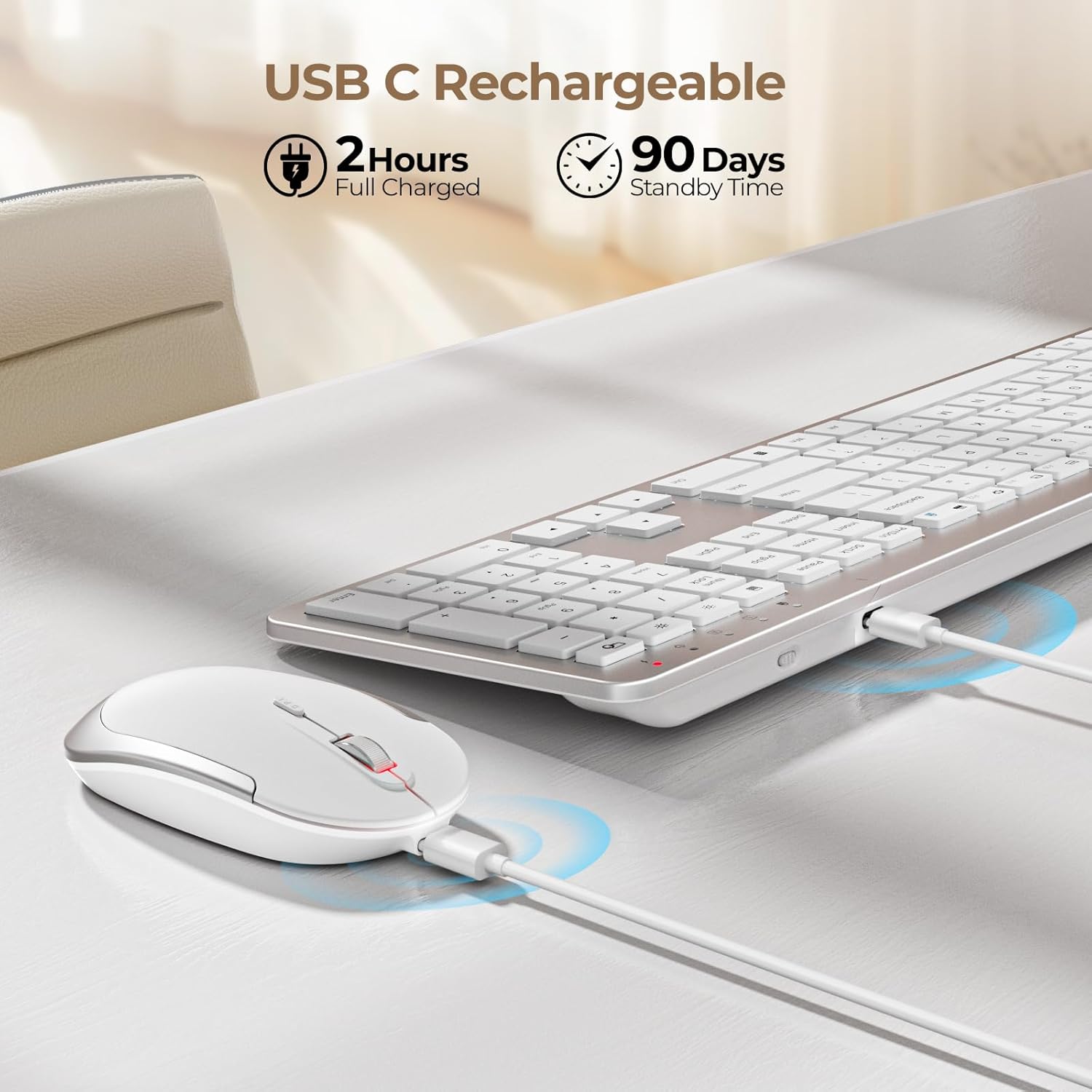
Figure 2: Charging the Keyboard and Mouse. A full charge takes approximately 2 hours and provides up to 90 days of standby time.
Video 1: Official video demonstrating the features and setup of the seenda Wireless Rechargeable Keyboard and Mouse Combo, including charging, slim design, quiet operation, and 2.4G wireless connection.
آپريٽنگ هدايتون
Quiet Typing and Clicking
ڪيبورڊ ۾ گهٽ پروفيشنل خاصيتون آهنfile scissor-switch keys designed for a comfortable and quiet typing experience. The mouse is also engineered for silent clicks, allowing you to work without disturbing others.

Figure 3: Enjoying a quiet work environment with soft typing and clicks.
Adjustable DPI for Mouse Precision
The mouse offers 3 adjustable DPI levels (800, 1200, 1600) to suit your precision needs. Press the DPI switch button located near the scroll wheel to cycle through the settings.

Figure 4: Adjusting mouse sensitivity with the DPI switch.
ملٽي ميڊيا هاٽڪيز
The keyboard is equipped with a row of multimedia hotkeys (F1-F12) for quick access to functions like media playback, volume control, browser, search, email, and more. Additionally, dedicated keys for calculator, brightness adjustment, and screen lock are available.
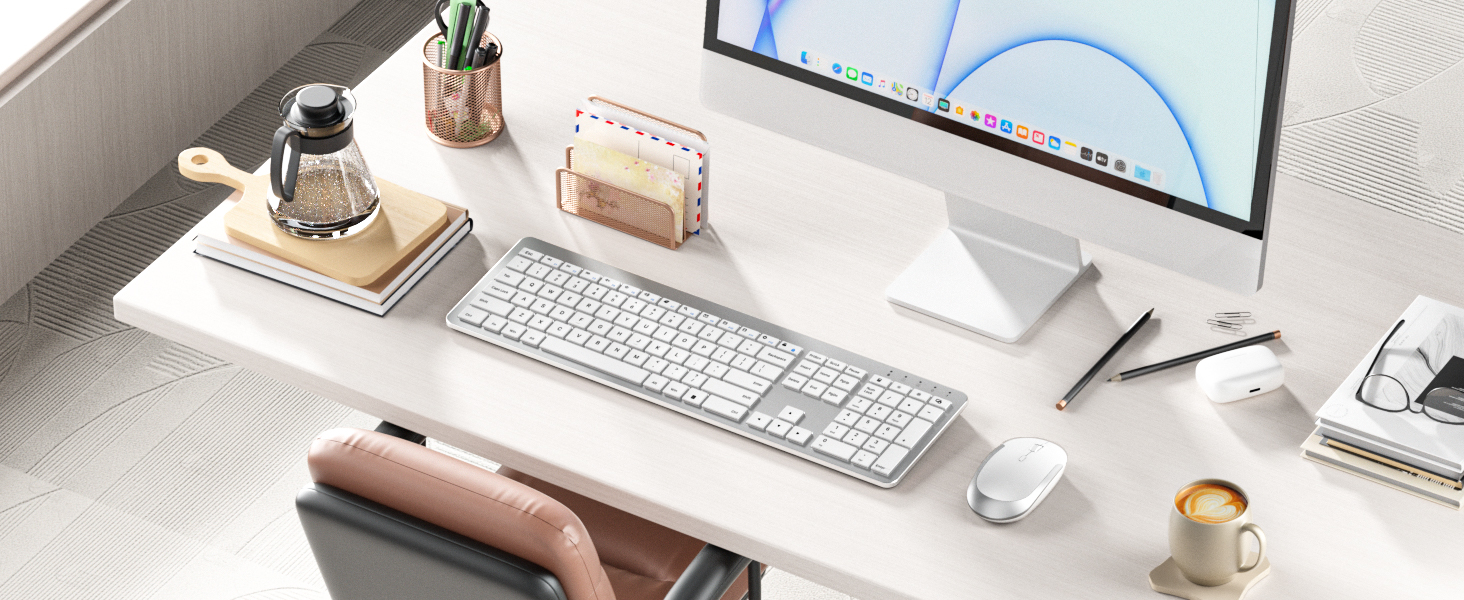
Figure 5: Keyboard layout highlighting multimedia and function keys.
سمارٽ توانائي جي بچت
To conserve battery life, both the keyboard and mouse feature an auto-sleep function. The keyboard will enter sleep mode after 5 seconds of inactivity, and the mouse after 10 minutes. Simply click any key or move the mouse to wake them up.

Figure 6: Smart energy-saving features with auto-sleep and power switches.
سار سنڀال
چارج ڪرڻ
When the battery is low, the power indicator on the keyboard will flash green. For the mouse, the indicator will also signal low battery. Connect the included USB charging cable to the Type-C port on each device and a USB power source (e.g., computer USB port, USB wall adapter). The indicator will be solid red during charging and turn off when fully charged. Avoid overcharging to prolong battery life.
صفائي
To clean your keyboard and mouse, power them off. Use a soft, dry, lint-free cloth to wipe down the surfaces. For stubborn dirt, slightly dampen the cloth with water or a mild, non-abrasive cleaner. Avoid spraying liquids directly onto the devices or allowing moisture to seep into openings.
مشڪلاتون
- ڪوبه ڪنيڪشن/لئگ ناهي:
- پڪ ڪريو ته ڪيبورڊ ۽ مائوس ٻئي آن آهن.
- پڪ ڪريو ته USB رسيور محفوظ طور تي توهان جي ڪمپيوٽر تي ڪم ڪندڙ USB پورٽ ۾ پلگ ان ٿيل آهي.
- بيٽري جي سطح چيڪ ڪريو ۽ ريچارج ڪريو جيڪڏھن ضروري ھجي.
- ڪوشش ڪريو USB وصول ڪندڙ کي مختلف USB پورٽ ۾ پلگ ان ڪرڻ.
- Move the devices closer to the USB receiver to rule out interference or range issues.
- چاٻيون جواب نه ڏئي رهيون آهن:
- Check if the keyboard is in auto-sleep mode; press any key to wake it.
- پڪ ڪريو ته ڪيبورڊ چارج ٿيل آهي.
- If using the protective cover, ensure it is properly aligned and not obstructing key presses.
- مائوس ڪرسر ٽپو ڏئي ٿو/بي ترتيب آهي:
- مائوس جي تري ۾ موجود آپٽيڪل سينسر کي صاف ڪريو.
- پڪ ڪريو ته توهان مائوس کي مناسب مٿاڇري تي استعمال ڪري رهيا آهيو (گهڻو عڪاسي ڪندڙ يا شفاف نه).
- جيڪڏهن ڪرسر تمام تيز آهي ته ڊي پي آءِ سيٽنگ کي گهٽ حساسيت تي ترتيب ڏيو.
وضاحتون
| خاصيت | تفصيل |
|---|---|
| پيداوار جي ماپ | 17.3 x 5.1 x 0.75 انچ |
| شيءِ جو وزن | 14.6 اونس |
| شيون ماڊل نمبر | Keyboard-Mouse-038A-ZYS-WS |
| بيٽريون | 1 ليتيم آئن بيٽري گھربل (شامل) |
| رابطي ٽيڪنالاجي | 2.4G USB وائرليس |
| خاص خاصيتون | Ultra-thin Flat Keyboard, Rechargeable Keyboard Mouse, Full Size with Number Pad, Quiet |
| مطابقت رکندڙ ڊوائيسز | USB-enabled Windows Devices |
| رنگ | اڇو ۽ چاندي |
پيڪيج مواد
The seenda Wireless Keyboard and Mouse Combo package includes:
- ماؤس x 1
- ڪي بورڊ x 1
- چارجنگ ڪيبل x 1
- USB وصول ڪندڙ x 1
- حفاظتي ڪپڙا x 1
- يوزر گائيڊ x 1

شڪل 7: پراڊڪٽ پيڪيج ۾ شامل مواد.
وارنٽي ۽ سپورٽ
For warranty information and customer support, please refer to the contact details provided in the included User Guide or visit the official seenda webسائيٽ. ڪنهن به وارنٽي دعوائن لاءِ پنهنجي خريداري جي رسيد رکو.


