تعارف
The GENAI Wireless Bluetooth Headset B112 provides a convenient and hands-free communication experience. This manual offers detailed instructions for setting up, operating, maintaining, and troubleshooting your headset to ensure optimal performance and longevity.
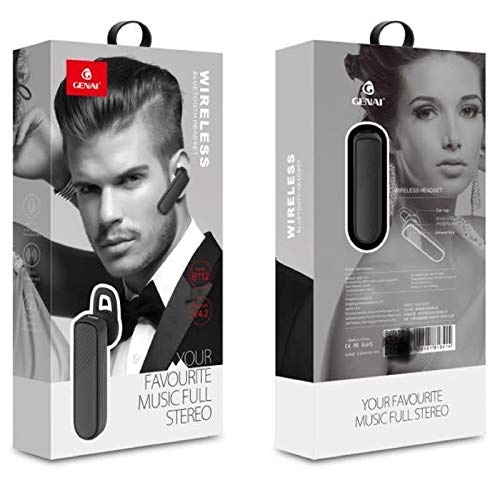
Image: GENAI Wireless Bluetooth Headset B112, main unit with ear hook.
دٻي ۾ ڇا آهي
پيداوار جي پيڪيج ۾ هيٺيان شيون شامل آهن:
- GENAI Wireless Bluetooth Headset B112
- ڪن کشن
- چارجنگ ڪيبل (مائڪرو USB)
سيٽ اپ ڪريو
1. هيڊ سيٽ کي چارج ڪرڻ
- Connect the Micro USB charging cable to the charging port on the headset.
- Connect the other end of the charging cable to a compatible USB power source (e.g., computer USB port, USB wall adapter).
- The indicator light will illuminate during charging.
- هڪ مڪمل چارج عام طور تي لڳ ڀڳ وٺندو آهي 2 ڪلاڪ.
- Once fully charged, the indicator light may change color or turn off, depending on the model. Disconnect the charging cable.
2. بلوٽوٿ ڊيوائس سان جوڙڻ
- پڪ ڪريو ته هيڊ سيٽ مڪمل طور تي چارج ٿيل آهي.
- پاور آن: Press and hold the multi-function button (usually the main button) on the headset until the indicator light flashes, typically alternating blue and red, indicating pairing mode.
- بلوٽوت کي فعال ڪريو: On your mobile phone or other Bluetooth-enabled device, go to the Bluetooth settings and ensure Bluetooth is turned on.
- ڳولھيو ڊوائيسز: Your device will scan for available Bluetooth devices. Look for "B112" or "GENAI B112" in the list.
- ڳنڍڻ: Select "B112" or "GENAI B112" to initiate the pairing process. If prompted for a password, enter "0000" (four zeros).
- Once successfully paired, the indicator light on the headset will typically flash blue slowly, and you may hear a voice prompt confirming the connection.
3. هيڊ سيٽ پائڻ
The GENAI B112 headset is designed for comfortable wear. Attach the ear hook if desired, and adjust it to fit securely over your ear. The ear cushions can be changed for a better fit.
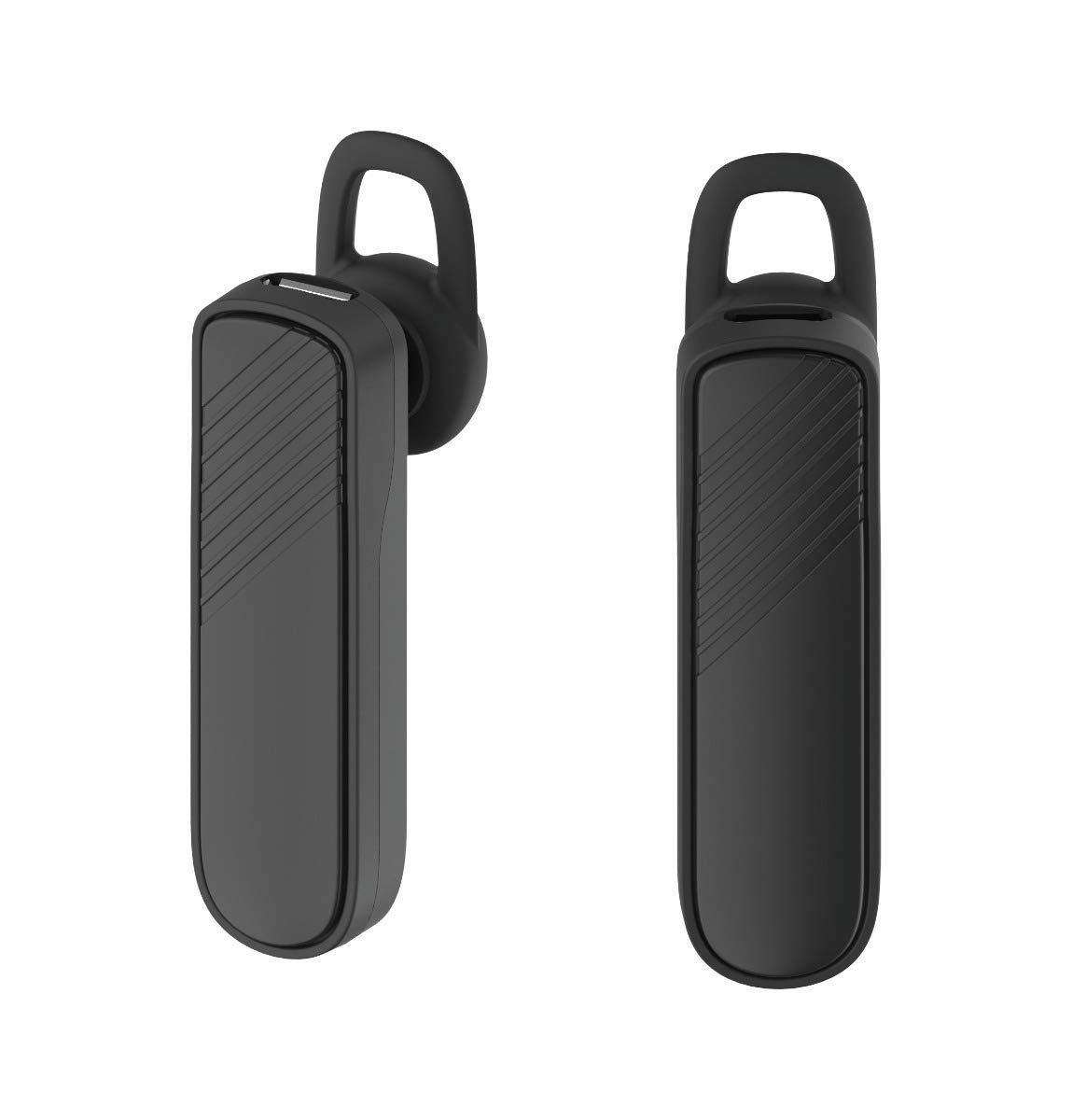
تصوير: ٻه views of the GENAI Wireless Bluetooth Headset B112, illustrating its design.
آپريٽنگ هدايتون
- پاور آن / آف: Press and hold the multi-function button for approximately 3-5 seconds to power on or power off the headset. A voice prompt will confirm the action.
- جواب ڏيڻ / ڪال ختم ڪرڻ: Press the multi-function button once to answer an incoming call. Press it again to end an active call.
- رد ڪالون: ايندڙ ڪال کي رد ڪرڻ لاءِ ملٽي فنڪشن بٽڻ کي تقريباً 2 سيڪنڊن لاءِ دٻايو ۽ رکو.
- ريڊل آخري نمبر: Double-press the multi-function button to redial the last dialed number.
- حجم ڪنٽرول: Use the dedicated volume buttons (if present) or the multi-function button (depending on model variation) to adjust the call or music volume. Refer to your device's manual for specific button functions.
- ميوزڪ پلے بیک: When connected, you can play music from your paired device. The multi-function button may also control play/pause.
- آواز جو اشارو: The headset provides voice alerts for power on/off and pairing status.
سار سنڀال
- صفائي: Use a soft, dry, lint-free cloth to clean the headset. Do not use harsh chemicals, cleaning solvents, or strong detergents.
- اسٽوريج: When not in use, store the headset in a cool, dry place, away from extreme temperatures and direct sunlight.
- بيٽري جي سنڀال: To prolong battery life, avoid fully discharging the battery frequently. Charge the headset regularly, even if not used for extended periods.
- پاڻي جي نمائش: This headset is not waterproof. Avoid exposure to water, moisture, or rain.
مشڪلاتون
- هيڊ سيٽ آن نٿو ٿئي:
- Ensure the headset is fully charged. Connect it to a power source and allow it to charge for at least 30 minutes before attempting to power on again.
- Cannot pair the headset with my device:
- Ensure the headset is in pairing mode (indicator light flashing blue/red).
- پڪ ڪريو ته توهان جي ڊوائيس تي بلوٽوت فعال آهي.
- Keep the headset and your device within close proximity (within 1 meter) during pairing.
- Turn off and on both the headset and your device, then try pairing again.
- If previously paired, try "forgetting" or "unpairing" the headset from your device's Bluetooth list and then re-pair.
- ڪابه آواز يا گهٽ آواز:
- Check the volume levels on both the headset and your paired device.
- Ensure the headset is properly connected to your device. Sometimes, the audio output might switch to the phone speaker.
- ٻنهي ڊوائيسز کي ٻيهر شروع ڪرڻ جي ڪوشش ڪريو.
- هيڊ سيٽ اڪثر ڪري ڊسڪنيڪٽ ٿئي ٿو:
- Ensure there are no obstacles between the headset and your device.
- مداخلت گهٽائڻ لاءِ پنهنجي جوڙيل ڊوائيس جي ويجهو وڃو.
- Check for other active Bluetooth devices that might be causing interference.
- پڪ ڪريو ته هيڊ سيٽ ڪافي چارج ٿيل آهي.
وضاحتون
| ماڊل نالو | بي 112 |
| رابطي ٽيڪنالاجي | بلوٽوت V4.2 |
| چارجنگ پورٽ | مائڪرو USB |
| چارج ڪرڻ وقت | تقريبن 2 ڪلاڪ |
| ڳالهائڻ جو وقت | 20 ڪلاڪ تائين |
| موسيقي راند جو وقت | تقريبن 20 ڪلاڪ |
| اسٽينڊ بائي ٽائيم | 1000 ڪلاڪ تائين |
| شيءِ جو وزن | 30 جي |
| مواد | پلاسٽڪ |
| خاص خصوصيت | ڪنڌ |
| شامل اجزاء | ڪن کشن |
| مطابقت رکندڙ ڊوائيسز | Android, iOS, Mi devices (Bluetooth-enabled smartphones) |
وارنٽي ڄاڻ
This GENAI Wireless Bluetooth Headset B112 comes with a 3 مهينن جي متبادل وارنٽي from the date of purchase. Please retain your proof of purchase for warranty claims. This warranty covers manufacturing defects. Please note that this warranty does not include refunds.
حمايت
For further assistance, technical support, or warranty claims, please contact your retailer or the GENAI customer service department. Refer to the product packaging or the official GENAI webرابطي جي تفصيل لاءِ سائيٽ.


