1. تعارف
خريد ڪرڻ لاءِ مهربانيasing the FEELWORLD F6 On-Camera Monitor. This manual provides detailed instructions for the proper use, setup, and maintenance of your monitor. Please read this manual thoroughly before operating the device to ensure optimal performance and to prevent damage.
The FEELWORLD F6 is a compact and lightweight 5.7-inch Full HD 1920x1080 IPS monitor designed for DSLR and mirrorless cameras. It features a 170° wide viewing angle, professional Rec.709 color calibration, and a range of advanced monitoring tools to assist in professional video production.
حفاظت جي ڄاڻ
- بجليءَ جي جھٽڪي يا باهه کان بچڻ لاءِ مانيٽر کي مينهن يا نمي جي سامهون نه رکو.
- مانيٽر کي سڌو سورج جي روشني ۾ يا گرمي جي ذريعن جي ويجهو رکڻ کان پاسو ڪريو.
- Use only the specified power adapter or compatible batteries.
- Do not disassemble or modify the monitor. Refer all servicing to qualified personnel.
- مانيٽر کي مضبوط مقناطيسي ميدانن کان پري رکو.
2. پيڪيج مواد
مھرباني ڪري چيڪ ڪريو ته سڀ شيون توھان جي پيڪيج ۾ موجود آھن:
- FEELWORLD F6 On-Camera Monitor
- جھڪندڙ بازو
- HDMI ڪيبل
- ڇانوَ
- استعمال ڪندڙ دستي
3. پراڊڪٽ ختمview
The FEELWORLD F6 monitor is designed for ease of use and portability, featuring a slim profile and lightweight construction.
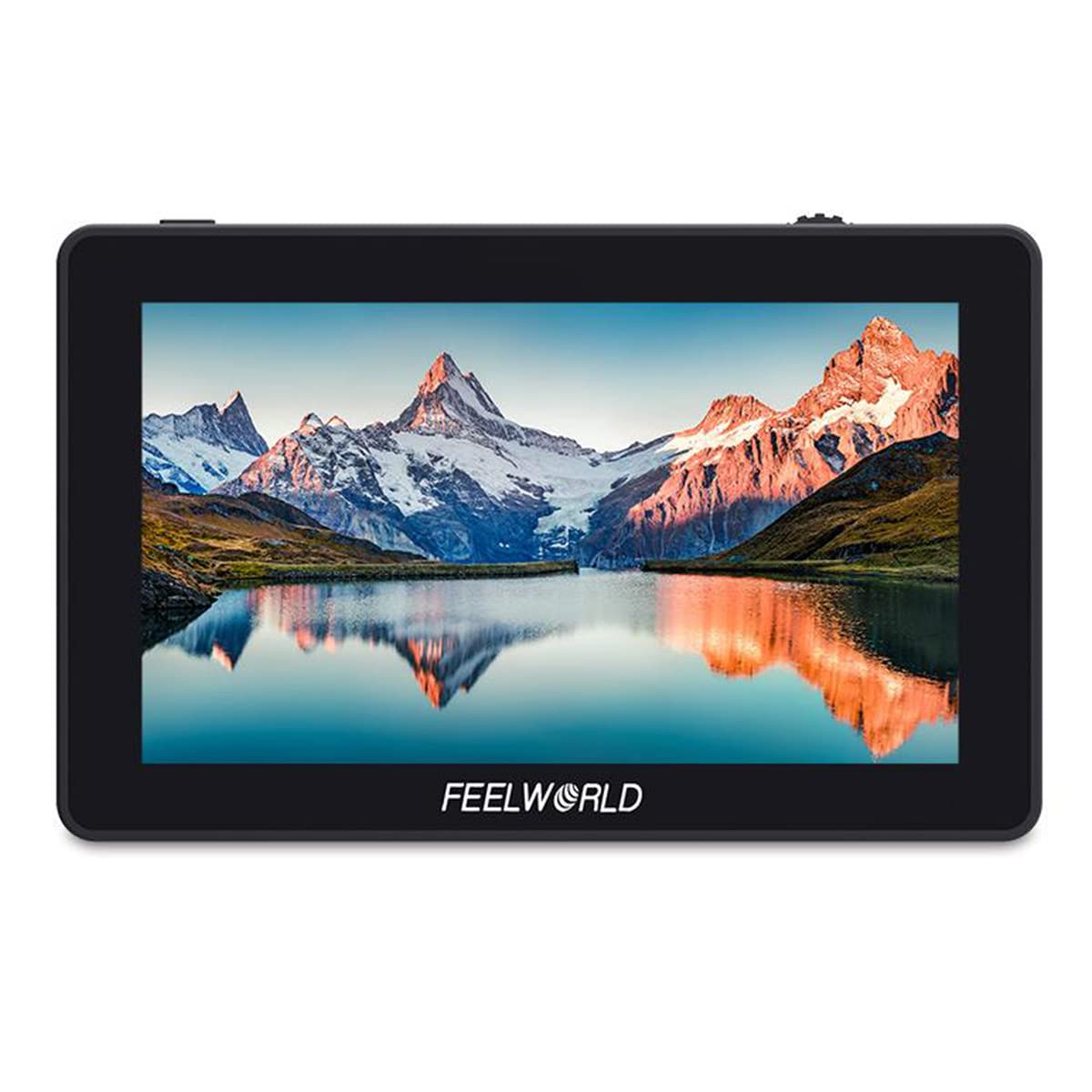
Figure 3.1: FEELWORLD F6 monitor mounted on a camera with a microphone.
بندرگاهن ۽ بٽڻ

شڪل 3.2: پاسي view of the FEELWORLD F6 monitor illustrating its various input and output ports.
- ڊي سي 12V ۾: Power input for the monitor.
- ڊي سي اوٽ 8V: Power output to power compatible cameras or accessories.
- HDMI اندر: HDMI input for video signal from your camera.
- USB اپ گريڊ: فرم ويئر اپڊيٽ لاءِ USB پورٽ.
- 3.5mm Ear Phone Slot: Audio output for monitoring sound.
- فنڪشن بٽڻ: Customizable buttons for quick access to monitor features.
- مينيو بٽڻ: Accesses the monitor's main menu.
- اسڪرول ويل: مينيو آپشنز ذريعي نيويگيٽ ڪري ٿو ۽ سيٽنگون ترتيب ڏئي ٿو.
4. سيٽ اپ
4.1 مانيٽر لڳائڻ
The FEELWORLD F6 includes a tilt arm for flexible mounting options on your camera's hot shoe or cold shoe mount.

Figure 4.1: The monitor attached to a camera via the included tilt arm, allowing for angle adjustments.
- Attach the tilt arm to your camera's hot shoe or cold shoe mount.
- Securely fasten the tilt arm.
- Mount the FEELWORLD F6 monitor onto the tilt arm using the ¼-20 screw.
- Adjust the monitor to your desired viewing angle and tighten the tilt arm.
4.2 مانيٽر کي طاقت ڏيڻ
The F6 monitor supports both DC power input and battery power.

شڪل 4.2: پوئتي view of the monitor, highlighting the battery plate for compatible rechargeable batteries.
- ڊي سي پاور Connect a 7-24V DC power adapter to the 'DC IN 12V' port.
- بيٽري پاور: Attach a compatible NP-F series battery (e.g., NP-F970) to the battery plate on the back of the monitor.
4.3 ڪئميرا سان ڳنڍڻ
Use an HDMI cable to connect your camera to the monitor.
- Ensure both the monitor and camera are powered off.
- Connect one end of the HDMI cable to your camera's HDMI output port.
- Connect the other end of the HDMI cable to the 'HDMI IN' port on the FEELWORLD F6 monitor.
- Power on the monitor, then power on your camera. The video signal should appear on the monitor.
5. آپريٽنگ هدايتون
5.1 بنيادي آپريشن
- پاور آن / آف: Press and hold the power button (usually located on the side or top) for a few seconds to turn the monitor on or off.
- مينيو نيويگيشن: Press the 'MENU' button to access the main menu. Use the scroll wheel to navigate through options and press the wheel to confirm selections.
- فنڪشن بٽڻ: The F1/F2/F3 buttons are customizable. You can assign frequently used functions (e.g., Peaking, False Color) to these buttons via the menu.
5.2 Advanced Monitoring Features
The F6 monitor includes several professional tools to assist with exposure, focus, and framing:
- چوٽي جو فلٽر: Highlights sharp edges in red, green, or blue to assist with focus.
- هسٽوگرام: Displays the tonal distribution of the image, helping to prevent over or under-exposure.
- False Colors: Assigns specific color overlays to different exposure levels, making it easy to identify overexposed or underexposed areas.
- Exposure (Zebras): Displays zebra patterns over areas exceeding a set exposure threshold.
- شامل ٿيل آڊيو: Visualizes audio levels on the screen.
- بينامورفڪ موڊ: De-squeezes anamorphic footage لاء مناسب viewing.
- Nine Grids: Overlays a 3x3 grid for composition assistance.
- زوم اِن: نازڪ ڌيان لاءِ تصوير جي هڪ حصي کي وڏو ڪري ٿو.
- Pixel-to-Pixel: Displays the image at its native resolution without scaling.
- چيڪ فيلڊ: Displays only red, green, blue, or mono channels for color analysis.
- تصوير ڦلڻ: Flips the image horizontally or vertically, useful for various mounting orientations.
- تصوير منجمد: Pauses the current frame on the screen.
5.3 Color Calibration (Rec.709 Standard)
The FEELWORLD F6 monitor is factory-calibrated to the professional Rec.709 HD color standard, ensuring accurate color reproduction.

Figure 5.1: Illustration of the Rec.709 color standard, indicating the monitor's professional color accuracy.

Figure 5.2: Visual comparison demonstrating the improved color accuracy after professional calibration.
This calibration ensures that the colors displayed on the monitor are consistent and true to the source, which is crucial for critical monitoring during production.
6. سار سنڀال
6.1 صفائي
- مانيٽر جي ٻاهرين حصي کي صاف ڪرڻ لاءِ نرم، سڪل ڪپڙو استعمال ڪريو.
- For the screen, use a microfiber cloth specifically designed for electronics. If necessary, lightly dampen the cloth with a screen cleaning solution. Do not spray liquid directly onto the screen.
- سخت ڪيميڪلز، محلولن، يا رگڙيندڙ صاف ڪندڙ استعمال ڪرڻ کان پاسو ڪريو.
6.2 اسٽوريج
- جڏهن استعمال ۾ نه هجي، مانيٽر کي ٿڌي، سڪل جاءِ تي، سڌي سج جي روشني ۽ انتهائي گرمي پد کان پري رکو.
- If storing for an extended period, remove any attached batteries.
- Use a protective case or pouch to prevent scratches and impacts.
7. مسئلا حل ڪرڻ
| مسئلو | ممڪن سبب | حل |
|---|---|---|
| مانيٽر تي طاقت نه آهي. | No power, low battery, or faulty power connection. | Check DC power connection or replace/recharge battery. Ensure power button is pressed correctly. |
| ڪوبه وڊيو سگنل ناهي. | Incorrect HDMI connection, camera not outputting signal, or incorrect input selected. | Verify HDMI cable connection. Check camera's HDMI output settings. Ensure 'HDMI IN' is selected on the monitor. |
| تصوير بگڙيل يا ٽمٽار آهي. | Faulty HDMI cable, incompatible resolution, or interference. | Try a different HDMI cable. Adjust camera's output resolution. Move away from sources of electromagnetic interference. |
| آپريشن دوران مانيٽر گرم ٿي ويندو آهي. | عام آپريشن، يا خراب وينٽيليشن. | Some warmth is normal. Ensure adequate airflow around the monitor. If excessively hot, power off and allow to cool. |
جيڪڏهن انهن حلن جي ڪوشش ڪرڻ کان پوءِ به مسئلو برقرار رهي، مهرباني ڪري ڪسٽمر سپورٽ سان رابطو ڪريو.
8. وضاحتون
| خاصيت | تفصيل |
|---|---|
| ماڊل | F6 |
| اسڪرين جي ماپ | 5.7 انچ آئي پي ايس |
| قرارداد | 1920 x 1080 پکسلز |
| پکسل پچ | 0.0657 x 0.0219 ملي ميٽر |
| اسپيڪٽ ريشو | 16:9 |
| روشني | 460 cd/m² |
| مقابلي جي نسبت | 1400:1 |
| پٺاڻ | ايل اي ڊي |
| Viewزاويه | 85°/85° (L/R) 85°/85° (U/D) |
| انٽ واليمtage | 7 ~ 24 V DC |
| بجلي جو استعمال | ≤ 8 واٽ |
| پاور ڪنيڪٽر | DC |
| آپريٽنگ جي درجه حرارت | -20 °C ~ 55 °C |
| اسٽوريج جي درجه حرارت | -30 °C ~ 65 °C |
| تنصيب | 3 x ¼-20 Thread points (top, bottom, right side) |
| طول و عرض | 154 x 90 x 23 ملي ميٽر |
| يونٽ جو وزن | 200 جي |
| HDMI Input/Output Support | 480i/576i/480p/576p, 1080i (60/59.94/50), 720p (60/59.94/50/30/29/25/24/23.98), 1080p (60/59.94/50/30/29.97/25/24/24sF/23.98/ 23.98sF), 4K UHD 3840 × 2160p (30/29.97/25/24/23.98 Hz), 4096 × 2160p (24 Hz) |
| آڊيو آئوٽ | 3.5mm اسٽيريو هيڊ فون جيڪ |
| حوالو نمبر | 712350122799 |
| ASIN | B07ZR8SHZ8 |
9. وارنٽي ۽ سپورٽ
9.1 وارنٽي ڄاڻ
FEELWORLD products typically come with a limited warranty against defects in materials and workmanship. Please refer to the warranty card included with your product or visit the official FEELWORLD webتوهان جي علائقي تي لاڳو مخصوص وارنٽي شرطن ۽ ضابطن لاءِ سائيٽ.
9.2 ڪسٽمر سپورٽ
For technical assistance, troubleshooting, or service inquiries, please contact FEELWORLD customer support. You can usually find contact information, including email and phone numbers, on the official FEELWORLD webسائيٽ (www.feelworld.cn) يا توهان جي مقامي ورهائيندڙ جي ذريعي.
When contacting support, please have your product model (F6) and purchase information ready.


